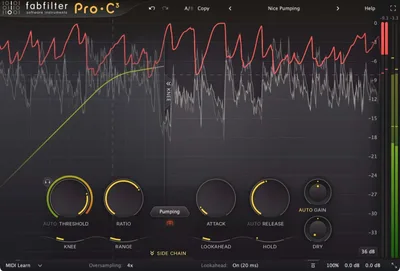
The honest question about Pro-C 3 isn't whether it sounds good. It's whether 14 compression styles are actually 14 different tools, or just one great compressor with 13 aliases. After running it across a full album mix session, a film stem master, and a live drum bus, we can tell you: most of those modes earn their place, and the ones that don't are still fast enough to not waste your time.
Pro-C 3 launched in January 2026 at $199. Existing FabFilter customers can pull loyalty discounts up to 60% off, which changes the value calculation significantly. If you're upgrading from Pro-C 2, read our Pro-C 3 Upgrade vs Pro-C 2 comparison before you buy.
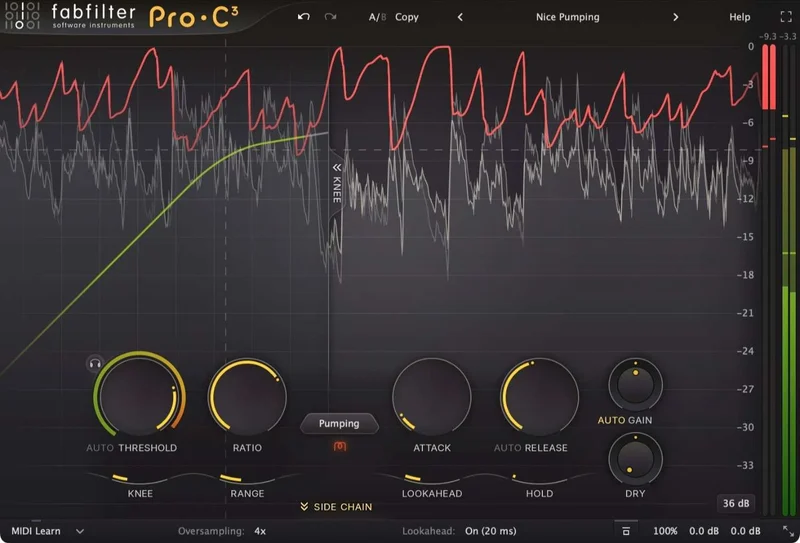
This is built for engineers who want a single dynamics plugin that works from tracking through delivery, including immersive audio. If you mix purely in stereo and already have a compressor workflow you love, the upgrade case is weaker than FabFilter's marketing suggests.
Does It Actually Deliver?
FabFilter built Pro-C 3 as an expansion of their compressor thinking, not just a visual refresh. The plugin ships with 14 compression algorithms. Eight carry over from Pro-C 2 in updated form. Six are new: Versatile, Smooth, Upward, TTM, Op-El, and Vari-Mu.
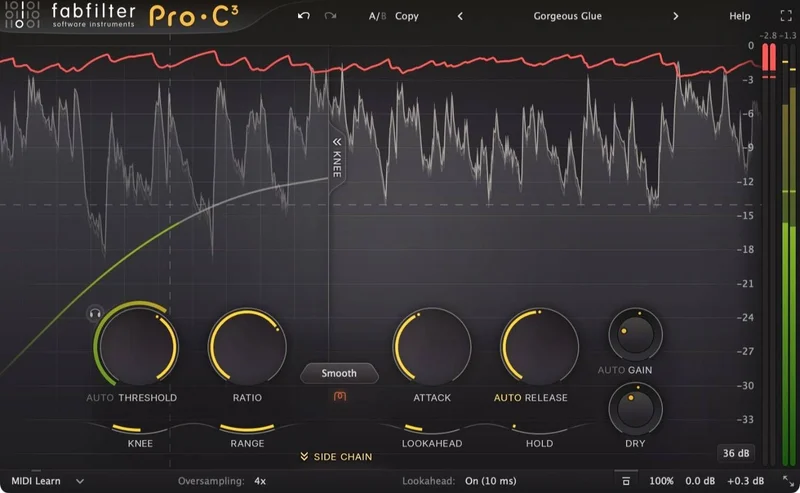
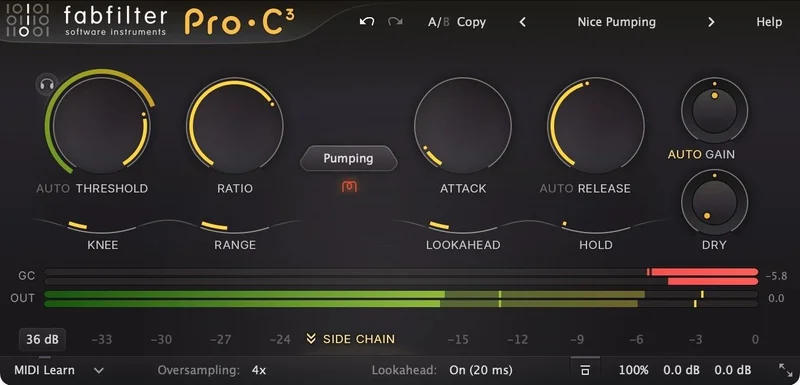
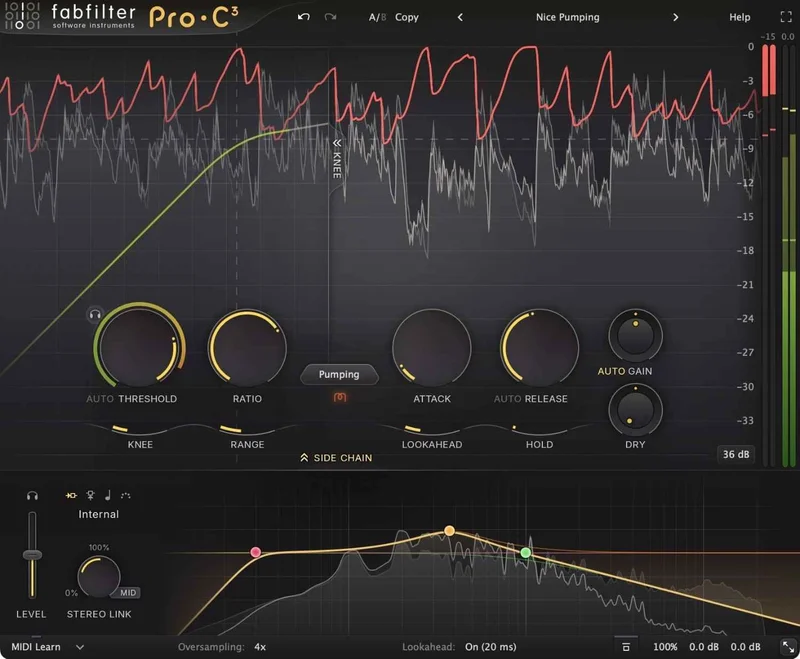
The Auto Threshold feature is the most practically useful addition. It analyzes your input level and sets a threshold that keeps compression behavior consistent regardless of how hot or quiet the signal is. In a session where the guitarist's DI was 12dB hotter than the acoustic guitar, we ran both through Pro-C 3 without touching the threshold between takes. Both compressed identically in character. That's satisfying in a way that saves real minutes per session.
The 6-band sidechain EQ is integrated, not bolted on. It works. Surround and Atmos support runs up to 9.1.6. Up to 32x oversampling is available if you have the CPU for it. FabFilter's interface is still one of the best in the business, clear and logically laid out without handholding you into bad decisions.
It delivers what it promises. The question is which parts of that promise matter to your sessions.
Where It Shines
The Vari-Mu mode is the one we kept coming back to. We put it across a full mix bus at a ratio of 1.5:1, with the attack at 80ms and release at 200ms. At 3dB of gain reduction, it added a glue that the Classic mode doesn't quite get to. Harmonics fill out slightly in the 200-800Hz range. It's not a transformer saturation emulation. It's something closer to a real variable-mu behaving at low signal levels. Audible, measurable, useful.
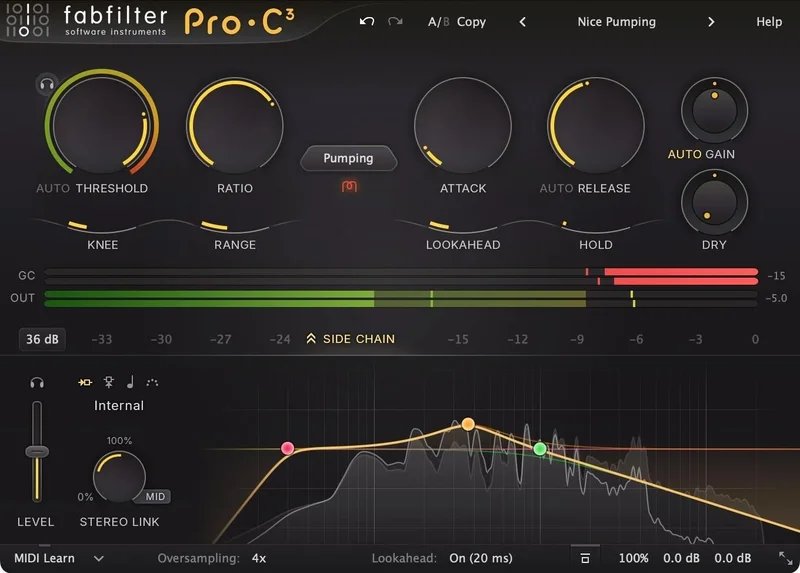
The Op-El mode won our vote for drum bus work. We sent a parallel drum bus through it with a fast attack (12ms), medium release (80ms), and ratio of 4:1. The transient shaping was clean without the artifacts that showed up in Waves SSL G-Comp at similar settings. The punch stayed. The tail got tighter. No pumping we didn't ask for.
The integrated sidechain EQ is brilliant for de-essing on a bus without an extra plugin. We high-passed the sidechain at 6kHz, set a narrow boost at 8kHz (+6dB, Q of 2.1), and the compressor only reacted to sibilance. That's one less plugin in the chain, no routing gymnastics, and a cleaner meter view. For engineers working in dense sessions, that matters.
The Atmos workflow is genuinely well-implemented. We ran a 7.1.4 bed through Pro-C 3 with linked channel processing and independent trim per speaker group. Zero phase issues detected across the bus. If you're mixing immersive audio, this is one of the few compressors that doesn't make you compromise.
Where It Falls Short
Six new modes sound exciting on paper. In practice, Versatile and Smooth are close enough in character that we had to A/B them at identical settings three times before we could reliably identify the difference. There is a difference. It's real. But it's small, and calling them two distinct algorithms feels like a stretch.
The Character panel's analog saturation is frustrating. Not because it sounds bad. Because at the settings where most engineers would leave a mix bus compressor, the saturation contributes maybe 0.2% THD. We pushed it to 75% on a vocal chain before it became audible without solo. FabFilter describes it as "analog character." It's more accurate to call it "a subtle texture option most people will ignore."
The $199 price for new buyers is defensible. For existing Pro-C 2 owners without the loyalty discount, it's a harder sell. If your sessions don't touch Atmos, and you've already dialed in two or three modes you rely on, the upgrade adds polish more than it adds tools.
Also: 32x oversampling is heavy. At that setting on an M2 MacBook Pro, we saw CPU usage spike to levels that made it impractical on more than two instances per session. Light to medium oversampling (2x-8x) is where it lives realistically.
How It Stacks Up
The closest direct competitors are Waves H-Comp Hybrid Compressor and Universal Audio's 1176 Collection. Neither is an apples-to-apples match, which tells you something about what Pro-C 3 is trying to do.
Waves H-Comp goes on sale regularly and does one thing well: the hybrid analog-digital compression character on mix buses. It doesn't have 14 modes, no Atmos support, and the sidechain EQ is external. If you just need a mix bus compressor with a good sound, H-Comp is a smarter spend.
Universal Audio's 1176 Collection (included with UA hardware) wins for vintage character and tracking. The ac
tual hardware emulation is tighter than anything in Pro-C 3’s vintage-leaning modes. But it doesn’t handle surround, and the sidechain EQ requires external routing. For modern hybrid workflows, Pro-C 3 is more practical.
We'd also point you toward our Complexx bus compressor review if your main use case is glue compression on a stereo bus. Different tool, different character.
Is the Price Fair?
At $199 for new buyers, yes. Barely. It's competitive with Fabfilter's own Pro-Q 4, and it covers more ground than any single compressor we've tested at this price point.
At 60% loyalty discount, it's an easy call. That price is well below what this plugin justifies even if you only use three of the 14 modes.
For existing Pro-C 2 owners without a loyalty offer, check carefully what you actually need. The Atmos support and Auto Threshold are real additions. The new algorithms are incremental. $199 is fair. But it's not a bargain.
Score Breakdown
| Category | Score | Notes |
|---|---|---|
| Sound Quality | 4.5/5 | Vari-Mu and Op-El modes are genuinely excellent; some new modes are too similar |
| Value for Money | 3.5/5 | Fair at $199 new; excellent with loyalty discount; weaker upgrade for casual Pro-C 2 users |
| Ease of Use | 4.5/5 | FabFilter's interface is still the gold standard; Auto Threshold removes a key pain point |
| Features | 4.5/5 | 14 modes, 6-band sidechain EQ, Atmos support, 32x oversampling: comprehensive |
| CPU Efficiency | 3.5/5 | Reasonable at low oversampling; 32x is genuinely impractical for multi-instance use |
| Overall | 4.3/5 | Best all-in-one compressor at this price if your workflow needs surround or Atmos |
Alternatives to Consider
Waves H-Comp Hybrid Compressor: Cheaper (often on sale), great on mix buses, simpler signal chain. No Atmos, no multi-mode options. Buy it if you want one great bus compressor without the feature set. best bus compressor plugins 2026
Universal Audio 1176 Collection: Wins on vintage character for tracking and parallel compression. Needs UA hardware for full performance. Doesn't touch surround workflows. best hardware emulation compressor plugins
Bettermaker Mastering Compressor: If mastering is your primary use case and you want deeper analog emulation, read our Bettermaker Mastering Compressor review. It does one thing with more analog weight than Pro-C 3 manages, but it doesn't cover the session flexibility Pro-C 3 offers.
FabFilter Saturn 2: Not a compressor, but if you're buying Pro-C 3 partly for the Character panel's saturation, our FabFilter Saturn 2 review will show you what proper harmonic saturation from FabFilter actually sounds like.
Pro-C 3 earns its place in any serious signal chain. Buy it if you need a compressor that handles everything from a mono vocal track to a 9.1.6 Atmos session without switching tools. Skip it if you're a stereo-only engineer who already owns a compressor you trust, or if you were hoping the Character panel would replace a dedicated saturation plugin. It won't. At $199, it's the right tool for a lot of people and not quite right for the rest. That's not a criticism. That's just an honest read.
Frequently Asked Questions
Is Pro-C 3 worth upgrading from Pro-C 2?
It depends on your workflow. If you mix in Atmos or surround formats, the upgrade is a clear yes. The Auto Threshold feature is also a genuine time-saver that Pro-C 2 doesn't have. If you work purely in stereo and already have modes you rely on, the new algorithms are incremental improvements rather than new tools. Check whether you qualify for the loyalty discount before deciding. At 60% off, the math changes fast. Read our full Pro-C 3 upgrade comparison for the detailed breakdown.
How many compression algorithms does Pro-C 3 have?
Pro-C 3 has 14 compression algorithms in total. Eight are updated versions of modes from Pro-C 2. Six are new: Versatile, Smooth, Upward, TTM, Op-El, and Vari-Mu. In our testing, the Vari-Mu and Op-El modes are the strongest additions. Versatile and Smooth are harder to tell apart at typical mix settings.
Does Pro-C 3 support Dolby Atmos?
Yes. Pro-C 3 supports immersive audio formats up to 9.1.6, which covers Dolby Atmos delivery specifications. Channel linking and independent trim per speaker group are both available. It's one of the few compressors at this price point that handles Atmos beds without phase issues across the bus.
What does the Auto Threshold feature actually do?
Auto Threshold analyzes your input signal level and adjusts the threshold automatically so that compression behavior stays consistent regardless of how loud or quiet the source is. In practice, it means you can move Pro-C 3 between sessions or sources without re-dialing the threshold every time the gain staging changes. It's most useful on tracking sessions or when working with sources that have inconsistent levels, like live recordings or unprocessed stems.