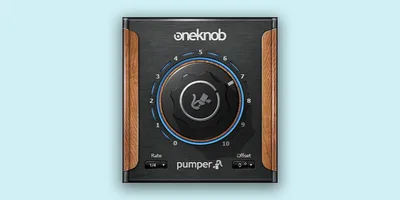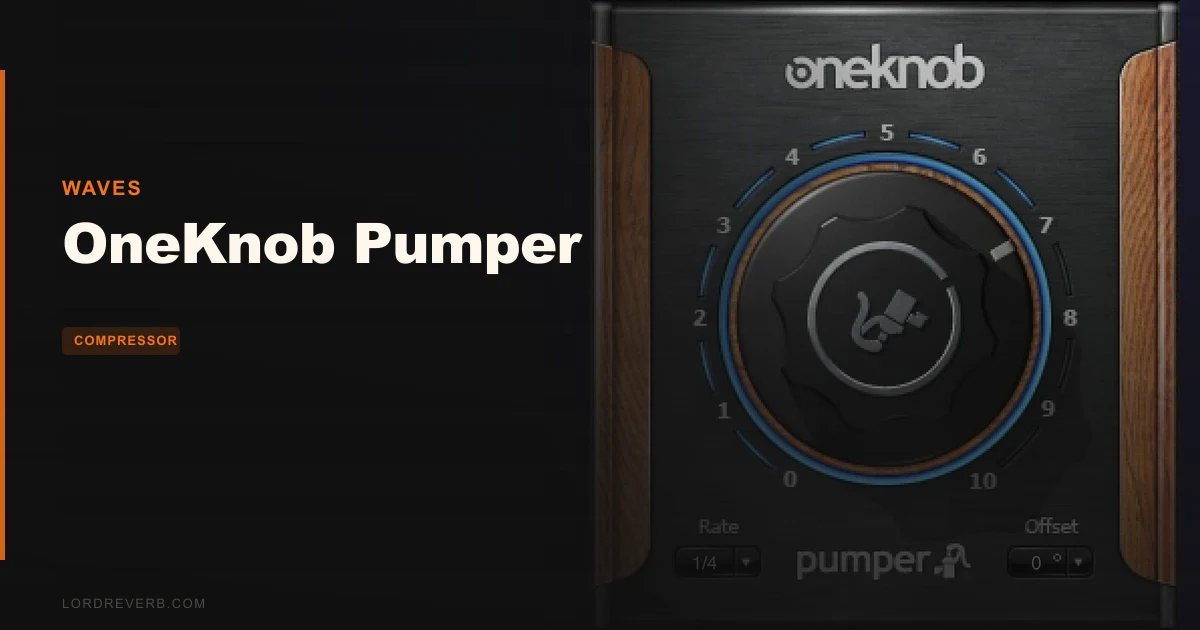
OneKnob Pumper is a focused, well-executed ducking tool that earns its place in a specific producer's kit, as long as that producer isn't expecting a full sidechain compression replacement.
Quick verdict: This is one of the fastest ways to put rhythmic pump and duck into a pad, a chord stab, or an effects bus without routing a single sidechain signal. Owners praise the simplicity, the BPM sync, and the absence of compression artifacts. The score sits at 4.0 out of 5. If you work in electronic music, pop production, or anything that leans on rhythmic movement, it's worth it. If you need multiple envelope shapes or MIDI sync, it isn't the right tool.
What You're Actually Getting
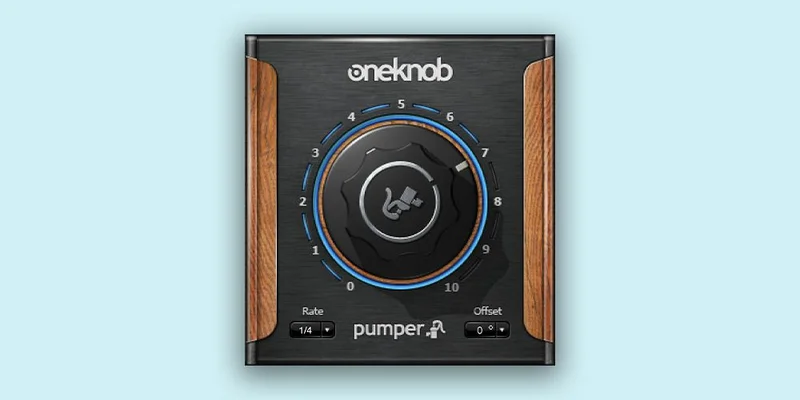
OneKnob Pumper is exactly what the name says: one knob, doing one job, doing it well. Drop it on a pad track, dial the knob, and the signal starts breathing in time with your DAW's tempo. No kick drum routed to a sidechain input. No gain automation drawn by hand. No threshold hunting.
The plugin gives you 10 rhythmic patterns. They span from tight 1/32-note chops down to full-bar sweeps. There are also 3 timing offset options, which lets you push the duck against the grid for counter-rhythmic effects. That's the entire feature set, and that's intentional.
It runs on Mac and Windows. Mac users get VST, AU, and AAX. Windows users get VST and AAX. Supported Mac versions run from Monterey through Sequoia. Windows 10 and later are covered. It syncs to DAW tempo the moment you insert it.
This isn't a compressor. It's a volume-shaping tool that mimics the perceptual result of sidechain compression, without the signal processing that comes with it. That distinction matters for how you use it and what you expect from it.
The Good
No Sidechain, No Problem
The clearest win here is time. Setting up a proper sidechain compressor chain takes routing decisions, threshold calibration, and attack-and-release tweaking. Some producers love that process. Many don't. And when you're sketching at 2am with an idea that needs to breathe, you don't want to build infrastructure.
Pumper removes all of that. Insert it, play the session, turn the knob. Owners report that it takes seconds to get a usable result. That's not an exaggeration of the workflow. The BPM sync is automatic. The pattern immediately locks to your project tempo.
The absence of compression side effects is worth flagging. With a traditional sidechain compressor, you're applying actual gain reduction based on a detector signal. That can introduce subtle pumping artifacts, harmonic coloration, or transient changes you didn't intend. Pumper doesn't use a compressor at all, so none of that happens. The duck is clean.
10 Rhythmic Patterns Worth Knowing
The range from 1/32 notes to full bars covers more territory than you might expect. Put a 1/32 pattern on a synth pad running through a reverb bus and it turns into a stutter effect with real rhythmic grain. Push it to a half-bar or full-bar sweep and it becomes a slow tidal motion underneath a mix. These aren't the same thing. They're genuinely different tools inside the same plugin.
The 3 offset options are clever. Standard ducking pumps on the beat. Offset it and you get the signal rising where everything else is hitting, which is a useful trick for creating space and tension in dense arrangements. It creates a useful trick for space and tension in dense arrangements when applied to sustained textures.
Works on More Tracks Than You'd Think
The obvious use is on a pad or keys layer, letting the duck create room for kick and bass to come through. But Pumper works on guitar power chords, effects buses, and drum bus layering too. Put it on a reverb send and the tail pumps with the groove instead of washing over it. That's satisfying in a way that a static reverb tail never quite matches.
Drop it on a bass track in a four-on-the-floor arrangement and you get automatic rhythm without writing automation. The bass pumps, the kick cuts through, and the low end feels organized without a single compressor in the chain. That specific result is what this plugin is built for.
The Not-So-Good
One Shape Is a Real Limitation
This is the honest complaint, and it's worth sitting with. Pumper offers a single sidechain envelope shape. That means the attack curve, the hold, and the release contour are fixed. You get no control over how fast the volume drops or how it recovers. The knob handles depth, not shape.
In practice, this matters most when you're trying to dial in a specific feel. A fast, punchy duck that recovers before the next beat is a different texture from a slow scoop that just barely comes back up. Those are two different pumping vibes, and Pumper can only give you one of them. Users report this as a frustrating ceiling once you know it's there.
No MIDI Sync
Pumper syncs to DAW tempo. It does not sync to MIDI. If your workflow relies on MIDI clock, or if you're running a live set where tempo is coming from an external source, this is a problem you won't be able to work around. It's annoying, and it limits the plugin's usefulness outside of a standard ITB session context.
Some Installer Issues Were Reported
Some users reported compatibility issues between Pumper and version 9.3 installers. This kind of thing can usually be resolved with an update, but it's worth checking current version compatibility before you buy if you're on an older Waves installation.
Too Simple for Advanced Users
If you're already comfortable building sidechain compression chains, if you know what attack times do to a pump and you like tuning them, Pumper won't scratch that itch. It's not built for precision. It's built for speed. Those are different priorities, and the plugin makes no apology for which one it serves.
Compared to the Alternatives
The most common comparison is with xfer LFO Tool. That plugin offers significantly more precision over sidechain compression shapes. You can draw custom LFO curves, set exact timing, choose from multiple waveform shapes, and get deep control over how the volume envelope moves. It's a different class of tool for a different kind of producer.
If you want to understand exactly how your duck behaves at a sample level, LFO Tool is the right answer. It takes more setup time and more knowledge to use well. But the ceiling is much higher.
Pumper wins on one thing: zero setup. For producers who find LFO Tool's depth appealing but rarely get around to using it because the routing stops them mid-idea, Pumper's frictionless insert-and-go workflow is genuinely valuable. These two tools aren't really competing for the same session. One is a screwdriver. The other is a Swiss Army knife. Both have a place in the drawer.
Who Should Buy This
- ✅ Buy if you produce electronic music or pop and want pump effects that don't require a sidechain setup
- ✅ Buy if you work fast and need rhythmic motion dialed in without breaking your creative flow
- ✅ Buy if you're tired of routing kick signals through sends just to get a pad to breathe
- ❌ Skip if you need precise control over the envelope shape of your duck
- ❌ Skip if your session depends on MIDI clock sync
- ❌ Skip if you already work confidently with LFO Tool or sidechain compression chains and want something deeper
Specs & Technical Details
| Developer | Waves |
| Price | $29.99 |
| Plugin Format | VST, AU, AAX (Mac); VST, AAX (Windows) |
| OS Support | macOS Monterey 12, Ventura 13, Sonoma 14, Sequoia 15; Windows 10 and later |
| Activation | N/A |
| CPU Usage | N/A |
| Trial Available | N/A |
| Version Reviewed | N/A |
Score Breakdown
| Category | Score | Notes |
|---|---|---|
| Sound Quality | 4.0/5 | Clean ducking with no compression artifacts; limited by the fixed envelope shape |
| Value for Money | 4.0/5 | The speed and simplicity justify the cost for the right producer |
| Ease of Use | 5.0/5 | One knob, instant BPM sync, zero routing: it doesn't get simpler |
| Features | 3.0/5 | 10 patterns and 3 offsets is a solid start, but one shape and no MIDI sync hold it back |
| CPU Efficiency | N/A | Not verifiable from available data |
| Overall | 4.0/5 | A clever, focused tool that earns its score by doing one job with almost no friction |
Alternatives to Consider
xfer LFO Tool is the most direct comparison. It gives you custom LFO curves, multiple waveform shapes, and precise control over how volume automation moves. If you want to draw the exact contour of your duck, this is where you go. The setup takes longer. The results are more tailored.
If you want the full sidechain compression experience with all the analog-flavored gain reduction that implies, a traditional compressor with an external sidechain input routed from your kick is worth learning. It's more work. It's also more flexible, and you get the actual compressor coloration as a bonus texture if you want it.
For producers who want something between Pumper's simplicity and LFO Tool's depth, it's worth checking what's currently bundled in your DAW. Several hosts now include volume LFO utilities or auto-ducking tools in their stock plugin sets. Depending on your setup, the solution might already be installed.
The Bottom Line
OneKnob Pumper is a love-it-or-ignore-it plugin, and which camp you're in depends entirely on how you work. If you're the kind of producer who wants a pad pumping in four bars of setup time, this is an underrated tool at $29.99. It's frictionless. It sounds clean. The 10 rhythmic patterns cover real creative ground, and the offset options are a genuinely useful touch that gets overlooked in most descriptions of the plugin.
The fixed envelope shape is the real limitation. There's no getting around it. You can't sculpt the attack or the recovery. You get the shape Waves built, and that's the deal.
But here's the honest read on that: most producers buying Pumper aren't looking for shape control. They're looking to skip the sidechain routing and get back to building the song. For that specific need, this plugin does exactly what it promises, every time you insert it.
If that description sounds like your sessions, the buy is easy. If you caught yourself thinking "but I need multiple shapes," go look at LFO Tool instead. No shame in knowing what you actually need.
Pumper isn't the most powerful tool on the market. It's the fastest one for this specific job. And for a certain kind of producer on a certain kind of session, fast is everything.
Frequently Asked Questions
Does OneKnob Pumper require a sidechain signal to work?
No. That's the whole point of the plugin. It creates ducking and pumping effects internally, without any sidechain routing. You insert it on the track you want to duck, turn the knob, and it moves in time with your DAW's tempo. No kick signal required.
Can OneKnob Pumper sync to MIDI clock?
It cannot. Pumper syncs to your DAW's internal tempo only. If your session relies on MIDI clock from an external source or hardware, this plugin won't lock to it. That's a confirmed limit reported by users, and it's worth knowing before you buy.
What rhythmic patterns does OneKnob Pumper include?
There are 10 patterns, ranging from 1/32-note pulses up to full-bar sweeps. It also includes 3 timing offset options for counter-rhythmic movement. The patterns cover a wide range of rhythmic feels, from tight stutters to slow tidal motion underneath a mix.
Is OneKnob Pumper a compressor?
No. It's a volume-shaping tool that produces the perceptual effect of sidechain compression without using a compressor. This means no gain detector, no threshold, and no compression side effects. Owners specifically note the absence of compression artifacts as a strength.
What tracks is OneKnob Pumper best suited for?
It works best on sustained textures like pads, keys, and held chords. It's also effective on guitar power chords, effects buses, and reverb sends. Users report good results on bass tracks in four-on-the-floor arrangements where rhythmic ducking adds clarity without complex routing.
How does OneKnob Pumper compare to a traditional sidechain compressor?
The main difference is control and setup time. A traditional sidechain compressor gives you adjustable attack, release, threshold, and ratio, plus the sonic coloration of the compressor itself. Pumper gives you none of those controls, but takes seconds to set up instead of minutes. If you need precision, a sidechain compressor is the better choice. If you need speed, Pumper wins.