The question every Pro-Q 3 owner is actually asking is not "what's new?" It is "is Spectral Dynamics worth it, or is this just FabFilter charging for polish?" The honest answer: for post-production mixers and anyone doing serious dynamic EQ work, yes, $84 is a straightforward call. For bedroom producers who live inside one stereo bus, it's harder to justify.
Pro-Q 4 landed December 12, 2024. We've had it running in film post sessions, mastering chains, and busy mixing sessions since, testing it against what Pro-Q 3 was already doing well. This review is for Pro-Q 1, Pro-Q 2, and Pro-Q 3 owners weighing the upgrade cost against real workflow change, not for someone buying their first EQ.
If you are still on Pro-Q 1 or Pro-Q 2, the upgrade price climbs closer to the cost of a new license. We'll deal with that separately below.
Does It Actually Deliver?
FabFilter built Pro-Q 4 around three features that didn't exist in Pro-Q 3: Spectral Dynamics, EQ Sketch, and the Instance List. Everything else is incremental refinement across what FabFilter counts as 50+ updates, things like better band interaction, improved linear phase processing, and a CLAP format addition alongside the existing VST3, AU, and AAX support.
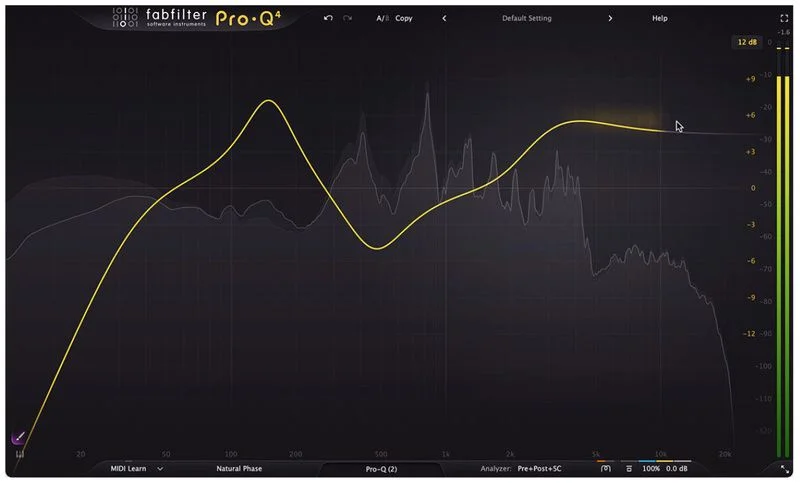
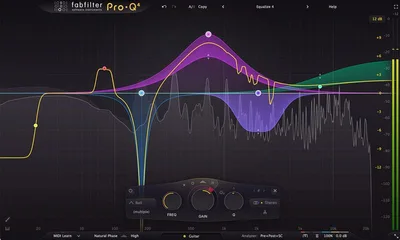
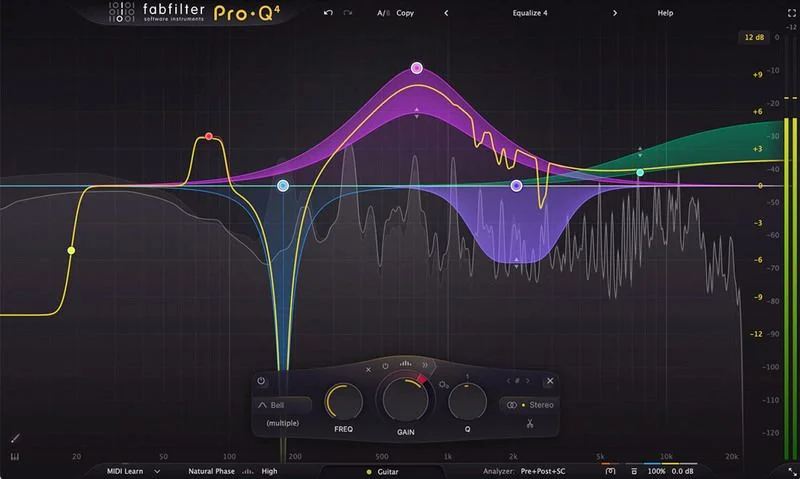
The interface is recognisably Pro-Q. That's intentional. FabFilter didn't blow up the GUI, and we're glad they didn't. The learning curve for existing users is essentially zero for the core EQ functions.
Where it earns its version number is Spectral Dynamics. This isn't a marketing rename of the existing dynamic EQ mode. It's a different processing concept: frequency-specific dynamic processing that watches the spectral content of your audio and responds to it, band by band, with controls you'd previously have needed a dedicated resonance suppressor to access cleanly.
The 24 EQ bands remain. The analog modeling remains pristine. This is still the clearest, most surgical EQ in the box, and Pro-Q 4 doesn't break what Pro-Q 3 got right.
Where It Shines
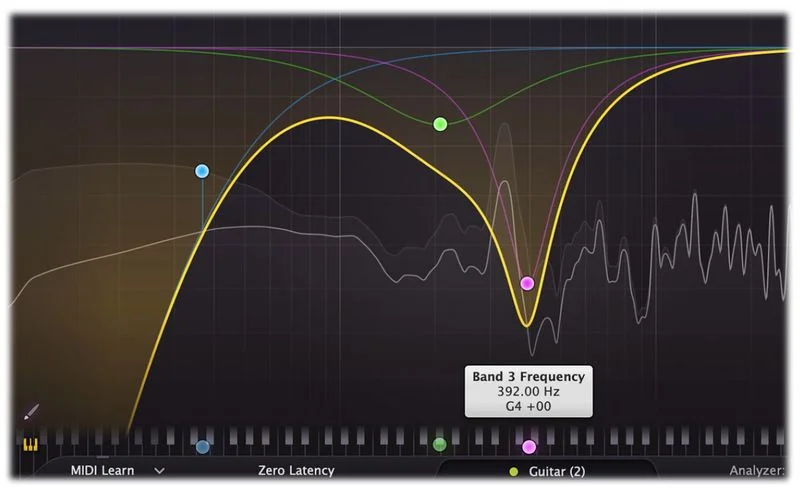
Spectral Dynamics is the real story. We threw a string ensemble at it with a stubborn 800Hz honk that appeared inconsistently depending on the player dynamics. On Pro-Q 3, you'd dial in a dynamic band, set a threshold, and chase it manually. On Pro-Q 4, Spectral Dynamics tracked that resonance spectrally and pulled it down only when it appeared. We set the detection to the program material, applied roughly 3dB of reduction in a tight band at 820Hz with a Q of 2.1, and it sat clean through the whole performance without pumping.
That's a workflow that previously meant reaching for a plugin like Zynaptiq Unveil or iZotope RX spectral repair tools. Now it lives inside your EQ. For film and TV post editors dealing with inconsistent room tone or dialogue with variable proximity buildup, this alone justifies $84 from Pro-Q 3.
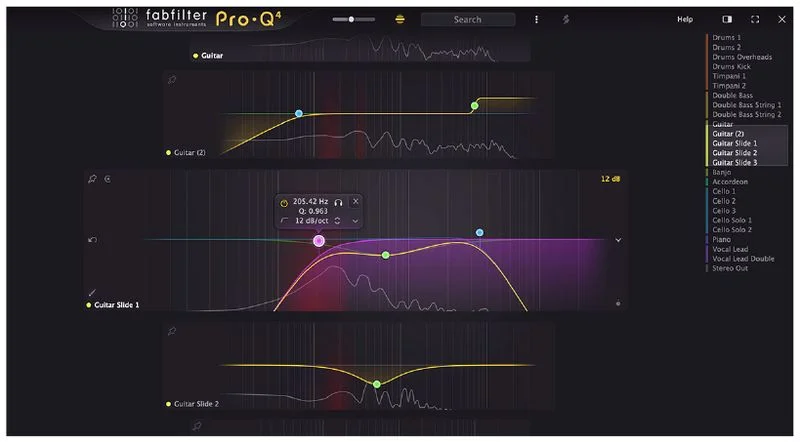
Instance List is underrated in the marketing, but it changed how we handle multi-track EQ sessions. When you've got 40 tracks with Pro-Q 4 instances, you can see and navigate all of them from any single instance. We found a low-mid buildup at 180Hz sitting in three separate tracks simultaneously, identified it in seconds using Instance List, and addressed all three without flipping between windows. That's satisfying in a way that saves real clock time.
The enhanced dynamic EQ controls, specifically per-band Attack and Release, close a gap that Pro-Q 3 users knew existed but learned to live with. Attack now goes down to 0.5ms. Release extends to 5000ms. That range lets you use dynamic bands for genuine transient shaping, not just slow gain riding.
Where It Falls Short
EQ Sketch is the weakest addition. The idea is clever: draw a rough EQ curve freehand and let Pro-Q 4 interpret it into actual bands. In practice, we found the interpretation inconsistent. A broad low-shelf sketch sometimes placed bands in ways we'd immediately correct anyway. It's faster to just click and drag bands in the spectrum. We used EQ Sketch maybe twice in months of testing and stopped reaching for it.
CPU usage is the other honest concern. Pro-Q 3 was already one of the lighter surgical EQs for its quality level. Pro-Q 4 with Spectral Dynamics active runs noticeably heavier. In a session with 24 tracks all running Pro-Q 4 with at least one Spectral Dynamics band active each, we saw CPU peaks roughly 30-40% higher than the equivalent Pro-Q 3 session. On modern hardware that's manageable. On older systems, it adds up fast.
Pro-Q 1 and Pro-Q 2 owners don't get a clean $84 upgrade deal. The closer you are to the original purchase, the closer your upgrade cost sits to the new license price. That pricing structure feels annoying when you've been a loyal FabFilter customer for years.
How It Stacks Up
iZotope Neutron 4's EQ competes here, especially for producers who want dynamic EQ baked into a broader channel strip. Neutron's spectral shaping is good, but the surgical precision of Pro-Q 4's 24 bands at maximum quality mode is cleaner. Neutron wins if you want AI-assisted suggestions and a full channel strip together. Pro-Q 4 wins if you want the best standalone EQ with dynamic capability.
DMG Audio EQuilibrium is the other name worth saying out loud. It's deeper, uglier, and more configurable than Pro-Q 4. Hardcore mastering
engineers love it for that reason. Pro-Q 4 is faster to work in and sounds equally pristine for 95% of tasks. If you’re doing linear phase mastering work where every parameter needs to be exposed and controlled precisely, EQuilibrium deserves a look. For everyone else, Pro-Q 4 is the smarter daily driver.
Check our full breakdown of both surgical and character EQs in the EQ plugins guide.
Is the Price Fair?
At $84 from Pro-Q 3, yes. Spectral Dynamics alone changes the plugin count you need open for complex sessions. The Instance List saves real time. Those two features together are worth $84 if you mix professionally or semi-professionally.
From Pro-Q 1 or Pro-Q 2, the math is less clean. Check FabFilter's site for your specific upgrade price before committing. If it is above a certain threshold, weigh that against whether you are actually going to use Spectral Dynamics regularly.
FabFilter typically runs seasonal sales at around 25% off. Waiting for one if you're not urgent is a legitimate move.
Score Breakdown
| Category | Score | Notes |
|---|---|---|
| Sound Quality | 5.0/5 | Best-in-class surgical precision; analog modeling holds up against hardware at normal gain structures |
| Value for Money | 4.0/5 | $84 from Pro-Q 3 is fair; upgrade pricing from older versions needs checking before you commit. |
| Ease of Use | 4.5/5 | Familiar GUI with zero learning curve for existing users; EQ Sketch doesn't earn its screen space |
| Features | 4.5/5 | Spectral Dynamics and Instance List are genuinely useful additions; 24 bands, full Atmos support to 9.1.6 |
| CPU Efficiency | 3.5/5 | Heavier than Pro-Q 3 under Spectral Dynamics load; manageable on modern hardware, tighter on older rigs |
| Overall | 4.4/5 | The best surgical EQ in the box just got meaningfully better for post and dynamic work; the upgrade pays for itself |
Alternatives to Consider
iZotope Neutron 4 EQ: If you want AI-assisted EQ and dynamic shaping inside a full channel strip, Neutron is the pick. It's less surgically precise than Pro-Q 4 but faster for sketch-level decisions across a whole mix. Check current pricing at iZotope's site.
Mastering The Mix CARBON Q: If your problem is the balance between vocals, bass, drums and music rather than surgical EQ moves, CARBON Q is a different kind of tool. It sets EQ and channel volume across a whole session from your reference tracks, and it's no replacement for Pro-Q 4's precision. Our Mastering The Mix CARBON Q review covers it in full.
DMG Audio EQuilibrium: The choice for mastering engineers who want every parameter exposed. It's harder to learn and the interface feels brutal compared to Pro-Q 4's clean design, but the depth is real. See our SantaCruzEQ6 review for how surgical EQ alternatives compare in mastering contexts.
Millennia NSEQ-2 (Plugin Alliance): If you want pure analog-modeled character with a different flavor entirely, the NSEQ-2 is brilliant for mastering work. It won't replace Pro-Q 4's dynamic capability or surgical precision, but it does something different sonically. Our Millennia NSEQ-2 review covers it in full.
We'd buy Pro-Q 4 again from Pro-Q 3. We'd think harder from Pro-Q 1 or 2. Spectral Dynamics is the feature that changes what this plugin costs you elsewhere in your signal chain, and for post-production mixers especially, that's where the $84 argument gets strongest. If you mix music exclusively and never touch dynamic EQ, stick with Pro-Q 3 until a sale brings Pro-Q 4 to a lower price.
Frequently Asked Questions
What's the upgrade price from Pro-Q 3 to Pro-Q 4?
The upgrade from Pro-Q 3 is $84 as of the Pro-Q 4 launch. If you purchased Pro-Q 3 after October 13, 2024, you receive Pro-Q 4 automatically at no charge. For Pro-Q 1 and Pro-Q 2 owners, the upgrade price differs, so check FabFilter's site directly for your specific cost before purchasing.
Is Spectral Dynamics the same as the dynamic EQ that was already in Pro-Q 3?
No. Dynamic EQ in Pro-Q 3 lets you apply gain changes that respond to a threshold, essentially an EQ band that behaves like a compressor or expander. Spectral Dynamics in Pro-Q 4 analyzes the spectral content of the signal across the full frequency range and applies processing that responds to what's actually happening in the audio at a spectral level. It's a fundamentally different detection and processing approach, closer to what dedicated resonance suppressor tools do, but built directly into your EQ bands.
Does Pro-Q 4 support Dolby Atmos sessions?
Yes. Pro-Q 4 supports channel configurations up to 9.1.6, which covers Dolby Atmos immersive audio work. This is a meaningful addition for film and TV post engineers working in Atmos-enabled facilities. Pro-Q 3's channel support stopped short of full 9.1.6, which required workarounds in some post workflows.
Is the 30-day trial fully functional?
Yes. FabFilter's trial version of Pro-Q 4 runs fully functional for 30 days with no feature restrictions. You can use it in commercial sessions during the trial period. After 30 days, the plugin stops processing audio until you activate a license, so set a calendar reminder before your trial ends mid-project.