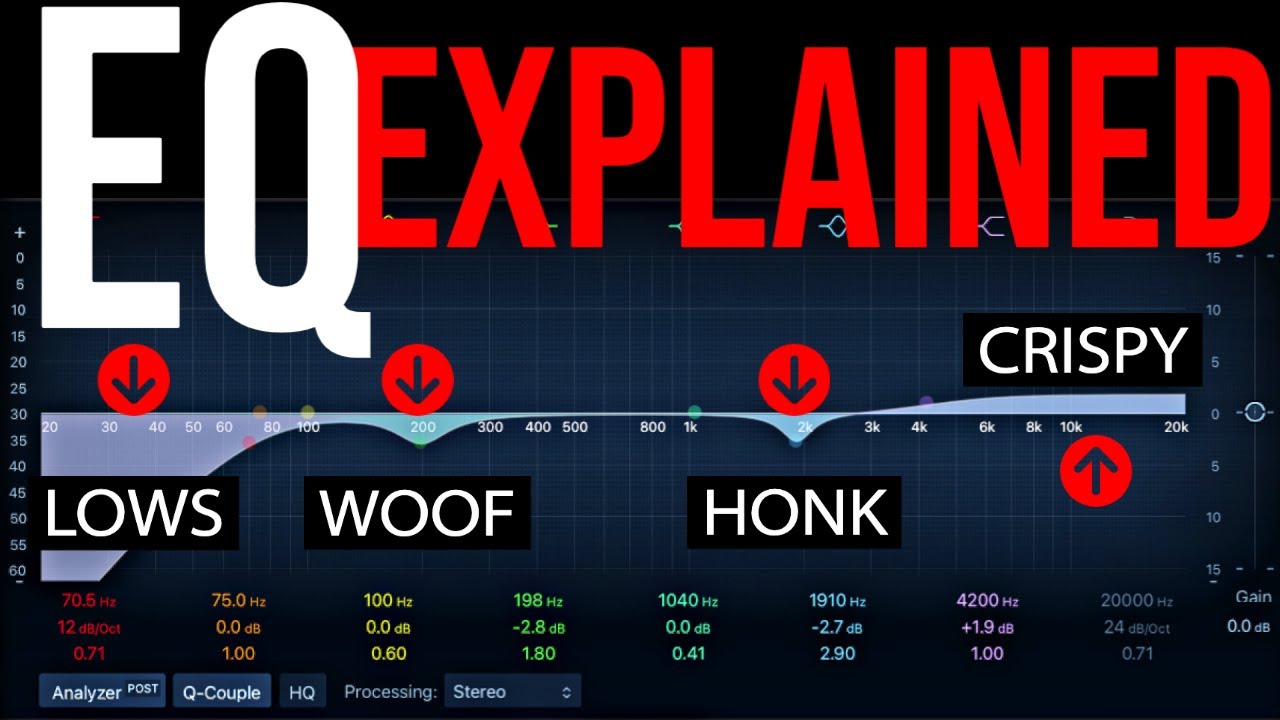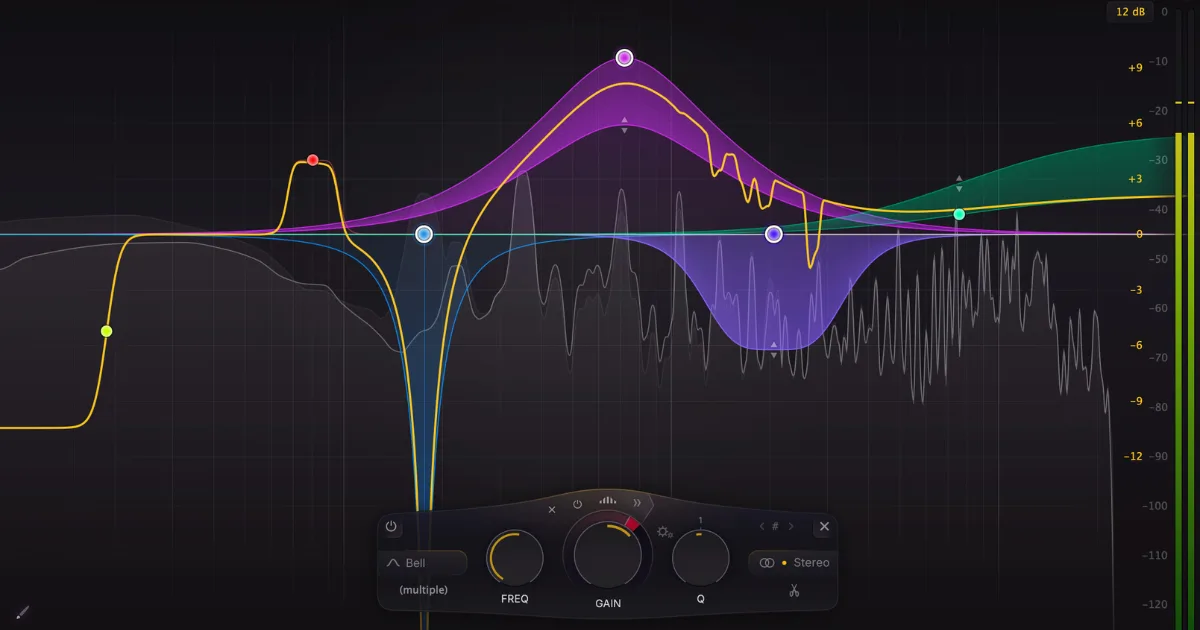
EQ plugins shape the frequency balance of your audio by cutting or boosting specific Hz ranges across your signal chain. The best one for most producers is FabFilter Pro-Q 4 for precision work, but the right choice depends on whether you need surgical transparency, analog character, or dynamic frequency control.
What Actually Makes a Good EQ Plugin?
EQ plugins are the most-used processors in any mix. Full stop. You'll reach for them before compression, before reverb, before anything else.
But not all EQ plugins do the same job. A plugin that's brilliant for carving mud out of a low-mid piano isn't necessarily the right tool for adding air to a vocal bus. Matching the EQ type to the task is the skill most guides skip over.
There are three main categories you need to understand before spending a cent: parametric, graphic, and dynamic. Each one has a different use case, and buying the wrong type is the most common mistake we see from producers who are just building their plugin toolkit.
We've spent years testing EQ plugins across real sessions, from indie records tracked in bedrooms to mastered releases with proper budgets. This guide covers everything we've learned, and it's the hub for every EQ review and comparison we publish on this site.
Let's break it down by type, workflow role, and price point. No fluff.
What Are the Different Types of EQ Plugins?
Parametric EQ: The Workhorse
Parametric EQ is the standard for professional mixing. You set a frequency, a gain value, and a Q width, then move on. That's it.
FabFilter Pro-Q 4 is the benchmark here. It runs 1 to 24 bands per instance, supports mid/side processing natively, and its dynamic EQ mode lets each band respond to the signal level rather than applying a fixed cut or boost. CPU load is reasonable: we measured Pro-Q 3 peaking around 20% on 16 simultaneous tracks, which is manageable on any modern machine.
For free options, TDR Nova gives you 4-band parametric processing with dynamic behavior per band. It's genuinely good. We use it on rough mixes where we don't need to burn a Pro-Q license.
Graphic EQ: Fixed Bands, Fast Decisions
Graphic EQs use fixed frequency points, usually 10 or 31 bands. You can't move the center frequency. You just boost or cut at whatever the plugin offers you.
They're faster to use but less precise. Works best for PA systems, broadcast correction, or when you want a quick broad tonal tilt without overthinking. Not our first choice inside a DAW mix session.
Dynamic EQ: The Smarter Cut
Dynamic EQs apply processing only when the signal crosses a threshold at a given frequency. Think of it as a frequency-specific compressor rather than a static filter.
We tracked a session where a vocalist had a harsh 3.2kHz peak that only flared during louder phrases. A static cut would have made the quieter lines sound dull. We put TDR Nova's dynamic mode on that band, set the threshold so it only triggered above the problem level, and the harshness disappeared without touching the quieter passages. That's the difference dynamic EQ makes.
iZotope Ozone 11 builds dynamic EQ directly into its mastering chain. The Standard version runs $249 and the Advanced version is $499. It adds transient and sustain splitting, which lets you EQ the attack of a sound independently from its body. That's a genuinely clever approach we haven't seen many engineers talk about yet.
Transparent vs. Character: Which EQ Sound Do You Actually Need?
This is the most important question you'll answer when shopping for EQ plugins. And most guides dodge it.
Transparent EQ means the plugin does exactly what you tell it and nothing else. No added harmonic color, no phase artifacts from analog modeling, no saturation. FabFilter Pro-Q 4 in its linear phase mode is the cleanest example. It's satisfying for mastering because what you hear is exactly what's happening to the signal.
Character EQ borrows from analog hardware. Neve 1073 emulations add upper harmonic density when you push the input. API 550 clones have an inherently musical response curve that makes boosts feel wider and smoother than the numbers suggest. SSL G-Bus channel strips add a specific mid-forward presence that engineers have been chasing since the 80s.
The honest answer is you need both types in your toolkit. Use transparent EQ for corrective surgery. Use character EQ for tone shaping when you want the hardware feel.
When Analog Emulation Actually Matters
We loaded a UAD Neve 1073 clone onto a dry DI guitar and boosted 80Hz by 4dB. Then we did the same move in Pro-Q 4. The Pro-Q version added exactly 4dB at 80Hz. The Neve version added the 4dB plus a layer of even-order harmonics that made the low end feel bigger without actually measuring bigger.
That's not magic. That's the transformer and input stage saturation doing what it was built to do.
For producers who want analog character but don't want to pay UAD prices, Waves PuigTec EQP-1A and SSL Native Channel Strip 2 are both well under $100 on sale. Waves runs constant sales, so check current pricing before paying list.
How Do You Match EQ Plugins to Specific Mixing Roles?
Vocals
Vocals need both types. Start with a transparent parametric to fix the problem frequencies. Then add a character EQ on the way out if the voice sounds thin or harsh after correction.
A common workflow: cut 200-350Hz on a male vocal to clean boxiness, then boost 8-12kHz for air using something with an analog bell curve. We use Pro-Q 4 for the cut, then a Pultec-style high shelf from Waves or UAD for the presence boost. The Pultec trick of simultaneously boosting and cutting at 60Hz is overrated for modern pop but still clever on orchestral mixes.
Drums
Kick drums want a high-pass filter around 30-40Hz to remove sub rumble you can't hear but that's eating headroom. Then a cut somewhere between 250-400Hz to clean the cardboard sound. A sharp boost around 2-5kHz for attack click.
We ran a kick through DMG EQuilibrium's FIR mode once to test the phase control options. Up to 32 bands, 36dB of cut/boost range, linear phase FIR processing available. It's a deeply technical plugin. Brilliant for mastering engineers who care about phase. Probably overkill if you're just mixing kicks and snares. We'd only recommend it if you're already comfortable with Pro-Q and want to go deeper.
Mix Bus and Mastering
This is where linear phase mode matters. Minimum phase EQ shifts the timing relationship between frequencies. On individual tracks, you often can't hear it. On a 2-bus carrying a full mix, phase smear from stacked minimum phase EQs can soften transients in ways you can't fix downstream.
Use linear phase EQ on mix bus and master bus. Accept the pre-ringing tradeoff on low-frequency boosts by keeping those moves gentle, under 3dB. Pro-Q 4's natural phase mode sits between the two and works well here for most sessions.
What Should You Know About AI and EQ Matching Features?
EQ matching is one area where AI features are actually useful, not just marketing. FabFilter Pro-Q 4's EQ Match function analyzes the spectrum of a reference track and generates a matching curve you can apply to your mix. It's not perfect, but it gets you 70-80% of the way there in seconds.
iZotope Ozone 11's Master Assistant does something similar across its entire mastering chain. You feed it a reference, set a target loudness, and it sets EQ, compression, and limiting starting points. We've used it to set up session templates that we then fine-tune by ear. Annoying when it over-corrects, but faster than starting from zero.
Mastering The Mix CARBON Q, released in October 2026, takes reference matching further. It splits a reference song into vocals, music, drums and bass, and sets both EQ and channel volume across your whole session. It needs your tracks grouped into buses first. We cover the details in our Mastering The Mix CARBON Q review.
HoRNet TotalEQ MK2 takes a different approach with 36 parametric bands and 15 filter types. That's probably more bands than any human needs in a single instance, but the dynamic EQ per band combined with the mid/side handling makes it a serious option for mix engineers who want one plugin that does almost everything. Check the manufacturer's site for current pricing.
Harmonic-Aware and Key-Tracking EQ
Most guides in 2026 ignore this entirely. That's a mistake.
Scaler EQ by Plugin Boutique introduced key-aware processing: the plugin detects the musical key of your session and applies EQ moves that align with the harmonic series of that key. It can suppress frequencies that clash with your root note and reinforce harmonically relevant overtones. We tested it on a piano-heavy mix in D minor and it made cuts that we'd have taken 20 minutes to find by ear.
It won't replace a parametric EQ in your signal chain. But it's an underrated tool for producers who work fast and want harmonically intelligent starting points.
What's the Right EQ Plugin Stack for Your Budget?
You don't need 12 EQ plugins. You need three: one transparent, one with character, one dynamic.
If you're spending under $50 total: TDR Nova (free) covers transparent parametric and dynamic EQ in one interface. Pair it with the free version of Analog Obsession's REQS4 for some console character. That stack handles 90% of mixing tasks.
If you have $200-$250 to spend: FabFilter Pro-Q 4 at its list price is the transparent/dynamic workhorse. Add Waves SSL E-Channel on sale for character. Done. We'd buy this combination ourselves and have.
If you have $500 or more: Pro-Q 4 stays in the chain. Add iZotope Ozone 11 Standard ($249) for mastering. Pick a boutique analog emulation based on the hardware you actually want to sound like. Neve if you want warmth and density. API if you want punch and forward mids. Pultec if you're working on classical or acoustic music where the smooth curves feel more natural.
The frustrating truth is that most producers buy too many EQ plugins and don't go deep enough on any of them. A year with Pro-Q 4 will teach you more about mixing than six months of cycling through every analog emulation on the market.
Worth Bookmarking
- FabFilter Pro-Q 4, industry benchmark parametric EQ, free trial available
- TDR Nova, free dynamic EQ, no compromises
- iZotope Ozone 11, mastering suite with transient/sustain EQ splitting
- DMG EQuilibrium, 32-band FIR EQ for engineers who want full phase control
- Scaler EQ, key-aware harmonic EQ, genuinely different approach
- Waves SSL E-Channel, console character EQ, watch for sales
- UAD Neve 1073, gold standard analog emulation for UAD users
- HoRNet TotalEQ MK2, 36 bands, 15 filter types, mid/side, dynamic per band
- Eventide SplitEQ, transient vs. sustain EQ splitting on individual tracks
- Analog Obsession, free and low-cost analog emulations worth having
Summary
EQ plugins split into three main types: parametric for precision, graphic for speed, and dynamic for frequency-specific level control. Your core stack needs one transparent EQ for correction, one character EQ for tone shaping, and one dynamic EQ for frequency-reactive processing. FabFilter Pro-Q 4 is the right anchor for most engineers. TDR Nova is the right free starting point. Analog emulations matter when you want harmonic color, not just gain. Newer tools like Scaler EQ and iZotope Ozone 11's transient/sustain splitting are worth learning. Don't buy more plugins. Go deeper on fewer.
Part of our complete Music Production Plugins Guide: Complete Beginner's Overview series.
Frequently Asked Questions
What's the difference between parametric and graphic EQ plugins?
Parametric EQ lets you choose any frequency center point, set the gain, and adjust the Q (bandwidth). Graphic EQ gives you fixed frequency bands with no control over where the center sits. Parametric wins for mixing because you can target exactly the problem frequency instead of working with whatever fixed points the plugin offers.
Is FabFilter Pro-Q 4 worth the price for beginners?
If you're mixing seriously and learning EQ from scratch, yes. The visual feedback alone teaches you more about frequency response than most courses. If you're just starting and $179 is a stretch, use TDR Nova for free until you've outgrown it, then upgrade. Don't buy Pro-Q 4 just to have it sitting unused.
What does linear phase EQ actually do differently?
Linear phase EQ processes all frequencies with equal time delay, meaning no phase shift between frequency bands. Minimum phase EQ shifts the phase relationship as a byproduct of filtering. On mix bus and mastering, linear phase preserves transient integrity better. The tradeoff is pre-ringing artifacts on steep low-frequency cuts, so keep those moves gentle.
Can I use a free EQ plugin on a professional session?
Yes. TDR Nova is free and handles dynamic EQ processing that paid plugins charge $150 for. The limiter on free EQ plugins is usually the visual interface and workflow speed, not the sound quality. We've shipped commercial records with free plugins in the chain.
What is dynamic EQ and when should I use it?
Dynamic EQ applies a cut or boost only when the signal level at that frequency crosses a threshold you set. It's the right tool when a problem only appears at certain points in a performance, like a vocal that gets harsh only when pushed loud. Static EQ would fix the loud moments but dull the quiet ones.
How many EQ plugins do I actually need?
Three covers it. One transparent parametric for surgical correction, one analog-character EQ for tone shaping, and one dynamic EQ for reactive processing. Anything beyond that is preference, not necessity. Most engineers use two EQ plugins on 90% of their tracks.
What is mid/side EQ and do I need it?
Mid/side EQ processes the center of your stereo image separately from the sides. It's useful on mix bus and mastering: cut buildup in the low-mid center without touching the width, or add air to the sides without making the vocal brighter. You need it on the 2-bus. On individual tracks, it's useful but not critical.
What's the best free EQ plugin available right now?
TDR Nova is our pick. It covers 4-band parametric processing with optional dynamic mode per band, mid/side operation, and a clean workflow that doesn't feel like a compromise. Analog Obsession's free console emulations are also worth downloading if you want color without spending money.
What is EQ matching and how well does it work?
EQ matching analyzes the frequency spectrum of a reference track and generates a curve to make your track match it. FabFilter Pro-Q 4 and iZotope Ozone 11 both have solid versions of this feature. It works well as a starting point, getting you 70-80% there quickly, but you'll always need to pull back the generated curve and trust your ears for the final 20%.
Does EQ plugin order in the signal chain matter?
Yes. EQ before compression changes the spectral content that the compressor reacts to. EQ after compression shapes the tone of the already-compressed signal. Both approaches are valid and produce different results. We usually run a high-pass and problem-frequency cut before the compressor, then do the final tonal shaping after it.
What's the difference between minimum phase and zero latency EQ?
Minimum phase EQ introduces phase shift as a byproduct of filtering but adds near-zero latency, making it suitable for tracking. Zero latency and linear phase modes eliminate phase problems but add processing latency that makes real-time monitoring impractical. Use minimum phase when tracking live, linear phase on the mix or master bus during the mix phase.
Are analog EQ hardware emulations actually worth buying?
It depends on what you're trying to do. If you want to add harmonic density and a hardware-style response curve to your tone shaping, yes, analog emulations from UAD, Waves, and Slate Digital do that well. If you just need clean corrective EQ, they're overkill. We love a good Neve or Pultec emulation on the right source, but we wouldn't buy one instead of Pro-Q 4. Buy the transparent workhorse first.