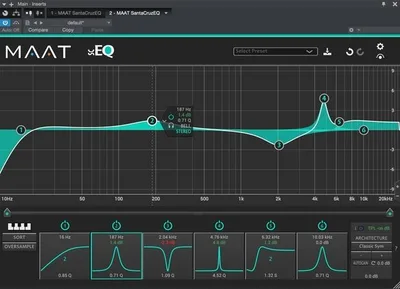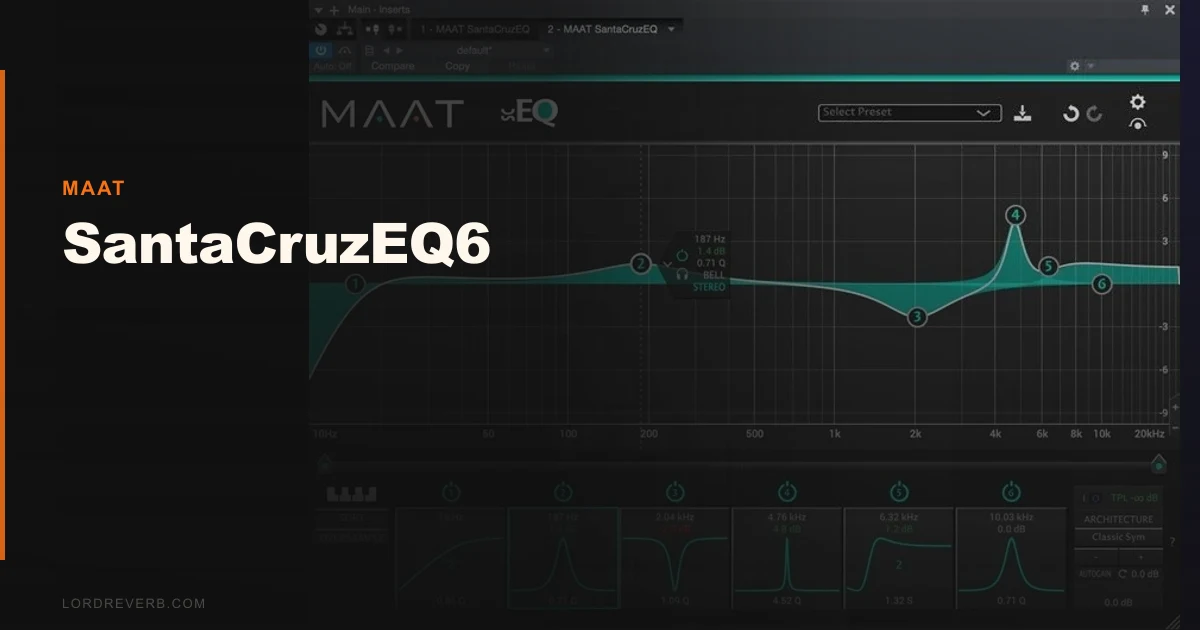
We were shelving the low end on a string ensemble bus at 3 a.m. when we actually stopped and paid attention to the SantaCruzEQ6. It wasn’t doing anything dramatic. We’d dialled in a soft low shelf at 80 Hz, cut maybe 1.8 dB, Q of 0.9, and the cellos still sounded like cellos. No plastic sheen. No phase weirdness creeping into the mids. Just a cleaner picture. That’s the moment we decided MAAT’s EQ deserved a real look, not a spec-sheet skim.
The SantaCruzEQ6 is a six-band parametric EQ plugin built for engineers who care about the underlying math. It’s a stripped-back version of MAAT’s thEQblue lineage, priced to be accessible. If you’re doing serious mixing or mastering and you want a plug that earns its CPU slot, this is worth your time. If you want a flashy interface full of visual spectrum analysers, look elsewhere.
First Impressions: Quiet, Austere, Deliberately Unfancy
Installation is clean. No iLok. No dongle. License lives on your machine. That alone earns goodwill from us.
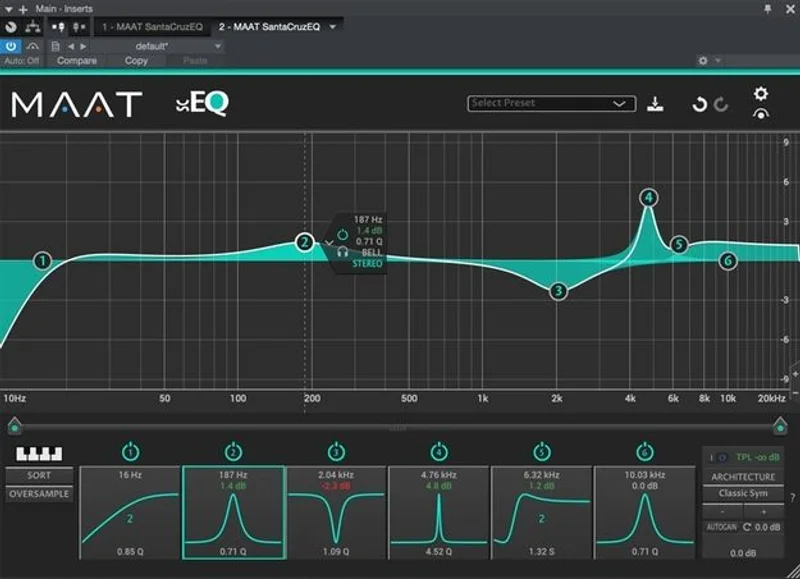
Open it on a track and the interface won’t impress you. It’s spare. Six parametric sections laid out in a horizontal row, a handful of controls per band, and a mode selector where the interesting decisions actually live.
What you get immediately is silence. We dropped it on a quiet ambient pad, bypassed and engaged repeatedly at unity gain. The noise floor didn’t move. For a plugin advertising 80-bit internal precision, that tracks. It sounds clean. Genuinely clean.
The six EQ architecture modes are the headline feature, and you’ll want to understand them before you touch the gain knob.
Getting It Into a Real Workflow
Here’s where it gets interesting and slightly annoying in equal measure.
The six architectures, Classic Sym, Classic Asym, Proportional Q 1, Proportional Q 2, Proportional Q 3, and Const-Q Asym, behave differently enough that switching between them mid-session isn’t intuitive. We burned 20 minutes on a drum bus figuring out why a +3 dB boost at 5 kHz sounded so different between Classic Sym and Proportional Q 2. The answer is Q behaviour: Proportional Q narrows or widens based on gain amount, just like hardware Neve or API circuits. Classic Sym stays fixed. MAAT normalises comparisons at +6 dB with a Q of 0.7, which is a smart reference point, but they don’t tell you that inside the plugin.
We wish there was an in-plugin cheat sheet. There isn’t.
Once you know which architecture you want for which job, the workflow snaps into place fast. Six bands is enough for most mixing tasks. We ran it on three vocal tracks in a pop session, a mix bus for a funk record, and a mastering chain for an EP. It sat quietly and did its job.
The 384 kHz support matters for high-resolution mastering sessions. The extended center frequency reach to 174.14 kHz is useful if you’re working with ultrasonic processing for certain mastering applications. Most engineers will never need it. It’s good that it’s there.
What It's Genuinely Good At
The 80-bit internal processing is the real story here. It keeps cumulative rounding errors from stacking across bands in a way that 32-bit or 64-bit paths can’t quite match. On a dense mix with all six bands active and moderate gains, the output stays coherent. That’s harder than it sounds.
We love the Const-Q Asym mode for mastering. We boosted 3 dB at 12 kHz on a folk acoustic record and the air came up without the transients going brittle. We’ve paid more for plugins that didn’t do that as cleanly.
The Proportional Q modes are where the analog character lives. We ran a snare through Proportional Q 2, boosted 4 dB at 3.5 kHz, and the crack sharpened without hardening into a spike. It felt like pushing a hardware desk channel. Not identical to hardware, but closer than most ITB options at this price point.
CPU load is light. On a session with 12 instances running, our meter barely moved. see how it compares in our full EQ plugins guide
The Rough Edges
No independent blind test data exists. None. We searched. KVR Audio has no user reviews at time of writing. That doesn’t mean the plugin is bad. It means you’re buying on spec and trust. At $189, that’s a real ask.
The interface is frustrating in a specific way: it doesn’t show you what architecture each band is set to at a glance. You have to click into each section to check. When you’re switching between instances or recalling a session weeks later, that’s an unnecessary friction point.
Six bands is also a genuine constraint. For mixing work on complex sources, we sometimes needed a seventh band. The SantaCruzEQ12 solves this at a higher price, with an upgrade path available from EQ6. That is a reasonable system, but it means your real entry cost is higher if you do dense work.
There’s no built-in spectrum analyser. Some engineers love that. We don’t hate it. But mention it to your clients before screen-sharing.
Who This Is Really For
- ✅ Buy if you do mastering work and want maximum internal precision without CPU overhead
- ✅ Buy if you care about analog EQ behaviour and want to choose between six distinct circuit models
- ✅ Buy if you want a dongle-free, noise-free workhorse that you can stack 12 instances of without panic
- ❌ Skip if you do heavy surgical editing and need more than six bands per instance
- ❌ Skip if you want visual feedback from a spectrum analyser baked into your EQ
- ❌ Skip if you need community validation before buying, because the user review base doesn't exist yet
Score Breakdown
| Category | Score | Notes |
|---|---|---|
| Sound Quality | 4.5/5 | 80-bit precision and six distinct architectures produce genuinely different and useful tonal characters |
| Value for Money | 3.5/5 | $189 is fair for what's here, but zero third-party validation makes it a trust-based purchase |
| Ease of Use | 3.0/5 | Architecture switching has a learning curve, and the interface hides key information |
| Features | 4.0/5 | 384 kHz support, six distinct circuit models, and 174 kHz frequency ceiling cover serious professional needs |
| CPU Efficiency | 4.5/5 | One of the lightest precision EQs we've tested at this quality level |
| Overall | 4.1/5 | Excellent technical foundation, limited by sparse interface design and no independent user data |
Alternatives to Consider
FabFilter Pro-Q 4 is the honest comparison point. It costs more, it’s more CPU-hungry, and it comes with a full spectrum analyser and dynamic EQ. If you do hybrid surgical and creative EQ work, Pro-Q 4 wins on versatility. FabFilter Pro-Q 4 review The SantaCruzEQ6 beats it on internal precision and CPU efficiency.
The Millennia NSEQ-2 emulation sits in similar territory for mastering engineers wanting hardware circuit accuracy. Millennia NSEQ-2 review The NSEQ-2 gives you a specific hardware circuit to reference. The SantaCruzEQ6 gives you more architectural variety.
Crave EQ 2 is worth a look if you want analog character at a lower price point. It doesn’t have MAAT’s 80-bit processing path, but it has a more approachable interface and a larger user community to learn from. best EQ plugins for mixing and mastering
The Verdict: Buy the Science, Forgive the Interface
Here’s where we land. The SantaCruzEQ6 is a technically brilliant, aesthetically boring, community-starved plugin that sounds better than its price suggests and looks worse than its price should allow.
At $189, you’re buying one of the most precise EQ processing paths available ITB at this cost. The six architectures give you real tonal range. The 80-bit path keeps your signal clean. The CPU footprint is almost laughably small.
What you’re not buying is hand-holding, visual feedback, or community reassurance.
If you’re the kind of engineer who reads the manual, understands Proportional Q behaviour, and wants a workhorse you can stack without watching the CPU meter spike, buy it. If you need a spectrum analyser, a busy community forum, and a badge of social proof before committing: skip it, at least for now.
The SantaCruzEQ6 is right for serious engineers who trust their ears. It’s wrong for anyone who needs the plugin to teach them what they’re hearing.
Frequently Asked Questions
What's the difference between the SantaCruzEQ6 and SantaCruzEQ12?
The EQ6 gives you six parametric bands. The EQ12 doubles that to twelve. Both share the same 80-bit processing engine, the same six architecture modes, and the same 384 kHz sample rate support. If you do mastering or complex mix work where six bands feels limiting, the EQ12 is worth the extra spend. MAAT offers an upgrade path from EQ6 to EQ12 if you start with the smaller version and outgrow it.
Does the SantaCruzEQ6 require an iLok or USB dongle?
No. The license lives on your machine. No iLok account required, no USB dongle, no third-party license manager. Activation is machine-based, which makes it straightforward to manage across studio computers. Check MAAT's current site for details on how many machines a single license covers.
What do the six EQ architectures actually sound like differently?
The Classic Sym mode behaves like a textbook parametric: fixed Q regardless of gain amount. The Proportional Q modes (1, 2, and 3) narrow as you boost and widen as you cut, mimicking how vintage hardware like Neve and API circuits behave. Const-Q Asym holds the cut side tighter while letting boosts breathe more. The differences are most audible at gains above 3 dB. MAAT recommends comparing architectures normalised at +6 dB with a Q of 0.7 to hear the character differences clearly.
Is the SantaCruzEQ6 good for mastering?
Yes, it's one of its stronger use cases. The 80-bit internal precision minimises cumulative rounding errors across multiple bands, which matters on a mastering chain where you're often making small precise moves across a finished mix. The 384 kHz support and extended frequency ceiling to 174.14 kHz give you headroom for high-resolution projects. The Const-Q Asym architecture works well for the gentle lift-and-shape moves that mastering typically demands.