
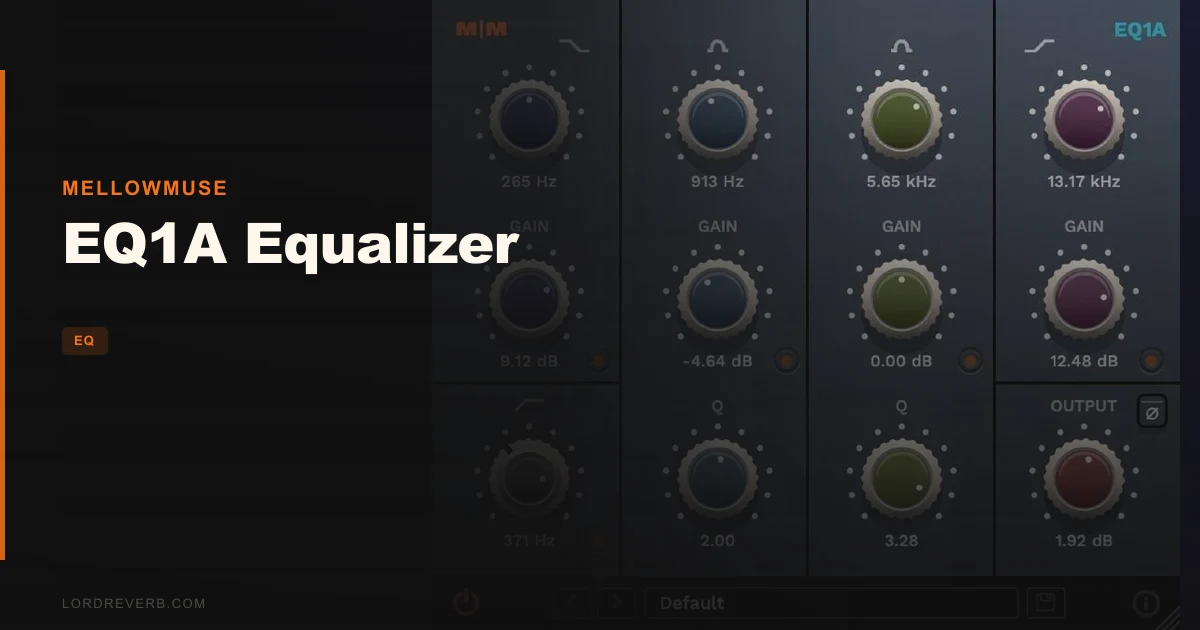
The Mellowmuse EQ1A Equalizer is a smooth, analogue-flavoured equaliser plugin available at $345, built for mix engineers who want SSL-style air and body without the harshness you get from most ITB EQs. It runs VST, VST3, AU and AAX, sits light on CPU, and stacks well across a full session. That's the pitch. And mostly, it delivers on it.
Picture this: you've got a lead vocal sitting just a touch dull in the chorus, and your usual go-to digital EQ is making the top end sound thin and clinical every time you reach past 10kHz. You're not chasing perfection, you're chasing smooth. That's the problem this plugin was built to solve.
It won't suit everyone. If you're heavily synth-based or you run Studio One, you'll want to read the rough edges section before you spend $345. But for a certain kind of session, the EQ1A earns its place.
What's In The Box
Five filter bands total. A high-pass filter sweeps from 10Hz to 1kHz with a sweepable Q. Below that sits a low shelf covering 30Hz to 500Hz, and a low mid peak running from 70Hz to 2kHz with its own sweepable Q. The high mid peak covers 500Hz to 6kHz, again with sweepable Q. The high shelf reaches from 1.5kHz up to 18kHz.
Every band has its own bypass switch. There's a phase switch, an output level control, and a gain range of ±20dB across all bands.
Version 3.2 added a built-in preset manager, a resizable GUI, and live display of control values. Those aren't glamorous features, but they matter day-to-day. 64-bit only operation. Requires Windows 10 or above, or Mac OSX 10.9 or above.
Where It Fits In Your Workflow
You'll reach for the EQ1A on sources where you want broad, musical shaping rather than surgical cutting. Think vocal buses, acoustic guitars, overhead mics, mix buses where you want subtle air added without brightness turning into harshness.
The filter curves are broad by design, even at the narrowest Q. That's not a complaint yet, just context. If your workflow needs tight notches or precise resonance control, this isn't the right tool. If you're painting with wider strokes, it fits.
Stack it freely. The developer says CPU efficiency was a design goal, and owners back that up: easy to use, light on resources, fine for running across many channels simultaneously. The exception is synth-heavy sessions, where owners report the CPU load climbs in ways that feel disproportionate.
The high-pass filter deserves a warning before you rely on it in a fast workflow. The knobs are physically hard to control with precision. You'll want to slow down when you're dialling in cutoff, or you'll nudge the resonance by accident.
What It's Genuinely Good At
The sound. That's the reason to buy it, and owners are consistent about this.
Push the high shelf on a vocal and the top end opens without turning brittle. Owners describe it as airy with edge, like a real SSL EQ, without the harsh digital sheen that makes you reach for a de-esser ten seconds later. No added harmonic distortion either: owners confirm it's distortion-free even with the gain cranked to full.
Broad boosts sound three-dimensional, which is a strange thing to say about a plugin, but it's what owners keep landing on. Where some digital EQs make a 3dB shelf boost at 10kHz sound like you've turned up a treble knob on a cheap radio, the EQ1A's version sounds like the track breathed out.
Compare it to Waves, Native Instruments or Softube options in similar territory: owners consistently describe those as harsher. The SSL character here comes through without the higher CPU demands of some alternatives.
Broad boosts at modest gain settings are where it's brilliant. That's not an insult; that's exactly what most mix EQ work looks like.
The Rough Edges
Two problems are annoying enough to flag before you buy.
First, the high-pass filter knobs. Owners find them genuinely difficult to control precisely. While trying to adjust cutoff, it's easy to accidentally shift the resonance instead. That's frustrating on a tool where quick, confident moves matter.
Second, stability. Owners have reported the plugin crashing Studio One on startup and causing Cubase to freeze, requiring a full uninstall and manual cleanup. That's not a minor inconvenience. If Studio One or Cubase is your DAW, this needs to be a known risk before you commit.
The ±20dB gain range is overkill for most EQ tasks; owners note it too, though it's the least of the concerns. And the broad curves being broad even at minimum Q means you can't use this for precise problem-solving. It's not built for that, but it's worth saying plainly.
Who This Is Really For
- ✅ Buy if you work mostly in Logic, Pro Tools or Reaper and want smooth, low-CPU analogue colour on vocals and acoustic instruments.
- ✅ Buy if you hate the brittle top end of most ITB EQs and want broad boosts that sound musical at modest gain.
- ✅ Buy if you're stacking EQ across many channels and need something that won't eat your session alive.
- ❌ Skip if your main DAW is Studio One or Cubase until the stability issues are confirmed fixed in your version.
- ❌ Skip if your work is synth-heavy production where CPU spikes on this plugin could derail a dense patch.
- ❌ Skip if you need tight, surgical Q control or notching capability; the curves here are too broad for that job.
Specs & Technical Details
| Spec | Detail |
|---|---|
| Developer | Mellowmuse |
| Price | $345 |
| Plugin Format | VST / VST3 / AU / AAX |
| OS Support | Mac (OSX 10.9+) / Windows (10+) |
| Activation | N/A |
| CPU Usage | Light (heavy in synth-dense sessions per owner reports) |
| Trial Available | N/A |
| Version Reviewed | 3.2 |
Score Breakdown
| Category | Score | Notes |
|---|---|---|
| Sound Quality | 4.5/5 | Smooth, SSL-flavoured, distortion-free: owners are consistent about how good it sounds |
| Value for Money | 3.5/5 | At $345 it delivers, but stability risks in some DAWs reduce the confidence |
| Ease of Use | 3.5/5 | Layout is clean but the high-pass knob imprecision is a real workflow irritant |
| Features | 4.0/5 | Five bands, per-band bypass, phase switch, preset manager: covers the essentials well |
| CPU Efficiency | 4.0/5 | Light in most sessions; the synth-project exception is real but not universal |
| Overall | 4.1/5 | A genuinely satisfying mix EQ for the right session type, with specific, real limitations |
Alternatives to Consider
SSL EQ libraries in Nebula, if you want similar SSL character and CPU is not a concern, the Nebula approach gives you that flavour in a different form. Owners note the EQ1A actually runs lighter, so if your machine is older or your sessions are dense, that's a point in EQ1A's favour.
Waves EQ plugins, broader range of tools and formats, but owners comparing directly to EQ1A describe the Waves sound as harsher. If harshness is what you're trying to escape, Waves isn't the fix.
Softube EQ options, high quality, strong reputation for analogue modelling. Owners comparing them to EQ1A put them in the harsher camp too. Softube tends to cost more, so if smooth and affordable is the goal, the comparison doesn't swing Softube's way for this use case.
The Bottom Line
If your vocal buses are sounding thin and your digital EQ is making the high end ring rather than breathe, the EQ1A at $345 is a credible answer. It's not a surgical tool. It's not perfect in every DAW. The high-pass knob will annoy you, and if you're a Cubase user, check the current version history carefully before you commit.
But the thing owners keep coming back to is the sound: smooth, airy, not harsh, three-dimensional on broad boosts. That's a real and rare quality in this price range. For the right session type and the right DAW, it earns a clear buy.
If you work in Studio One, wait for confirmed stability news. If your projects are synth-heavy, test the CPU behaviour first. Everyone else who's tired of brittle digital EQ on their mix buses: this one's worth trying.
Frequently Asked Questions
Does the EQ1A Equalizer work with Apple Silicon Macs?
The developer lists Mac OSX 10.9 or above as the minimum requirement, but whether native Apple Silicon support is included isn't confirmed in current available information. Check Mellowmuse's site directly for the latest compatibility notes before purchasing if you're on an M-series machine.
Can I run multiple instances of EQ1A on a full mix without hitting CPU issues?
In most session types, yes. Owners report it runs light and stacks well across many channels, which is one of its genuine strengths. The exception is synth-heavy projects, where CPU demand climbs faster than you'd expect. If your session is mostly synths and samplers, test it on a full project before committing.
Is the EQ1A Equalizer good for surgical cuts and tight notching?
No. The filter curves are broad even at the narrowest Q setting, which is a design characteristic, not a bug. It's built for musical, wide-band shaping rather than precise resonance removal. If you need tight notches or narrow problem-solving cuts, you'll want a different tool alongside it.