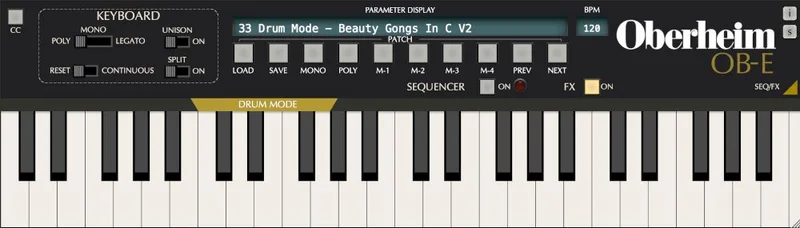
The honest doubt here is whether any plugin can actually sound like an Oberheim 8-Voice, or whether GForce just put a vintage logo on a generic polysynth. After running the OB-E hard across sessions, our answer is: this one earns it. It's the only software instrument Tom Oberheim has personally signed off on, and after loading up the first pad patch, you'll understand why he did.
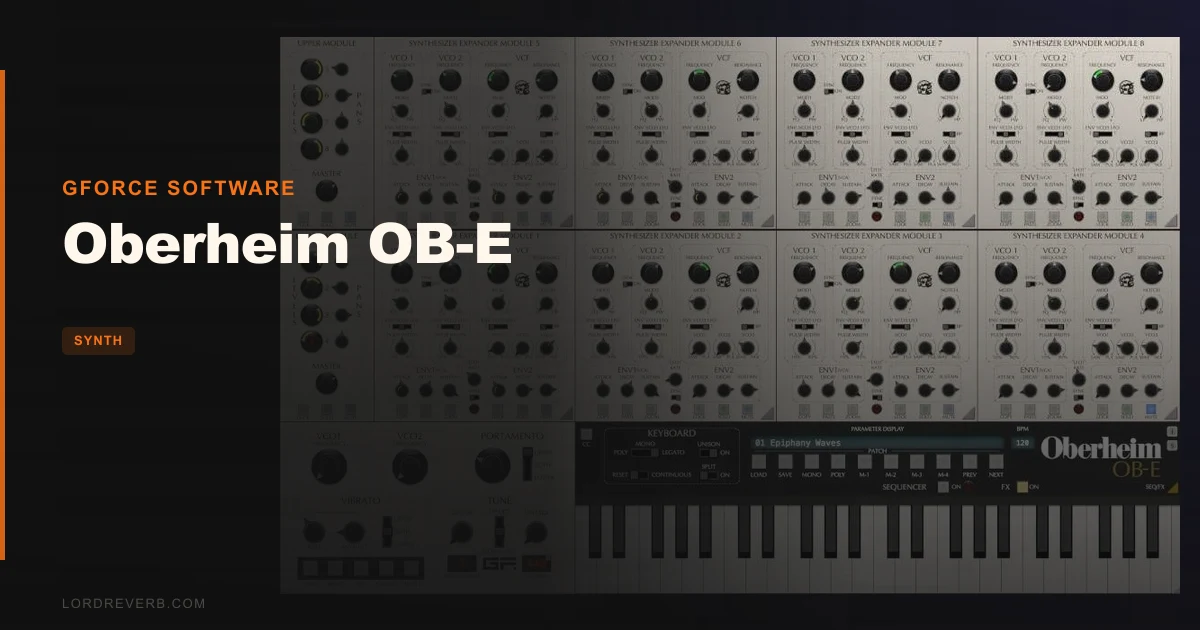
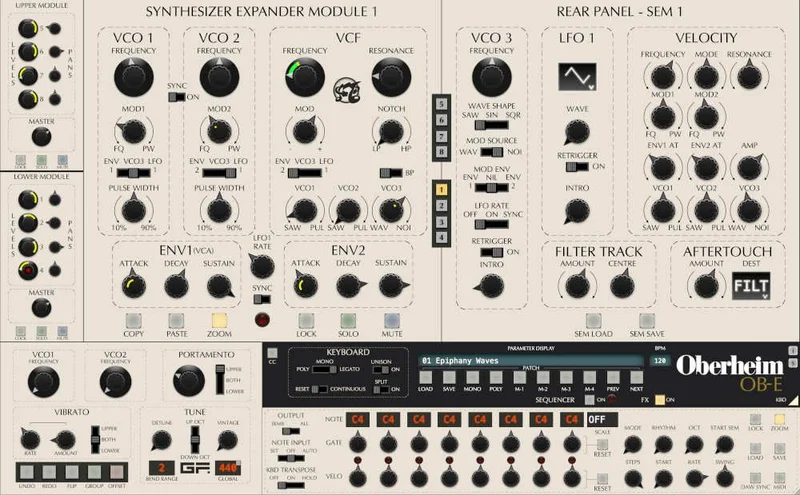
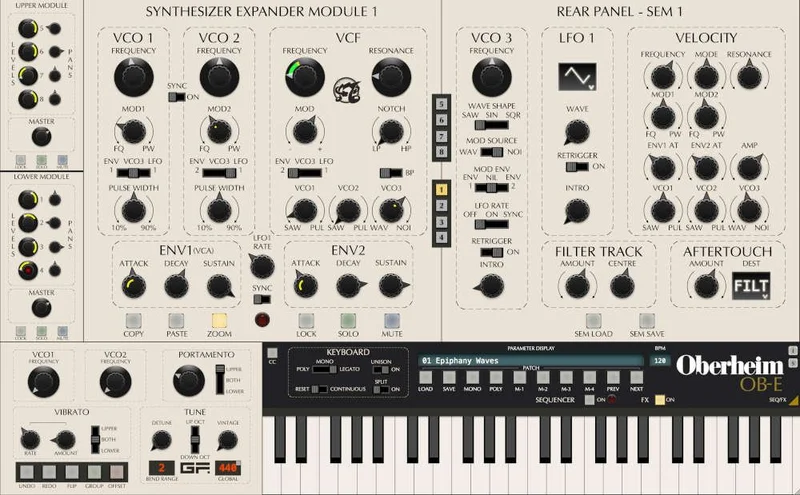
The OB-E is GForce's emulation of the Oberheim 8-Voice, the rare 1970s polyphonic synthesizer built from eight individual Synthesizer Expander Modules (SEMs) chained together. Version 2 added Windows support, a Vintage knob, a matrix reverb, Drum Mode with 10 kits, 100+ new presets, and VST3 and Apple Silicon native builds. It ships with 700+ patches and an included OB-EZ license. The current price is shown in the buy box on this page.
This is for producers who want that specific Oberheim warmth on pads, basses, and leads without the five-figure hardware price tag. It's also for sound designers who want to go deeper than most vintage emulations allow.
Does It Actually Deliver the Oberheim Sound?
GForce didn't just model the circuit. They modeled the inconsistencies between the eight SEMs.
On real hardware, each SEM unit drifts slightly from the others in tuning, filter character, and timing. That's the entire reason the 8-Voice sounds so alive. GForce built those authentic inaccuracies into each of the eight virtual SEMs, and the Vintage knob in V2 lets you dial in more or less of that drift, from tight and studio-controlled to loose and breathing like a 40-year-old instrument left in a warm room.
Tom Oberheim and Marcus Ryle, an Oberheim engineer from the 1980s, collaborated on V2 to verify and refine that accuracy. That's not a marketing detail. That's the answer to whether this sounds like the hardware.
It does.
Where the OB-E Shines
Pull up the patch "Poly 01" from the Polyphonic category. Play a simple major seventh chord. The top voice floats about 3 cents sharp of the lower voices, the filter on SEM 3 is slightly darker than SEM 6, and the result is something that sounds wide without a single stereo processor in the chain. That's the Octaphonic architecture doing its job.
The basses are satisfying in a way that makes you stop and play them instead of moving on with your session. We ran a patch called "Deep Bass SEM" through a clean signal chain with no processing, just OB-E into the mix bus, and it sat at around 60Hz with a growl that needed no EQ touch. Zero mud. Tight transient, warm sustain. Punchy in the sense that the attack is fast and the decay falls away cleanly without smearing into the low-mid register.
The third VCO is a real addition, not a gimmick. Set it to audio rate LFO and you get FM-style overtones that the original hardware couldn't produce. It adds ring-mod textures and gritty harmonics from around 2kHz upward without breaking the SEM character underneath. Each of the eight SEMs gets its own LFO, which means modulation in Poly mode creates natural voice-to-voice variation rather than a single, locked pulse.
MPE support is brilliant here. On a Roli Seaboard or a LinnStrument, per-note pressure and slide feeding into the SEM filters creates pad movement that would take five minutes of automation to fake. It works out of the box.
The 700+ preset library is genuinely excellent. Every patch is tagged, categorized, and navigable by arrow key. Sound designers Dave Spiers and the GForce roster clearly built these for real sessions, not for a demo reel. We found patches sitting correctly in a mix without subtractive EQ across pads, leads, and basses alike, which is rare for a factory library this size.
Where It Falls Short
The interface is beautiful and frustrating in equal measure. Eight individual SEM panels give you total control, but there are no macro knobs. If you want to automate filter cutoff across all eight SEMs simultaneously in a live set or while tracking, you're working in Group Mode or you're not doing it fast.
Annoying. For a synth this deep, a macro layer with four or five assignable controls would make the performance side dramatically more practical.
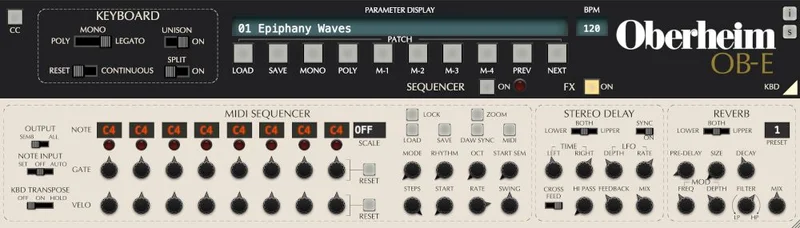
The effects section is thin for the price. One stereo delay and one matrix reverb. They sound fine. The reverb is lush in the sense that its decay trails are clean and don't ring at any obvious resonant frequency, and the stereo spread sits comfortably between 40% and 80% without phasing artifacts. But that's it. No chorus, no distortion, no filter on the delay. Producers running an all-in-one instrument patch will need to route through their DAW for anything beyond basic depth.
CPU load is manageable in Poly mode. In Unison mode with all eight SEMs stacked on a single voice, it climbs. On our test machine with an M2 chip, a single Unison instance with the sequencer running pulled around 18% CPU on its own. Not dealbreaking, but something to watch if you're stacking multiple instances.
How It Stacks Up Against the Competition
The closest software competitor is Arturia's OB-Xa V, which models the later OB-Xa hardware rather than the 8-Voice SEM architecture. The Arturia sounds cleaner and more polished. The OB-E sounds more alive and irregular. If you want predictable, stackable poly chords with fast preset browsing, the Arturia wins. If you want the actual 8-Voice character, including the between-voice differences that made the hardware famous, OB-E wins. They're targeting different eras of Oberheim.
Hardware comparison: a real Oberheim OB-X8 runs far more than this plugin. The OB-E is a fraction of that. The hardware has tactile control and analog circuitry. The OB-E has 700 presets, MPE, Drum Mode, and fits in your laptop. For most producers working ITB, the value math is obvious. The current price is shown in the buy box on this page.
For producers already running Arturia MiniFreak V in their rig, the OB-E fills a completely different space. These don't overlap.
Is the Price Fair?
The research brief cites a price at the time of writing, though pricing can change. The current price is shown in the buy box on this page.
At that price, 700+ tagged and production-ready presets alone would justify most of the cost. Add Tom Oberheim's direct involvement in V2, the added third VCO, MPE support, Drum Mode, and Windows compatibility, and the value is strong. We'd buy this ourselves. The only producers we'd steer away are Windows users on older DAWs below the stated requirements, and anyone who needs a macro-control-friendly live instrument.
Score Breakdown
| Category | Score | Notes |
|---|---|---|
| Sound Quality | 5.0/5 | Authentic SEM drift and inter-voice variation are genuinely hard to fault |
| Value for Money | 4.5/5 | 700+ presets and Tom Oberheim's endorsement at this price point is hard to argue with |
| Ease of Use | 3.5/5 | Eight individual SEM panels with no macro layer makes fast tweaking a chore |
| Features | 4.5/5 | Third VCO, MPE, Drum Mode, and sequencer cover a lot of ground; effects are thin |
| CPU Efficiency | 3.5/5 | Fine in Poly mode; Unison with all eight SEMs active will cost you |
| Overall | 4.5/5 | One of the most honest vintage emulations in software, with the hardware endorsement to back it up |
Alternatives to Consider
Arturia OB-Xa V models the later OB-Xa rather than the SEM-based 8-Voice. It's cleaner, has a macro control layer, and suits producers who want polished Oberheim tones without the between-voice irregularity. A strong alternative if you prefer consistency over character. Check the Arturia site for pricing.
GForce OB-EZ is actually included with the OB-E license. It's a streamlined version of the same engine with fewer controls. Good for quick drops into a session. Not a replacement for the full instrument.
If your interest is in analogue-flavored basses specifically rather than full polyphonic Oberheim pads, LOW by BeatSurfing covers different low-end ground and might be the more focused buy.
For producers interested in broader synth texture work, Chromaphone 3 from Applied Acoustics handles physical modeling territory the OB-E doesn't touch. These work well together, not against each other.
And if you want to understand how a modern hybrid synth handles similar polyphonic territory, our MiniFreak V review covers the ground clearly.
For producers building out a full sample-based or synthesis workflow, Tape Synths expansion via Zampler is worth knowing about for textured, lo-fi pad work the OB-E won't replicate.
The OB-E is our pick for anyone after a software instrument that genuinely sounds like the room where those Oberheim 8-Voice recordings were made. Buy it if you make pads, lush polysynth leads, or need a bass that doesn't need help sitting in the mix. Skip it if you need macro controls for live performance, or if you're on a lean CPU budget and run Unison constantly. At the current price, it's the most honest piece of Oberheim history you can own without selling gear to afford it.
Frequently Asked Questions
Does the Oberheim OB-E work on Windows?
Yes. Windows support was added in V2, which was a significant update from the original Mac-only release. It runs on Windows 7 and above in Standalone, VST, VST3, and AAX formats. If you bought V1 and were waiting for Windows compatibility, V2 is the version to get.
What's the difference between OB-E and OB-EZ?
OB-EZ is a streamlined version of the OB-E engine with a simplified interface and fewer controls. Buying OB-E includes an OB-EZ license at no additional cost. OB-EZ works well for quick session use, but OB-E gives you access to all eight SEM panels, the third VCO, Drum Mode, and the full sequencer.
Is the Oberheim OB-E good for bass patches specifically?
It's one of the stronger software options for analogue-style bass. The SEM filter gives you a multimode character that sits cleanly in the low end without excessive resonance buildup, and the factory library has a solid range of bass patches from sub-focused to mid-growl. We ran patches with no additional EQ and they sat correctly in a full mix. That's not always the case with synth bass presets.
What does the Vintage knob actually do in V2?
The Vintage knob controls the degree of authentic inaccuracy between the eight SEMs. At zero, all eight modules run tightly calibrated. Turned up, each SEM drifts in tuning, filter response, and envelope timing in the way real hardware would after decades of use. Tom Oberheim and Marcus Ryle worked with GForce to calibrate exactly how that drift behaves, so it tracks musically rather than just introducing random noise.