You've just finished a master. It sounds great in the box. Then it comes back from the cutting engineer with a note: sibilance caused groove-width overload, and the low end is fighting the stylus. You're back to square one, burning lacquer and billing time. TDR SimuLathe CUT by Tokyo Dawn Labs exists to catch that problem before it costs anyone money. It's a precision vinyl mastering simulation tool built specifically for engineers who operate or work closely with real disk cutting lathes. This is not a vibe plugin. It's a QC instrument.
The Problem That Gets Masters Rejected at the Lathe
Vinyl mastering isn't just about making something sound good. It's a physical constraint problem. Groove width, stylus velocity, sibilance peaks, out-of-phase low end, every one of these can cause a real cutter to fail or a stylus to skip on playback.
Most mastering engineers working ITB have no reliable way to simulate those physical constraints before sending a master to pressing. They rely on experience, elliptical EQ, and hope. That's a frustrating position to be in when you're charging professional rates.
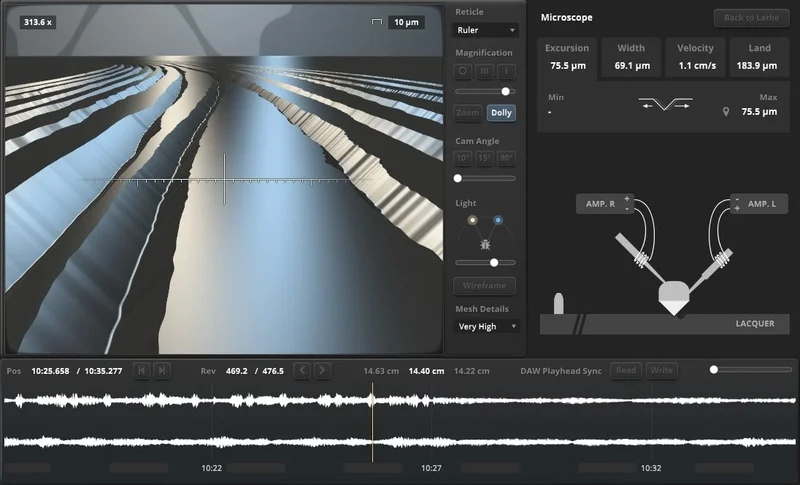
SimuLathe CUT puts a virtual disk cutting lathe in your signal chain. Not an emulation of a particular piece of gear's sonic character, but a physical model of how groove geometry works. That's a different product philosophy entirely, and it's the right one for this use case.
How SimuLathe CUT Actually Performs
We loaded SimuLathe CUT across several test masters: a dense electronic record with heavy sub content, a folk album with sharp vocal sibilance, and a reissue of an older jazz recording with wide stereo imaging.
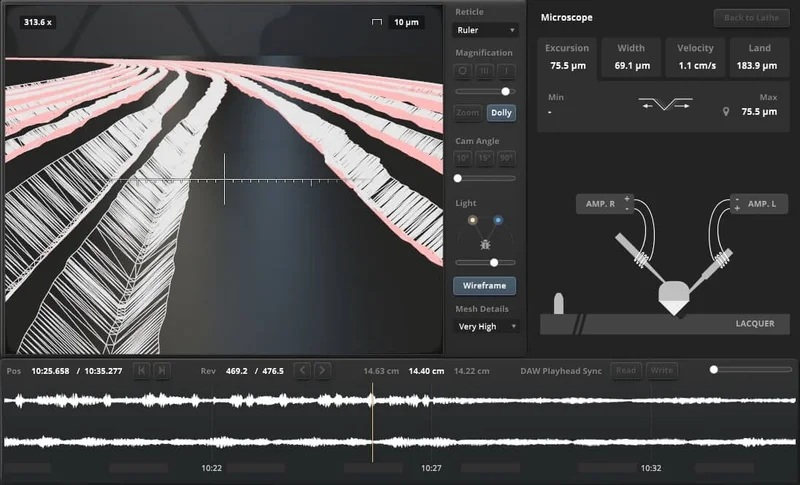
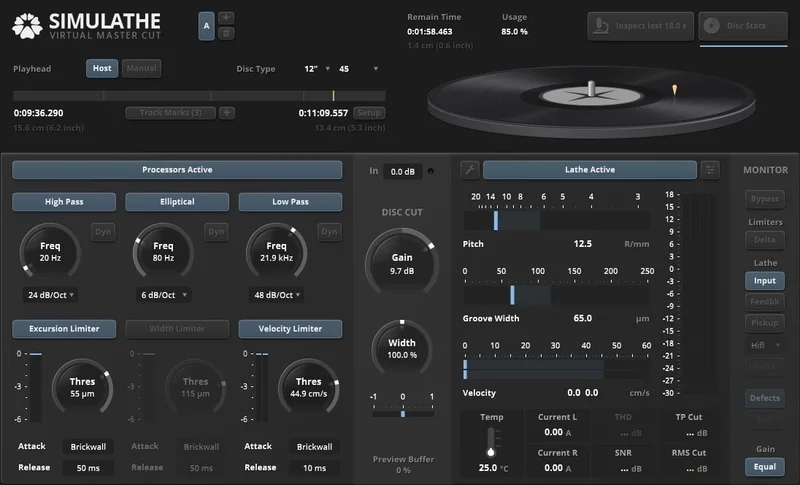
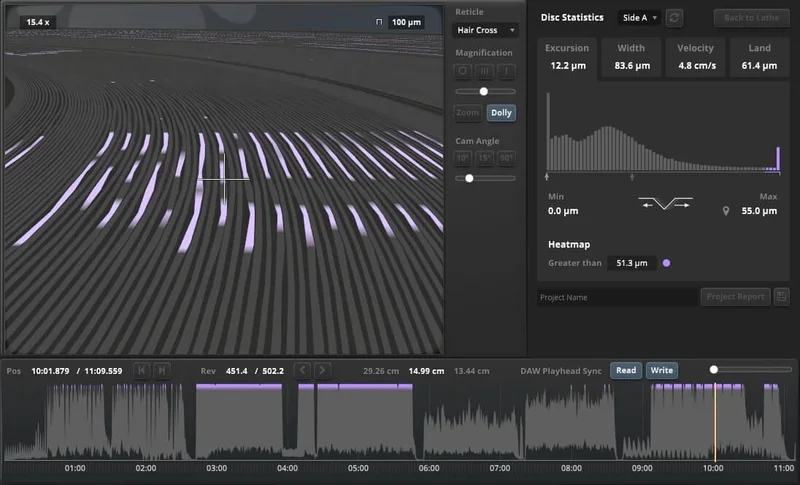
The 3D groove visualization is where this plugin earns its keep. On the electronic record, we could see the groove walls compressing in real time during kick hits below 80Hz. Pulling 3dB of 60Hz with a Q of 1.2 before the SimuLathe pass fixed the visual overload and cleaned up the low-end fight the limiter was flagging. That's the feedback loop this tool creates: you see the physical consequence of your mix decisions before they're cut into lacquer.
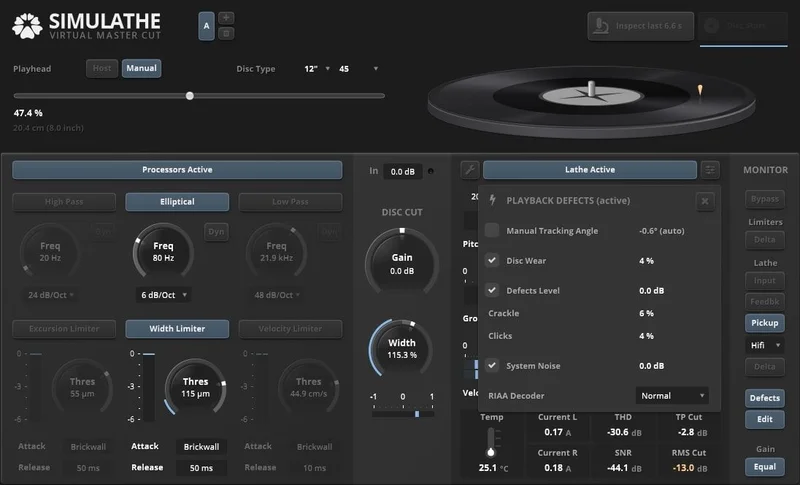
The three physically modeled turntable pickups give you a range of playback perspectives. Running the jazz record through the heavier-tracking pickup model revealed mid-frequency smearing on the horn section that wasn't obvious on a flat monitoring pass. It was a genuine catch.
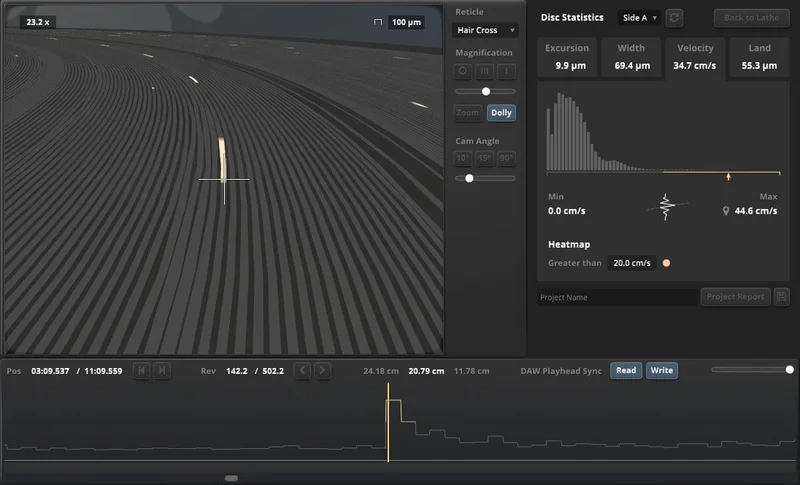
The preprocessors, including the elliptical filter and the groove excursion, width, and velocity limiters, work as a tightly integrated chain. You're not assembling a patchwork of separate tools. Everything feeds into the same physical model, which makes the metering meaningful rather than arbitrary.
CPU usage sits at medium. It's not light. On an M2 MacBook Pro, we saw consistent load during playback. Nothing alarming, but you'll feel it on older machines. For more on managing processing load in mastering chains, see our mastering plugins guide.
Strengths and Weaknesses
The physical modeling approach is the right call. Tokyo Dawn Labs built SimuLathe CUT on what they call "physical neutrality", the goal isn't to sound like a specific lathe, it's to accurately model what any lathe does to a groove. That's cleverer than building a Neumann VMS-70 emulation that sounds flattering but teaches you nothing about correction.
The fully parametric lathe section gives you genuine control. You're not choosing presets labeled "Classic" or "Vintage." You're setting parameters with physical meaning.
The weaknesses are real, though. At $240, SimuLathe CUT costs more than some mastering compressors we'd use on every session. The PSP MasterComp, for comparison, is a workhorse tool that earns its cost across every genre. SimuLathe CUT earns its cost only if you're cutting vinyl regularly.
There's also an annoying gap in external validation. No independent studio reviews. No published comparisons against physical lathe output. Tokyo Dawn Labs has a strong reputation, but for a $240 tool making specific physical accuracy claims, we'd love to see third-party verification.
Value for the Price
$240 is justified, but only for a narrow group. If you run a vinyl mastering service and you're currently catching groove problems through trial and error on lacquer, SimuLathe CUT pays for itself fast. One avoided re-cut session covers it.
If you master occasionally for clients who sometimes press vinyl, buy the REF edition instead. The REF edition is built for non-lathe operators who need reference-quality playback simulation. The difference between the two editions buys you the active cutting chain tools. If you're not operating or directly feeding a lathe, you don't need them.
The historical low, matching the REF edition's price for the CUT edition, is the sweet spot if you can catch a sale.
Who Should (and Shouldn't) Buy This
✅ Buy if you operate a vin
yl cutting lathe and want software-based QC before committing to lacquer.
✅ Buy if you run a professional mastering studio that handles regular vinyl projects and needs a reliable groove visualization tool in your signal chain.
✅ Buy if you've had masters rejected or required re-cuts due to groove overload, sibilance, or low-end phase issues, and you're tired of burning lacquer to learn the same lessons.
❌ Skip if you master vinyl only occasionally. The REF edition covers that use case without the cutting-specific toolset you won't use.
❌ Skip if you want a saturation or warmth plugin that makes your masters "sound like vinyl." This does not do that. It's a QC tool, not a vibe tool.
❌ Skip if you're new to mastering. You need to understand groove physics and lathe behavior to interpret what SimuLathe CUT is showing you. Without that foundation, the 3D visualization is decorative.
Score Breakdown
| Category | Score | Notes |
|---|---|---|
| Sound Quality | 4.5/5 | Physical modeling approach is technically honest and accurate in our testing |
| Value for Money | 3.0/5 | Justified for daily lathe use; overpriced for occasional vinyl work |
| Ease of Use | 3.0/5 | Requires real knowledge of lathe physics, not plug-and-play for most engineers |
| Features | 4.5/5 | Integrated preprocessors, three pickup models, 3D visualization, full parametric lathe |
| CPU Efficiency | 3.5/5 | Medium load; manageable on modern hardware, noticeable on older systems |
| Overall | 4.1/5 | A brilliant specialist tool that's wrong for most mastering engineers but indispensable for the right ones |
Alternatives to Consider
If you need low-end control and phase management for vinyl prep without the full lathe simulation, start with the TDR Elliptical. It's a leaner tool that handles the elliptical filtering side of vinyl prep at a fraction of the cost. A logical first step before committing to SimuLathe.
For your broader mastering chain, the Millennia NSEQ-2 handles the EQ decisions upstream of your vinyl QC pass. Pairing it with SimuLathe CUT is a coherent professional workflow.
iZotope RX offers some groove and sibilance management tooling through its de-click and spectral repair modules. It's not a lathe simulator. But for engineers who need occasional vinyl-adjacent QC without a $240 spend, it's worth knowing the overlap exists. See our full mastering plugins guide for the broader picture.
There's no direct competitor to SimuLathe CUT at this level of physical modeling fidelity. That's either reassuring or alarming, depending on how you feel about unverified claims in a niche market.
If you're cutting vinyl regularly and catching problems only at the lacquer stage, SimuLathe CUT at $240 is the right tool. Buy it, learn it, and stop burning lacquer on avoidable mistakes. If you're not in that specific position, the REF edition exists for a reason. Use it instead.
Frequently Asked Questions
What's the difference between TDR SimuLathe CUT and the REF edition?
The CUT edition ($240) includes the full virtual disk cutting lathe with active preprocessors, groove excursion/width/velocity limiters, and the complete cutting-chain signal path. The REF edition is built for engineers who aren't operating a lathe, it focuses on turntable playback simulation and reference monitoring rather than active cutting QC. If you're not feeding a real lathe, save money and buy REF.
Does TDR SimuLathe CUT make your masters sound like vinyl?
No. This is a common misunderstanding. SimuLathe CUT is a QC and analysis tool, not a vinyl saturation or warmth effect. It models the physical constraints of groove cutting and playback so you can identify and correct problems before they reach lacquer. If you want an analog warmth character, you need a different plugin entirely.
Is TDR SimuLathe CUT worth it for home studio mastering?
Probably not at full price. The tool is built for engineers with a direct line to a cutting lathe, either operating one or submitting masters directly to a cutting service. Home studio mastering engineers who occasionally do vinyl work should look at the REF edition first, and consider whether the TDR Elliptical covers their low-end management needs at a lower cost.
What formats does TDR SimuLathe CUT support?
It runs as VST, VST3, AU, and AAX on both macOS (10.9 and later) and Windows (7 and later). That covers every major DAW in current professional use. Check Tokyo Dawn Labs' site for the latest compatibility notes, as OS requirements can shift with major system updates.