PSP MasterComp Is Still One of the Best-Value Mastering Compressors Available ITB
We had a mastering session running at 96kHz, a stereo mix that needed about 2dB of gentle glue on the bus, and a client brief that said "transparent but not cold." We'd been through four compressors that afternoon. Three of them squeezed the life out of the 10kHz air. One didn't do enough. Then we loaded PSP MasterComp with FAT mode engaged, set the ratio to 2:1, attack at 30ms, release at 120ms, and dropped the threshold until the gain reduction meter kissed -2dB. The mix came together. That moment is why this plugin still lives in our mastering template in 2026.
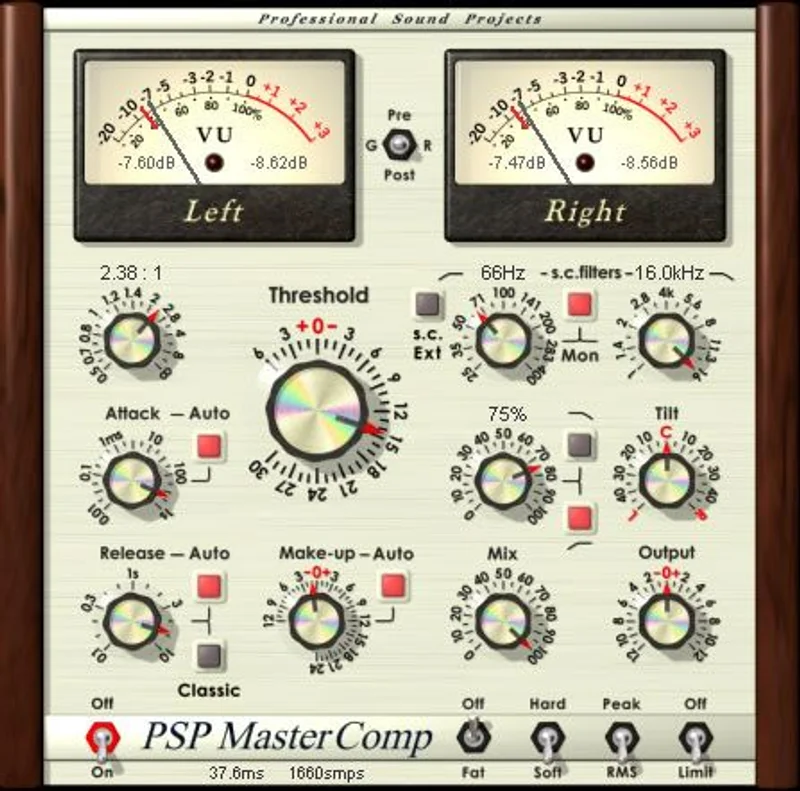
PSP MasterComp is a stereo and M-S mastering compressor from PSP Audioware. Check the PSP Audioware site for current pricing. It's built for mastering engineers and serious mix engineers who want real headroom, real metering, and a compressor that doesn't leave digital fingerprints all over a finished master.
First Impressions
Installing it is painless. PSP's license manager is one of the less annoying ones in this space: no iLok dongle required, machine-based authorization, done in under three minutes.
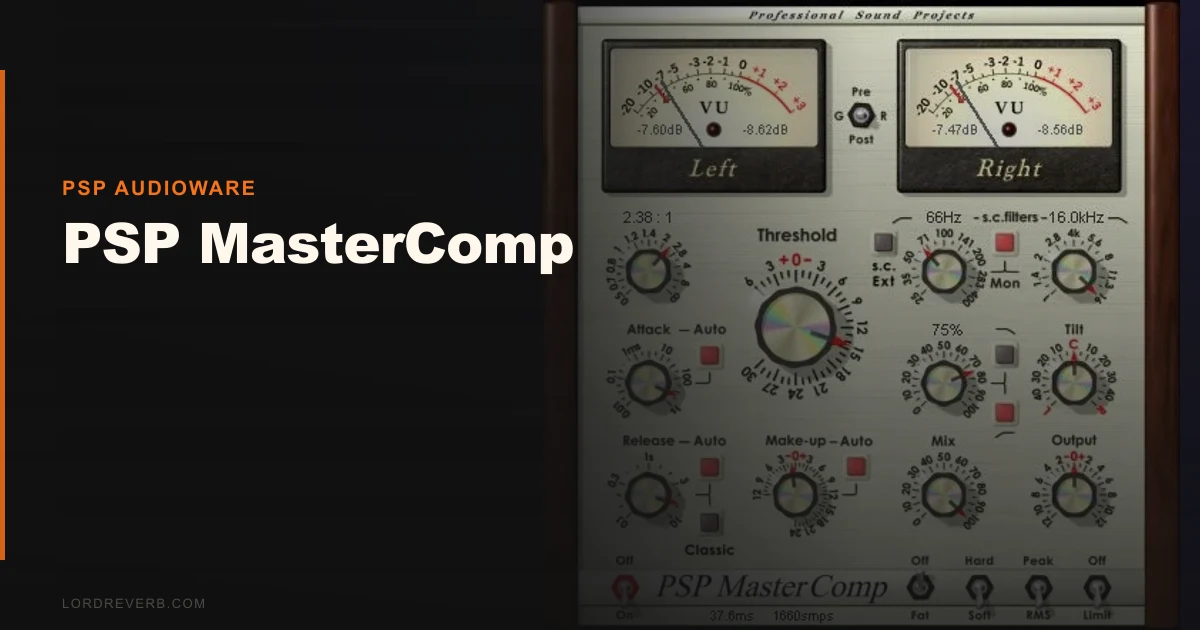
Opening MasterComp for the first time, the UI reads as functional rather than pretty. The layout makes logical sense: input gain, threshold, ratio, attack, release, knee, output, mix. The metering section sits prominently in the center with switchable PPM and VU ballistics. That's a detail mastering engineers will love. Most compressor plugins give you a GR meter and nothing else.
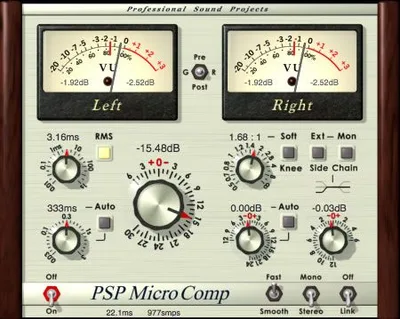
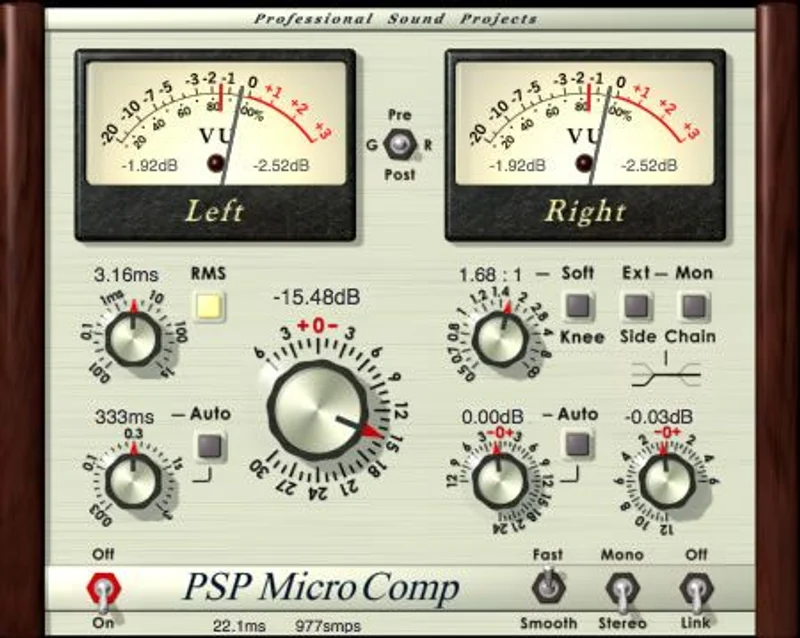
MicroComp loads in a separate instance and shares the license. It's a stripped-down version built for track processing and mixing work. Two tools, one purchase. That's a satisfying deal at any price point.
Getting It Into a Real Workflow
Drop MasterComp on your stereo bus or your dedicated mastering chain and you'll need to make one decision immediately: FAT mode on or off.
FAT, which stands for Frequency Authentication Technique, runs the processing at double the current sample rate. At 48kHz, it's computing at 96kHz internally. At 96kHz, it's running at 192kHz. This is where the transparency comes from. It's also where your CPU bill arrives.
On a modern Apple Silicon machine, the hit is manageable. On an older Intel system, expect FAT mode to cost you around 8-10% CPU on the mastering channel alone. Without FAT, it drops to roughly 4-5% on a dual-core system, which is still heavier than FabFilter Pro-C 2 at comparable settings. You should budget for this before loading a full mastering session.
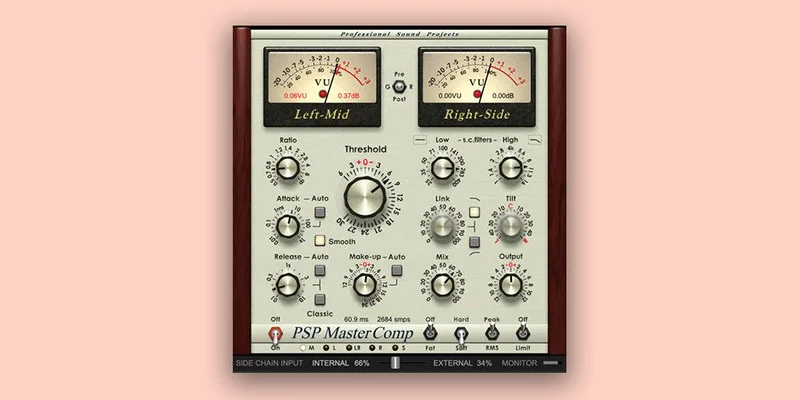
The M-S processing mode is where we spent most of our time. Switching from stereo to M-S unlocks independent control over the mid and side signals. We compressed the mid at 3:1 for tightness and left the sides at 1.5:1 to preserve width. That combination gave us control that usually requires two separate compressor instances.
The sidechain filter lets you high-pass the detection signal, which is non-negotiable for bass-heavy material. We set it at 90Hz on a trap master to stop the sub from triggering the compression on every kick hit. Standard practice, but satisfying to have it built in rather than bolted on via an external sidechain chain.
What It's Genuinely Good At
The sound. That's the headline. MasterComp's FAT processing removes a category of harshness that plagues most ITB compressors at high ratios or fast attack times.
We ran a direct A/B against Bettermaker Mastering Compressor on an indie rock mix at 88.2kHz. The Bettermaker added a subtle 2-3dB shelf around 8kHz, which some engineers love. MasterComp stayed flat across the entire audible spectrum. When the brief calls for transparent, MasterComp is the more honest choice.
The brick-wall output limiter is genuinely useful rather than an afterthought. It's not a full mastering limiter, and it won't replace a dedicated tool like a Limitless or a Pro-L 2 at the end of your chain. But as a catch limiter to protect against transient overshoot during compression, it works cleanly.
The soft-knee implementation is one of the better ones we've tested. The transition into gain reduction is smooth enough that you can push the threshold aggressively without the compressor announcing itself to the listener.
MicroComp on individual tracks performs well on piano and acoustic guitar, where you want consistent level without obvious pumping. Set ratio at 4:1, attack at 10ms, and it behaves. The same transparency from the main algorithm carries over.
The Rough Edges
The UI hasn't aged well. That's the honest truth. Next to Complexx bus compressor or FabFilter's Pro-C 2, MasterComp looks like it belongs to a different decade. Because it does.
PSP hasn't done a cosmetic overhaul since v1.8, and while the layout is logical, the knob resolution on smaller displays is frustrating. Fine-tuning the threshold in 0.1dB steps requires careful dragging that sometimes overshoots.
The CPU usage is a real problem at higher sample rates. 192kHz sessions with FAT engaged get expensive fast. Annoying, because the situations where you want FAT most (high-res mastering) are precisely the situations where it costs you the most processing power.
PSP hasn't publicly confirmed full native AAX support for Apple Silicon across all their
current products at time of writing. If you’re running an M-series Mac in AAX mode inside Pro Tools, verify compatibility before purchasing.
Who This Is Really For
- ✅ Buy if you master at 88.2kHz or 96kHz and want a transparent compressor that won't alter your top-end character.
- ✅ Buy if you need M-S compression without building a parallel routing setup in your DAW.
- ✅ Buy if you're coming from PSP InfiniStrip Earth Edition and want to stay in the PSP ecosystem for mastering.
- ❌ Skip if you're on an older dual-core system that's already struggling with your mix session.
- ❌ Skip if you need a modern, resizable UI with precise mouse-wheel control.
- ❌ Skip if you want colored, characterful compression with harmonic saturation baked in. That's not what this does.
Score Breakdown
| Category | Score | Notes |
|---|---|---|
| Sound Quality | 4.5/5 | FAT mode produces transparent compression that rivals plugins costing three times as much |
| Value for Money | 4.0/5 | Two plugins for one license, strong feature set, but the UI needs investment PSP hasn't made |
| Ease of Use | 3.5/5 | Logical layout but dated knob controls cause fine-tuning friction |
| Features | 4.0/5 | M-S processing, sidechain filtering, PPM/VU metering, and brick-wall limiter cover the mastering essentials |
| CPU Efficiency | 2.5/5 | FAT mode at high sample rates is punishing and the cost doubles in the sessions where you want it most |
| Overall | 4.1/5 | Brilliant sound, frustrating CPU cost, and a UI stuck in 2010 |
Alternatives Worth Considering
FabFilter Pro-C 2 is the cleaner modern choice if CPU efficiency matters more than FAT-mode transparency. It's resizable, precise, and its mastering mode is well-designed. It is priced at $199. Lower CPU footprint at comparable sample rates.
Bettermaker Mastering Compressor is the pick if you want that slight analog warmth and a more modern interface alongside the mastering-grade feature set. It adds subtle top-end character that MasterComp deliberately avoids.
PSP BussPressor is worth looking at if you need glue compression on your mix bus rather than transparent mastering compression. Same PSP ecosystem, different character, lower CPU hit.
Also check the PSP Studio Modular Collection if you're considering going deeper into PSP's catalog as a bundle purchase.
The Verdict
PSP MasterComp is a plugin we'd still drop on a mastering chain in 2026 when transparency is the brief. The FAT processing works. The M-S routing is practical. The metering is one of the better implementations in this price bracket.
But we wish PSP would update the UI. Badly. And the CPU cost at 96kHz with FAT engaged is the kind of thing that makes you think twice before loading it in a dense session.
If your system can handle it and your brief says transparent, buy it. If you're on older hardware or need something that looks and moves like a 2026 plugin, it's the wrong tool.
Some plugins age well because their sound holds up. MasterComp is one of those. The rest of it hasn't.
Frequently Asked Questions
What is FAT mode in PSP MasterComp and should I always use it?
FAT stands for Frequency Authentication Technique. It runs the compression processing at double your current sample rate internally, which removes the aliasing artifacts that give many digital compressors that hard, slightly harsh quality at high ratios. We'd use it for mastering work whenever your system can support it. For mixing and track processing, turning FAT off saves significant CPU without a dramatic difference to the sound at standard ratios.
What's the difference between MasterComp and MicroComp?
Both plugins are included in one purchase. MasterComp is the full-featured version with M-S processing, PPM/VU metering, sidechain filtering, and the brick-wall output limiter. It's built for bus and mastering chain work. MicroComp is a lighter version designed for individual track compression during mixing, with a simpler control set and lower CPU overhead.
Does PSP MasterComp support Apple Silicon natively?
PSP Audioware has been updating their catalog for Apple Silicon compatibility, but confirm directly with PSP before purchasing if you're running an M-series Mac inside Pro Tools in native AAX mode. AU and VST3 compatibility on Apple Silicon is more widely confirmed across their recent updates. Always check PSP's site for the current compatibility list before committing.
How does PSP MasterComp compare to FabFilter Pro-C 2 for mastering?
MasterComp wins on transparency at high sample rates with FAT engaged, particularly in the top-end above 8kHz where some compressors introduce subtle brightness or harshness. Pro-C 2 wins on CPU efficiency, UI precision, and workflow speed. If you're doing high-resolution mastering and transparency is the priority, MasterComp is the better-sounding tool. If you're doing fast-turnaround work across varied genres, Pro-C 2's flexibility and lighter footprint make more practical sense.