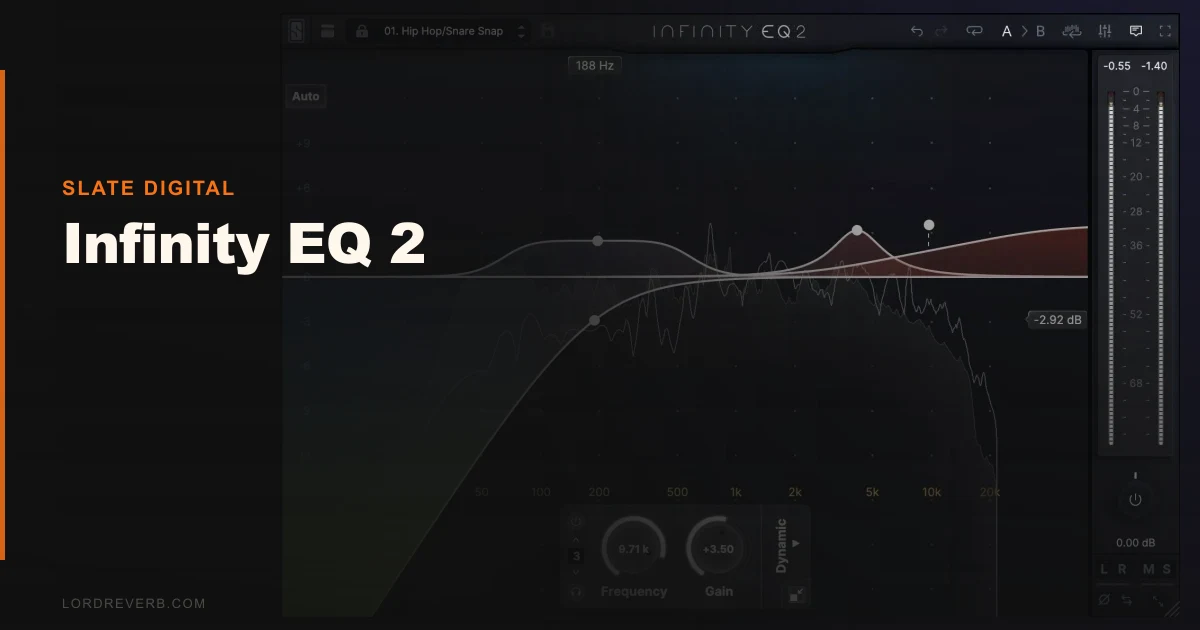
Infinity EQ 2 sits in a direct fight with FabFilter Pro-Q 3, and that's the comparison this review is going to settle. Slate Digital's dynamic EQ has been rebuilt from the interface out since the original 2020 release, and the question isn't whether it's better than its predecessor. It is. The question is whether $149 makes more sense than the EQ already on most mixers' toolbars. We ran it on vocals, drum buses, and dense full mixes across several sessions. Here's where it actually lands.
Infinity EQ 2 is built for mix engineers who want one EQ to handle both static corrective shaping and dynamic frequency control without switching plugins. It's not for producers chasing harmonic color or analog warmth. If you want character, look elsewhere. If you want precision with movement, keep reading.
How It Compares Out of the Box
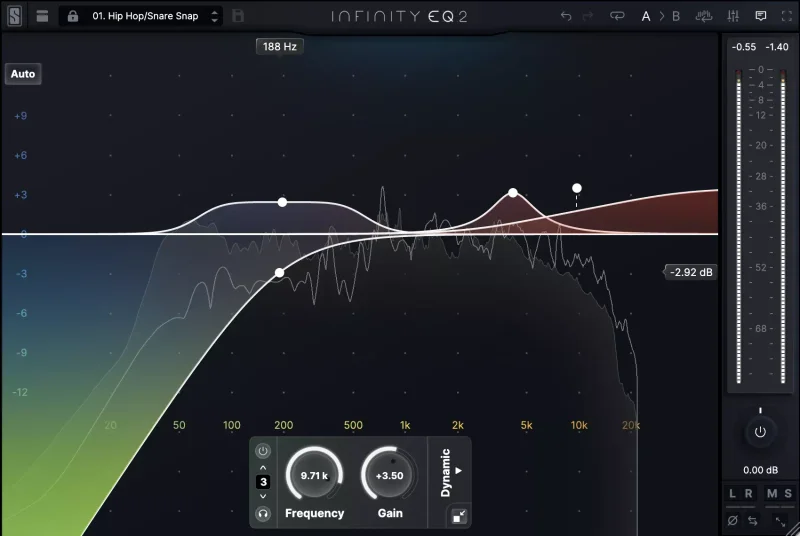
Open Pro-Q 3 and Infinity EQ 2 side by side, and the first difference is visual weight. Infinity EQ 2's redesigned GUI feels cleaner, less cluttered, and resizes fluidly without the snap-to-grid awkwardness we've hit in Pro-Q on ultrawide setups. The Average Analyzer overlay is a genuine workflow win: it shows spectral averages over time rather than just the live signal, which makes problem frequencies easier to spot on busy material.
Brainworx DynEQ is the other obvious comparison. It's cheaper and more surgical, but the interface is older and the dynamic triggering feels slower. Waves H-EQ is a different category entirely, skewing toward character over correction. Infinity EQ 2 lives between Pro-Q 3 and Brainworx: more polished than the latter, more dynamically focused than the former.
First impressions: the three new filter types (Notch, Tilt, and Bandpass) are immediately useful. They're not tacked on. They integrate into the dynamic workflow naturally.
Performance Deep Dive
The two timing modes are where Infinity EQ 2 earns its price. Tight mode is reactive, with attack behavior fast enough to function as a de-esser on vocals. We tested it against a dedicated de-esser on a vocal with a sharp 7kHz sibilance spike. A dynamic band in Tight mode, set to trigger at around -18 dBFS with a gain reduction of 4 dB, cleaned the sibilance without touching the body of the consonant. Satisfying. Clean. Faster to set up than switching plugins.
Smooth mode has a longer release curve suited to transient management on drums. We ran a snare bus through a dynamic high-mid band in Smooth mode, targeting 3.2 kHz where the snap was getting brittle at louder velocities. The band eased back 3 dB on hard hits and barely moved on ghost notes. No pumping. No obvious compression artifacts.
The curves hold up to 96 dB with zero distortion to the Nyquist frequency. That's not marketing language. We pushed a broad shelf into the sub range at maximum gain and the response stayed clean through 20 Hz. Pro-Q 3 matches this technically, but the comparison in actual audio is closer than the spec sheet suggests.
CPU draw sits in the medium range. Not as light as a static EQ, but nothing that caused issues even with eight instances running on a dense session in Pro Tools on an M2 MacBook Pro. We didn't hit any performance ceiling in normal use.
Where It Wins
The dynamic filter workflow is tighter here than in Pro-Q 3. Dynamic nodes in Pro-Q require more clicks to configure, and the triggering options are less granular. In Infinity EQ 2, switching a band between static and dynamic is a single toggle, and the Tight/Smooth timing selection is a two-option button right on the band, not buried in a side panel.
The Tilt filter is underrated. A single Tilt band dragged down at the center frequency of a harsh room mic recording did in one move what previously took two shelf adjustments. Clever design.
The Notch filter is also sharper than Pro-Q 3's equivalent at very high Q values. We used it to kill a 50 Hz hum on a location recording. At Q 8.0, the notch was precise without affecting 48 Hz or 52 Hz content. Clean kill shot.
For mix engineers doing corrective work on complex, layered material, this is genuinely the more focused tool.
Where the Competition Wins
Pro-Q 3 has linear phase mode. Infinity EQ 2 doesn't. This matters on multi-mic drum recordings where phase coherence across overheads, room mics, and spot mics is non-negotiable. We ran a parallel EQ test on a kick/overhead blend. Pro-Q 3 in linear phase introduced no comb filtering artifacts. Infinity EQ 2's minimum phase processing shifted the image slightly on the overhead bleed. Not catastrophic, but noticeable.
If you mix bands live or work with orchestral material in Dolby Atmos sessions, the absence of linear phase is frustrating. That's not a niche use case.
Pro-Q 3 also has mid-side per band with more flexible sidechain routing. Infinity EQ 2's M/S capability exists but feels less developed. Brainworx DynEQ wins on surgical precision at lower price points. And for anyone who wants an EQ that adds something to the sound, Infinity EQ 2 adds nothing. That's its design. But it means colored-EQ workflows require a different plugin entirely, which undercuts the "one EQ for everything" pitch.
Who Should Buy Which
- ✅ Buy Infinity EQ 2 if you're doing corrective dynamic EQ work regularly and want a faster workflow than Pro-Q 3's dynamic mode offers.
- ✅ Buy it if you de-ess with EQ rather than dedicated de-essers and want Tight mode's reactivity built into your signal chain.
- ✅ Buy it if you're already in the Slate Digital ecosystem and the All Access Pass brings it in at lower cost.
- ❌ Skip it if you work with multi-mic recordings where linear phase processing is part of your standard workflow.
- ❌ Skip it if you want your EQ to add harmonic color or analog character. It won't. It's transparent by design.
- ❌ Skip it if you already own Pro-Q 3 and are happy with its dynamic bands. The upgrade isn't wide enough to justify the spend.
Score Breakdown
| Category | Score | Notes |
|---|---|---|
| Sound Quality | 4.5/5 | Analog-matched curves to 96 dB, zero distortion, genuinely transparent processing |
| Value for Money | 3.5/5 | $149 is competitive but Pro-Q 3 at a similar price covers more ground |
| Ease of Use | 4.5/5 | Redesigned GUI with fluid scaling is one of the cleaner EQ interfaces available |
| Features | 4.0/5 | Tight/Smooth modes and three new filter types are strong, but linear phase is missing |
| CPU Efficiency | 4.0/5 | Medium draw, handled eight instances without issues on M2 hardware |
| Overall | 4.2/5 | Excellent corrective dynamic EQ let down by the absence of linear phase and limited color |
Alternatives to Consider
FabFilter Pro-Q 3 is the obvious first alternative. It has linear phase mode, more flexible M/S routing, and a dynamic band system that covers similar ground. It costs roughly the same. If you're choosing between the two with no prior investment in either, Pro-Q 3 is the safer long-term pick because of that linear phase option alone. best EQ plugins for mixing
Brainworx DynEQ V2 is worth looking at if pure dynamic correction on a tighter budget is the goal. It's less elegant in the GUI department but the triggering behavior is precise and the price is lower. Works best for surgical notching and frequency-specific compression tasks. dynamic EQ plugins compared
BLEASS Motion EQ is a completely different angle: if you want EQ movement driven by LFOs and envelopes for creative sound design rather than corrective work, that's a better fit. We reviewed it and it holds up well for that specific workflow. BLEASS Motion EQ review
Mastering The Mix CARBON Q isn't a like-for-like rival. It's a connected EQ that balances a whole session from reference tracks, so it does a different job from a single-channel EQ like Infinity EQ 2. Our CARBON Q review explains where it fits.
If you're also building out your EQ toolkit with analog-flavored options, the VEQ-HLF review covers a Pultec-style filter that pairs well with Infinity EQ 2's transparent character: the color goes there, the correction comes here.
The Bottom Line
We'd buy Infinity EQ 2 for a corrective dynamic EQ slot in a vocal or drum bus chain without hesitation. The Tight mode de-essing workflow alone saves enough session time to justify the cost if you're doing that work daily.
But we wouldn't replace Pro-Q 3 with it. The missing linear phase mode is a real limitation, not a theoretical one, and it shows up on real sessions with real consequences.
At $149, it's priced correctly for what it does. The wrong buyer is anyone who needs phase-coherent multi-mic processing or wants their EQ to add something to the sound. For everyone else running corrective work in the box, Infinity EQ 2 is the most focused tool in this price range for that specific job.
The best EQs don't make you think about them. This one earns that.
Frequently Asked Questions
Is Infinity EQ 2 worth the upgrade from the original Infinity EQ?
Yes, but with a caveat. The new filter types (Notch, Tilt, Bandpass), the Tight/Smooth timing modes, and the redesigned scalable GUI are all meaningful improvements over the 2020 original. If you use Infinity EQ regularly in your sessions, the upgrade makes sense. If you only used it occasionally, the workflow improvements alone might not move the needle enough to justify the cost over your existing license.
Does Infinity EQ 2 work as a de-esser?
It works well as a dynamic de-esser. Set a dynamic band over the problem sibilance frequency, switch the timing to Tight mode, and dial the threshold until it's triggering on hard consonants but not on sustained vowels. We found a gain reduction of 3-5 dB at 7-8 kHz in Tight mode handled most vocal sibilance cleanly. It won't replace a dedicated hardware-style de-esser for extreme cases, but it's fast and non-destructive in the signal chain.
Can Infinity EQ 2 be used for creative sound design, not just mixing?
It can, but it's not where it shines. The dynamic filters can create movement and frequency-specific animation in a signal, and the Tilt filter is genuinely useful for fast tonal shaping. However, the plugin is transparent by design and adds no harmonic color. For movement-based creative EQ, something like BLEASS Motion EQ with LFO-driven bands is a better tool for that specific job.
How does Infinity EQ 2 perform on Apple Silicon Macs?
We tested on an M2 MacBook Pro in Pro Tools and had no performance issues with eight simultaneous instances running on a dense mix session. CPU draw was medium, consistent with other dynamic EQs at this feature level. It runs natively on Apple Silicon via AU and AAX formats. No Rosetta translation required on current versions, which keeps overhead lower than it would be on older Intel-based hardware.