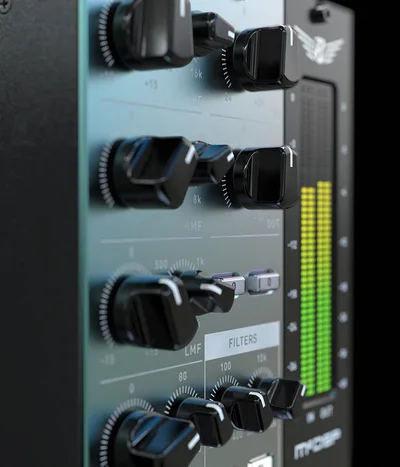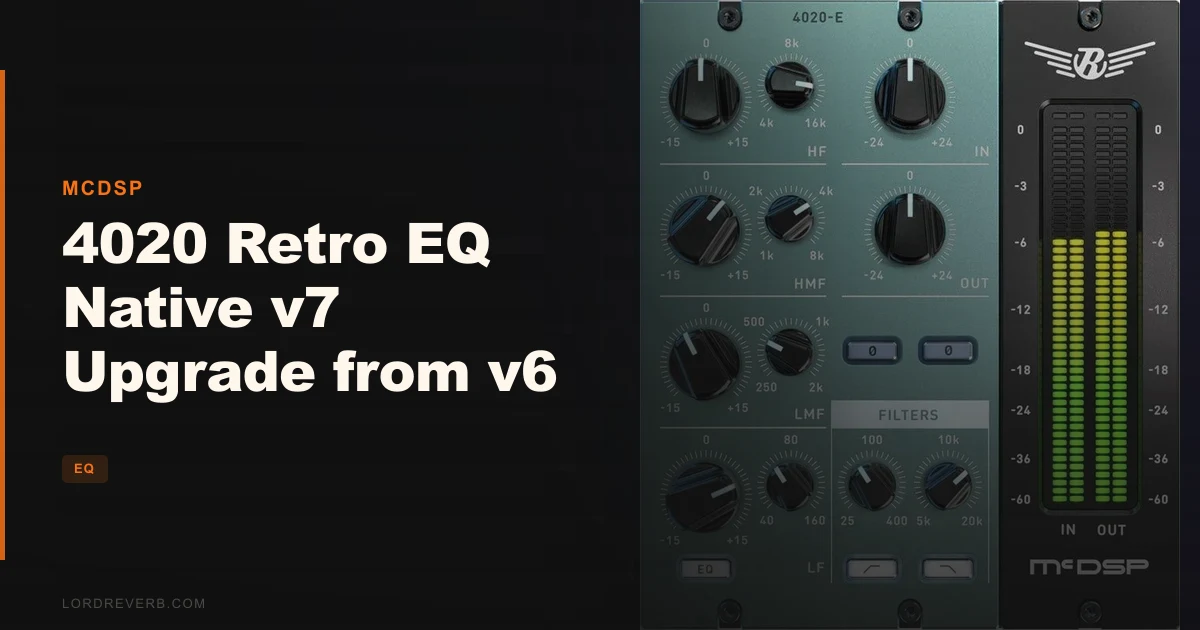
If you're on 4020 Retro EQ Native v6 and asking whether the v7 upgrade is worth it, the short answer is yes, but only if you're running M1 Apple Silicon, working in VST3 or AAX, and want the cleaner saturation behaviour the new output stage promises. It's a focused technical update that fixes real compatibility gaps and refines what the 4020 already does well.
The 4020 Retro EQ is a four-band EQ modelled on vintage analog behaviour. Owners have long called it one of the smoothest-sounding EQs available ITB. V7 leans into that reputation with the Anti-Clip Output Stage Topology, Apple Silicon optimisation, and a rebuilt UI.
This review is built around who actually benefits from moving up, and who should stay put.
What You Are Upgrading To
V7 is not a new EQ. The core architecture stays the same: four bands, high and low shelving, two parametric mids, and the gain-dependent variable slope and Q system that makes the 4020 behave differently from most surgical EQs in your session.
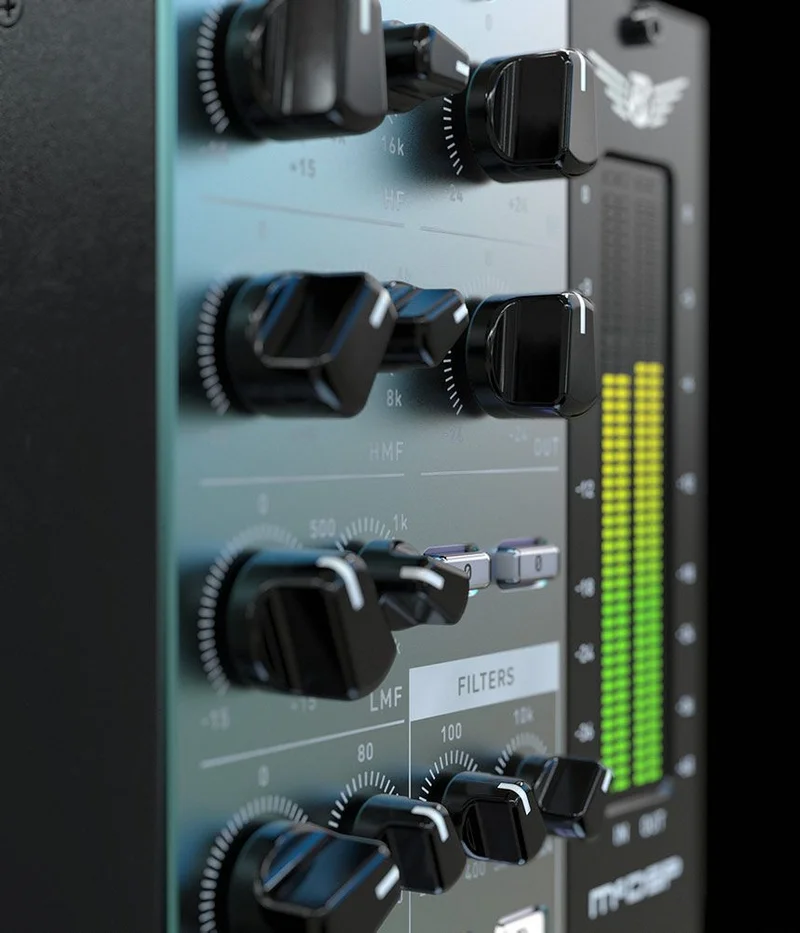
The variable slope design means that as you push the shelving bands, the slope and Q shift with the gain amount. It's not a fixed 12dB/Oct shelf sitting flat at the top. The HPF and LPF filters use a split-octave design, moving from 12dB/Oct near the selected frequency up to a maximum 24dB/Oct slope. That dynamic behaviour is what owners mean when they say the 4020 sits differently in a mix than a standard parametric EQ.
What's new in v7: the Anti-Clip Output Stage Topology, Apple Silicon M1 native support, double precision processing confirmed, updated high-definition UI, and a new preset library. VST is gone. VST3 stays. AAX DSP and AAX Native stay. AU stays.
McDSP says the goal is transparent yet vintage sound. Owners report that "smooth and unobtrusive" is accurate at sensible gain levels. Push harder and you'll hear what the limits section below is about.
Who Qualifies for This Upgrade
You need to already own 4020 Retro EQ Native v6. This is an upgrade, not a standalone purchase.
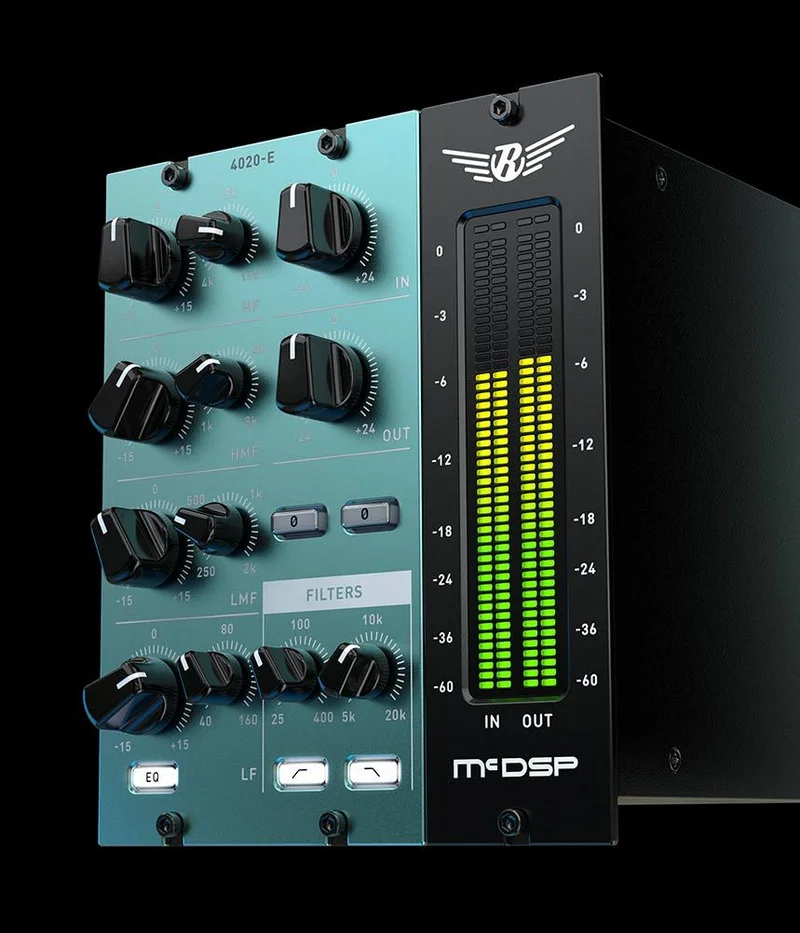
You'll also need to be running macOS 10.13 or higher through Monterey (12.x), or Windows 7, 8, or 10, all 64-bit only. The plugin requires iLok: either an iLok2 or iLok3 USB key, or an iLok License Manager account using iLok Cloud. Each license covers two activations.
If your current workflow is VST-only, v7 isn't for you. McDSP dropped VST support entirely in this version. You'd need to shift to VST3, AAX, or AU to use it. That's a real barrier if your DAW or template is built around VST instances of the v6 plugin.
Compatible DAWs include Pro Tools, Logic Pro, Cubase, Nuendo, Ableton Live, LUNA, Reaper, Sonar, and Studio One, among other AAX, AU, and VST3 hosts.
The Value Case for V7
The question isn't really "is it expensive?" It's "does anything in v7 solve a problem I actually have?"
If you're on an M1 Mac, the native Silicon optimisation matters. Running v6 through Rosetta works, but it costs CPU headroom you'd rather spend elsewhere in a dense session. That's the strongest single argument for upgrading.
The Anti-Clip Output Stage is the other headliner. Standard digital clipping in an EQ produces an ugly hard edge when you push gains. McDSP's design produces a smoother distortion characteristic instead. Owners report the saturation behaviour at moderate gain levels is genuinely satisfying, with clearer overall mix clarity than stacking multiple other EQs. The frustrating caveat: at aggressive gain levels, distortion still appears. The anti-clip stage shapes how the distortion sounds, but it doesn't remove it. Keep gain settings disciplined and the output stage earns its place.
The new presets and updated UI are real improvements to daily workflow, not just version cosmetics. If you're teaching yourself the 4020 for the first time, better presets mean fewer sessions spent guessing at starting points.
Double-precision processing is now confirmed in v7. For most mixes that's invisible in an A/B test. In complex signal chains where small rounding errors accumulate, it matters.
The Four-Band Layout and What It Actually Does
You get a high-frequency shelving band, a low-frequency shelving band, one mid-high parametric, and one mid-low parametric. That's the whole picture. Four bands, no more.
For some sessions, four is exactly right. You load the 4020 on a vocal bus because you want to lift the top-end air and trim the low shelf without touching the character of the midrange. The variable slope shelf behaves more like hardware than a fixed digital EQ: it spreads the effect in a way that doesn't carve out adjacent frequencies the way a tight parametric would.
Push the high shelf up 4 or 5dB and the top end brightens without going brittle. That's the analog saturation modelling doing its job. The character comes from the topology, not from an added harmonic distortion knob bolted on as an afterthought.
The mid-high and mid-low parametric bands give you standard boost and cut with variable Q. The gain-dependent Q system means tighter, more selective boosts at higher gain values. That selectivity is what McDSP describes as "increased boost and cut frequency selectivity at high gains." In practice, it means you can make a focused cut at 2kHz without the shelf spreading aggressively into the 1kHz or 3kHz range.
What you won't get is a third or fourth parametric for detailed surgical work across the full spectrum. If your session needs a notch at 300Hz, a boost at 1.2kHz, a dip at 5kHz, and a shelf, you're one band short. That's where the 4020's character-first design shows its limit.
Who It's Built For, Section by Section
The Mixing Engineer on Pro Tools
This is the clearest buy. AAX DSP and AAX Native support, zero latency, double precision, Apple Silicon native: v7 addresses every technical friction point a Pro Tools mixer on a modern Mac would have with v6.
Put the 4020 on your vocal, drum bus, or mix bus. Run the high shelf with modest gain, 2 to 3dB, and let the variable slope do the work. Owners specifically report smooth ducking with no unpleasant artifacts in mix contexts where the EQ is used lightly rather than aggressively. That's the workflow this tool is built for: analog-style shaping, not digital demolition.
Buy it.
The Working Producer on Logic or Ableton
AU and VST3 are both supported; VST format is no longer supported as of v7.0. M1 optimisation matters if you're on a newer Mac. The 4020 is clever on synth buses and grouped instruments: the shelf behaviour rounds off harsh digital edges in ways that feel more like processing with hardware than dragging a node in a standard EQ.
The honest caveat for this group: the learning curve is real. Reviewers flag it. If you're used to grabbing a linear-phase surgical EQ and automating specific frequency points, the 4020's gain-dependent behaviour will confuse you at first. You need to understand why the shelf is moving when you change the gain, not just that it's moving.
If you've got v6 and you're on M1, upgrade. If you're new to analog-style EQ workflow, budget time for the adjustment.
Wait, then buy.
The Beginner Producer
Honestly? The 4020 is not a beginner's EQ. The variable slope system, gain-dependent Q, and analog saturation modelling are all tools that reward knowledge of how hardware EQs work. Load this up expecting it to behave like a visual parametric and you'll spend a session fighting it.
Reviewers describe the learning curve as steep. That's not a knock on the design, it's a description of the tool. If you're still building vocabulary around HPF and LPF, start elsewhere. The 4020 will make more sense when you come back to it.
Skip it for now.
The Sound Designer
The mono instance matters here. If you're processing individual elements, dial in the mid-high parametric for presence or the LF shelf for weight. The variable slope gives you a shape that doesn't sound like a plugin.
The four-band limit is a real constraint for complex sound design chains. If you need more surgical control, you're stacking instances or reaching for something with more bands. The 4020 isn't frustrating for sound design, but it's not deep enough to be your primary tool in that context.
Use it on the bus, not the channel. Buy if you already have v6.
Who Should Skip V7 Entirely
If your entire session template runs VST, don't upgrade; v7 requires VST3 or another supported format. V7 drops VST. That's not a soft deprecation, it's a hard removal. Rebuilding a template around VST3 instances takes time and introduces recall issues on older sessions.
If you're on Windows and running Pro Tools, the upgrade delivers AAX Native support and double precision processing alongside the updated interface and new presets. Prettier UI and new presets are genuinely useful, but they're not $29 useful if nothing else changed in your workflow.
If you've been pushing v6 hard at high gain settings and finding the saturation behaviour frustrating, v7 improves it but doesn't fix it. Owners report that lower gain settings preserve more depth and transient balance than cranked levels. If your use case requires aggressive gain push on this EQ specifically, check your expectations before upgrading.
And if you need clearly different EQ topologies across different tracks, the McDSP 6020 is the comparison McDSP's own users make. The 4020 has one consistent layout. If your sessions demand more variety from track to track, the 6020 is the conversation to have.
The Verdict
The 4020 Retro EQ Native v7 upgrade earns its price for one specific person: a v6 owner on M1 Apple Silicon running AAX or VST3 who wants the smoother output stage behaviour without changing anything about how they use the plugin.
At $29, it's not a hard decision. But it is a specific one. The plugin hasn't changed what it is. It's a four-band analog-character EQ with a variable slope system that behaves differently from every standard digital parametric in your session. V7 makes it compatible with modern hardware, cleaner at the output, and better documented through new presets.
If you're a VST-only user, the upgrade breaks your workflow rather than improving it. That's the only reason to hold off, and it's a legitimate one.
For everyone else on v6: spend the $29 and move on. Owners consistently rate it among the smoothest EQs in the box, and v7 maintains that character while refining the output stage.
Specs & Technical Details
| Developer | McDSP |
| Price | $29 |
| Plugin Format | VST3 / AU / AAX Native / AAX DSP |
| OS Support | macOS 10.13–12.x (Monterey), Windows 7/8/10, 64-bit only |
| Activation | iLok2 or iLok3 USB key, or iLok Cloud (2 activations per license) |
| CPU Usage | N/A |
| Trial Available | N/A |
| Version Reviewed | v7 |
Score Breakdown
| Category | Score | Notes |
|---|---|---|
| Sound Quality | 4.5/5 | Owners consistently rate it among the smoothest EQs ITB; variable slope and analog saturation model hold up at moderate gain, though anti-clip output stage does not completely prevent distortion when pushing gain levels aggressively |
| Value for Money | 4.5/5 | At $29 for existing v6 owners, the M1 optimisation and output stage update alone justify the cost |
| Ease of Use | 3.5/5 | Steep learning curve without analog-style EQ experience; variable slope behaviour is unintuitive without prior hardware knowledge |
| Features | 4.0/5 | Four bands with variable slope and Q, Anti-Clip Output Stage, zero latency, double precision; limited band count for surgical work |
| CPU Efficiency | 4.0/5 | Zero latency and native M1 optimisation confirmed; real-world CPU benefit depends on host, buffer size, and session density |
| Overall | 4.2/5 | A focused, technically clean upgrade for v6 owners on modern hardware; not a reinvention, but a solid one |
Alternatives to Consider
McDSP 6020 Retro EQ: If you need different EQ topologies across different tracks rather than the same consistent layout repeated, the 6020 is what 4020 users reach for. The 4020's single four-band design is deliberate and it works well, but some sessions demand more variety. The 6020 covers those cases.
McDSP FilterBank: Reviewers specifically note that FilterBank can't replicate the 4020's variable slope response without adjusting multiple parameters simultaneously. If you want the 4020's shelf behaviour, FilterBank is not a straight substitute. But if you want broader filtering options and don't need the variable slope character specifically, FilterBank gives you more architectural flexibility.
The Final Word
Some upgrades are about fixing things that were broken. V7 is about updating a tool that already worked well so it keeps working on the hardware most studios now run.
If you're on v6, on an M1 Mac, and running AAX or VST3, this is a clean yes. The anti-clip output stage makes the saturation behaviour more useful at moderate gains, the UI is sharper, and the new presets give you better starting points. None of that changes what the 4020 is. It stays exactly what owners love about it: smooth, unobtrusive, and built to sit correctly in a mix without demanding attention.
The only people who should leave v6 alone are VST-only users. That's a real incompatibility and there's no workaround that doesn't cost you session time. Everyone else: the upgrade is worth more than it costs, and that's the clearest thing we can say about it.
Frequently Asked Questions
What is the difference between 4020 Retro EQ Native v6 and v7?
V7 adds the Anti-Clip Output Stage Topology, native M1 Apple Silicon support, double precision processing, an updated high-definition UI, and new presets. VST format is dropped in v7; VST3 replaces it. The core four-band EQ architecture and variable slope system remain unchanged from v6.
Does the 4020 Retro EQ Native v7 work on M1 Macs?
Yes. V7 is natively optimised for M1 Apple Silicon as well as the latest Intel processors. V6 required Rosetta emulation on M1 hardware. Running the plugin natively recovers CPU headroom that Rosetta translation consumed, though the real-world benefit varies by session size and buffer setting.
Why was VST support dropped in v7?
McDSP moved to VST3 as the standard format for v7. VST is no longer supported. If your DAW template or project sessions use VST instances of the v6 plugin, you'd need to rebuild those sessions in VST3 to use v7. This is the main reason existing v6 users might choose not to upgrade.
Does the Anti-Clip Output Stage prevent all distortion?
No. Owners report that distortion is still possible when gain levels are pushed aggressively. What the Anti-Clip stage changes is how the distortion sounds: it produces a smoother characteristic than standard hard digital clipping. Owners also note that lower gain settings preserve more depth and transient balance than high-gain use.
What DAWs are compatible with 4020 Retro EQ Native v7?
Compatible DAWs include Pro Tools (via AAX Native and AAX DSP), Logic Pro (AU), Cubase, Nuendo, Ableton Live, LUNA, Reaper, Sonar, Studio One, and other hosts that support AAX, AU, or VST3 formats. VST is not supported in v7.
Is the 4020 Retro EQ Native v7 suitable for beginners?
Reviewers flag a steep learning curve that requires familiarity with analog-style EQ workflow. The gain-dependent variable slope and Q system behaves differently from standard digital parametric EQs, and the difference can be confusing without prior hardware EQ knowledge. It's best suited to producers and engineers who already understand how hardware shelving and parametric bands respond to gain changes.