Waves Linear Phase EQ is worth $29.99 if you need a phase-coherent EQ for mastering or multi-mic cleanup, and a poor buy if you want a fast, flexible tool for everyday mixing. You’re two hours into a drum session. The overheads, the close snare mic and the room pair are all fighting each other. Every time you cut the low mids on one, the kick loses its weight on another.
That’s the problem this plugin was built around. A normal minimum-phase EQ shifts phase as it cuts and boosts, and when several mics hear the same source, those shifts stack up in ugly ways. A linear phase EQ keeps the phase relationship intact.
We like the idea more than we like using it day to day. It’s a specialist, not an all-rounder.
If you master, or you mix acoustic material recorded with multiple mics, keep reading. If you want a spectrum analyzer, dynamic bands and a modern workflow, you’ll want to jump to the alternatives.
What's In The Box
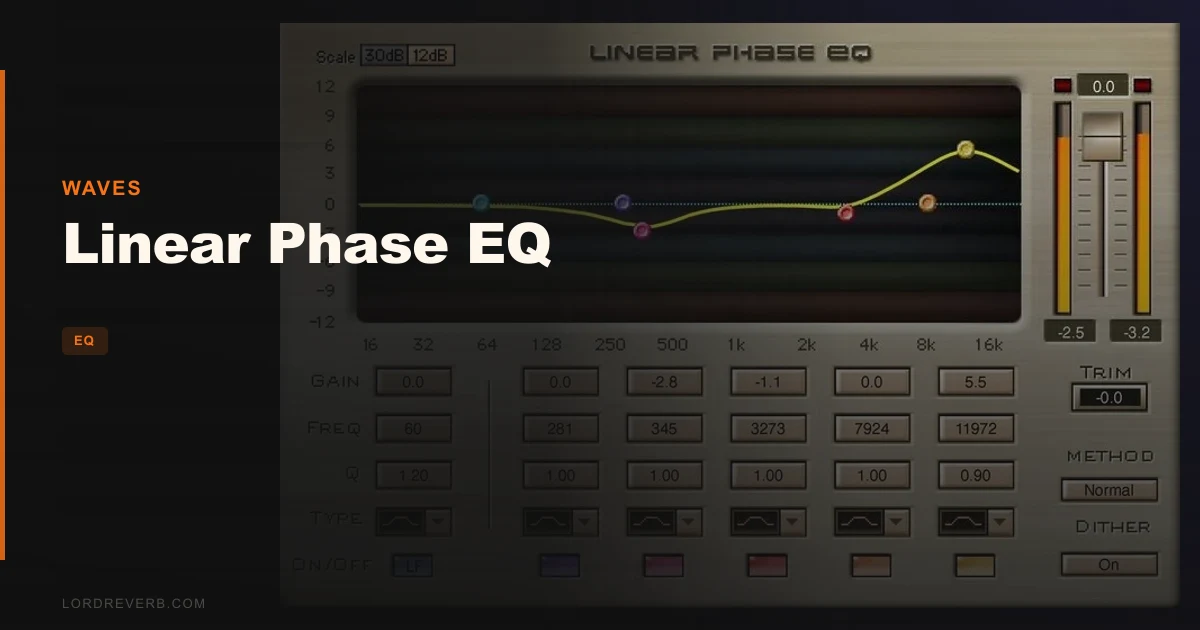
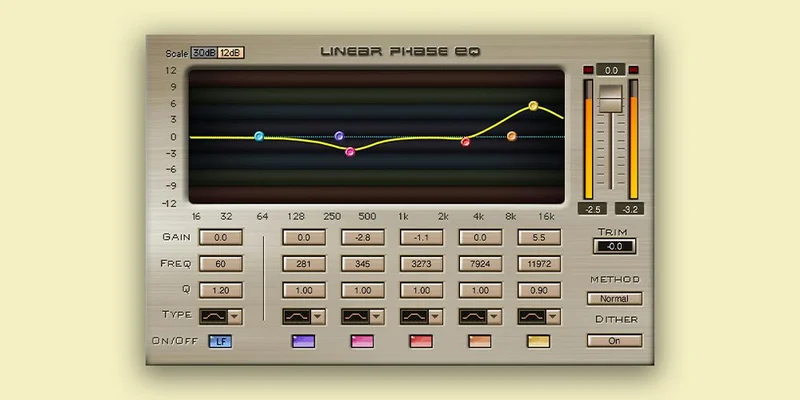
Linear Phase EQ is a 3-band parametric equalizer built on 5 parametric stages and 9 response curves. That’s the whole architecture.
Each stage gives you ±30 dB of boost or cut. The broadband component covers 22 Hz to 18 kHz.
There’s also a dedicated low-frequency component, tuned for low-band surgery. Two special modes handle extreme EQ settings, the sort of heavy moves where lesser tools start to misbehave.
Format support splits by platform. On Mac you get VST, AU and AAX. On PC you get VST and AAX. Mac users need macOS Monterey 12, Ventura 13, Sonoma 14 or Sequoia 15. PC users need Windows 10 or later.
The interface will feel familiar if you’ve ever opened Waves’ Renaissance EQ. Same layout logic, same no-nonsense approach.
Where It Fits In Your Workflow
This plugin lives late in the chain. Think mastering bus, stem bus, or the individual tracks of a multi-mic recording where phase is already a headache.
Here’s the catch. The delay is not small. At 44 kHz the broadband component adds 60.7 ms. At 48 kHz the low-band component adds 46.4 ms. Owners report this as significant lookahead delay, and it’s the single biggest thing to understand before buying.
Your DAW’s plugin delay compensation will handle it during playback and bounce. Fine. But live tracking through it is a non-starter. Monitoring a vocalist through this EQ would be a nightmare.
It also costs more CPU than a traditional EQ. On a big session with ten instances, you’ll feel it.
One more flag for Mac users on older setups. One user noted the plugin was 32-bit for OS X, which meant routing it through Logic Pro’s 32-bit bridge. If you’re on a current macOS with a current DAW, check compatibility before you commit.
How Does It Handle Multi-Mic Phase Problems?
This is where it earns its keep. Waves says it can handle phase shifts caused by using multiple mics on instruments, and that’s the use case we’d point you toward first.
Go back to that drum session. Cut 3 dB at 250 Hz on the snare close mic with a regular EQ and you’ve also nudged the phase around that frequency. Blend it with the overheads and the snare can sound hollow, a bit thin, slightly off. Switch to a linear phase cut and the timing relationship between mics stays put.
Does it fix a badly recorded session? No. Nothing does. But it stops you making a phase problem worse while you chase tone.
Acoustic guitars with two mics. A piano with a close pair and a room pair. A string section with spots and a main array. Same logic applies to all of them.
What It's Genuinely Good At
The sound is clean. Reviewers describe it as super clean, hard to top, and mastering engineers report using it for transparent, subtle tonal adjustments. That matches what the design promises: no phase smearing, no coloration.
Put it on a finished stereo mix and make a 1 dB shelf move up top. The balance shifts and nothing else seems to. That’s the point.
The developer calls it transparent and free of smearing, and says it provides exceptionally precise curves for consistent EQ. The marketing is generous, but the core claim holds up in owner reports. It also processes transients with more focus and clarity than a standard EQ, which matters when you’re cutting around a snare crack or a pick attack.
Stability is another quiet win. Owners report no crashes. Boring, and exactly what you want from a mastering-chain plugin.
And the learning curve is gentle. The developer claims there isn’t one, which is overselling it slightly, but if you’ve used Renaissance EQ you’ll be productive in minutes.
The Rough Edges
Start with pre-ringing. Linear phase filters can smear energy backward in time, and on percussive material that shows up as a faint swell before a hit. Hard cuts on a kick or snare are where you’ll hear it. It’s annoying, and it’s physics, not a bug.
Then there’s the interface. It’s simpler than FabFilter Pro-Q, and users describe the whole thing as feeling like an older dedicated mastering tool: simple, direct, and less fluid for modern sound-design moves. If you like dragging nodes around a spectrum display, you’ll find this frustrating.
CPU is the third strike. It demands more than a traditional EQ, so stacking instances gets expensive fast.
And the latency. We can’t say it enough. Unusable for live mixing.
Linear Phase EQ For The Mastering Engineer
You’re the target customer. Transparent, subtle tonal adjustments are exactly what owners in your seat report using it for.
The delay barely matters in a mastering session, because you’re working on a printed stereo file and your DAW compensates. The clean curves matter a lot. A small shelf, a gentle tilt, a surgical notch on a resonance, all without touching the phase of what’s around it.
Buy it. For this job it’s a sensible, stable tool.
Linear Phase EQ For The Mixing Engineer
Mixed verdict. For acoustic and multi-mic sources, it’s a smart addition to your toolkit. For electronic production and heavily processed tracks, it’s overkill.
Use it where phase coherence is the problem. Skip it for the other 80% of your EQ moves, where a faster, lighter minimum-phase EQ does the job without the delay and CPU bill.
Our advice is to buy it as a specialist, not as your main EQ. If you want one EQ to do everything, wait.
Linear Phase EQ For The Sound Designer
Skip it. Sound design lives on fluid, experimental moves: dynamic bands, mid/side tricks, spectrum feedback. The notes on this plugin are blunt about it being less fluid for modern sound-design moves.
The extreme-settings modes are interesting, sure. But you’d be fighting the workflow to use them creatively. Pro-Q is the better home for that kind of work.
Linear Phase EQ For The Beginner
Wait. It’s easy enough to operate, but it solves a problem most beginners don’t have yet. A simpler stock EQ plus some practice will teach you more.
If you’re recording with multiple mics for the first time and running into phase trouble, come back. Otherwise, save the money.
Who This Is Really For
- ✅ Buy if you master, or you EQ stereo buses where transparency matters more than speed.
- ✅ Buy if you record acoustic instruments with multiple mics and fight phase issues in the low mids.
- ✅ Buy if you already like the Renaissance EQ layout and want that workflow in linear phase.
- ❌ Skip if you mix live or track through plugins, because the latency makes it unusable.
- ❌ Skip if you want dynamic bands, a built-in spectrum analyzer and mid/side controls in one EQ.
- ❌ Skip if you're running a modest CPU and stacking lots of instances per session.
Specs & Technical Details
| Spec | Detail |
|---|---|
| Developer | Waves |
| Price | $29.99 |
| Plugin Format | Mac: VST, AU, AAX. PC: VST, AAX |
| OS Support | macOS Monterey 12, Ventura 13, Sonoma 14, Sequoia 15. Windows 10 or later |
| Activation | N/A |
| CPU Usage | Heavy compared to traditional EQs |
| Trial Available | N/A |
| Version Reviewed | N/A |
Score Breakdown
| Category | Score | Notes |
|---|---|---|
| Sound Quality | 4.5/5 | Clean, phase-coherent, no coloration, though pre-ringing shows on percussion |
| Value for Money | 4.0/5 | Fair for a mastering-grade specialist |
| Ease of Use | 4.0/5 | Familiar if you know Renaissance EQ, but dated next to modern rivals |
| Features | 3.0/5 | 5 stages and 9 curves, with no analyzer or dynamic bands |
| CPU Efficiency | 2.5/5 | Heavier than traditional EQs, plus 46 to 61 ms of delay |
| Overall | 3.9/5 | A strong specialist with real limits for everyday mixing |
Alternatives to Consider
FabFilter Pro-Q
Faster for surgical work, with dynamic bands and mid/side controls. It’s also preferred for its multiple latency mode options and built-in spectrum analyzer. If you want one EQ for everything, this is the one we’d point to first.
iZotope Ozone EQ
A third-party linear phase option. Worth a look if you already live in Ozone for mastering and want your EQ inside the same environment.
Neither replaces Linear Phase EQ for the multi-mic phase problem, but both are more flexible day to day.
Our Verdict On Linear Phase EQ
Linear Phase EQ does one job, and does it cleanly. Buy it at $29.99 if mastering or multi-mic phase correction is your daily problem. Don’t buy it as your only EQ, and don’t buy it for live work or tracking.
Our line is simple: it’s a scalpel, not a Swiss army knife. Wrong for anyone who wants speed, a spectrum display and a modern workflow in one plugin.
Related reviews: DeeQ Review
Frequently Asked Questions
Is Linear Phase EQ good for mastering?
Yes, and it's the best use for it. Mastering engineers report using it for transparent, subtle tonal adjustments. The delay doesn't matter on a printed stereo file because your DAW compensates for it.
How much latency does Linear Phase EQ add?
At 44 kHz the broadband component introduces 60.7 ms of delay. At 48 kHz the low-band component introduces 46.4 ms. That's significant lookahead delay, which makes it unsuitable for live mixing or tracking.
Does Linear Phase EQ color the sound?
No. The plugin is built to produce no phase smearing or coloration, and reviewers describe the sound quality as super clean. It can produce pre-ringing on percussive material when you push hard cuts, so go gently on drums.
Which formats and systems does Linear Phase EQ support?
On Mac it supports VST, AU and AAX, and needs macOS Monterey 12, Ventura 13, Sonoma 14 or Sequoia 15. On PC it supports VST and AAX, and needs Windows 10 or later. One user reported an older 32-bit OS X build that needed Logic Pro's 32-bit bridge.
Is Linear Phase EQ better than FabFilter Pro-Q?
It depends on the job. For multi-mic phase problems and mastering, Linear Phase EQ does exactly what it promises. For surgical work, Pro-Q is faster, with dynamic bands, mid/side controls and a built-in spectrum analyzer. Most people will want Pro-Q as their main EQ.