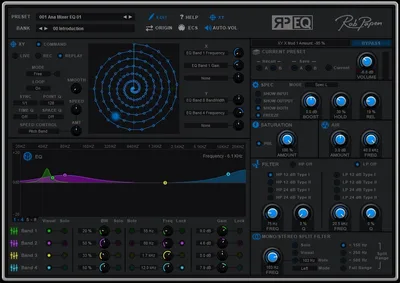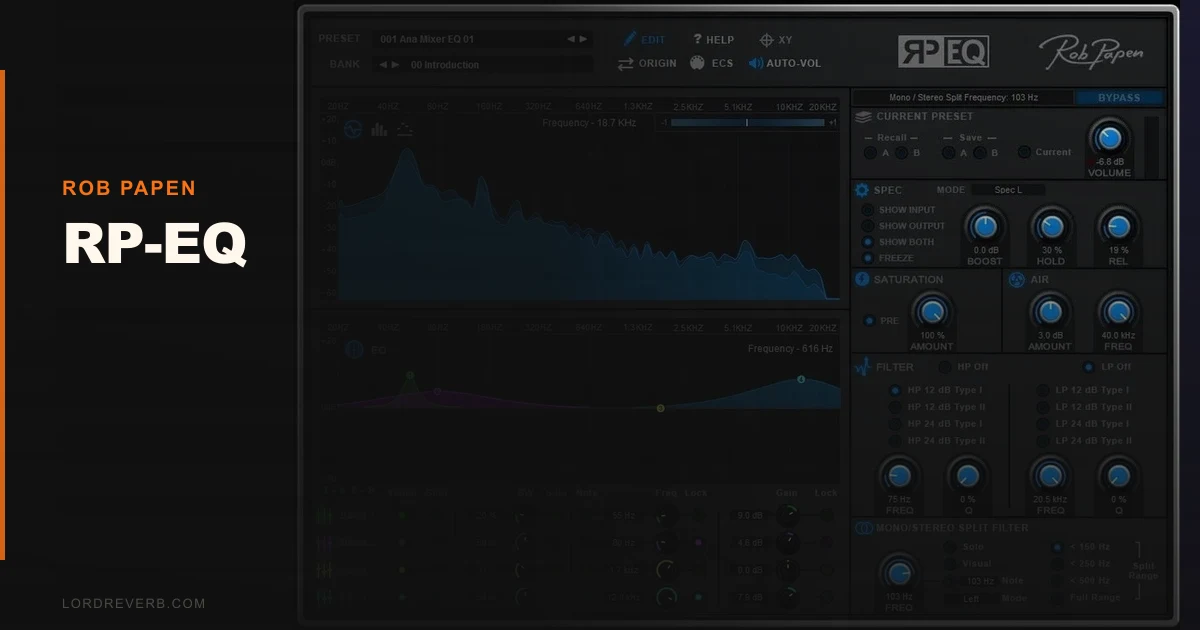
You're four sessions deep on a dense EDM track, your stock DAW EQ is showing its limits, and you've got three plugins open just to do what one should handle: parametric shaping, mid/side processing, and some top-end air. Rob Papen's RP-EQ was built specifically for that frustration. It's an 8-band parametric equalizer with mid/side mode, a note isolation feature, programmable LFOs, an XY pad, and an Air section that pushes presence up to 40kHz. We've been running it through its paces on full mixes and individual channels to see whether it actually consolidates your signal chain or just adds another complicated stop to it.
The Specific Problem RP-EQ Is Trying to Fix
Most parametric EQs give you bands, Q controls, and filter slopes. That's the floor, not the ceiling. The frustrating reality for producers working in electronic music is that frequency correction is only part of the job.
You also need mid/side processing to manage stereo width at specific frequencies. You need to find where a specific MIDI note clusters harmonically without hunting manually. You want top-end extension beyond what a standard high shelf can reach. And sometimes you want the EQ itself to move rhythmically.
RP-EQ addresses all four of those needs inside one plugin. Whether it does all of them well enough to justify the price tag is a different question. We'll get to that.
How RP-EQ Actually Performs on Real Sessions
We loaded RP-EQ onto a supersawlead in a 140bpm techno mix that was competing badly with a pad sitting at roughly 800Hz to 1.2kHz. Standard fix: notch the lead, boost the pad, move on. But the lead had MIDI note data we could use.
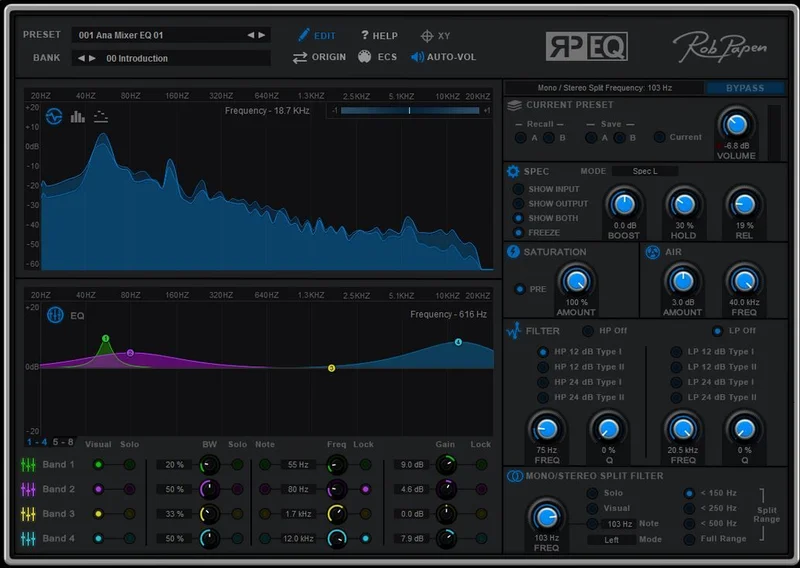
The note isolation feature let us select the MIDI pitch of the root chord and the plugin highlighted its harmonic content directly on the 30-band spectrogram. We cut 3.5dB at 840Hz with a Q of 1.8. The pad opened up without touching it. That took 40 seconds. Without note isolation, we'd have swept manually for three minutes.
Mid/side mode is the other standout. We ran a full mix bus through RP-EQ and applied a 12dB-per-octave high-pass to the side signal at 120Hz, clearing the low-end mono image while leaving the mid channel completely untouched. That's the kind of move that usually needs a dedicated M/S plugin or a routing workaround. Here it's two clicks.
The Air section adds gain between 30kHz and 40kHz with a 6dB ceiling. On a vocal mix, we pushed it 3dB. The result was a slight lift in presence that sat above where a normal high shelf operates. Satisfying in the right context. On anything heavily compressed, it can tip into harsh, so use it with your monitoring volume in check.
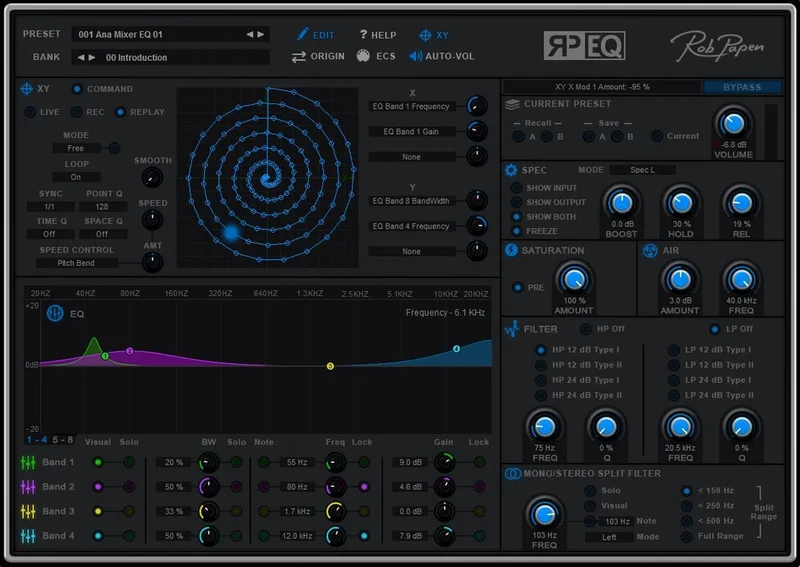
The XY pad and LFOs are where it gets genuinely clever. We assigned an LFO to Band 3's gain at 0.25Hz, synced to host tempo. The result was a slow frequency pump on a synth pad that would have otherwise needed a separate modulation plugin. It's not going to replace a dedicated dynamic EQ for transient-based movement, but for rhythmic or tonal animation it works cleanly.
CPU usage is our main complaint in practice. Running eight instances on individual tracks in a dense project pushed CPU measurably higher than we'd want from a purely corrective tool. It's not catastrophic, but it's not the kind of EQ you'll scatter across 40 tracks without noticing.
Strengths and Weaknesses Without the Marketing Spin
The note isolation feature is the thing nobody else is doing at this price. Being able to select a MIDI note and have the spectrogram spotlight its harmonic series is the kind of frustration-solving feature that earns real money back in session time.
The spectrogram itself runs in FFT, Bar, and Single Line modes. The 30-band resolution (1/3 octave in Bar mode) gives you enough visual accuracy to trust what you're seeing. We don't love spectrogram-only EQs, but RP-EQ pairs it with conventional parametric band control rather than replacing it.
The filter slope options are 12dB and 24dB per octave. That's fine. We wish there were more choices at the extremes: a 6dB option for gentle rolls, or a 48dB brick-wall setting for surgical high-pass work. Many competitors in this bracket offer four or more slope options.
The interface density is an honest weakness. First session with RP-EQ is not fast. You'll spend time finding where everything lives. That's annoying when you're mid-session and need to dial in a fix quickly. Once it's mapped in your muscle memory it's fine, but the onboarding friction is real.
Value for the Price
At $79, RP-EQ is competing with BLEASS Motion EQ, which does dynamic EQ modulation for less, and with stock EQs that cover correction basics for free. The price is justified if you're actively using mid/side mode, the note isolation, and the LFO modulation as a combined workflow. If you only need two of those three, you can probably cover it cheaper with separate tools.
A Reason Rack Extension version is available at a different price. Ch
Check the manufacturer’s site for current pricing on both versions before you buy.
There's a trial version available. Use it. Spend a full session with the note isolation and M/S modes on a real project before you decide.
Who Should and Shouldn't Buy RP-EQ
- ✅ Buy if you work in EDM or electronic production and regularly need M/S EQ, top-end extension, and frequency-to-pitch targeting in the same session.
- ✅ Buy if you're already spending time routing separate mid/side plugins and want to consolidate your signal chain.
- ✅ Buy if you want LFO-modulated EQ movement without adding a second plugin to your chain.
- ❌ Skip if you mainly do corrective EQ work on acoustic recordings. The advanced features won't justify the CPU cost.
- ❌ Skip if you need a low-CPU workhorse you can scatter across 30+ tracks. It's not built for that role.
- ❌ Skip if interface simplicity matters more to you than feature density. The learning curve is real and not everyone wants to pay it.
Score Breakdown
| Category | Score | Notes |
|---|---|---|
| Sound Quality | 4.0/5 | Clean and accurate; Air band adds genuine high-frequency extension above 30kHz |
| Value for Money | 3.5/5 | Fair for the feature set; overpriced if you only use half of what's here |
| Ease of Use | 3.0/5 | Interface density creates a real learning curve on first sessions |
| Features | 4.5/5 | Note isolation, M/S split, LFO modulation, and XY pad in one EQ is hard to match |
| CPU Efficiency | 3.0/5 | Higher draw than expected for a corrective EQ; don't stack 20 instances |
| Overall | 4.1/5 | Strong specialised tool for electronic producers; too complex and too hungry for general use |
Alternatives to Consider
If the M/S processing is your main interest but you want a simpler interface, the VEQ-HLF handles filter-based shaping with less complexity, though it won't touch the modulation features.
For dynamic EQ movement with LFO-style animation at a lower price, BLEASS Motion EQ review is the direct competitor. It's built specifically for movement-based EQ and it does that one thing better. But it doesn't do note isolation or true M/S band splitting.
If you want parametric EQ with strong visual feedback and low CPU for corrective work across many tracks, look at FabFilter Pro-Q 4. It costs more, but the per-band dynamic mode, M/S option, and CPU efficiency make it the professional standard for a reason. RP-EQ's unique features are genuinely different, not better across the board.
Producers working in Reason specifically should also look at the full Rob Papen Rack Extension lineup before buying standalone. Bundling options sometimes drop the effective price per plugin significantly. best EQ plugins for producers in 2026
RP-EQ is worth it for producers who will actually use the note isolation and M/S mode together in real sessions. If that's your workflow, it's a frustration-eliminator. If you're buying it hoping to replace a stock EQ, you're over-spec'd and over-budget. Use the trial. One session will tell you everything the marketing won't.
Frequently Asked Questions
What makes RP-EQ different from a standard parametric EQ?
The note isolation feature is the biggest differentiator. You can select a MIDI pitch and RP-EQ highlights the harmonic content of that note on the spectrogram, making frequency targeting faster and more accurate. Add mid/side band processing, programmable LFOs, and the Air section that reaches 30-40kHz, and you've got a tool that covers ground most parametric EQs don't touch.
Is RP-EQ good for mastering?
It's capable on a mastering bus, particularly for M/S work and gentle Air band boosts. The 30-band spectrogram gives you enough visual detail to work precisely. That said, the CPU draw is something to factor in if you're running a complex mastering chain alongside it. We'd recommend the trial on a real mastering session before committing.
How steep are the filter slopes in RP-EQ?
RP-EQ offers 12dB and 24dB per octave filter slopes on the high-pass and low-pass filters. Those are the two most common options, but producers who need 6dB gentle rolls or 48dB brick-wall filtering will find it limiting. Competitors like FabFilter Pro-Q 4 offer more slope variety if that's a priority in your work.
Does RP-EQ work in Ableton Live, Logic Pro, and Pro Tools?
Yes. RP-EQ ships in VST, VST3, AU, and AAX formats, covering Ableton Live, Logic Pro, Pro Tools, Cubase, Studio One, and most other major DAWs. A separate Reason Rack Extension version is available if you work in Reason. Check the Rob Papen site for full DAW compatibility before purchasing.