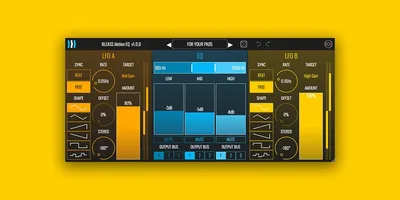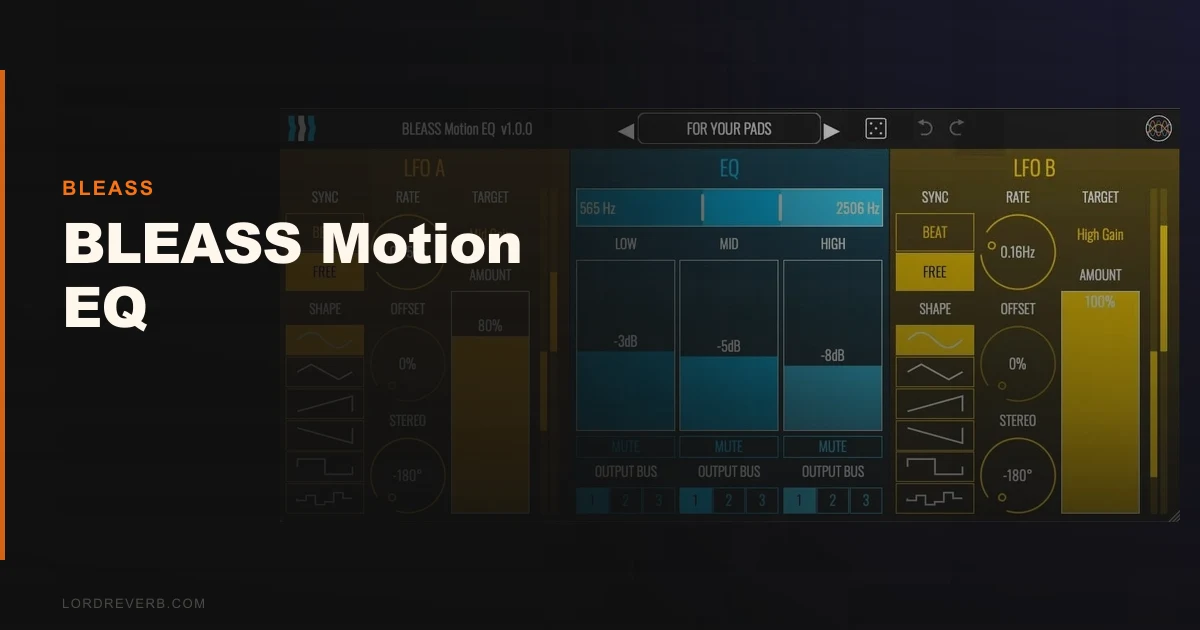
BLEASS Motion EQ is a 3-band modulated EQ that uses dual LFOs to animate your frequency cuts and boosts in real time, and it works exactly as advertised. We had it pulsing a synth pad in under three minutes. It's not a mix tool. It's a movement tool, and the distinction matters before you spend a dollar.
The session that convinced us: a static arpeggiated synth pad sitting too high in a dense midrange. It needed either automation or a gate. Instead we dropped Motion EQ on the insert, synced the mid-band LFO to quarter notes, set the gain depth to about 14 dB, and the pad started breathing on its own. Problem solved in one plugin. That's the promise. It mostly delivers.
Check the manufacturer's site for current desktop pricing, as this targets producers making electronic music, ambient, or sound design who want rhythmic tonal motion without building a macro-modulation rig from scratch in something like VCV Rack.
First Impressions: Faders That Actually Make Sense
Installing Motion EQ on desktop is clean. No iLok. No account wall. The plugin opens with a fader-based three-band EQ display that's more tactile than the typical frequency curve view you'd expect.
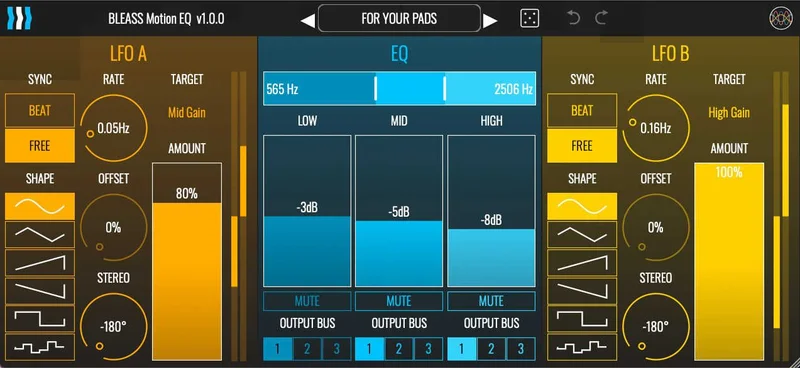
Each band shows a vertical fader for gain and a width control for the band. Below that, the LFO section is clearly labeled with rate, depth, and shape. We had the layout figured out in about 90 seconds without touching the manual.
The 40 factory presets load instantly. About half of them are genuinely useful as starting points. "Pumping Filter" and the rhythmic gate-style presets show the plugin at its best. A few of the more extreme presets sound a bit wild out of context, but that's what the randomize button is for.
First impression overall: friendly. Focused. Not trying to be something it isn't.
Getting It Into a Real Workflow
We tested Motion EQ across three DAWs: Ableton Live 12, Logic Pro 11, and Reaper 7.2. VST3 and AU loaded without issues on both Mac and Windows. AAX behaved correctly in Pro Tools 2024. No surprises there.
The workflow snag we kept hitting was the LFO tempo sync range. Beat sync runs from 32 bars down to 1/32 note, which covers most rhythmic needs. But if you want a slow swell that's longer than 32 bars on a slow-tempo ambient track, you're switching to free sync mode at 0.03Hz. That's a clean enough workaround, but it means losing tempo lock. Annoying on slow-burn compositions.
The multi-output bus architecture is the sleeper feature here. Motion EQ can split its three bands to separate outputs, essentially functioning as a crossover. Route your low band to one bus for parallel compression, your high band to another for parallel air. Most producers using this purely as a "filter wobble" plugin are leaving that feature completely untouched. We'd spend 20 minutes with it.
CPU load is light. We ran 12 instances on a 2021 M1 MacBook Pro in Ableton at a 128-sample buffer with no measurable impact on the performance meter. For an iOS AUv3 plugin, it's similarly well-optimised. Our full EQ plugins guide best EQ plugins for producers covers CPU benchmarks across the category if you need the full picture.
What It's Genuinely Good At
The LFO-to-frequency modulation sounds musical. That's not a throwaway line. We tested the high-band cutoff modulation on a hi-hat loop, sweeping the cutoff with a sine LFO at 1/8-note sync. The movement felt intentional, not glitchy. The interpolation between LFO positions is smooth enough that you don't hear zipper noise even at fast rates.
The -60 to +24 dB cut/boost range per band is generous. Most creative EQs cap around +/-18 dB. That extra range on the boost side lets you do filter-resonance-style peaks that actually cut through a mix. We boosted the mid band to +20 dB at 2kHz with a tight width setting and got a bandpass character that sat usefully over a drum loop.
Filtering via band mute controls is clever. Mute the low band and you've got a high-pass. Mute the high band: low-pass. Mute the mid: crude band-reject. These aren't precise surgical filters, but combined with LFO motion they create filter sweeps that feel alive.
The randomize button genuinely generates useful results about 40% of the time. Higher hit rate than most randomize features we've used. BLEASS Alpha preset bundle review suggests BLEASS puts real thought into their preset design across their whole catalog.
The Rough Edges
Motion EQ has no mid/side processing. For a plugin this focused on movement, M/S modulation on a stereo bus could be brilliant. It's not here. You'd need to SantaCruzEQ6 review for that level of surgical control anyway, but the absence still stings.
There's no per-band solo. When you're dialling in a narrow band frequency by ear, not being able to solo that band in isolation means more back-and-forth. It slows down the setup phase.
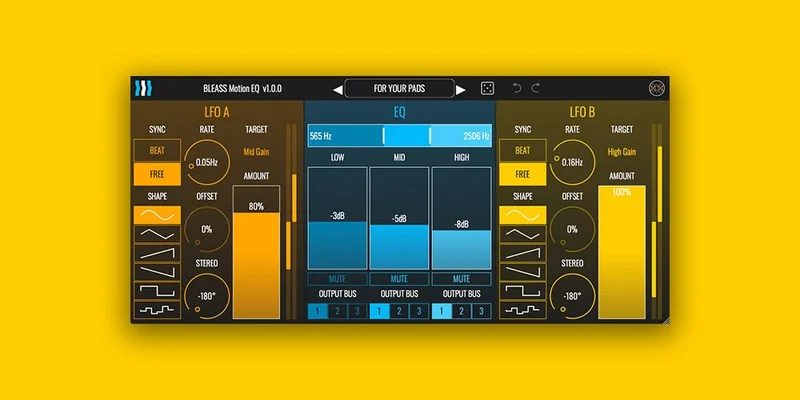
The desktop UI at its default size is cramped. On a 1080p monitor with standard scaling, the LFO parameters feel tight. Resizable GUI would fix this. On a Retina or 4K screen it's fine. On a smaller laptop display it's legitimately frustrating.
Also: there's no dry/wet mix knob on the main interface. For parallel blending you'll need to either use the bus architecture or rely on your DAW's built-in wet knob. Not a dealbreaker, but we wish it was there.
Who This Is Really For
- ✅ Buy if you make electronic, ambient, or sound-design-heavy music and want tempo-synced filter movement without building a modulation chain.
- ✅ Buy if you're on iOS and need a capable AUv3 modulated EQ at a low price. At that price, the value is hard to argue with.
- ✅ Buy if you're already using BLEASS plugins and want the multi-output bus to slot into an existing parallel routing setup.
- ❌ Skip if you need a precision mix EQ with surgical frequency control. This plugin is not built for that and will frustrate you.
- ❌ Skip if M/S processing is on your requirements list. It's not here.
- ❌ Skip if you're working in a genre where subtle, static tonal shaping is the goal. Motion EQ wants to move.
Score Breakdown
| Category | Score | Notes |
|---|---|---|
| Sound Quality | 4.0/5 | LFO modulation sounds smooth and musical; not transparent but not meant to be |
| Value for Money | 4.5/5 | iOS pricing is a steal and desktop pricing still punches above its weight. |
| Ease of Use | 3.5/5 | Layout is intuitive but cramped on small screens; no per-band solo slows dialling in |
| Features | 3.5/5 | Crossover bus architecture is underrated; no M/S or dry/wet knob are real omissions |
| CPU Efficiency | 4.5/5 | Light as a feather across all tested DAWs and systems |
| Overall | 4.1/5 | Focused, fun, and honest about what it is, but too narrow for general mixing use |
Alternatives to Consider
FAC Bandit is the closest direct competitor. It's also a multiband plugin with modulation routing and it gives you more bands and more complex modulation options. If you want the next step up in complexity, that's the direction. It costs more and has a steeper learning curve. EQ plugins guide
SEQUND Lite isn't an EQ, but if what you're really after is rhythmic movement in your signal chain via a different method, it's worth knowing about. SEQUND Lite review We'd use both on the same session without hesitation.
Beatskillz Sequel 2 scratches a different itch but comes up in the same "affordable movement plugin" conversation. Sequel 2 review It's worth a look if rhythmic gating interests you more than LFO-based tonal movement.
Motion EQ sits in a specific lane and doesn't pretend otherwise. If you've been stacking a static EQ with a separate LFO modulator to get this result, Motion EQ collapses that into one insert with smarter tempo sync than most DIY signal chains manage. At the iOS price point, it's an honest yes for anyone making music on a phone or iPad. On desktop, it's a confident yes for producers who know what they're buying. If you're hoping it doubles as a mix EQ, you'll hate it inside a week.
Frequently Asked Questions
Is BLEASS Motion EQ a good mixing EQ for professional work?
No, and BLEASS doesn't position it that way. Motion EQ is built for rhythmic tonal movement via LFO modulation, not precision frequency correction. If you need surgical cuts for vocal clarity or low-end control in a dense mix, look at something like a parametric EQ with M/S capability instead. Motion EQ is a creative effect plugin first.
Does BLEASS Motion EQ work in Ableton Live, Logic Pro, and Pro Tools?
Yes. We tested VST3 in Ableton Live 12, AU in Logic Pro 11, and AAX in Pro Tools 2024. All three loaded cleanly with no preset or automation issues. On iOS, the AUv3 version runs in AUM, GarageBand, and any AUv3-compatible host.
How does the LFO tempo sync work?
Motion EQ offers two sync modes. Beat sync locks the LFO rate to your DAW tempo, with divisions from 32 bars down to 1/32 note. Free sync runs independently at 0.03Hz to 10Hz, useful for slow swells or pitch-agnostic environments. Beat sync is the main draw for rhythmic use. Free sync is better for ambient or generative work where tempo lock isn't the goal.
Can BLEASS Motion EQ be used as a crossover for parallel processing?
Yes, this is one of its most underused features. The multi-output bus architecture lets you route each of the three bands to separate mixer channels. That means you can send the low band to a bus with heavy compression, the mid band dry, and the high band to a different reverb chain. It's a genuine parallel processing tool, not just a creative EQ.