Picture a drum bus that sounds polite and a bit small, then you engage Comp DIODE-609 and the kick suddenly leans forward while the cymbals get a grainy edge. That is the pitch. At $99, it's a strong buy for anyone who wants Neve-flavoured bus compression and limiting, and a harder sell if you want a compressor that disappears.
The "Comp DIODE-609 review" question most people are really asking is simple: does a software 33609 earn its place next to the compressors you already own? Our answer is yes, with a few caveats we'll be straight about.
This is a source-based review, not a hands-on one. It draws on the product page, Arturia's documented feature set and what reviewers have reported so far. Anything that can't be verified yet is marked as such.
First Impressions: A Hardware Icon in a Plugin Window
Comp DIODE-609 is Arturia's emulation of the Neve 33609, the two-channel diode-bridge compressor and limiter that has sat on mix buses for nearly half a century. Arturia modelled one of the 'C' versions, an earlier fully discrete model, down to individual component behaviour.
It ships as part of the FX Collection family, so it inherits the shared furniture: the Arturia Software Center for licences and updates, a preset browser, in-app tutorials and a resizable window.
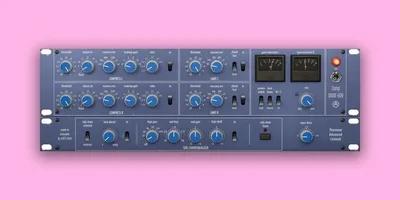
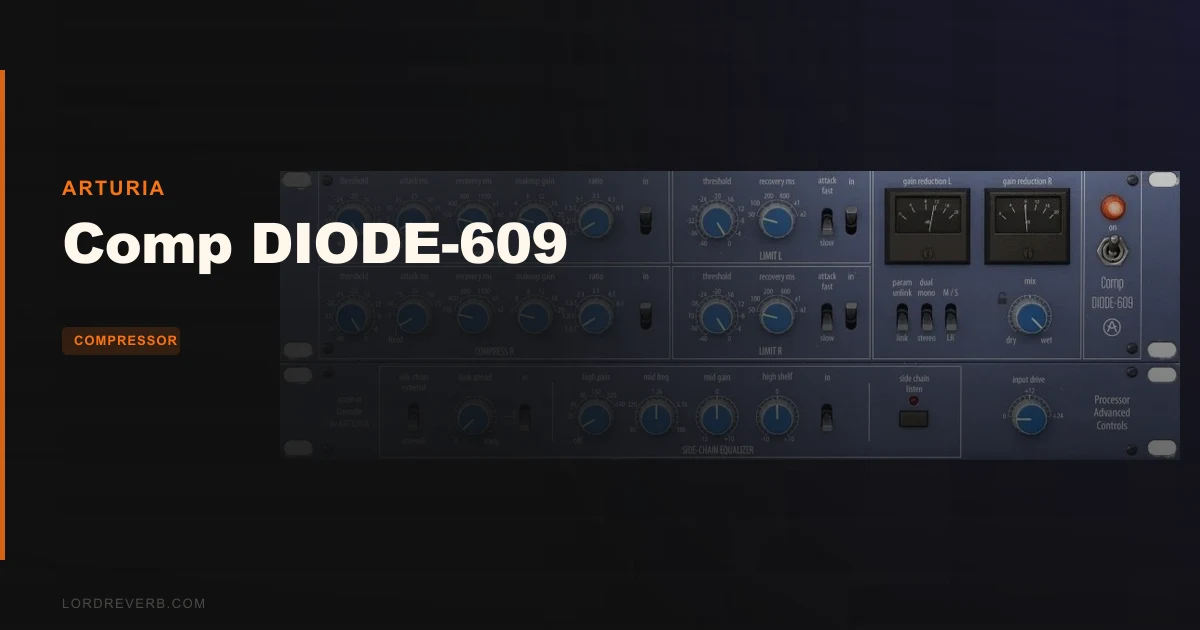
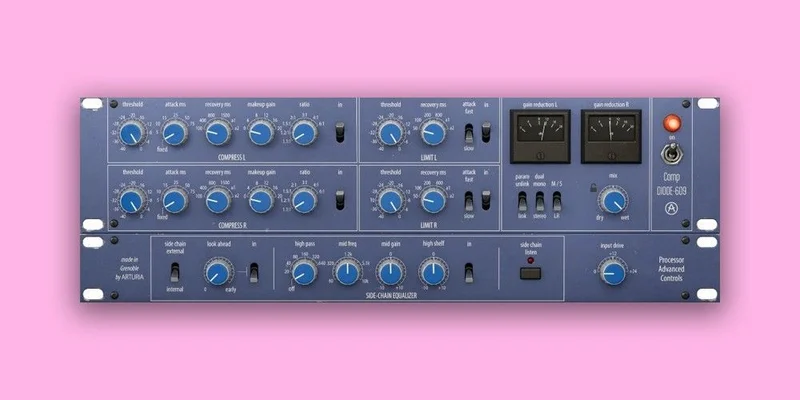
The interface is deliberately simple. Two compression panels, a limiter section, stepped knobs and VU meters.
That simplicity is the point. We like it.
The format list is VST, AAX, Audio Unit and NKS in 64-bit hosts, on both Mac and Windows. Windows ARM isn't supported, and the page lists Apple Silicon as fine on Mac. KVR users report the plugin is light on CPU, and the developer's own requirements ask for a 4-core 3.4GHz chip and 4GB of RAM.
Why the Diode Bridge Matters
The 33609 is built on a diode-bridge topology. Arturia says it gives a faster response and more refined distortion than the VCA designs that followed.
The sonic result, per Arturia and the reviewers we've read, is a creamy compression character that stays fairly transparent in level while adding colour. Reviewers keep reaching for words like "crunchy" and "warm, smooth". We'd translate that as audible harmonic content that rises as you push the unit harder.
The hardware's lineage is part of its mythology. The page cites Marinair transformers carried over from early Rupert Neve consoles. We can't verify that detail ourselves, and it doesn't change how the plugin behaves in your session.
What matters is that Arturia chose to model a discrete 'C' version rather than a later revision. That's a defensible choice for a unit whose reputation rests on character.
Getting It Into a Real Workflow
The fastest way in is the bus. Drop it on a drum group, a vocal stack or the stereo master and start with the presets.
Arturia ships dozens, from snare tighteners to smashed backing vocals. They're a sensible starting point when a mix is stubborn and the deadline isn't.
Here's a quickstart we'd follow:
- Insert it on a drum bus and load a preset close to your genre.
- Set the attack to Fast or Slow first, then explore the variable attack option.
- Pull the threshold down until the gain reduction meter moves on the loud hits.
- Match the output with makeup gain so you're judging tone, not loudness.
- Use the dry/wet control to blend in the compressed signal for parallel punch.
Gain staging matters more here than on a clean digital compressor. Because the diode circuit adds colour as level rises, how hard you hit the input changes the sound, not just the amount of compression.
That's a feature. It also means you should stay disciplined about levels.
The Compressor Section
The compression panel offers the familiar controls: threshold, ratio, release, makeup gain and the classic slow/fast attack options. Arturia added a variable attack time on top of the hardware's fixed choices.
We think that's the single most useful modernisation. Fixed attack settings were part of the original's charm, but being able to dial in how much transient punches through helps on drums and percussive bass.
The page describes the compressor as especially effective on buses such as drums and the stereo master. It also says it adds tightness and harmonic richness to vocals and instruments.
That's consistent with how this type of compressor is normally used. Light settings glue. Heavier settings pump and thicken.
Stepped versus continuous controls
The stepped knobs reproduce the hardware's bold, chunky adjustments. They make quick decisions easy and keep you from endlessly nudging values.
If you prefer to work between the detents, Arturia added an optional continuous control mode. We'd turn that on for mastering-style tweaks and leave stepped for tracking and mix-bus work.
It's a small touch that respects both camps.
The Limiter Section: Not Trying to Be Invisible
Arturia is upfront that the limiter is "authentically the opposite of transparent". Even protecting peaks, it adds warmth. Tighten the threshold and you get the signature crunch.
We love that honesty. A lot of limiters promise transparency and deliver a flat sound. This one commits to a personality.
The flip side is obvious. If you need a limiter that leaves tone untouched on a final master, this isn't it. Use it where colour is the goal, such as drum buses, parallel chains or loud, characterful genres.
Both the compressor and limiter sections have linkable left and right channels, just like the hardware.
Stereo, Mono and Mid-Side Modes
As a stereo unit, Comp DIODE-609 lets you link or unlink the L and R sides. It also supports Mono and Mono>Stereo modes, so you can narrow or widen the image.
The headline addition is mid-side processing. Instead of left/right, you can compress the middle and the sides independently.
That opens real mix tricks. Tame a loud centre vocal without squashing the width, or tighten a wide pad without touching the lead.
The hardware couldn't do this natively. It's one of the clearest reasons to pick the plugin over a rack unit.
Sidechain: Internal, External and EQ'd
The sidechain toolkit is more complete than you'd expect from a vintage emulation. You get internal or external input, a sidechain listen button, look-ahead control and a built-in sidechain equaliser.
The sidechain EQ is the standout. Filtering low end out of the detector stops a heavy kick from triggering excessive compression on a full mix.
That's a classic bus-compression fix, and having it built in saves you an extra plugin.
The external sidechain lets you duck pads under vocals or pump a bass against a kick. Arturia pitches this for "pumping pads, vocal space, and responsive density" and the feature set backs that up.
Unit Calibration and Input Drive
Two controls decide how much colour you get. Input drive pushes the signal harder into the emulated circuit. Unit Calibration adjusts the diode-bridge headroom.
Per Arturia, calibration reduces the unit's headroom, which introduces more harmonic character the higher you go. We read that as a saturation dial for the diode stage.
Used lightly, it adds density. Pushed hard, it gets properly gritty.
The page doesn't publish measured harmonic figures for these controls, so we can't give you dB or THD numbers. Treat them as taste controls and trust your ears.
Metering: VU First, Digital When You Need It
The old-school VU meters show gain reduction at a glance. Click one and a modern digital display opens, showing the original waveform alongside gain reduction and compression levels in real time.
That's genuinely useful. Analogue-style metering is lovely but vague, and the digital view tells you what's actually happening to transients.
We'd keep the digital display open while learning the plugin, then switch back to the VUs once your ears know the sound.
Presets, Tutorials and the FX Collection Experience
The preset browser lets you filter by instrument type, genre and technique, then save favourites for recall. Parameters can be mapped to a MIDI controller for hands-on control.
The built-in tutorials explain each control as you touch it. For a plugin with this many modes, that's a real help for newer users.
Arturia Software Center handles licensing and updates across devices. It's the standard Arturia routine, and the page lists it as the protection method.
If you're new to bus processing, our compression plugins guide is a good primer before you start pushing the threshold.
The Honest Caveat: Floor Noise
Here's the part we want to be careful about. Our research notes reference a noise floor of roughly 150dB on bass and 140dB on treble. We could not confirm those figures against Arturia's own material, so treat them as unverified.
What we can say is that modelling analogue behaviour can include analogue-style noise. Reviewers have mentioned floor noise as a limitation.
On a loud drum bus, you won't hear it. On very quiet or sparse material, it's worth checking.
We'd love to see Arturia publish noise-floor specs and a way to reduce it. Until then, test on your quietest sessions before committing.
Specs and Requirements
| Spec | Detail |
|---|---|
| Developer | Arturia |
| Price | $99 |
| Plugin Format | VST / VST3 / AU / AAX / NKS (64-bit) |
| OS Support | Mac (10.13+, Apple Silicon supported) / Windows 10+ (64-bit, no ARM) |
| Activation | Arturia Software Center |
| CPU Usage | Light (user-reported) |
| Trial Available | Not stated in the material reviewed |
| Version Reviewed | 1.0.2 (Mac, per user reviews) |
Where Comp DIODE-609 Wins
It captures a specific sound and commits to it. The diode-bridge crunch, the creamy response and the opinionated limiter are the whole reason to own it.
It also modernises without ruining the character. Variable attack, M/S mode, sidechain EQ, dry/wet and input drive all address real mix problems the hardware never solved.
The value case is plain. The Neve 33609N hardware is a four-figure purchase, and a plugin that gets you into the same sonic neighbourhood for $99 changes the maths for home studios.
User reviews are limited, but the two on KVR both gave it top marks. Small sample, so we'd call it encouraging rather than conclusive.
Where It Falls Short
It isn't transparent, and it was never meant to be. If you want invisible level control, look elsewhere.
Floor noise is the other worry. It's authentic, but authentic noise can be annoying on delicate material.
The stepped controls feel great until you want a precise value. You'll need the continuous mode for that.
And there's the review gap. With so few public user reports, we can't point to long-term stability, CPU spikes across hosts or real-world mastering results.
How Comp DIODE-609 Compares
The obvious rival is the UAD Neve 33609C. It's a respected emulation, but it requires UAD hardware or a subscription ecosystem. We haven't compared the two side by side, so we won't claim a winner on sound.
Waves also offers a Neve-style bus compressor, and Slate Digital and others have diode-style options. Each has its own take, and none of us can honestly say which one nails the original, because that depends on your ears and your hardware reference.
What sets Arturia's version apart on paper is the feature stack. M/S mode, sidechain EQ, look-ahead, calibration and a digital display in one native plugin is a lot.
For a broader look at where this fits among everything else, see our compression plugins guide.
Pricing and Value
The price is $99. Check the store page for the current figure and any promotions, since we don't state numbers that can go stale.
Our value verdict is positive. You're paying for a character compressor with modern controls, and the cost is a fraction of the hardware it's modelled on.
We couldn't confirm a free trial from the supplied material. If one exists, use it.
Who Should Buy This
- ✅ Buy if you want diode-bridge colour on drum buses, parallel chains or the mix bus.
- ✅ Buy if you need mid-side and sidechain EQ inside a vintage-style compressor.
- ✅ Buy if you like stepped, fast-to-dial workflows and quick presets.
- ✅ Buy if you can't justify the hardware cost but want the sound.
- ❌ Skip if you need transparent compression or limiting for final masters.
- ❌ Skip if floor noise on quiet material would bother you.
- ❌ Skip if you already own a favourite Neve emulation and just want a duplicate.
Score Breakdown
These scores rest on the documented feature set and published details, and we'll revisit them after longer use.
| Category | Score | Notes |
|---|---|---|
| Sound Quality | 4.5/5 | Character-rich diode sound, praised by reviewers, but not transparent |
| Value for Money | 4.5/5 | Hardware-style tone and modern tools at a plugin price |
| Ease of Use | 4.5/5 | Simple layout, presets and in-app tutorials help |
| Features | 4.5/5 | M/S, sidechain EQ, variable attack and calibration go beyond the original |
| CPU Efficiency | 4.0/5 | Reported light, though we haven't measured it |
| Overall | 4.4/5 | A strong character compressor with a noise-floor caveat to check |
Alternatives to Consider
UAD Neve 33609C. The best-known rival emulation, but it lives in the UAD ecosystem. Worth a look if you already run UAD hardware.
A clean bus compressor. If you want transparent glue rather than colour, a modern VCA-style plugin is the better fit. Start with our compression plugins guide to find one.
Free options. If budget is tight, browse our best free VST plugins list for dynamics tools that cover the basics.
Pairing it with a good sampler or drum rack helps too. See our drum machine and sampler plugins guide for sources worth running through a bus like this.
The Verdict on Comp DIODE-609
We'd buy this ourselves. For $99, a modelled 33609 with variable attack, mid-side processing and a real sidechain section is a lot of compressor.
It's wrong for anyone chasing transparency, and it's a gamble if your material is very quiet and you're sensitive to noise. We want to see Arturia confirm noise specs and offer a trial before we'd call it a no-brainer.
If you want bus colour you can dial in fast, this is an easy yes. Put it on the drums, push it until the kick leans forward, and decide with your ears.
Related reviews: Gravitas MDS Review
Frequently Asked Questions
Is Comp DIODE-609 worth buying?
Yes, if you want diode-bridge character on buses and parallel chains. The feature set is strong for the price. It's the wrong choice if you need transparent dynamics.
What hardware is Comp DIODE-609 based on?
It's modelled on the Neve 33609, specifically one of the 'C' versions, an earlier fully discrete model. Arturia says it emulates the behaviour of individual components. The 33609 has been a studio staple for decades.
Does Comp DIODE-609 support mid-side processing?
Yes. M/S mode lets you compress the middle and sides independently. The original hardware couldn't do this, so it's a genuine modern addition.
Does it work in my DAW?
It supports VST, AAX, Audio Unit and NKS in 64-bit hosts on Mac and Windows. Windows on ARM isn't supported. Check the requirements: Mac OS 10.13 or later, or Windows 10 or later, with 4GB of RAM.
Is Comp DIODE-609 heavy on CPU?
Users report it as light on CPU. We haven't measured it ourselves. Arturia lists a 4-core 3.4GHz processor as the baseline.
Does Comp DIODE-609 have a noise floor?
Reviewers mention floor noise as a limitation, and some sources cite specific levels we couldn't verify. On loud buses it's unlikely to matter. Test it on your quietest material before buying.