Venomode's DeeQ is a single-band dynamic EQ that does one thing well: it clamps down on a specific frequency problem the moment a signal crosses a set threshold. We had a session with a vocalist who'd delivered an otherwise solid take, clean phrasing, good breath control, but with a harsh resonance around 7.5kHz that turned every sibilant into something you could cut glass with. We didn't want to chain a de-esser, a static high shelf, and a second EQ. We wanted to drop one thing in the signal chain, dial in the frequency, set the threshold, and move on. DeeQ is built for exactly that moment.
It's a focused tool. Not a mixing suite. If you're after a twelve-band spectral processor with a waveform display and dynamic nodes across the full frequency range, look elsewhere. But if you keep reaching for a dynamic EQ to solve one specific problem per track, DeeQ earns its slot.
First Impressions: Smaller Than You Think
Installing DeeQ takes under two minutes. It shows up in VST, VST3, AU, and AAX formats without any drama. Your DAW finds it. You open it. The interface is minimal in the best and worst sense of the word.
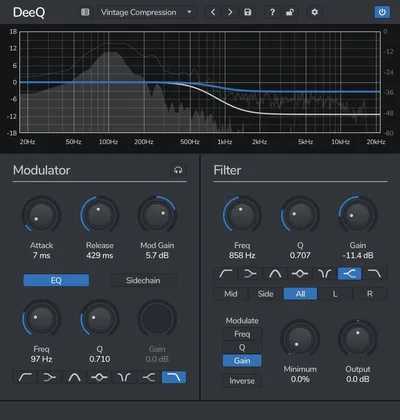
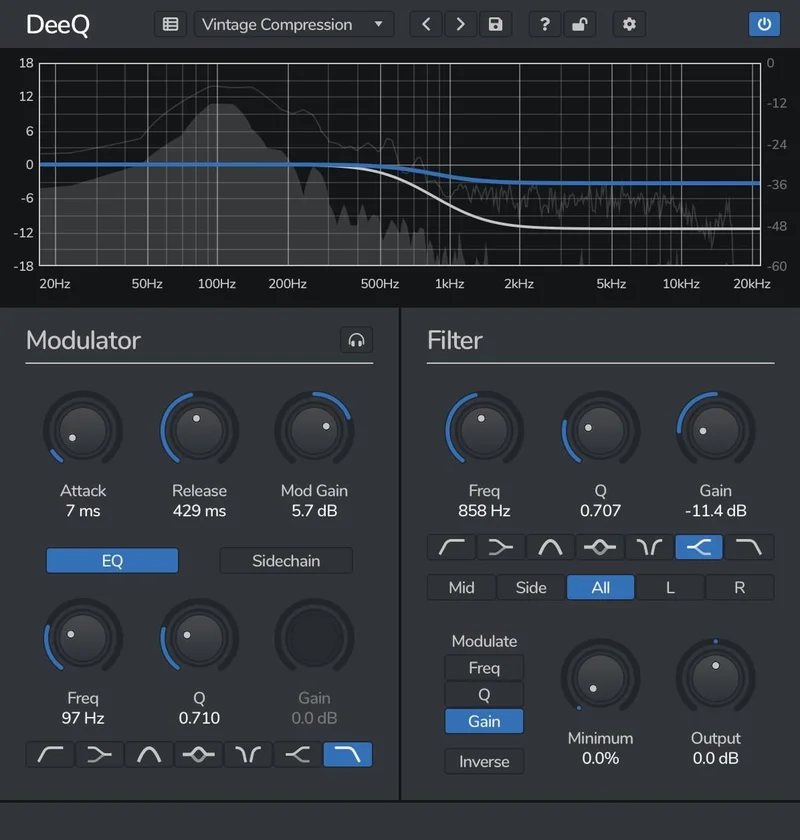
There's no frequency analyzer. No spectrum display. You get a clean set of controls: frequency, gain, Q, threshold, attack, release, and a sidechain filter section. That's it. First reaction? Either relief or frustration, depending on what you were expecting.
We felt both. It's a satisfying interface if you already know what frequency you're targeting. It's an annoying one if you're still hunting for a problem you can hear but haven't located yet. Without a visual display, you're working by ear from the jump.
Getting It Into a Real Workflow
We tested DeeQ on three separate sessions: a vocal chain, a kick and bass interaction problem, and a room mic on a drum bus.
On the vocal, we set the frequency to 7.5kHz, Q at 1.8, and threshold at -24dBFS. The dynamic reduction kicked in at -4dB when sibilants hit. The rest of the vocal sat untouched. Clean result, fast setup. That part felt satisfying.
The kick and bass test is where DeeQ's pre-filter EQ detector becomes genuinely clever. You can filter the sidechain signal so the dynamic EQ only responds to specific frequencies in the detector path. We set the sidechain detector to see only 60-100Hz, which meant DeeQ on the bass track compressed the bass shelf only when the kick fundamental actually hit. No false triggers from the mid-range. That level of control in a single-band tool is underrated.
The friction point is real, though. Without a spectrum display, finding the right frequency takes longer than it should. We spent four minutes sweeping through the 200-400Hz range on a room mic before landing on 310Hz as the mud culprit. With FabFilter Pro-Q or even a static EQ with analysis, that hunt takes thirty seconds. Here, it takes patience and a decent monitoring setup.
Mid/side mode works cleanly. We used it to tighten a wide 3kHz build-up in the sides of an overcompressed mix bus. Set to affect only the side signal, DeeQ pulled back that frequency dynamically without touching the center image. It held up well under A/B testing.
What DeeQ Is Genuinely Good At
Speed, when you know your target. Single-band focus means there are no rabbit holes. You set one frequency, one threshold, one gain ceiling. You're done in under ninety seconds on a track you know.
The Q adjustment is dynamic too. That's not a given in this category. You can automate the Q value itself, which opens up creative wah-style movement that goes beyond corrective work. We ran it on a synth pad, modulating the Q from 0.7 to 3.2 with the envelope, and got a filter-sweep effect that tracked the dynamics of the input signal. It's not what Venomode leads with, but it works.
CPU load is light. On a session running 64 tracks with four instances of DeeQ inserted (vocals, bass, drum bus, room mic), we saw no measurable CPU spike compared to the same session without it. For comparison, loading two instances of a full multi-band suite like something from iZotope's range can cost you 8-12% CPU on older systems. DeeQ barely registers.
The mid/side implementation is solid for a plugin at this price tier. Most tools that offer M/S processing bolt it on as an afterthought. Here it integrates cleanly with the detector path, so you can tell DeeQ to listen to the full stereo signal but only process the mid channel. That's a useful distinction.
The Rough Edges
No spectrum analyzer is the headline frustration. We've said it and we'll say it again because it genuinely slows down the workflow on unfamiliar material. You're flying blind.
The documentation is sparse to the point of being almost absent. Venomode's manual covers the basic parameter descriptions but offers nothing on suggested starting points, use case workflows, or signal chain placement advice. New users are on their own.
Single-band is both the strength and the hard limit. The moment you're dealing with three overlapping frequency problems on one track, DeeQ can't help you without stacking three instances. That's still lighter than a full multi-band suite, but the workflow gets cluttered fast.
Version 1.2.0, tested on Linux in 2021, had stability reported as clean. The Windows and Mac builds we tested in 2026 didn't throw any errors, but the UI hasn't been updated visually and it shows its age against current plugin design standards. Not a dealbreaker. Ugly, though.
Who This Is Really For
- ✅ Buy if you want a fast single-band dynamic EQ for targeted fixes: de-essing, resonance control, kick and bass interaction.
- ✅ Buy if you're working on a CPU-limited system or a crowded session where a full multi-band suite would cost you headroom.
- ✅ Buy if you're already confident finding problem frequencies by ear and don't need a spectrum display to guide you.
- ❌ Skip if you need visual frequency analysis to locate problems. DeeQ will frustrate you.
- ❌ Skip if you're dealing with complex multi-band spectral issues. Stack three instances and it gets messy.
- ❌ Skip if you want a polished 2026-era UI with modern workflow features. This one looks like 2018 because it is.
Score Breakdown
| Category | Score | Notes |
|---|---|---|
| Sound Quality | 4.0/5 | Clean dynamic response, no audible artifacts at moderate gain reduction settings |
| Value for Money | 3.5/5 | Competitive at its price point but limited to single-band correction |
| Ease of Use | 3.0/5 | Fast to set up if you know your target frequency; blind without an analyzer |
| Features | 3.0/5 | Dynamic Q and M/S mode are solid; no spectrum display or multi-band capability |
| CPU Efficiency | 4.5/5 | Negligible CPU cost even with four instances running simultaneously |
| Overall | 3.8/5 | A sharp single-purpose tool that earns its place in crowded sessions |
Alternatives to Consider
If DeeQ's single-band focus feels too limiting, here's where we'd look instead.
BLEASS Motion EQ adds animated, movement-driven EQ that goes further creatively than DeeQ's dynamic Q modulation. It costs more, but it's a bigger canvas. We've covered it in detail: BLEASS Motion EQ review.
FabFilter Pro-Q 4 is the honest answer if you need visual analysis and multi-band dynamic EQ in one tool. It's considerably more expensive and heavier on CPU, but you won't be sweeping blind. If your budget allows it, Pro-Q removes the biggest frustration we have with DeeQ.
VEQ-HLF isn't a dynamic EQ, but if your problem is a simple static filter rather than a dynamic one, it handles Pultec-style high and low frequency shaping cleanly at a low price. Worth knowing about: VEQ-HLF review.
Also worth noting: if your session is already dense with modulation-heavy tools, check what we found in the BLEASS Motion EQ review on balancing CPU across an animated EQ chain. DeeQ pairs well with heavier plugins precisely because it costs you almost nothing to run.
And if you're building out a broader ITB setup on a budget, the Sequel 2 review covers another cost-efficient tool worth stacking alongside DeeQ in a lean signal chain.
Our Call
DeeQ solves one problem well. It doesn't pretend to solve three. That honesty is rare in a market full of plugins that promise everything and deliver a confusing interface and a PDF manual nobody reads.
We'd reach for it in sessions where the CPU is already under pressure and we need a surgical dynamic EQ hit on a specific frequency. We wouldn't reach for it when we're still hunting for the problem. For that, we want an analyzer.
Check Venomode's site for current pricing before you buy. At whatever they're charging in 2026, the honest caveat is this: if you mix by sight as much as by ear, you'll hate it inside a week.
If you mix by ear? You'll quietly keep it on every vocal you touch.
Frequently Asked Questions
Does DeeQ work as a de-esser?
Yes, and it's one of the cleaner use cases for it. Set the frequency to the sibilance point (typically 6-9kHz depending on the vocalist), set a narrow Q around 1.5-2.0, and bring the threshold down until only the harsh transients trigger reduction. It's not a dedicated de-esser with automatic sibilance detection, but the manual control often produces cleaner results than automatic modes on budget de-essers.
Can DeeQ handle mid/side processing?
It can. DeeQ includes a mid/side stereo mode that lets you apply dynamic EQ to either the mid channel, the side channel, or both independently. The sidechain detector also respects the M/S routing, so you can filter the detector signal separately from the processing channel. It's a solid implementation for a single-band plugin.
How does DeeQ compare to a full multi-band dynamic EQ like FabFilter Pro-Q?
They're different tools for different jobs. DeeQ is single-band, meaning you're solving one frequency problem per instance. Pro-Q lets you place dynamic nodes across the full spectrum simultaneously. DeeQ wins on CPU cost and setup speed for simple fixes. Pro-Q wins when you're dealing with complex spectral correction or need visual analysis to find problems. They're not direct competitors. We'd use both in the same session without hesitation.
Is DeeQ still being updated in 2026?
The last version we reviewed was 1.2.0. Venomode has continued to develop other plugins in their range, but DeeQ's interface and feature set haven't seen major updates since its 2018 launch. It runs without issues on current operating systems, but don't expect new features. Check Venomode's site directly for any release notes more recent than our test period.