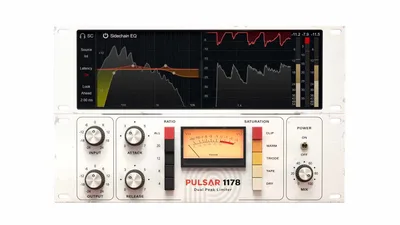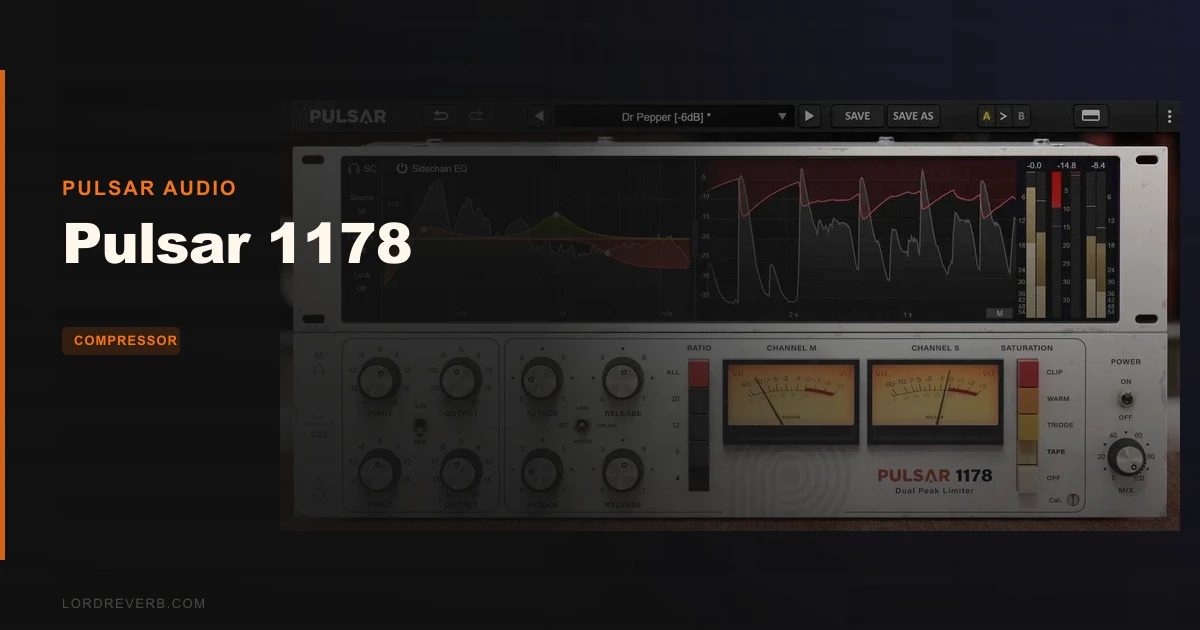
Pulsar 1178 is worth buying at $49 if you want a fast FET-style compressor that catches transients without the 1176’s usual grit. Skip it if you wanted a gentle glue compressor you can slam without thinking.
It’s built for people who track and mix drums, bass, acoustic guitars and vocals, and who want attitude on tap. Owners say it ends up in project after project once it’s in the template. That tracks with how the thing is built.
Two caveats, up front. Push it past 2 to 3dB of gain reduction and the pumping arrives fast. And the saturation is a blunt instrument.
Still, for the money, this is a very good compressor. Here’s the longer version.
What You're Actually Getting
Pulsar 1178 is a plugin emulation of a hardware compressor, built on Pulsar’s Topology Preservation Technology. The developer says it recreates the original 1178 hardware in tonal colour and compression character.
The 1178 sits in the FET family that most people know through the 1176. Pulsar pitches it as cleaner and more versatile than the 1176, and more transparent too.
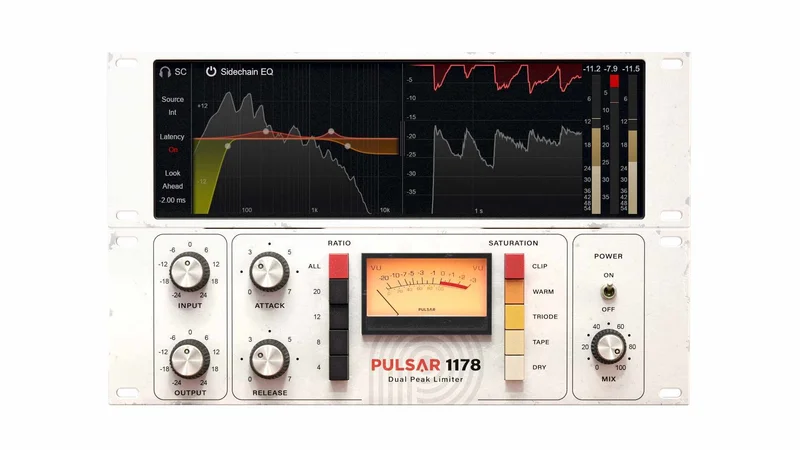
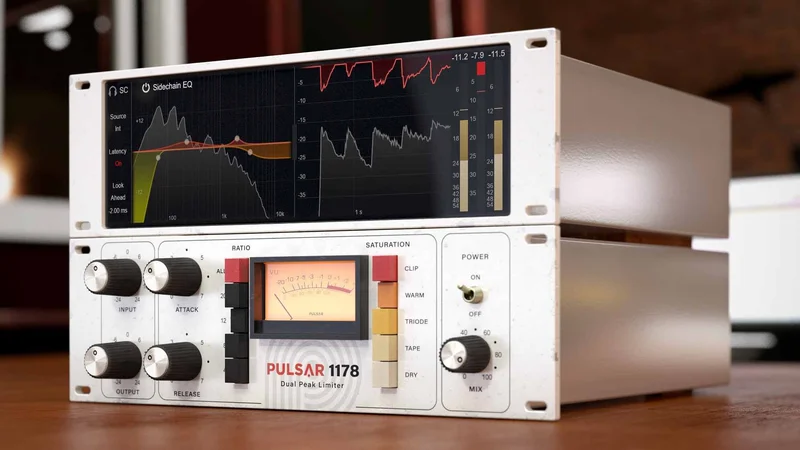
On top of the compressor core you get four saturation modes, Mid-Side processing, look-ahead and look-behind delay stages, a four-band sidechain EQ, an external sidechain input, and 2x to 8x oversampling.
That’s a lot of extras for a compressor that looks simple on screen.
How Much Does Pulsar 1178 Cost, and Is It Good Value?
It costs $49. For that you get one compressor with an unusually deep set of side features.
Think about what you’d otherwise need. A FET-style compressor, a saturator, a sidechain EQ, an M/S processor and a de-esser path. Here they live inside one window and one CPU hit.
That’s the value argument. You’re not just buying a vibe, you’re buying a compressor with sidechain tools most FET emulations skip.
The counterargument is real, though. Some reviewers question the investment relative to the feature set, and the weak spots below (the clipper especially) are part of why.
If you already own a favourite FET emulation and you’re happy with it, you don’t need this. If you don’t own one, the feature list makes $49 an easy call.
Where the 1178 Fits: Clean FET Character
The developer’s pitch is that the 1178 is cleaner and more versatile than the 1176. In practice that means it aims for the speed of a FET design with less of the aggressive edge.
Reviewers confirm the core idea: it’s effective at catching transients despite its 1176 heritage. Owners call it extremely reactive and say it handles transients with ease.
Why does that matter? Because FET compressors live or die on transient behaviour. A slow one lets the snare crack through uncontrolled. A fast, grabby one can flatten everything into a plank.
The 1178 lands on the fast side without sounding like it’s fighting you. That’s the whole appeal.
The Attack and Release Ranges
Attack runs from 800 microseconds down to 20 microseconds. Release runs from 1.1 seconds down to 50 milliseconds.
Those numbers describe a compressor built for speed. The attack range is where it earns its keep. At 20 microseconds it clamps down on the very front of a transient. At 800 microseconds it lets the initial hit through before it grabs.
The developer says this extended attack range allows gentle dynamic contouring and a unique mid-band definition on vocals. That’s a claim about the sound, and reviewers’ reports on vocals line up with it, since vocals are one of the things users say it sounds particularly good on.
Release is the other half. A 50ms release breathes quickly, and it’s where the pumping comes from if you’re not careful. A 1.1 second release is slow and smooth, better for sustained material.
Set attack and release by ear, then check the pumping.
A Snare Scene
Put it on a snare that’s cracking too hard in the overheads. Start with the slowest attack that still tames the peak, then speed it up until the crack stops spiking and the body stays intact.
You’ll find the sweet spot where the stick hit sounds controlled but not choked. Past that, the snare loses its snap. Back off a notch.
That’s the kind of job this compressor is made for.
Transient Control on Drums and Bass
Users report it sounds especially good on drums, bass, acoustic guitars and vocals. Reviewers add that it’s useful for shaping snares and kicks with rich saturation.
The developer says it allows incredibly fast control over transients compared to other compressor models, and that it’s great for unruly transients in tracking and mixing.
That last part is worth a thought. Tracking means you’re printing the compression, so a compressor that’s quick and clean matters more than one that’s merely colourful.
For bass, the same speed helps pluck definition. For kick, it lets you tame the beater click without dulling the thump.
It’s a drum compressor first. Everything else it does well is a bonus.
The Saturation Modes: Tape, Warm, Triode and Clip
Four saturation modes are included: Tape, Warm, Triode and Clip. The developer says they’re fully integrated into the gain reduction system, which gives a vibe you can’t get from pre or post saturation.
That integration is the interesting design choice. Saturation that sits inside the gain reduction path reacts to how hard the compressor is working. It’s not a static layer bolted on.
Reviewers describe the saturation as fairly all-or-nothing. Some settings make sounds overly flabby.
So this isn’t a subtle dial you ride gently. You pick a mode and live with its character, and sometimes that character is too much.
Tape, Warm and Triode
These are the three flavours you’ll reach for most. Tape and Warm sound like what they’re named for. Triode brings the valve-style flavour.
We can’t tell you exact harmonic content for each, because the material we have doesn’t specify it. What we can say is that reviewers praise the rich saturation on snares and kicks.
Audition all three on the same source and pick the one that flatters it. Don’t leave it on by default.
The Clip Mode, and Why It Frustrates
Here’s the annoying part. Users report that the lack of a threshold control makes the clipper function pointless.
Think about what a clipper needs. You want to choose where it starts shaving peaks. Without a threshold you can’t, so the function does less than it should.
That’s a real miss. It’s not a dealbreaker, because you can ignore Clip and use the other modes. But it’s a feature on the box that doesn’t deliver, and we wish Pulsar had given it a threshold.
Pumping Behaviour and How to Avoid It
Reviewers report that pumping develops easily after 2 to 3dB of gain reduction.
That’s a tight window. Two to three dB is not much compression. Plenty of mix jobs want more than that on a bus or a vocal.
Here’s the scene. You put it on a vocal that needs 6dB of control. It starts breathing in the gaps between phrases, and the noise floor swells up with each release. That’s the pumping, and it gets obvious fast.
Two fixes. Use the slower end of the release range, and split the job across two compressors, with the 1178 doing the first 2 to 3dB and something gentler doing the rest.
Treat this as the 1178’s character, not a bug. It wants to be a fast catcher, not a leveller.
Mid-Side Processing
Mid-Side processing lets you treat mono and stereo information separately. That’s useful on stereo sources where the centre and the sides need different handling.
Think of a stereo drum bus. You might want the centre (kick, snare, mono elements) compressed harder than the sides (cymbals, room). M/S lets you do that inside one instance.
It’s also handy for taming a wide stereo guitar without squashing the centre image.
Not every FET emulation offers this. Here it’s built in, which adds to the value case.
Look-Ahead and Look-Behind Delay
There’s a look-ahead delay stage up to 20ms and a look-behind delay stage up to 10ms.
Look-ahead lets the compressor see a transient before it arrives, so it can react in time. That’s how you get very fast control without audible distortion on the front edge. At 20ms of look-ahead you’re delaying the audio, so remember latency when tracking.
Look-behind is the less common one. It adds a delay on the other side of the detection path. Its exact behaviour isn’t spelled out in the material we have, so treat it as an advanced tweak to explore by ear.
These two are what lift the 1178 beyond a simple 1176-style clone.
The Sidechain EQ and External Sidechain
A full-featured, four-band sidechain EQ is included. That’s the filter on the detector, not on your audio.
Why does it matter? Because it changes what the compressor reacts to. Cut the low end from the detector and the compressor stops pumping on kick drum energy. Boost the highs and it reacts harder to sibilance.
The external sidechain enables ducking, de-essing and dynamic processing. You can feed it a different signal to trigger the compression.
A quick use: duck a bass under a kick drum by sending the kick into the external sidechain. Or build a de-esser by boosting the sibilant band in the sidechain EQ.
For a compressor at this price, a four-band sidechain EQ is generous.
Metering and Interface
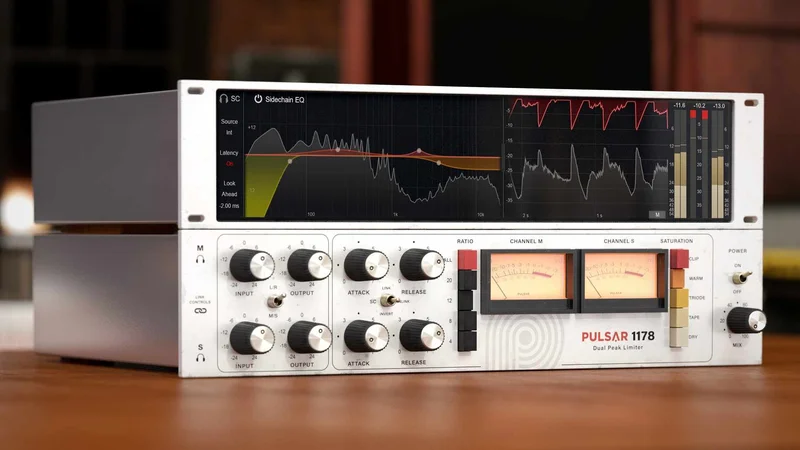
The advanced metering shows gain reduction, input level and output level. That’s the information you need, and it’s all there.
Users report the interface is user-friendly. The GUI also has draggable resize handles, so you can scale the window.
The system requirements mention a minimum 1024×768 monitor at 60 Hz, with 1920×1080 recommended. So it’s a GUI that wants some screen room, and the resize handles help on smaller displays.
Good metering matters on a fast compressor. You need to see how much gain reduction you’re really applying, especially given the 2 to 3dB pumping threshold above.
Oversampling Options
Oversampling runs from 2x to 8x. Higher oversampling reduces aliasing from the saturation and fast attack, at the cost of CPU.
We don’t have CPU figures for the plugin, so we can’t tell you how heavy it is. What we can say is that 8x is the setting you reach for on mastering-style or critical work, and 2x is fine for tracking and casual mixing.
If your machine is struggling, drop the oversampling before anything else.
Bus Compression: The Surprise
Users report it’s surprisingly effective on bus compression duties, which is unusual for FET designs.
That cuts against the grain. FET compressors are usually transient tools, not glue. Yet here, reviewers say it works on buses.
Given the pumping caveat, you’ll want to be conservative. Keep gain reduction to a couple of dB and use the sidechain EQ to stop the low end driving the compression. Used that way, it can add cohesion to a drum bus.
Don’t expect it to replace a dedicated glue compressor. But it’s a nice surprise.
Installation, Formats and System Requirements
On Windows you need Windows 7 SP1, 8.1 or 10, 64-bit only. On macOS you need 10.9 or higher, 64-bit only. Both need a minimum of 4 GB RAM and 1 GB free disk space.
Formats on Windows are AAX Native, VST 2.4 and VST 3 (32 and 64-bit). On macOS you get AAX Native, Audio Unit, VST 2.4 and VST 3 (64-bit only).
CPU support covers Intel Core i3/i5/i7/i9/Xeon and AMD Quad-Core on Windows. On macOS it’s Intel Core i3/i5/i7/Xeon and Apple Silicon M1. Both platforms need an OpenGL 2.0 compatible GPU.
Activation needs an ilok.com account. If you hate licence managers, that’s a mark against it.
The Digital Performer Crash
One user reported a crash on Digital Performer 10.1 on macOS. It’s one report, so don’t treat it as universal.
But if you work in Digital Performer, check compatibility before you buy. A crash mid-session is the sort of thing that sours a plugin fast.
The Not-So-Good
Let’s collect the problems in one place.
The pumping arrives after 2 to 3dB of gain reduction. That limits how hard you can lean on it.
The saturation is all-or-nothing, and some settings go flabby. You don’t get a gentle blend.
The clipper has no threshold, so it’s close to useless. That’s frustrating on a feature that sounds exciting.
There’s a reported crash on Digital Performer 10.1 on Mac. And some reviewers question the investment relative to the feature set.
None of these is fatal. Together they stop it from being a perfect compressor. It’s a very good one with sharp edges.
Compared to the Alternatives
Universal Audio 1176 Collection offers competing FET emulation with a different character. If you want the classic 1176 sound, that’s the comparison. The 1178 is pitched as cleaner.
Waves CLA-76 is another competing FET emulation. It’s the same family of idea.
FabFilter Pro-C 2 is a modern compressor with less analog emphasis. Choose it if you want surgical, flexible control over colour.
Plugin Alliance bx_townhouse is a compressor alternative with less analog connection.
The 1178’s edge is the feature set (sidechain EQ, M/S, look-ahead) wrapped around a fast, clean FET core. Its weakness is the pumping and the blunt saturation.
Who Should Buy This
✅ Buy if you track or mix drums and need fast transient control on snares and kicks.
✅ Buy if you want a FET-style compressor with a built-in sidechain EQ and external sidechain for de-essing and ducking.
✅ Buy if you like adding saturation inside the compression path and don’t mind picking a mode and committing.
❌ Skip if you need heavy, transparent gain reduction beyond 2 to 3dB without pumping.
❌ Skip if you want gentle, adjustable saturation instead of an all-or-nothing choice.
❌ Skip if you work in Digital Performer 10.1 on Mac and can’t risk a crash, or if you dislike ilok.com activation.
Specs & Technical Details
| Spec | Detail |
|---|---|
| Developer | Pulsar Audio |
| Price | $49 |
| Plugin Format | Windows: AAX Native, VST 2.4, VST 3 (32 & 64-bit). macOS: AAX Native, Audio Unit, VST 2.4, VST 3 (64-bit only) |
| OS Support | Windows 7 SP1, 8.1, 10 (64-bit). macOS 10.9 and higher (64-bit) |
| Activation | ilok.com account required |
| CPU Usage | N/A |
| Trial Available | N/A |
| Version Reviewed | N/A |
Score Breakdown
| Category | Score | Notes |
|---|---|---|
| Sound Quality | 4.5/5 | Fast, clean transient control, praised on drums, bass and vocals |
| Value for Money | 4.2/5 | Deep feature set for $49, but some question the investment |
| Ease of Use | 4.3/5 | Reported as user-friendly, with resizable GUI and clear metering |
| Features | 4.5/5 | Sidechain EQ, M/S, look-ahead, four saturation modes, 8x oversampling |
| CPU Efficiency | N/A | No CPU data available to score |
| Overall | 4.3/5 | A fast, feature-rich FET compressor held back by pumping and blunt saturation |
Alternatives to Consider
Universal Audio 1176 Collection
The classic route to FET compression, with a different character from the 1178. Pick it if you want the traditional 1176 sound.
Waves CLA-76
Another FET emulation in the same family. A fair comparison point if you already live in the Waves ecosystem.
FabFilter Pro-C 2
A modern compressor with less analog emphasis. Better if you want precise control and less coloration.
The Verdict: Buy It, But Mind the 3dB Line
Buy Pulsar 1178 at $49 if fast, clean transient control on drums, bass and vocals is your daily bread. The sidechain EQ, M/S and look-ahead make it more than a one-trick FET clone.
It’s wrong for you if you want heavy transparent compression, gentle saturation, or if you’re running Digital Performer 10.1 on a Mac.
Keep gain reduction near 2 to 3dB and it sings. Push past that and it pumps.
Frequently Asked Questions
Is Pulsar 1178 worth buying?
For $49, yes, if you want a fast FET-style compressor with a four-band sidechain EQ, M/S processing and look-ahead. Owners say it becomes indispensable and shows up in project after project. Some reviewers question the value relative to the feature set, so weigh that against what you already own.
What does Pulsar 1178 emulate?
It's an emulation of a hardware compressor built with Pulsar's Topology Preservation Technology. The developer says it recreates the original 1178 hardware in tonal colour and compression character. It's positioned as cleaner and more versatile than the 1176.
What are the attack and release ranges?
Attack runs from 800 microseconds to 20 microseconds. Release runs from 1.1 seconds to 50 milliseconds. That makes it very fast, which suits transient control on drums.
Does it work well on buses?
Users report it's surprisingly effective on bus compression, which is unusual for FET designs. Keep gain reduction modest, because reviewers say pumping develops after 2 to 3dB. Use the sidechain EQ to stop low end driving the compression.
What are the saturation modes?
There are four: Tape, Warm, Triode and Clip. They're integrated into the gain reduction system. Reviewers describe the saturation as fairly all-or-nothing, and the Clip mode has no threshold control, which users say makes it pointless.
What formats and systems does it support?
Windows gets AAX Native, VST 2.4 and VST 3 (32 and 64-bit). macOS gets AAX Native, Audio Unit, VST 2.4 and VST 3 (64-bit only). It runs on Windows 7 SP1, 8.1 and 10, and macOS 10.9 and higher, with Apple Silicon M1 supported.
How is it activated?
Activation requires an ilok.com account. If you'd rather avoid licence managers, factor that in before you buy.
Are there known compatibility problems?
One user reported a crash on Digital Performer 10.1 on macOS. It's a single report, but check compatibility first if that's your DAW.