PeakLimit Review: Plugin Boutique's Budget Limiter vs. the Big Names
PeakLimit gets compared to Waves L2 and FabFilter Pro-L 2 constantly, and this review is going to tell you it deserves neither comparison. It’s not chasing those tools. It is priced well below its main rivals at regular pricing, and even lower during promotions, for producers who need reliable peak control without a PhD in limiting. If you are finishing a track, hitting streaming targets, and do not want to spend a lot on a limiter, PeakLimit is worth a serious look. If you’re mastering commercial releases and need surgical control, it’s not your tool.
How It Compares Out of the Box
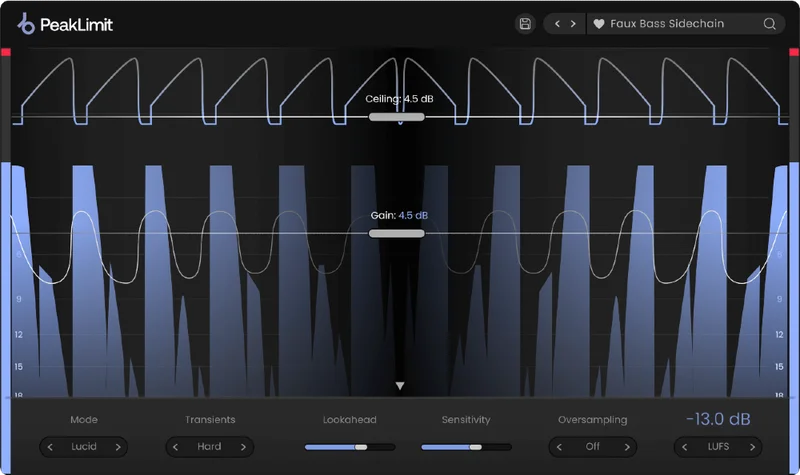
Open FabFilter Pro-L 2 and you’re greeted with eight limiting algorithms, a full-screen spectrum analyzer, and enough parameters to spend thirty minutes before committing to a setting. Open PeakLimit and the decision tree collapses. Four style buttons: Lucid, Warm, Punch, Bright. Three transient modes: Hard, Soft, Transparent. Input, output, release, stereo link. Done.
We loaded it against Waves L2 on a stereo bus. The L2 is still the reference for a reason: its ARC lookahead is tight and its ceiling behavior is predictable across a decade of sessions. PeakLimit’s Lucid mode lands in similar territory. It’s clean. Transients pass without obvious smear at moderate gain reduction settings, roughly 3-4dB. Where the L2 has IDR noise shaping for the final output stage, PeakLimit doesn’t offer an equivalent. That’s a real difference if you’re delivering high-bit-depth masters.
Performance Deep Dive
We tested PeakLimit across four session types: a dense hip-hop mix bus at -6dBFS input, a sparse acoustic guitar master, a podcast voice track targeting -16 LUFS, and a drum bus with aggressive transients.
On the hip-hop bus, Punch mode with Soft transients at 6dB of gain reduction held together better than we expected. The low-end didn’t pump until we pushed past 8dB. At that point, the kick started getting dull, losing maybe 2-3dB of perceived attack. Hard transient mode at the same depth preserved the crack but introduced a slight harshness above 8kHz on the snare. Not distortion. More like over-brightness.
On the podcast vocal targeting -16 LUFS, the real-time metering earned its keep. The LUFS integrated readout updated consistently, and we could dial the input to hit -16.0 LUFS integrated without hunting. That’s genuinely useful for anyone delivering to Spotify, Apple Music, or YouTube without a separate metering plugin in the chain.
At 8x oversampling, CPU draw increased noticeably. In a 64-track session on an M2 MacBook Pro, one instance at 8x added roughly 3-4% CPU. At 2x, it was negligible. We’d leave 8x for the master bus only.
Where It Wins
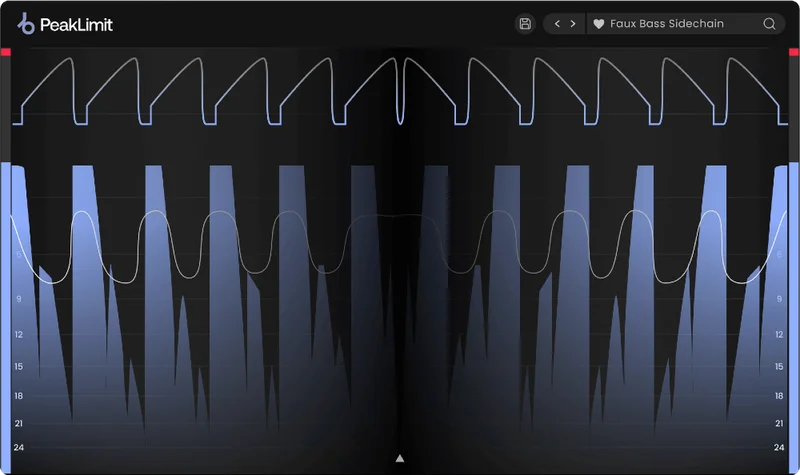
The metering situation is the real win. Dedicated limiters in this price range often give you a gain reduction meter and nothing else. PeakLimit shows real-time LUFS, RMS, and True Peak simultaneously. That replaces a separate metering plugin for most users. That’s money and CPU slots saved.
We love how fast it is to set up. We dropped PeakLimit on a vocal bus during tracking, set Lucid mode with Transparent transients, ceiling at -1dBTP, and it just worked. No rabbit holes. The release time in Auto mode behaved sensibly on material with a wide dynamic range, recovering fast enough on staccato phrases and slow enough on legato lines that we didn’t have to touch it.
The four style options also aren’t just flavoring. Warm mode adds a subtle low-frequency density that thickens a thin mix bus. It’s not a transformer saturation plugin, but running a dull acoustic recording through Warm at moderate reduction felt different from Lucid on the same source. The difference is real enough to care about.
Where the Competition Wins
FabFilter Pro-L 2 wins on transparency at heavy limiting. Push both plugins to 10dB of gain reduction on a mixed master and Pro-L 2 holds its shape longer before artifacts show up. The difference is audible past 6-7dB of reduction. If you’re mastering for volume-competitive EDM or metal, that matters.
Waves L2 wins on reliability across legacy sessions and its IDR dithering for professional delivery. It’s also one-knob simple in its own way, and it’s been on mastering desks for over twenty years for a reason.
SSL X-Limit wins on transparency character. Its true peak detection and oversampling implementation feel tighter, specifically on high-frequency transients that PeakLimit sometimes softens a touch too much in Soft transient mode.
PeakLimit doesn’t have a sidechain EQ input. That means you can’t de-ess a high-frequency trigger or duck specific bands to control the limiting response. For mix engineers who build their limiting around frequency-aware detection, that’s a hard stop.
Who Should Bu y Which
- ✅ Buy PeakLimit if you need a streaming-ready limiter with solid metering built in.
- ✅ Buy PeakLimit if you're producing at the mix stage, not professional mastering, and want style variety without a steep learning curve.
- ✅ Buy PeakLimit if you're podcasting, scoring, or doing content audio where -16 LUFS delivery is the brief and precision mastering is not.
- ❌ Skip PeakLimit if you're delivering commercial masters that need dithering and bit-depth noise shaping at the output stage.
- ❌ Skip PeakLimit if your limiting style depends on frequency-selective sidechain control.
- ❌ Skip PeakLimit if you regularly push 8dB or more of gain reduction on dense, high-stakes material. The Pro-L 2 is worth the extra spend there.
Score Breakdown
| Category | Score | Notes |
|---|---|---|
| Sound Quality | 3.5/5 | Clean and functional at moderate gain reduction; starts to soften transients past 7-8dB |
| Value for Money | 4.5/5 | Ridiculous value at the promotional price, still fair at $19 regular |
| Ease of Use | 4.5/5 | Fastest setup of any limiter we've tested in this price range |
| Features | 3.5/5 | Metering package is genuinely strong; no sidechain EQ is a real omission |
| CPU Efficiency | 4.0/5 | Efficient at 2x; 8x costs more than expected on dense sessions |
| Overall | 3.8/5 | Solid everyday limiter for mixing and content work; not a mastering-grade tool |
Alternatives to Consider
If PeakLimit isn’t the right call, here’s what we’d reach for instead.
FabFilter Pro-L 2 is the honest recommendation for mastering work. Eight algorithms, sidechain EQ, dithering, and best-in-class transparency past 6dB of reduction. It costs more, but it earns it. FabFilter Pro-L 2 review
Waves L2 Ultramaximizer remains underrated for the simple reason that it never gets the limiting wrong. Its IDR output dithering still holds up on professional deliverables. best limiter plugins for mastering
Fuse Audio Labs VCL-515 isn’t a peak limiter in the same category, but if your signal chain is dealing with dynamics on a vocal or bus before the limiter, it’s worth understanding what the VCL-515 Vari Mu Limiter does before the peak stage to keep your limiting clean.
For producers building a complete signal chain from scratch, check our beginner plugin bundle guide for context on where a limiter fits.
At $19, PeakLimit is a sensible tool for most mixing and content scenarios, and on sale it is a straightforward yes. But if you’re mastering anything you care about professionally, spend the extra money on Pro-L 2 and don’t look back. The ceiling you need to protect isn’t the one in the plugin. It’s your reputation.
Frequently Asked Questions
Is PeakLimit good enough for professional mastering?
It handles streaming delivery well, and the real-time LUFS metering is genuinely useful for hitting platform targets. For professional mastering with dithering, bit-depth output shaping, and aggressive gain reduction on commercial material, we'd push you toward FabFilter Pro-L 2 instead. PeakLimit is a strong mixing-stage and content limiter. It's not a mastering-grade finisher.
What's the difference between Lucid, Warm, Punch, and Bright modes?
Lucid is the transparent, clean option, works best on material that shouldn't change character under limiting. Warm adds a subtle low-frequency density that thickens thin bus material. Punch sharpens transient attack and works well on drum buses. Bright accentuates high-frequency presence and can help dull mixes cut through. The differences are real but modest. Don't expect radical coloring.
Does PeakLimit handle inter-sample peaks correctly?
Yes, with 8x oversampling active, PeakLimit addresses inter-sample peak limiting, which matters for streaming delivery where intersample overs cause distortion on the decode stage. At 1x or 2x, you'll want to set your ceiling conservatively at -1.0dBTP or lower to account for the headroom gap. We'd run 4x minimum on any final output bus.
How does PeakLimit perform on CPU compared to other limiters?
At 2x oversampling, it's one of the lightest limiters we've run in a full session. At 8x, it adds roughly 3-4% CPU per instance on an M2 MacBook Pro at 64-track load, which is moderate but not negligible. We'd set 2x on mix buses and reserve 8x for the master bus only. FabFilter Pro-L 2 at comparable oversampling settings runs slightly more efficiently on our benchmarks.