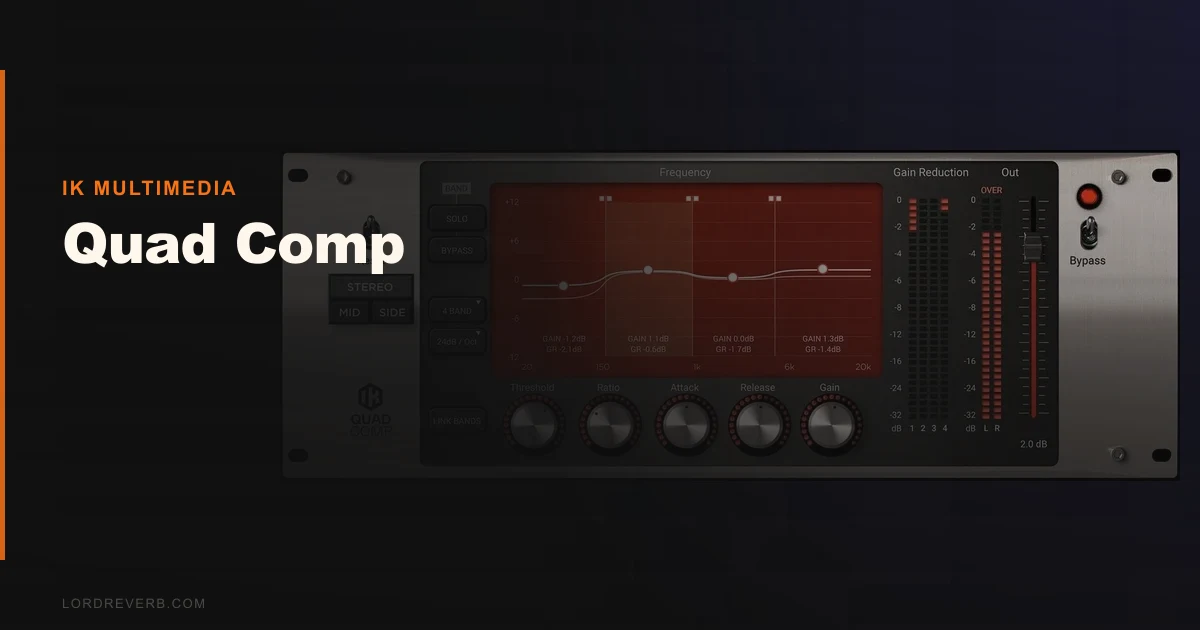
The IK Multimedia T-RackS Quad Comp sits closest to FabFilter Pro-MB in the multiband compression conversation, and that comparison is where this review is going to sting a little. At $99.99, the Quad Comp is a transparent, surgical multiband processor with four opto-style compression bands and clean crossover filtering. It does its job quietly. Maybe too quietly. If you need a workhorse multiband for mastering and clinical mix work, it earns its place. If you need personality, movement, or character, it doesn't have any to give you.
This review is for mix engineers and mastering engineers who are weighing the Quad Comp seriously against alternatives, not just browsing the T-RackS bundle catalog.
How It Compares Out of the Box
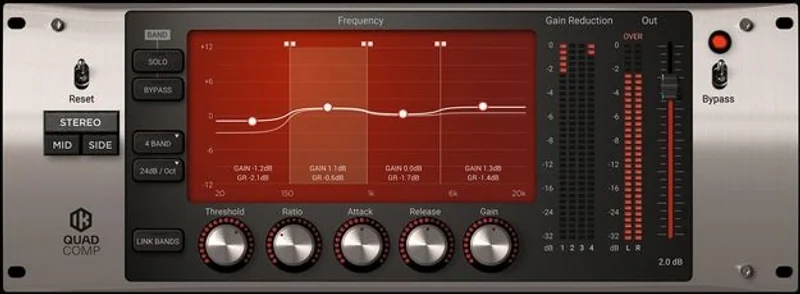
Load the Quad Comp next to FabFilter Pro-MB and the visual difference tells you everything. Pro-MB gives you real-time spectral display, dynamic range meters per band, and mid/side capability from the jump. Quad Comp gives you four tidy bands, five knobs each, and nothing else.
That's not automatically a bad thing. Simplicity has value. But when you stack it against the Waves C4, which costs less and ships with a linked program-dependent mode that responds well on full mixes, you start to wonder what the extra money in the Quad Comp's $99.99 price tag is actually buying.
First impression: it loads fast, the GUI is compact and readable, and the crossover points are draggable. Feels familiar if you've spent time in T-RackS. Feels slightly spartan if you haven't.
Performance Deep Dive
We ran a full mastering chain test. The source: a dense pop mix with a congested low-mid buildup around 280-320 Hz and some top-end harshness creeping in at 8-9 kHz.
We set band two from 200 Hz to 500 Hz, threshold at -18 dB, ratio 3:1, attack 30 ms, release 80 ms. The Quad Comp pulled about 3 dB of gain reduction without smearing the kick punch below it. That's the opto character working correctly: it eases in rather than clamps down. The tail on the low-mids stayed intact. Satisfying result, honestly.
The filter slopes matter here. At 6 dB/Oct the bands bleed into each other more than you'd want on surgical work. Push to 24 dB/Oct and the crossovers get tight without introducing phase artifacts. IK's crossover design holds up. We checked phase response in a DAW analyzer and the summed output stayed coherent. That's a real win for a plugin at this price.
192 kHz support means you can drop this into high-resolution mastering sessions without resampling penalties. Not every multiband at this price manages that cleanly.
CPU draw is light. We ran four instances on separate buses in Logic Pro on an M2 MacBook Pro with no measurable hit. That's genuinely useful for template-heavy workflows.
Where It Wins
The phasing-free crossover design is the Quad Comp's strongest argument. Linear-phase multiband processing can introduce pre-ringing on transients. Minimum-phase designs like the Waves C6 can smear the image on certain material. The Quad Comp's approach threads that needle better than you'd expect for $99.99.
We love it on dialog and podcast mastering. Drop it on a voice bus, carve out the 200-400 Hz body buildup, tame the 2-4 kHz presence harshness, and the opto behavior keeps the compression from sounding like a clamp. The result sounds natural in a way that the C6 in linear mode doesn't always achieve.
For existing T-RackS users, the workflow integration is a legitimate advantage. No authorization headaches. It lives where you already work.
It also handles classical music and acoustic material well. The smooth attack behavior doesn't crush transient detail on piano or plucked strings the way an aggressive VCA-style multiband would.
Where the Competition Wins
FabFilter Pro-MB wins on almost every technical feature. Mid/side processing, dynamic phase mode, per-band lookahead, a visual display that shows you exactly what the compressor is doing in real time. It costs more, but the gap in capability is wider than the gap in price.
The missing input gain control on the Quad Comp is frustrating. Not annoying in a minor way. Frustrating in a "we had to insert a utility gain plugin before it just to drive the threshold correctly" way. That's a workflow tax on every session.
The Waves C4 costs less. The Waves C4 Multiband Compressor has program-dependent release behavior that many engineers find more musical on full mixes. The Quad Comp doesn't have a program-dependent mode at all.
Character-driven work goes elsewhere. If you want a multiband that adds something, check the Bettermaker Mastering Compressor instead. That is a different tool for a different job, but it proves what processing in this price range can sound like when it commits to a voice.
Who Should Buy Which
- ✅ Buy if you're a T
-RackS user who needs a transparent multiband to complete your mastering chain without switching ecosystems.
- ✅ Buy if you work in high-resolution audio at 192 kHz and need a multiband that handles it cleanly.
- ✅ Buy if you're doing dialog, podcast, or acoustic mastering and want opto smoothness without spending Pro-MB money.
- ❌ Skip if you want mid/side capability. The Quad Comp doesn't have it.
- ❌ Skip if you're choosing your first serious multiband compressor. FabFilter Pro-MB teaches you more and does more.
- ❌ Skip if you produce anything where color and character matter. This plugin has neither.
Score Breakdown
| Category | Score | Notes |
|---|---|---|
| Sound Quality | 3.8/5 | Clean and transparent; the opto behavior is genuinely smooth but there's nothing exciting here |
| Value for Money | 3.3/5 | $99.99 is defensible but FabFilter Pro-MB closes the gap in capability faster than it closes the gap in price |
| Ease of Use | 4.0/5 | Five knobs per band, draggable crossovers, nothing to overthink; starts fast |
| Features | 3.0/5 | No input gain per band, no mid/side mode, no program-dependent behavior; slim for the price |
| CPU Efficiency | 4.5/5 | Four instances ran clean on M2 MacBook Pro with no measurable load |
| Overall | 3.8/5 | Solid utility tool that earns its place in a T-RackS chain but loses direct comparisons to more capable alternatives |
Alternatives to Consider
FabFilter Pro-MB is the honest answer for most engineers. It costs more, but it ships with mid/side processing, per-band lookahead, and a visual display that makes multiband work faster and less error-prone. If you're buying a multiband for the next five years, buy that.
Waves C4 is worth a look if budget is the primary concern. The Waves C4 Multiband Compressor review covers where it wins and where it doesn't, but the program-dependent release behavior gives it a musical quality on full mixes that the Quad Comp can't match.
If you're weighing other opto-style options for bus work, the Complexx bus compressor review covers a single-band alternative that has far more character for the money. Different tool, but it shows what opto processing can sound like when the developer commits to a sound.
For mastering-specific work where you want analog color rather than transparency, the Bettermaker Mastering Compressor review is worth serious consideration. The Quad Comp and Bettermaker are solving different problems. Know which problem you actually have.
The Quad Comp at $99.99 is a competent, boring, phasing-free multiband compressor that never once surprised us. That's its whole identity. If you're a T-RackS user who needs a transparent multiband to close out a mastering chain, add it and move on. If you're starting fresh with no existing IK investment, spend the extra money on Pro-MB and don't look back. The one engineer this is wrong for: anyone who needs mid/side control. There's no workaround for that missing feature. It simply isn't there.
Frequently Asked Questions
Is the IK Multimedia Quad Comp worth $99.99 in 2026?
For T-RackS users who need a transparent multiband to complete an existing chain, yes. For engineers starting fresh, FabFilter Pro-MB offers substantially more capability for a price difference that's smaller than the feature gap. The Quad Comp is worth it in context, not as a standalone purchase.
Does Quad Comp support mid/side processing?
No. Mid/side processing is not available on the Quad Comp. If mid/side multiband compression is part of your workflow, look at FabFilter Pro-MB or the Waves LinMB instead. This is a hard limitation, not a workaround situation.
How does Quad Comp's opto compression compare to a VCA-style multiband?
Opto compression responds more slowly and smoothly to transients than VCA-style designs. On the Quad Comp, that means gain reduction eases in rather than clamps down, which works well on acoustic material, dialog, and any source where you want dynamics preserved. For aggressive pumping or heavy limiting behavior, VCA-style designs like the Waves C6 give you more control over that character.
Can I run Quad Comp outside of T-RackS as a standalone plugin?
Yes. Quad Comp loads as a standard VST3, AU, or AAX plugin in your DAW without needing to open the T-RackS shell. Authorization runs through IK's Authorization Manager. The T-RackS shell is optional, not required, which is useful if you prefer to keep your signal chain in your DAW's own environment.