
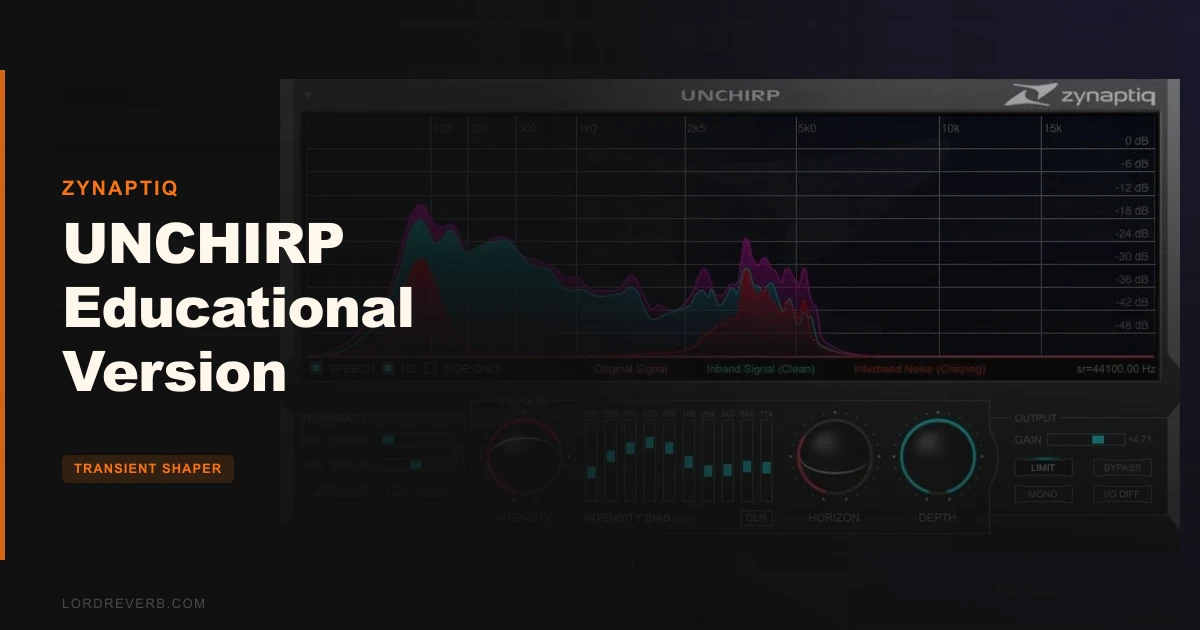
The UNCHIRP Educational Version is the best-value entry point into Zynaptiq's codec-artifact removal toolkit, and it's available at $149 exclusively for full-time students and faculty at accredited academic institutions.
We were mid-session on a documentary short. The field interviewer had recorded through a budget Android phone, low-bitrate AAC, and the dialogue was swimming. That metallic warbling behind every sibilant. The underwater flanging that de-noisers make worse, not better. We'd already tried iZotope RX's spectral repair and a surgical EQ notch at 7kHz. Neither touched it. Then we dropped UNCHIRP on the track.
Thirty seconds later the chirping was gone. Not reduced. Gone. That moment is why this plugin exists.
If you're a student or faculty member dealing with damaged audio regularly, whether that's restoration coursework, podcast production, film scoring, or just rescuing session files that arrived in 128kbps MP3 form, this is the review for you.
What's Actually Inside the Box
UNCHIRP isn't a single-trick de-chirper. It runs two simultaneous artifact-removal algorithms: Musical Noise Reduction and Dechirping. Each has its own breakpoint curve editor for frequency-dependent control. That means you can dial in aggressive dechirping above 8kHz while leaving the midrange completely untouched.
On top of that, you get Transient Synthesis, a psychoacoustic Treble Boost with Enhance and Excite modes, a SYNC parameter that locks processing to signal transients, and an output limiter built for batch workflows. For a restoration tool, that's a surprisingly complete feature set.
The educational discount version is the full plugin. Same algorithms. Same feature set. The only difference is the price tier, and the eligibility requirement that comes with it.
Getting It Into a Real Workflow
Installation is standard enough. But the iLok requirement is where friction starts. If you already have an iLok account and machine-based activation, you're fine. If you're a student running a university lab machine or a freshly built home DAW, setting up PACE just to try a restoration plugin is annoying. Not a dealbreaker. Just annoying.
Zynaptiq also recommends a buffer size of 512 to 1024 samples for stable performance. That's a latency hit you'll notice in real-time monitoring. For restoration work on dialogue or finished music, you're usually not monitoring live, so it's a manageable trade-off. But be clear-eyed: this plugin was built for offline processing of problem audio, not for drop-in use in a live performance rig.
Once it's running, the UI is dense but logical. Breakpoint curves for each parameter take a session or two to feel natural. Zynaptiq isn't kidding when they say to read the manual. We'd set aside an afternoon for the learning curve, not a lunch break.
The purchase flow adds one more step. After buying, you email your order number and proof of educational status to Plugin Boutique's support team. It's manual. It works. But if you need the plugin tonight for a deadline, account for that delay.
What It's Genuinely Good At
The dechirping is the headline, and it earns its billing. We ran a 96kbps MP3 of a violin recording through it. The high-frequency modulation artifacts above 6kHz were audible and distracting. UNCHIRP's Dechirp algorithm killed them without touching the fundamental tone of the instrument. The two breakpoint editors let us protect the attack transients while hammering the problem frequencies. Clean result in under three minutes of dialing.
Transient Synthesis is the clever second act. FFT-based processing, including both lossy encoding and aggressive de-noising, smears attacks. A snare hit loses its crack. A consonant in dialogue loses its stop. Standard transient shapers transient shaper plugin guide can boost what's there, but if the transient information is gone, they're boosting nothing. UNCHIRP synthesizes replacement transients. It's not magic. Push it too far and it sounds artificial. But used at 30 to 50 percent, it genuinely restores snap that you'd otherwise write off.
The Exciter mode inside the Treble Boost is satisfying in a way we didn't expect. Low-bitrate audio has a hard frequency ceiling. Regular EQ boost above that ceiling amplifies noise, not signal. The Exciter synthesizes harmonics to fill that dead band. Reviewers describe results that sound more like natural air than traditional exciters, and we'd agree. It's become a go-to for sourcing old broadcast recordings.
The output limiter is underrated. It's there specifically for unsupervised batch processing, so you can run UNCHIRP across a folder of MP3s overnight without checking for overs. That's a real workflow win for any student handling large media archives.
The Rough Edges
HD mode is where we hit a wall. It sounds better. Noticeably better on dense material. But Zynaptiq warns that the CPU load is high enough that real-time use isn't viable for most systems. On our test machine (an M2 MacBook Pro), HD mode at 512 samples buffer was unstable above two instances. On older student hardware, expect one instance at most before dropout.
The standard algorithm mode is solid. But if you're expecting HD mode to be a live insert on a mix bus, that's not what this plugin is for. Treat it as a render-and-replace tool when you need the best results.
The breakpoint curve editors are powerful, but they have a steep learning curve. Users keep running into situations where they've dialed in too much Dechirp across the full frequency range and introduced a subtle plasticky quality to the high end. Frequency-dependent control is the answer, but you have to learn that before the plugin sounds its best.
There's also no mention of a free trial on the educational version's page. The full UNCHIRP does have a trial available. Check that route before committing to the purchase.
Who This Is Really For
- ✅ Buy if you're a student or faculty member regularly dealing with codec-damaged audio: interviews, field recordings, archival media, or over-de-noised material.
- ✅ Buy if you're studying audio restoration or post-production and need a professional-grade tool to learn on at a fraction of the full version cost.
- ✅ Buy if your workflow includes batch processing large libraries of degraded audio and you need an output limiter baked into the restoration chain.
- ❌ Skip if you're not eligible. The verification step is real and enforced.
- ❌ Skip if you want a light CPU insert for real-time monitoring. This plugin is heavy, and HD mode is offline-only in practice.
- ❌ Skip if you've never dealt with codec artifacts at all. There are more versatile tools for general transient shaping best transient shaper plugins that'll serve a broader purpose.
Specs & Technical Details
| Developer | Zynaptiq |
| Price | $149 |
| Plugin Format | VST 2.4 / VST 3 / AU / AAX Native |
| OS Support | macOS 10.15+ (Apple Silicon & Intel) / Windows 10+ |
| Activation | iLok account required; machine or iLok 2/3 dongle activation |
| CPU Usage | Heavy (standard mode workable at 512–1024 samples; HD mode offline-only recommended) |
| Trial Available | Check full version trial; not confirmed on educational version page |
| Version Reviewed | Educational Version (current as of 2026) |
Score Breakdown
| Category | Score | Notes |
|---|---|---|
| Sound Quality | 4.5/5 | Dechirping and Transient Synthesis are genuinely impressive; HD mode raises the ceiling further |
| Value for Money | 4.0/5 | Educational pricing makes a professional restoration tool accessible; full-version alternative exists if you grow out of the tier |
| Ease of Use | 3.0/5 | Breakpoint curve editors are powerful but require real investment to master; manual is not optional |
| Features | 4.5/5 | Two simultaneous algorithms, Transient Synthesis, Exciter, batch limiter, SYNC: few restoration plugins cover this much ground |
| CPU Efficiency | 3.0/5 | Standard mode manageable at 1024 samples; HD mode is a system-hog that belongs in offline bounces only |
| Overall | 4.0/5 | A focused, capable restoration tool at a price that makes sense for students and faculty working with damaged audio |
Alternatives to Consider
iZotope RX Elements / Standard: The most common restoration suite in academic programs. Broader feature set with a more approachable UI. It handles noise reduction, dialogue, and clicks. Where UNCHIRP wins is in the specific war on codec chirping: RX's spectral repair doesn't target that artifact type with the same surgical focus.
Cedar DNS One: A pro-grade dialogue noise suppressor used in broadcast. Excellent at reducing noise floor without introducing musical noise artifacts. But it doesn't do transient synthesis or codec dechirping. Different tool, different problem.
Zynaptiq UNFILTER: From the same developer, UNFILTER addresses spectral imbalances from room acoustics or filtering artifacts. If your problem is tonal coloration rather than chirping, that's the one to grab. Both are available in the ZAP Bundle if your budget allows.
Our Verdict
UNCHIRP Educational Version costs $149 and does something almost nothing else does: it specifically, ruthlessly hunts down the metallic chirping and transient smear that codec compression and heavy de-noising leave behind.
We love it for dialogue restoration. We love it for rescuing archive material. We wish HD mode ran lighter on student hardware, and we wish the iLok requirement didn't add an extra barrier for people who are already navigating academic licensing. Those are real frustrations, not minor footnotes.
If you're eligible and you regularly face degraded audio in your work, buy it. If you're not sure whether you'll ever hit a codec artifact problem in your sessions, spend that money on general-purpose transient shaper plugins first.
But if you've ever sat in front of a chirping interview recording thinking "there has to be a tool that fixes this specifically," there is. It's this one.
Frequently Asked Questions
Who qualifies for the UNCHIRP Educational Version?
Full-time students and faculty at accredited academic institutions qualify. After purchasing, you'll need to send your order number and proof of educational status to support@pluginboutique.com. That verification step is manual, so don't expect instant access on a deadline night.
Is the Educational Version the same plugin as the full version of UNCHIRP?
Yes. You get the same algorithms, the same HD mode, the same Transient Synthesis, Excite and Enhance treble processing, and the same batch output limiter. The educational tier is a pricing category, not a feature-limited edition. The full version is also available if you're not eligible or want to upgrade later.
Does UNCHIRP require an iLok dongle?
You need an iLok account, but not necessarily the physical dongle. If your machine has internet access, you can activate on the machine itself. The physical iLok 2 or 3 dongle is only required for systems without internet access. The original first-generation iLok is not supported.
Can UNCHIRP fix audio that was de-noised too aggressively?
Yes, and this is one of its strongest use cases. Heavy spectral de-noising introduces musical noise artifacts using the same FFT mechanism as lossy codecs. UNCHIRP's Musical Noise Reduction algorithm targets that artifact type directly. Reviewers report it cleaning up over-processed dialogue that standard de-noisers made worse when used to re-process the output.