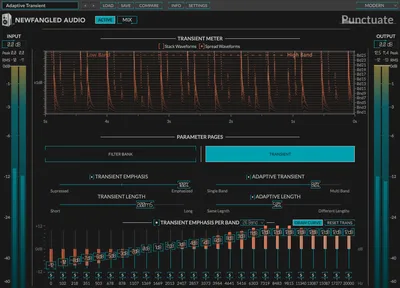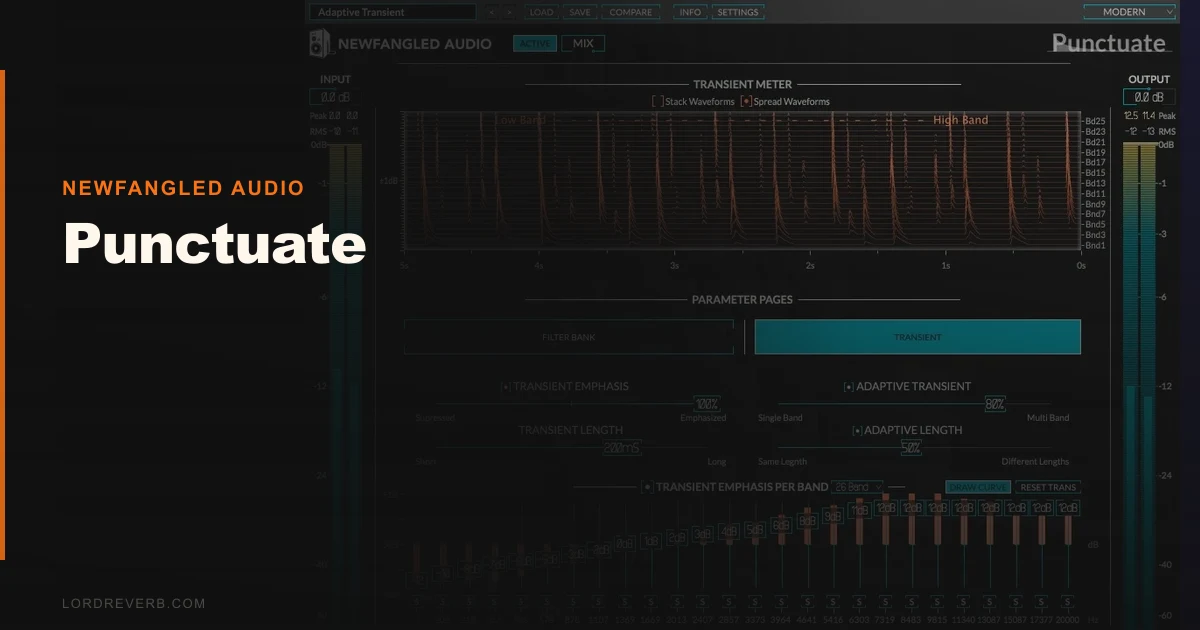
Punctuate by Newfangled Audio is a 26-band multiband transient shaper that costs $99 and does something no standard transient shaper does: it lets you add attack or sustain to individual frequency regions without touching the rest of the signal.
We put it on a session that had been annoying us for three days. Hip-hop beat, heavy 808, layered snare with a clap on top. The snare attack was getting swallowed by low-mid buildup around 200-400Hz. A standard transient shaper cranked the attack globally, which made the high-hat brittle and the 808 punch too hard. Punctuate let us push attack only in the 2-5kHz range where the snare crack actually lives. Problem solved in about four minutes.
That's the pitch. Whether it's worth $99 depends entirely on how often you hit that specific wall.
First Impressions: Clean UI, Strange Concept
Installation is straightforward. Download, license through the iLok License Manager (no iLok dongle required, just the app), and it shows up in VST, VST3, AU, or AAX within a normal rescan.
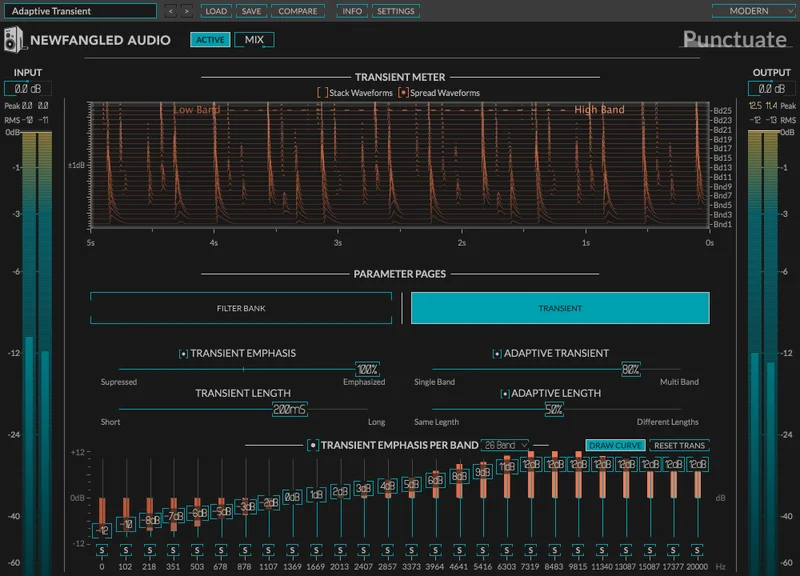
Opening it for the first time is a little disorienting. You see a spectral display with 26 bands laid out across the frequency spectrum and four knobs: Attack, Sustain, Frequency, and Transient Emphasis. There's no attack time, no release time, no ratio. That's by design.
The interface is clean and the band display makes sense once you understand that you're not drawing curves like a parametric EQ. You're adjusting transient behavior per critical band. It takes one session to click. After that, it's fast.
Getting It Into a Real Workflow
We tested Punctuate across five scenarios: a full drum bus, an individual snare, a pad synth that was masking the midrange, a vocal bus, and a full mix master bus.
On the drum bus, we dialed in +4dB of attack emphasis in the 3-8kHz range and pulled sustain back slightly in the 100-300Hz region. The kit tightened up without touching a compressor. Satisfying result.
The vocal bus was where we hit friction. Punctuate sharpens consonants effectively in the 4-8kHz range, but it's easy to go too far and create a brittle, almost de-esser-in-reverse effect. The lack of a dry/wet knob on individual bands means you're managing that with the global Transient Emphasis control. It works, but a per-band blend option would help.
CPU load is light to medium. We ran eight instances simultaneously on a session in Ableton Live 12 on an Apple M2 MacBook Pro and didn't see CPU spike above 18% total for the session. That's fine. Not a concern.
One real workflow snag: there's no built-in A/B comparison. You toggle bypass on the plugin itself. That's standard, but for a plugin doing this kind of surgical work, a proper A/B within the GUI would be worth having.
What It's Genuinely Good At
The 26-band architecture is the whole point, and it delivers. We ran a DI bass guitar through Punctuate with attack pushed at 800Hz-2kHz and sustain reduced around 60-120Hz. The pick attack came forward in the mix without the low-end getting bloated. A broadband transient shaper would've either done nothing useful or made the whole bass clicky.
On a Roland TR-808 kick sample, we pulled sustain back at 60Hz (where the long boom lives) while leaving the 100-200Hz thump untouched. The kick tightened by about 30ms of perceived decay without a gate or envelope shaper anywhere in the signal chain. That's a genuinely clever result.
The algorithm comes directly from the transient detection section inside Newfangled's Elevate Mastering Limiter, which has won awards and sits on serious mastering chains. The detection quality is legitimately good. It doesn't smear transients on complex material the way some cheaper transient shapers do at high settings.
For sound design work, Punctuate is underrated. Pushing sustain hard on a pad synth in the 1-4kHz range creates a forward, almost animated texture that doesn't sound like compression or saturation. It's its own thing.
The Rough Edges
$99 is the main hesitation. A competing transient shaper sells for much less on sale. SPL Transient Designer Plus is in a similar range. Both cover the standard attack/sustain use case for most producers. Punctuate's multiband approach is genuinely different, not just better. If you mostly shape drum buses with a single broadband shaper, you don't need this.
No mid-side mode is a real gap. At this price, with this level of complexity, M/S processing would open up mastering applications that currently aren't there. We'd have used it on two masters during testing and couldn't.
The preset library is thin. Twelve presets for a plugin this conceptually complex isn't enough to help a new user understand the range of what's possible. We wish Newfangled had shipped 30-40 starting points organized by source type.
The manual is decent but leans technical. If you're new to critical band theory, you'll need to do some reading outside the plugin before Punctuate makes full sense.
Who This Is Really For
- ✅ Buy if you regularly shape drums and want to target the crack of a snare without affecting the kick or overheads
- ✅ Buy if you work in electronic, hip-hop, or sound design and want a transient tool that creates textures rather than just tightening attack
- ✅ Buy if you already own Elevate and want the transient section as a standalone insert across your mix
- ❌ Skip if you mostly run one transient shaper on a drum bus and call it done
- ❌ Skip if $99 is a stretch and you don't have sessions that specifically need per-band transient control
- ❌ Skip if you need M/S capability for mastering work, because Punctuate doesn't have it
Score Breakdown
| Category | Score | Notes |
|---|---|---|
| Sound Quality | 4.5/5 | Detection algorithm is borrowed from a mastering limiter. It's excellent. |
| Value for Money | 3.5/5 | $99 is fair for what it does, but only if you actually need multiband transient control |
| Ease of Use | 3.5/5 | Four controls keeps it simple, but the concept has a learning curve |
| Features | 4.0/5 | 26-band shaping and a clean spectral display; no M/S mode is a miss |
| CPU Efficiency | 4.5/5 | Eight instances ran fine on an M2 MacBook Pro without strain |
| Overall | 4.1/5 | A specialist tool that does its specific job better than anything else at this price |
Alternatives to Consider
If Punctuate's price or multiband concept feels like too much, here are three honest alternatives.
Waves Transient Shaper handles standard attack and sustain control on a full signal for a fraction of the price on sale. It won't do per-band work, but for 80% of drum-shaping tasks, it's enough. Waves Transient Shaper review
Eventide SplitEQ is a different tool but solves an adjacent problem. It separates transient and tonal content by frequency band and lets you EQ them independently. Steeper learning curve, but more flexible for mastering work and it does have M/S mode. Eventide SplitEQ review
iZotope Neutron's Transient Shaper is built into a full channel strip. If you already own Neutron, you have a decent multiband transient shaper sitting in your signal chain. It's not as focused as Punctuate, but it's close enough to make you think before spending $99. best transient shaper plugins
Punctuate wins on specificity. None of those tools give you 26 discrete bands with this level of detection accuracy at this price.
We'd buy Punctuate again. We'd also tell a producer who shapes one drum bus once a week to skip it and grab Waves on sale. The tool earns its $99 when you need it. It's just that not everyone needs it.
Frequently Asked Questions
Does Punctuate work on a full mix bus, or is it only for individual tracks?
It works on both, and we tested it on a master bus during this review. You can use it to add presence to the high-frequency transients of a full mix without touching the low-end weight. That said, without M/S mode, its mastering usefulness is limited. It's most effective on individual instruments or subgroup buses.
What makes Punctuate different from a standard transient shaper?
A standard transient shaper operates on the full signal. Turn up attack and every transient in every frequency band gets sharper. Punctuate operates on 26 individual critical bands, so you can sharpen the crack of a snare at 3kHz without making the low end of a kick punchier. That's the core difference, and it's not a small one for mix work.
Do you need an iLok dongle to use Punctuate?
No dongle required. Punctuate uses iLok License Manager software for activation, which is a free download. The license lives in the app or can be stored in the cloud. You do need an iLok account, which is free to create.
Is the 14-day trial fully functional?
Yes. The demo version is the full plugin with all 26 bands and all four controls active for 14 days. There's no feature lockout or watermarking on the audio output during the trial period. We'd strongly recommend using it on an actual session before buying rather than relying on a YouTube demo to make the call.