Impact by Surreal Machines is a multiband transient processor that earns a look if you're shaping drums or loops and want more than a single-band attack/sustain knob can offer. Whether it earns a spot in your chain long-term depends entirely on how much of that shaping you need, and how forgiving your material is. At $49, it sits in a range where expectations are fair and compromises are real. This review lays out both.
Quick verdict: Impact scores 3.5 out of 5. The multiband approach works brilliantly on drum breaks and loops with room to breathe, and the saturation and dynamics modules add genuine colour. But the transient detection has a real ceiling, the EQ curve section is frustrating to use for subtle work, and the lack of mid/side processing will rule it out for some workflows. Buy it if you process drums and loops with complex layering. Hold off if your sessions lean fast and dense.
What Impact Is (and What It's Not)
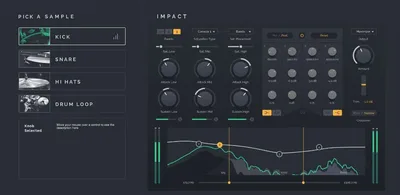
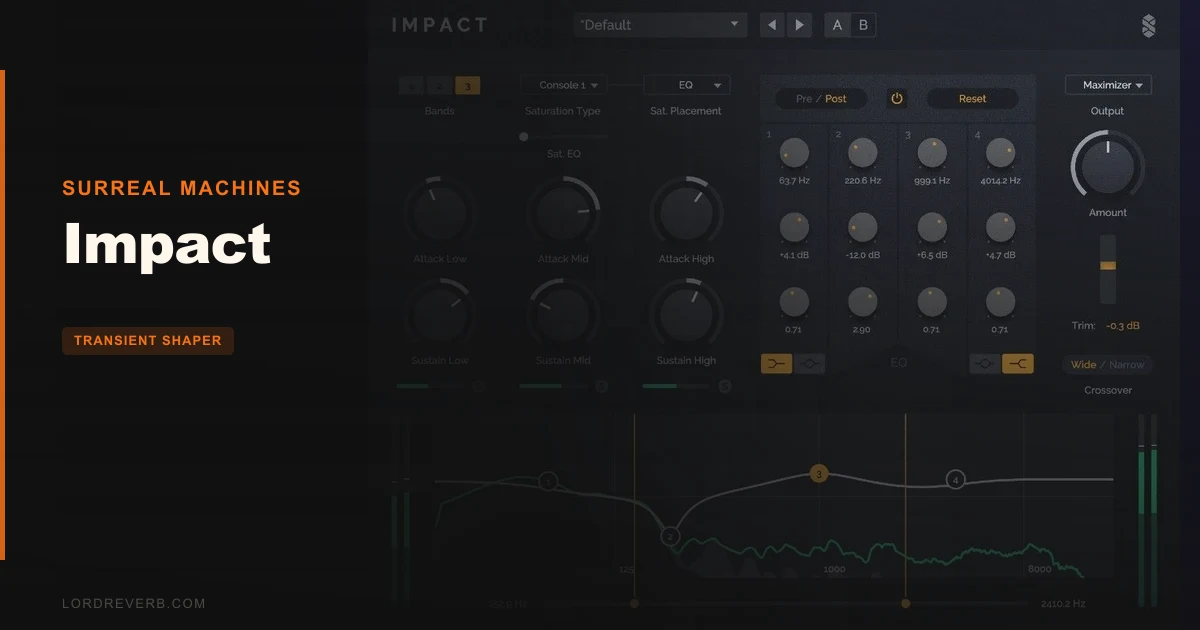
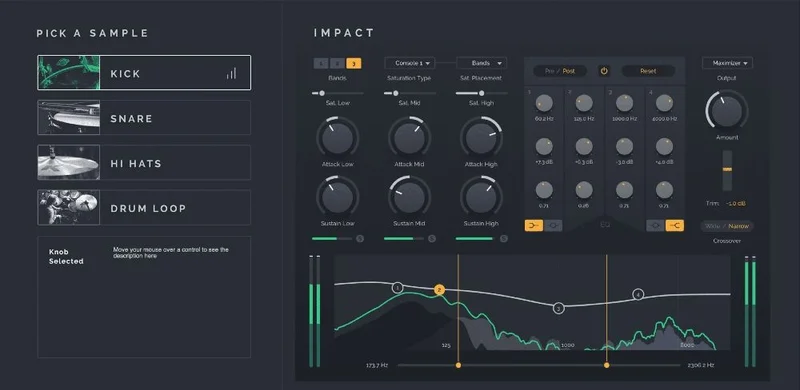
Impact is a multiband transient shaper with switchable 1-band, 2-band, and 3-band modes. Each band carries its own Attack and Sustain controls. On top of that, you get four styles of analogue-modelled saturation, plus a clipper, limiter, and maximizer baked into the plugin. That's a meaningful amount of signal shaping in a single instance.
But be clear about what it's not. It's not a Swiss-army dynamics tool for every bus in your session. It's not a mid/side processor. It's not great at chasing transients through wall-to-wall, fast-moving material. And it's not a set-and-forget plugin. The design rewards patience. If you want quick, automatic transient control, you'll be frustrated.
Surreal Machines calls it the most versatile tool for reshaping dynamics of drums and loops. That's not wrong, but it's not the full picture either. Versatility here means control depth, not speed or breadth of use case.
Where It Fits in Your Session
Put Impact directly on a drum bus or an individual drum stem. That's where it does its best work. Picture a break you've chopped and layered: the kick is blooming into the low-mids, the snare tail is eating the transient on the next hit, and the hi-hats are either too brittle or getting lost in the glue. A single-band transient shaper can fix one of those things. Impact, in 3-band mode, can address all three simultaneously.
Set the low band to tighten the kick's sustain. Let the mid band breathe a little more to preserve snare body. Dial back the attack on the high band so the hats sit further back without killing them. That's the scenario where Impact earns its price. Owners describe this as using it as a full effects strip for drums, and that framing fits.
The saturation runs alongside the transient shaping, not before or after it in a separate chain. That means you're colouring the sound as you shape it. Push the drive and the high end gets gritty fast, go over 70% and you're probably adding a dynamic EQ or de-esser downstream to clean up the mess.
The clipper, limiter, and maximizer sit at the output stage, which is clever design. You can push the shaping aggressively and then catch the peaks before they clip your bus. For drum processing especially, that's a useful chain to have without switching plugins.
What you won't find here is mid/side mode. If your workflow depends on treating the centre and sides of a stereo drum bus separately, Impact doesn't do that. There's also no independent volume fader per band, which means if boosting transient attack in one band changes the perceived level relationship between bands, you're reaching for another plugin to correct it. That's a real workflow gap.
The Saturation and Dynamics Modules in Practice
The four saturation styles are where Impact picks up a personality. Owners confirm the differences between saturation styles are audible and meaningful. One style stays cleaner, another adds odd-order harmonics that push certain sounds forward in the mix. You'll hear the difference on a break immediately.
The saturation module is one of the strongest parts of the plugin. Owners rate it highly, and the maximizer dynamics section gets specific praise for adding upfront presence without flattening the transient detail the rest of the plugin worked to shape. That pairing of saturation and maximizer is satisfying when it works.
The problem is the headroom between "character" and "harsh." It's narrow. At drive levels above 70%, the high frequencies can turn rough in a way that isn't always musical. On a full drum break with bright cymbals, that threshold drops even lower.
That's not a dealbreaker, but it means you need something else in the chain ready to go. That might be fine for your workflow. If you're already running a dynamic EQ after your transient shaping, the saturation upside probably outweighs the downside.
The Trade-Offs
The multiband approach is clever and the saturation sounds genuinely good. Those are real strengths. But Impact asks you to accept some frustrating limits in exchange.
The EQ curve display, used for dialling in the crossover points between bands, is too cramped for fine adjustment. A small movement can shift the selected frequency more than you intended. On drum processing, where a crossover at the wrong frequency means your kick and snare compete in the same band, that's annoying. You'll spend time correcting an overshoot you didn't want.
Transient detection is the bigger concern. On slower, more open material, it tracks well. On busy, fast passages with rapid successive transients, it misses. Owners report this clearly. On fast material with rapid successive transients, Impact may miss some of what you're asking it to process. The multiband structure doesn't compensate for detection gaps.
The crossovers between bands also draw criticism. Owners report that the band boundaries can be problematic, introducing colouration or discontinuity at the crossover point. That's the structural risk with any multiband design, but it's worth knowing it shows up here.
No mid/side processing and no per-band volume control are both genuine omissions. They're not bugs, they're decisions. But for producers who work in stereo and need precise level relationships between bands, those decisions limit what Impact can do.
Against the Field
Three names come up most often alongside Impact.
Transgressor is the go-to for creative sound design and fixing samples that weren't great to begin with. If your goal is mangling, building entirely new transient envelopes, or turning a flat sample into something aggressive and characterful, Transgressor wins that lane.
Softube's transient shaper is preferred for elegant handling of open hi-hats. If you're mixing a track where the hi-hat openings need careful, artifact-free control, Softube is the cleaner answer.
Native Instruments Transient Master and DMG Tracklimit both get compared to Impact on sound quality grounds. They're referenced as points of comparison, not as replacements. Impact's multiband feature and the saturation module are the specific things that make it different from a standard one-band transient tool.
Impact wins when you need multiband independence across a drum stem and want saturation integrated into the same plugin. It loses when you need precise detection, mid/side control, or transparent hi-hat handling.
The Real Verdict
Impact does specific things well: multiband drum processing, integrated saturation with character, and a useful output dynamics section that keeps levels honest. Those strengths are worth paying for if you process drums and loops regularly and your sessions aren't running at speeds that expose the detection limits.
But it's not for everyone. If your sessions run fast and dense, the transient detection will let you down. If you need mid/side processing on your stereo bus, look elsewhere. If you want precise, subtle EQ curve adjustments between bands, the cramped interface will frustrate you.
The free Crack lite version is there. Use it first, on your actual material, at your usual tempos. That's the honest answer.
Specs & Technical Details
| Developer | Surreal Machines |
| Price | $49 |
| Plugin Format | VST 2.4 / VST 3 / Audio Unit |
| OS Support | Mac (10.11 El Capitan or higher, 64-bit only, Intel and M1) / Windows 8–11 (32 or 64-bit) |
| Activation | N/A |
| CPU Usage | Heavy in 3-band mode (approximately 3x the CPU of the free Crack lite version) |
| Trial Available | Yes (free Crack lite version available) |
| Version Reviewed | N/A |
Score Breakdown
| Category | Score | Notes |
|---|---|---|
| Sound Quality | 3.5/5 | Saturation and maximizer are strong; transient detection lets the score down on fast material |
| Value for Money | 3.5/5 | Fair at $49 if multiband drums are your use case; overpriced if detection gaps affect your sessions |
| Ease of Use | 3.0/5 | EQ curve section is cramped and oversensitive; learning curve is real |
| Features | 3.5/5 | Multiband plus saturation plus clipper/limiter/maximizer is a strong set; no mid/side is a clear gap |
| CPU Efficiency | 3.0/5 | 3-band mode is CPU-hungry by design; lite version available as a workaround |
| Overall | 3.5/5 | Solid for drum and loop shaping with character; too limited for fast material or stereo bus mid/side work |
Alternatives to Consider
Transgressor (Surreal Machines)
The better pick for creative transient mangling and fixing weak or flat samples. If your goal is character and transformation rather than surgical control, Transgressor is the one to shortlist.
Softube Transient Shaper
Handles open hi-hats with more precision and fewer artifacts. If you're mixing acoustic or live-recorded drum tracks where the cymbals need clean, transparent treatment, Softube does that better than Impact.
Native Instruments Transient Master
Frequently compared to Impact on sound quality. A reliable, single-band option if you don't need the multiband architecture and want a simpler workflow with solid detection.
The Bottom Line
There's a specific producer who should buy Impact at $49: someone who regularly processes drum breaks and loops, wants independent transient control per frequency band, and is happy to manage the saturation drive carefully to stay below the harshness threshold. For that person, it does things that most single-band transient shapers can't.
There's also a specific producer who should skip it: anyone running fast, dense material where detection reliability matters above all else, anyone who needs mid/side processing on the drum bus, or anyone who wants quick, confident results without a learning curve.
Start with the Crack lite version. Run it on the material that's actually giving you trouble. If it handles the transients cleanly and you're already wishing you had more band separation, that's your answer. If it starts missing hits on the fast stuff, save your money.
The plugin isn't brilliant and it isn't a write-off. It's a specialist tool with a real ceiling, priced fairly for what it does when it does it well.
Try It Yourself
Switch to 3-band mode and set the crossovers so the low band covers the kick, the mid band covers the snare body, and the high band covers the hats. Adjust Attack and Sustain independently per band and listen to whether you can tighten the kick without touching the snare tail. This will tell you whether the multiband separation is working for your material.
Owners report saturation becomes harsh in the high frequencies at 70% or higher drive levels. Whatever that number is for your sound, that's your ceiling. Dial back 10% from there and that's your working range.
Frequently Asked Questions
Is Impact suitable for vocals or melodic instruments, or is it mainly for drums?
The developer positions it for drums and loops, and that's where owners report the best results. The multiband approach works well when sounds have distinct frequency regions that need different transient treatment, which is exactly the structure of a drum mix. On melodic material, a simpler single-band transient shaper will often be the faster and more predictable tool.
Does Impact work on Apple Silicon Macs without Rosetta?
Yes. Impact supports M1 Apple Silicon natively, alongside Intel processors on Mac. The minimum macOS requirement is 10.11 El Capitan. No compatibility layer needed on M1 machines.
How does the free Crack lite version compare to the full Impact plugin?
The Crack lite version is free and runs at approximately one-third the CPU load of Impact in 3-band mode. The full Impact adds switchable 1, 2, and 3-band modes, the four saturation styles, and the clipper, limiter, and maximizer at the output. Crack lite is worth running first to test detection on your material before committing to the full version at $49.