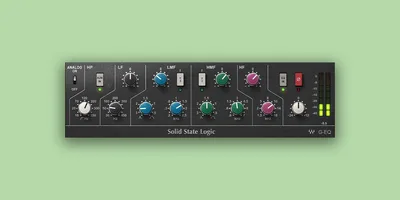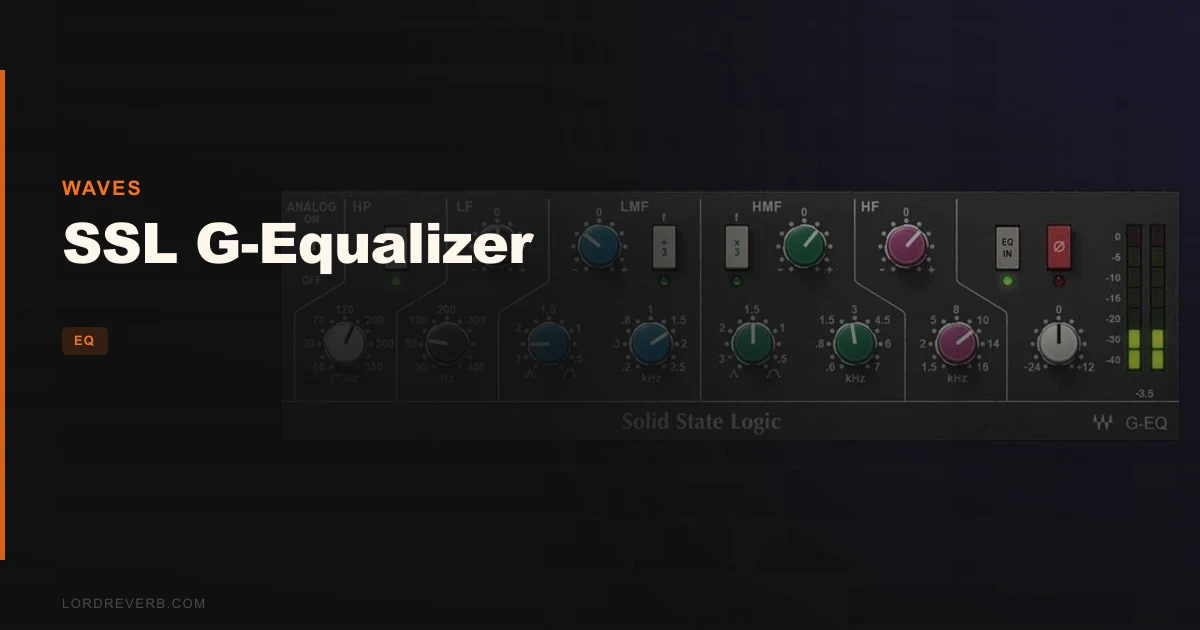
The SSL G-Equalizer by Waves is a software model of the SSL G 292 rack EQ, and at $34.99 it’s aimed at producers who want that console-shaped tone without the five-figure price tag. The problem it solves is a specific one: too many ITB EQs are either too clinical or too coloured, and getting a broad, musical frequency shape out of them takes too much work. This plugin addresses that with a proportional-Q circuit design that keeps adjustments sounding natural even when you’re moving 10dB or more. It’s best for mix engineers who want fast, characterful EQ on buses and full mixes, not for anyone expecting a perfect hardware clone.
The Problem With Most Software EQs in 2026
You’re mixing a dense rock track. The guitars are fine. The snare is fine. But the whole thing sits slightly wrong, slightly over-processed. You’ve been fighting it with a linear-phase EQ and a spectrum analyser open, cutting 0.5dB notches at six different points. Two hours later it sounds more like surgery than music.
That’s exactly the frustration the SSL G-series console EQ was built to avoid. Its wide, gentle curves let engineers shape a sound with broad strokes, not tweezers. The SSL G-Equalizer from Waves tries to bring that philosophy into the box.
Most parametric EQs get tighter as you boost, which is fine for problem-solving but brutal when you want tone. This plugin does the opposite by design.
How It Actually Performs
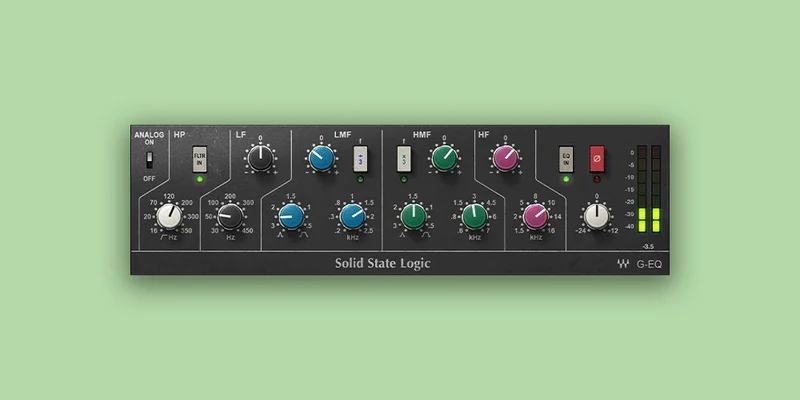
The G-Equalizer gives you two fully parametric mid stages with a ±20dB range, two shelving stages at ±17dB, plus high-pass and low-pass filters. The high-pass is described as steep, which is welcome on sessions where low-end build-up is already out of control.
The HMFx3 and LMF÷3 buttons are genuinely clever. One click shifts your center frequency up or down without touching the knob. On a fast mix session, that’s satisfying. No hunting.
Owners describe it as one of the cleanest-sounding software EQs they’ve used, and reviewers note that 1 to 3dB moves are enough to get where you’re going. That tracks with how a proportional-Q design behaves: the Q tightens as you boost and widens as you cut, so large moves still sound smooth.
The Analog switch adds a subtle noise floor and harmonic distortion. It won’t replace a dedicated saturation plugin in your signal chain, but it adds just enough grit to stop the plugin feeling sterile.
What It Gets Right and Where It Frustrates
The natural feel is the headline strength here. Owners specifically say it feels more natural than visual EQ plugins, and that sweet spots are easier to find quickly. That’s not nothing. When you’re working on a vocal bus at midnight and need to shape, not solve, this is the kind of tool that earns its place.
The bass and guitar presets reportedly give a polished result fast. Load one and you’re mostly done. That’s useful.
But here’s the honest complaint. Several users report the analog modeling falls short of what the real SSL console delivers. The bite, fatness, and sheen of a hardware G-series are not fully here. You’ll hear the difference if you know it. Some users reach for Slate VCC alongside this plugin to fill that gap. That’s an extra cost and an extra plugin in your chain, which rather undercuts the value argument.
It’s also a standalone EQ. It doesn’t include the full channel strip features of the SSL G-Channel plugin. If you want the full console channel, you’re buying separately.
One user reported it came up short replicating the hardware sound it claims. That’s worth keeping in mind. Frustrating, but fair.
Is $34.99 Actually Worth Paying?
At $34.99, this plugin competes with a lot of capable EQs. The question is whether proportional-Q behaviour and SSL’s specific frequency character is worth it over a free or cheaper alternative.
If you mostly work with graphic or surgical EQs and want to explore broader tonal shaping, yes, this price is justified. The workflow shortcuts alone save real time.
If you’re chasing true hardware SSL sound and not just the general shape of it, you may love this less. You’ll either want to pair it with additional saturation tools or look at the SSL G-Channel, which handles more of the console character in one plugin.
Free alternatives won’t give you this. But other paid EQs might. Know what you’re buying.
Who Should Buy This and Who Shouldn't
✅ Buy if you want fast, musical frequency shaping on mix buses where surgical precision isn’t the goal. ✅ Buy if you work with rock, pop, or anything guitar-heavy and want the classic broad SSL sweep without fighting a parametric for an hour. ✅ Buy if you already have saturation tools in your chain and just need the EQ character to sit on top.
❌ Skip if you’re hoping for a complete hardware SSL emulation. It won’t fully get there. ❌ Skip if you need a full channel strip. This is a standalone EQ plugin and nothing more. ❌ Skip if you’re working at that level on a tight budget and a free EQ covers your real needs.
Specs & Technical Details
| Developer | Waves |
| Price | $34.99 |
| Plugin Format | VST, AU, AAX (Mac); VST, AAX (Windows) |
| OS Support | Mac (Monterey 12, Ventura 13, Sonoma 14, Sequoia 15), Windows 10 or later |
| Activation | N/A |
| CPU Usage | N/A |
| Trial Available | N/A |
| Version Reviewed | N/A |
Score Breakdown
| Category | Score | Notes |
|---|---|---|
| Sound Quality | 4.0/5 | Clean, smooth, and musical, but the analog modeling doesn't fully land |
| Value for Money | 4.0/5 | Fair at this price, though you may need additional tools to complete the job |
| Ease of Use | 4.5/5 | HMFx3 and LMF÷3 shortcuts make frequency selection fast and intuitive |
| Features | 3.5/5 | Solid EQ section, but no channel strip and limited to EQ duties only |
| CPU Efficiency | N/A | Not enough data to score |
| Overall | 4.0/5 | A well-built, character-forward EQ that does its specific job well |
Alternatives to Consider
If the analog modeling gap is a dealbreaker, the SSL G-Channel plugin is the obvious next step. It shares the same filter knobs but adds the full channel strip, meaning more of the console DNA is present. You’re paying more, but you get closer to the real thing.
Metric Halo’s channel strip is worth a look if you want tonal colour that owners describe as closer to hardware. Some users find it a touch too sweet for hard-edged music, but for softer genres it may be the better call.
Slate VCC is what some owners pair with this plugin to get the saturation and harmonic content the G-Equalizer’s analog mode doesn’t fully deliver. If you already own VCC, the G-Equalizer slots in well. If you don’t, factor that cost into your decision.
For a different take on filter-based EQ shaping, check out our VEQ-HLF review, and if you’re deep in the workflow tools rabbit hole, our Sequel 2 review covers another plugin worth understanding before you commit to any new purchase.
Our Verdict
The SSL G-Equalizer does what a broad-stroke, character-forward EQ should do. It shapes tone quickly, responds naturally to small moves, and doesn’t fight you when you want to be musical rather than surgical.
But it’s not the full SSL experience. If you push the Analog switch expecting the console to breathe into your track, you’ll be a little disappointed. The bite is missing. The fatness isn’t quite there. Owners have said so plainly, and that’s an honest limit of the plugin.
At $34.99, it’s a good tool for what it is. Not great for what some hope it is. Buy it for fast, gentle frequency shaping on buses and tracks where tone matters more than precision. Skip it if you need real analog grit or a full channel strip without a second plugin open beside it.
Related reviews: MMatcher
Frequently Asked Questions
Is the SSL G-Equalizer the same as the SSL G-Channel plugin?
No. They share similar filter knobs but behave differently. The G-Channel includes the full console channel strip, while the G-Equalizer is a standalone EQ only. The G-Channel's filters are described as wider, and the G-Equalizer takes a more focused approach to frequency shaping. If you need the full channel strip, you'll need to buy separately.
Does the Analog mode accurately replicate the SSL hardware sound?
Not fully, according to owners and reviewers. The Analog switch adds a subtle noise floor and harmonic distortion, which adds character. But several users report it falls short of the bite, fatness, and sheen of a real SSL console. Some pair it with Slate VCC to get closer to that hardware sound.
What formats does the SSL G-Equalizer support?
On Mac, it runs as VST, AU, and AAX. On Windows, VST and AAX only. It requires macOS Monterey or later on Mac, and Windows 10 or later on PC. AU is Mac-only, so Logic users on Mac are covered.
Is this EQ suitable for mixing on a bus or just individual tracks?
It works on both, but the proportional-Q design and broad shelving stages make it a strong choice for bus work. The gentle curves and ±20dB parametric range let you apply big tonal moves without things getting ugly. The G-EQ has a gentle character requiring only 1-3dB to achieve desired sound, which suits bus processing well.