
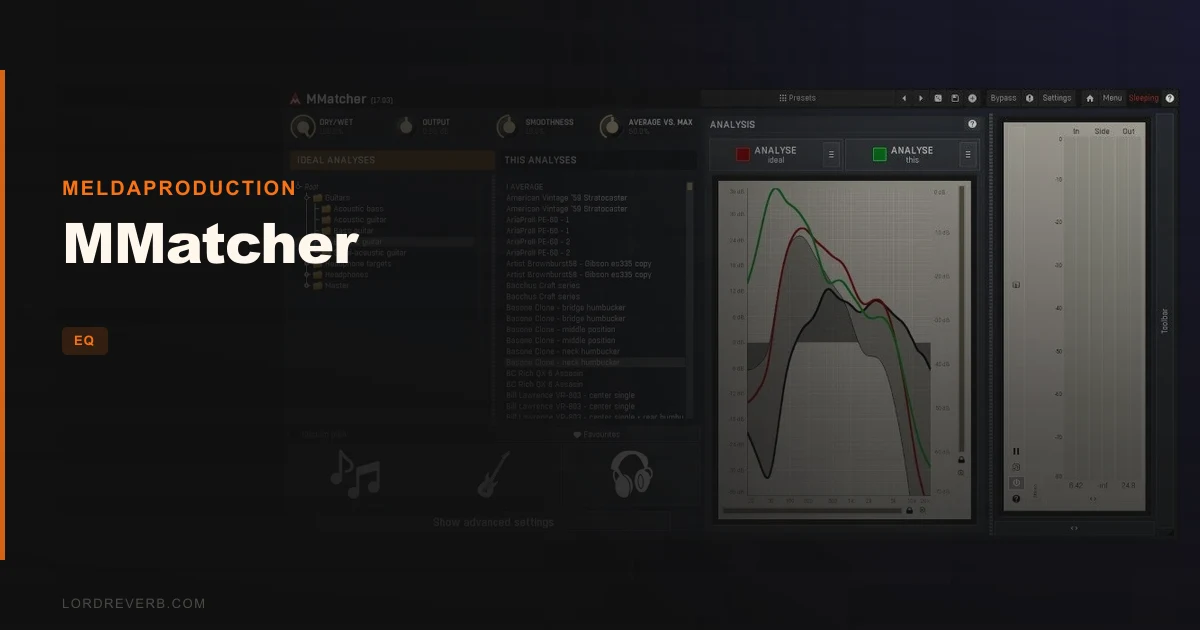
MMatcher sits in the same bracket as iZotope Ozone's EQ Match and IK Multimedia's Master Match, and this review is going to tell you that it's neither the best nor the worst option in that group. It lands somewhere in the middle, and exactly where depends on what you need it for. At $99, it matches spectrum, loudness, and stereo image to a reference track, pulls from a database of famous songs and guitar profiles, and can calibrate your monitors or headphones. That's a wide brief. For mastering engineers and guitarists already using MeldaProduction tools, it earns its place. For everyone else, the competition has fewer rough edges.
How Does It Compare Out of the Box?
Ozone EQ Match takes a gentler, more conservative approach. It nudges your spectrum toward the reference rather than throwing it there. MMatcher is flashier. The corrections can be aggressive, and that's a double-edged situation.
IK's Master Match can push hard too, but it risks sounding unnatural when you lean on it, and its preset count is thin. MMatcher's reference database is wider, which is a real practical advantage.
Sonarworks SoundID Reference has the cleanest UI for monitor and headphone calibration of the three. If calibration is your only goal, SoundID is the more comfortable tool. MMatcher's calibration workflow works, but the interface takes adjustment.
First impression: feature-rich, slightly overwhelming, and carrying some rough edges that feel like they belong to an earlier software era.
Performance: What It Actually Does to Your Audio
The three-step workflow is real. Analyze your reference, match your input, get a result. In straightforward mastering scenarios, this is satisfying. You load a target from the genre database, hit match, and the broad strokes of your mix shift toward the reference's tonal shape within seconds.
The guitar and bass profile library is where MMatcher does something the competition doesn't. Owners report it replaces money spent on multiple guitar libraries, and reviewers confirm the profiles sound musical rather than processed. But here's the limit you need to know before buying: MMatcher only corrects frequency response. It does not replicate pickup distortion, the bite of a bridge pickup, or the compression behavior of a specific amp. You get the EQ shape of that guitar, not the instrument.
Stacking MMatcher with other mastering plugins causes problems. Owners describe sound quality deterioration, and the black-box nature of MMatcher's processing makes it hard to diagnose why. Keep it away from complex mastering chains unless you're testing carefully.
The stereo image matching is frustrating in its current form. There's no control to disable stereo processing independently. If the reference has a wider image than your mix, MMatcher will chase that, and the localization shifts can be unintended and hard to trace. Annoying when you want only spectral correction.
Where MMatcher Wins
The reference database is the strongest argument for it. Hundreds of genre-spanning songs analyzed and ready to load beats building your own reference library from scratch. For a working mastering engineer who needs to dial in a track to sit next to commercial releases, this is a time-saver that's hard to dismiss.
The guitar profile library is genuinely clever. If you're a guitarist experimenting with tone and don't want to pay for a separate modeler or library, the variety of captured profiles gives you enough to work with for most sessions. Reviewers back this up consistently.
And if you're already buying a MeldaProduction bundle, MMatcher comes included in MCreativeFXBundle, MMasteringFXBundle, MMixingFXBundle, MTotalFXBundle, and MCompleteBundle. At that point, the value argument is easy. You're not buying it, you already have it.
Where the Competition Wins
Stability. That's the honest answer. Mac Silicon users report plugin data and settings vanishing on project reload. That's not a workflow quirk. That's a blocker for professional use.
The installation process has caused accidental deletion of other MeldaProduction plugins for some users. That's a frustrating risk to take with a working session setup.
Ozone EQ Match wins on UI clarity. The visualization in MMatcher uses multiple overlapping curves in the mid/side view, and it's genuinely difficult to read what's changing where.
Sonarworks SoundID Reference is simply easier to operate for monitor and headphone calibration. If that's your primary use case, SoundID earns the edge.
TDR Nova avoids the latency issues that some users flag with MMatcher in more delicate EQ work, and it gives you more transparent, controllable correction.
Who Should Buy Which
- ✅ Buy MMatcher if you're a mastering engineer inside the MeldaProduction ecosystem who needs a fast reference-matching tool and can live with some UI friction.
- ✅ Buy it if you're a guitarist who wants to explore tonal profiles without spending on a dedicated guitar library, knowing you're only getting frequency shape, not the full instrument character.
- ✅ Buy it if it's already included in a bundle you're purchasing for other reasons. Free is the right price for a tool with these rough edges.
- ❌ Skip it if you're on Mac Silicon and need settings to survive a project reload. This is a documented problem with no confirmed fix.
- ❌ Skip it if stereo image control matters to you and you need to match only the spectral shape of a reference. The stereo processing locks on and you can't turn it off alone.
- ❌ Skip it if you want clean, readable EQ visualization. The mid/side curve display will leave you guessing.
Specs & Technical Details
| Developer | MeldaProduction |
| Price | $99 |
| Plugin Format | VST / VST3 / AU / AAX |
| OS Support | Mac (10.14 Mojave or newer, 64-bit) / Windows (10/11, 64-bit) |
| Activation | N/A |
| CPU Usage | N/A |
| Trial Available | N/A |
| Version Reviewed | N/A |
Score Breakdown
| Category | Score | Notes |
|---|---|---|
| Sound Quality | 3.5/5 | Reference matching works well in mastering contexts; stereo artifacts and stacking issues cost points |
| Value for Money | 3.5/5 | Strong when bundled; at $99 standalone, the bugs make it a harder sell |
| Ease of Use | 2.5/5 | Three-step workflow is fast; installation friction, buggy presets, and confusing visualization drag it down |
| Features | 4.0/5 | Reference database, guitar profiles, monitor calibration, and headphone correction in one plugin is genuinely broad |
| CPU Efficiency | 3.0/5 | No verified data; rated conservatively given the processing scope |
| Overall | 3.3/5 | A feature-rich but unpolished tool that rewards patience and punishes Mac Silicon users |
Alternatives to Consider
If the stereo image issue is a dealbreaker, look at iZotope Ozone EQ Match. Its corrections are more conservative and less likely to shift your image unexpectedly. It's the safer choice for mastering engineers who want controlled, modest spectral nudges.
For headphone and monitor calibration specifically, Sonarworks SoundID Reference has a cleaner interface and a more focused workflow. If calibration is the whole job, it's the better tool.
If you want transparent, surgical EQ correction without the latency concerns some users flag with MMatcher, TDR Nova is worth your time. It's a delicate, controllable option that plays well in a mastering chain.
For producers exploring EQ movement and spectral shaping in a more creative direction, BLEASS Motion EQ Review: Worth It for Live Movement is worth reading before you commit.
MMatcher at $99 is a tool with a real identity problem. The reference database and guitar profiles are genuinely useful features that owners clearly love. But the Mac Silicon instability is ugly, the stereo processing overreach is a real limit, and the installation friction is the kind of thing that makes producers question their judgment for buying in the first place.
Here's the honest split. If you're on Windows, working in mastering, and already in the MeldaProduction world, it's worth it. You'll dial in references fast, the guitar profiles will save you real library money, and the three-step workflow holds up. If you're on Apple Silicon, wait. This is a documented, unresolved problem and not one you should absorb into your production setup in 2026. Buy something that doesn't delete itself between sessions.
Frequently Asked Questions
What does MMatcher actually do?
MMatcher analyzes the spectrum, loudness, and stereo image of a reference audio source and applies corrections to your input audio to match it. It also includes a reference song database, a guitar and bass tone profile library, and tools for calibrating studio monitors and headphones. Think of it as a three-in-one spectral matching, tone shaping, and room correction tool.
Does MMatcher work on Apple Silicon Macs?
MMatcher is listed as compatible with Apple Silicon, but users on Mac Silicon have reported a significant stability issue: plugin data and settings disappear on project reload despite being saved. This is a documented problem. Until MeldaProduction addresses it with a confirmed fix, we'd call Apple Silicon support unreliable for professional use.
Can MMatcher replicate a specific guitar's full sound?
No. MMatcher matches the frequency response of a guitar profile from its database, which means you get the tonal shape of that instrument. It does not replicate pickup distortion, bite, dynamics, or the compression character of the original guitar. Owners find this useful for general tone shaping, but it's not a substitute for a dedicated guitar modeler or impulse response loader.
Is MMatcher worth buying as a standalone plugin?
It depends on your workflow and your platform. At $99, the feature set is wide, and the reference database adds real value for mastering work. But the buggy preset saving, the inability to disable stereo processing independently, and the Mac Silicon instability make it a harder sell as a standalone purchase. If it's included in a bundle you're already buying, the calculus is straightforward.
How does MMatcher compare to Sonarworks SoundID Reference for monitor calibration?
Both tools can calibrate studio monitors using a measurement microphone. SoundID Reference has a cleaner, more purpose-built UI for this task and is generally easier to operate for calibration-only workflows. MMatcher's calibration features are broader in theory, but if monitor or headphone correction is your main goal, SoundID is the more focused and user-friendly choice.