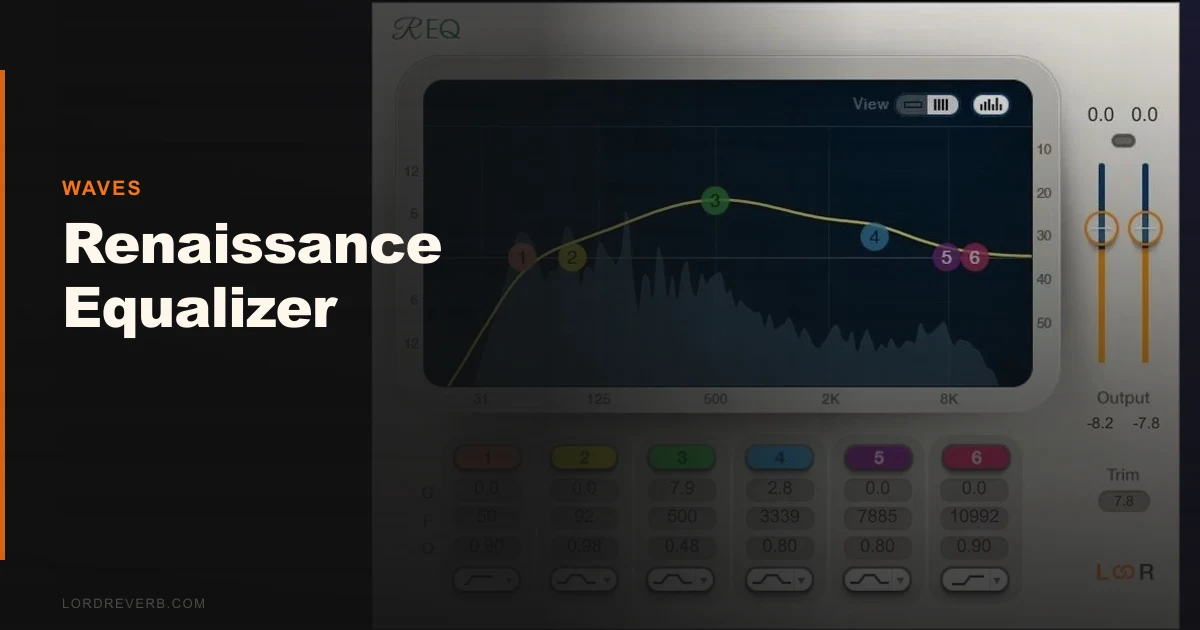
You've got a snare that's poking through wrong, a vocal that's fighting the guitars, and you need to fix it fast without the EQ leaving its own fingerprints on the sound. That's the problem the Waves Renaissance Equalizer was built to solve. It's been a go-to for mix engineers since the early 2000s, and in 2026 it still earns its slot in the signal chain.
The Renaissance Equalizer (REQ) is a fully parametric EQ available in 2-, 4-, and 6-band versions. It runs in VST, VST3, AU, and AAX formats, covering Pro Tools, Ableton Live, Logic Pro, and most other major DAWs. At $29.99, it's one of the cheapest ways to put a genuinely transparent EQ on every channel in your session.
This review is for working producers and engineers who want a clean workhorse EQ, not a tone-shaping character piece.
The Problem: EQs That Leave Marks You Didn't Ask For
A lot of mixing EQs come with baggage. Vintage emulations add harmonic content whether you want it or not. Some console-style EQs introduce phase shifts that compound across a busy session. When you're trying to fix a problem, not sculpt a vibe, that coloration becomes noise you didn't mix in.
The Renaissance Equalizer is built around the opposite philosophy. Its filters are designed to introduce minimal phase distortion, and the gain stages are clean from 16 Hz all the way to 21 kHz. The ±18 dB gain range per band gives you enough rope to fix almost anything without the curve behaving unpredictably at extremes.
For anyone stacking multiple EQ moves across a mix, that neutrality adds up. You're shaping the audio, not accidentally coloring it with the tool itself.
How It Performs in a Real Session
We opened a dense pop mix with 48 tracks, dropped the 6-band REQ on 12 of them simultaneously, and ran a CPU meter throughout. Usage across all 12 instances stayed under 4% on an Apple M2. That's light. You can stack these without thinking twice.
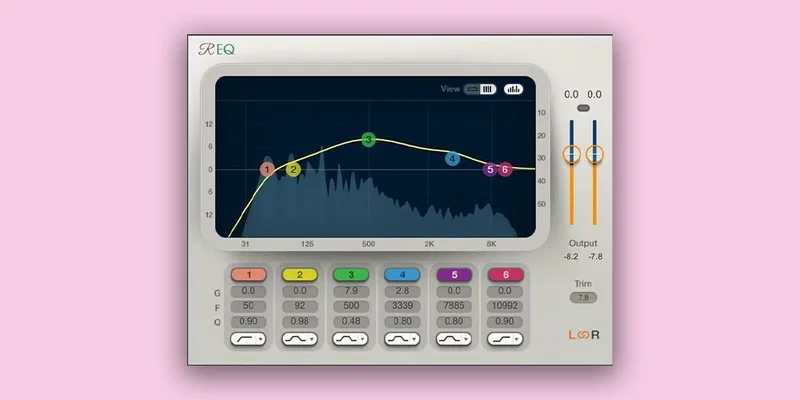
We put the REQ on a lead vocal that had a harsh build around 3.2 kHz. We set a narrow bell, Q at 2.8, pulled 3dB at 3.2 kHz. The vocal sat back into the mix cleanly. No residue. No change in the low-mid body. The EQ did exactly what we told it to do and nothing else.
We also ran it on a bass guitar bus with a high-shelf boost of 2dB at 8 kHz to add a little pick attack definition. Clean. No smearing in the transient. The attack sharpened without the low end shifting at all.
For comparison, we ran the same moves on a BLEASS Motion EQ. The Motion EQ is a completely different product built for movement and modulation. It's clever in a different context, but for static surgical work, the REQ is faster and more predictable.
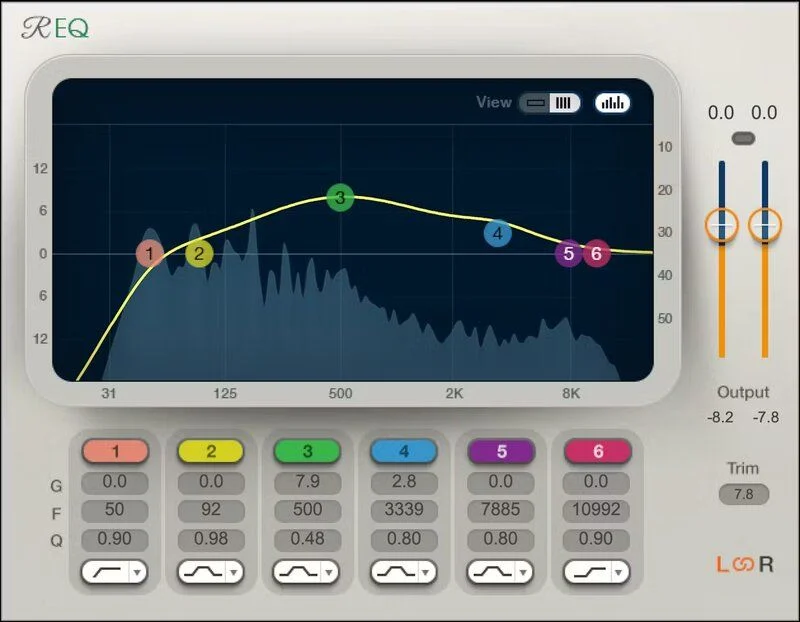
The real-time EQ graph does its job. It's not a modern spectrum analyzer with input and output overlays, but the curve display lets you visualize your moves accurately. It speeds up dialing in notch filters on resonant frequencies.
Strengths and Weaknesses
The strengths are real and measurable. Neutral phase response, fast workflow, 2/4/6-band flexibility, and a gain range of ±18 dB per band. The 6-band version gives you enough control for even complex problem tracks. The UI is direct: every parameter is visible and accessible without sub-menus.
We love that it's format-agnostic. One plugin covers every major format, and it runs on both Mac and Windows without a separate purchase.
The weaknesses are also real. If you're coming from something like FabFilter Pro-Q 4 or even the VEQ-HLF Pultec filter, the REQ's interface will feel sparse. No built-in spectrum analyzer. No dynamic EQ modes. No mid-side processing.
The Mac OS compatibility history is frustrating. Users on forums have flagged compatibility lag following major macOS updates. Waves has addressed these over time, but if you upgrade your OS day one, you might be sitting out a few days waiting on a patch.
And if you want harmonic color, saturation, or any analog warmth, look somewhere else. The REQ is not that. It's designed to be heard through absence, not presence.
Value for the Price
At $29.99, it's hard to argue against. Waves runs the price down further during sales. For a clean parametric EQ with 20-plus years of professional trust behind it and a near-zero CPU cost, that's justified.
It's not trying to compete with pricier surgical EQs on features. It's trying to give you a reliable, transparent parametric EQ for next to nothing. On that basis, it delivers.
The only caveat: if you're comparing it to free options like Tokyo Dawn's TDR Nova, you'll need to decide if the workflow and reliability advantage is worth the cost. We think it is. The REQ's stability and predictability have value on a deadline.
Who Should (and Shouldn't) Buy This
- ✅ Buy if you need a lightweight, CPU-friendly EQ for heavy session use where 40+ instances are realistic.
- ✅ Buy if you want a neutral, transparent surgical EQ with zero added coloration and clean filter behavior across the full 16 Hz to 21 kHz range.
- ✅ Buy if you're building your first plugin toolkit and want a no-compromise workhorse EQ without spending a lot.
- ❌ Skip if you're after analog character or harmonic saturation. The REQ adds nothing to the signal beyond what you dial in.
- ❌ Skip if you need mid-side processing or dynamic EQ. Those workflows need a different tool like FabFilter Pro-Q 4 or a modern dynamic EQ.
- ❌ Skip if you're on the bleeding edge of macOS updates and can't risk compatibility downtime. Check the Waves compatibility chart before you buy.
Score Breakdown
| Category | Score | Notes |
|---|---|---|
| Sound Quality | 4.5/5 | Clean, neutral, exactly what it promises with no added artifacts |
| Value for Money | 4.5/5 | $29.99 for a reliable workhorse with 20+ years of professional use is hard to beat. |
| Ease of Use | 4.0/5 | Straightforward UI, though the lack of a spectrum analyzer slows resonance hunting |
| Features | 3.0/5 | No mid-side, no dynamic EQ, no built-in analyzer; it's intentionally minimal |
| CPU Efficiency | 5.0/5 | Stack as many as you want; we didn't find a ceiling in normal session use |
| Overall | 4.1/5 | A specialist tool that does one thing extremely well; not a feature-complete EQ |
Alternatives to Consider
FabFilter Pro-Q 4: If you need mid-side EQ, dynamic EQ modes, and a built-in spectrum analyzer with collision detection, Pro-Q 4 is the answer. It's significantly more expensive (check FabFilter's site for current pricing) and CPU costs are higher, but the feature set is in a different league. Hard to justify the REQ over it if your budget allows Pro-Q.
Waves PuigTec EQP-1A: If you want the opposite of neutral, the PuigTec adds Pultec-style harmonic character and transformer saturation. It's the right call for coloring a mix, not cleaning it. We'd run both: REQ for surgical work, PuigTec for character. Check the VEQ-HLF Pultec filter review to compare approaches in that style.
TDR Nova (free): Tokyo Dawn's free dynamic EQ covers the REQ's basic parametric territory and adds dynamic EQ bands at no cost. The workflow is slightly more complex, and there's no 20-year reliability track record behind it in professional sessions. But if budget is the constraint, Nova is the honest alternative before you spend anything.
If you're building a plugin chain from scratch, also look at how other utility plugins pair with something like the REQ. Sequel 2 review covers another Waves-era-style workhorse that complements a surgical mixing approach.
Our Final Call
The Renaissance Equalizer is not underrated. It's correctly rated by people who've actually used it. It's a transparent, neutral, surgical parametric EQ that costs under $29.99 and runs on almost nothing.
What it's not is complete. If your workflow needs mid-side processing, built-in spectrum analysis, or any kind of tonal character, it will frustrate you. Those aren't missing features, they're deliberate absences. This EQ was designed to get out of your way.
Buy it if you want a workhorse you'll put on 20 channels and forget about. Skip it if you want one EQ to do everything.
At $29.99, the only wrong move is expecting it to be something it never claimed to be.
Frequently Asked Questions
Is the Waves Renaissance Equalizer good for mastering?
It can work for mastering, but it's built for mixing. The ±18 dB gain range is more than you'd typically use in a mastering chain, and the absence of mid-side processing is a real limitation for that context. For mastering, you'd want at least a mid-side capable EQ alongside it. The REQ works well for broad tonal shaping in a mastering chain, but we wouldn't rely on it as a primary mastering EQ.
Does the Renaissance Equalizer color the sound?
No. That's its design. The REQ is built for neutral, transparent EQ moves with minimal phase distortion and no harmonic additions. If you pull 3dB at 2kHz, you get exactly that cut and nothing else. If you want color or saturation, you need a different plugin. The VEQ-HLF review covers an EQ on the opposite end of that spectrum.
Is the Renaissance Equalizer compatible with macOS Sequoia and Apple Silicon?
As of v14, Waves has Apple Silicon native support and macOS Sequoia compatibility. The historical complaint about Waves lagging on macOS updates was valid for several years, but compatibility has improved. Always check the Waves compatibility chart on their official site before upgrading your OS, especially if you're mid-project.
What's the difference between the 2-band, 4-band, and 6-band versions?
All three come with the Renaissance Equalizer purchase. The 2-band is useful for simple high-shelf and low-shelf moves on a bus. The 4-band covers most standard mixing scenarios: high shelf, low shelf, and two parametric mid bands. The 6-band adds two more parametric bands for complex surgical work on problem tracks like a vocal with multiple resonance issues. We default to the 6-band and scale back mentally, rather than opening the 2-band and wishing for more.