
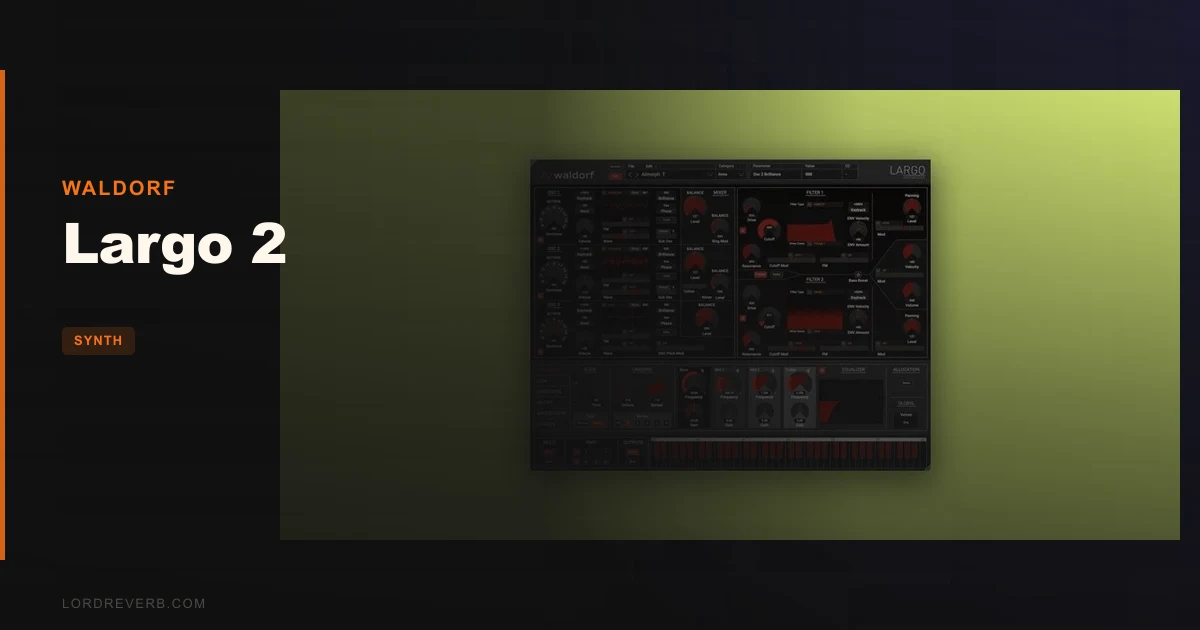
Largo 2 is a scalable-UI update to Waldorf's software wavetable synthesizer, adding native Apple Silicon support, formant filters, and a rebuilt interface. It's built for producers who are already inside the Waldorf ecosystem and want their existing Largo 1 patches to work on modern hardware without the crackling and compatibility headaches version 1 brought to M1 machines.
But here's the honest version: if you're expecting a ground-up reimagining, you're going to be annoyed. What Waldorf shipped in October 2023 lands closer to a maintenance release than a version 2.0. The engine is still impressive. The execution around it is not.
We tested versions 1.0.0 and 1.0.1 across both Mac (Apple Silicon) and Windows 11 environments. This is our full verdict.
What Problem Was Largo 2 Supposed to Solve?
Largo 1 had a real problem: it sounded excellent and ran like garbage on modern hardware. M1 Macs needed Rosetta 2 to run it, filter sweeps produced audible crackling at certain rates, and the fixed-size GUI was a small, eye-straining box on any 4K or 5K display.
Those are legitimate complaints. Native M1 support, a scalable interface, and stable filter performance are exactly what Largo 1 owners were asking for. Waldorf heard that. Largo 2 addresses all three on paper.
The deeper frustration, though, is that those fixes should have been a free update. Charging existing users for stability patches and a resizable window is the kind of pricing decision that erodes trust fast. If you're a new buyer with no Largo 1 history, that calculus is different. But we'd still want you to know what you're walking into.
How Largo 2 Actually Performs
The synthesis engine itself is the strongest argument for buying this. Five oscillators per voice: two wavetable oscillators each with a sub, plus one VA waveform oscillator. That's a lot of layering power before you've touched the mod matrix.
The 68 wavetables pulled from the Microwave, Wave, Q, and Blofeld are the real draw. We loaded a Microwave-sourced wavetable into oscillator one, detuned the sub by 7 cents, and ran the output through the new formant filter with cutoff automated via an LFO at 0.3Hz. The vowel morph from "a" to "o" took about four bars to complete. It sounded like a choir breathing. That's not a feature you find on every VA synth at any price.
The 16-slot modulation matrix is deep and genuinely flexible. Sources and destinations can repeat, which opens up stacking and cross-modulation paths that Serum, for example, doesn't let you do as freely. The four complex modifiers add mathematical operations including AND, XOR, Min, and Max between mod sources. That's proper modular thinking inside a fixed instrument.
On Apple Silicon, the crackling on filter sweeps is gone. We swept Filter 1 cutoff from 20Hz to 18kHz at maximum resonance with no artifacts. That alone justifies the update for anyone who was masking that crackle with workarounds.
CPU load is moderate. A 16-voice patch with both filters active, two effect slots, and the arpeggiator running pulled around 12% on an M2 Pro at 128 samples buffer. That's reasonable. Push it to 64 voices with unison active and you'll feel it, but it won't bring your session down.
For deeper wavetable synthesis comparisons, we've also looked at how Waldorf's approach stacks up against FM-based engines.
Strengths and Weaknesses
The sound quality is the strength. Pull up one of the 16 included banks and you'll find patches that sit in a mix with minimal EQ because Waldorf's filter topology handles the harshness before it reaches your bus. The 12dB and 24dB LP modes behave the way hardware Waldorf filters do: smooth in the highs, musical at high resonance. That's hard to fake.
The arpeggiator is underrated. Sixteen programmable steps with per-step timing and pitch control make it closer to a simple step sequencer than a typical DAW arpeggiator. We built a bassline with it in about 90 seconds using a single preset.
Now the weaknesses. The GUI redesign is ugly. That's not a vibe complaint. Dark red text on a black background is difficult to read under studio lighting, and the overall aesthetic looks rushed. After an hour of editing patches, we found ourselves squinting at filter type labels. That's a real workflow problem, not a cosmetic one.
The 128-preset-per-bank cap is frustrating. You can have multiple banks, but you can't load them simultaneously in a way that feels fluid. If you're performing live or auditioning sounds quickly across categories, this slows you down. Drag-and-drop in the program manager helps, but it doesn't fix the underlying limitation.
Stuck notes appeared once during our testing in v1.0.0. We couldn't reproduce it in v1.0.1, but the fact that it was a known issue from Largo 1 that made it into the initial v2 release says something about the QA process.
Value for the Price
The current price is shown in the buy box on this page. At launch, Waldorf offered an intro price that softened the blow slightly. At full price for existing Largo 1 owners, it's a harder sell. You're paying for M1 compatibility, a scalable window, and three new formant filter types. That's it.
For new buyers who've never owned Largo, the value equation is better. You get 256-voice polyphony, 68 wavetables, a deep mod matrix, and genuine Waldorf filter character in a VST3/AU/AAX plugin that runs natively on current hardware. Against the price of a competitive wavetable synth bundle, Largo 2 holds its ground on sound. It doesn't hold its ground on polish.
Who Should and Shouldn't Buy Largo 2
- ✅ Buy if you're an existing Largo 1 owner on Apple Silicon who's been fighting Rosetta 2 compatibility and crackling filters.
- ✅ Buy if you work with Waldorf hardware (Blofeld, Wave, Q) and want your software to share the same wavetable DNA.
- ✅ Buy if formant filtering and wavetable morphing are core to your sound design workflow, especially for choir, vocal, and evolving pad textures.
- ❌ Skip if you need a polished, production-ready UI that you can read at a glance during a session.
- ❌ Skip if you're a Largo 1 owner who feels a free patch should have covered M1 support. That frustration is valid and won't go away.
- ❌ Skip if you're primarily a bass or lead synth producer looking for something immediate. Largo 2's depth rewards patience. It won't reward impatience.
Score Breakdown
| Category | Score | Notes |
|---|---|---|
| Sound Quality | 4.0/5 | Wavetable engine and filter character are genuinely excellent; the Microwave tables alone are worth loading up |
| Value for Money | 2.5/5 | Hard to justify as a paid upgrade for Largo 1 owners when the changes are mostly stability and UI |
| Ease of Use | 2.5/5 | Dark red text on black, 128-slot bank cap, and manual bank loading create real friction |
| Features | 3.5/5 | Formant filters and 16-slot mod matrix are strong; arpeggiator is underrated |
| CPU Efficiency | 3.5/5 | Reasonable at moderate voice counts; high-unison patches push the CPU noticeably |
| Overall | 3.0/5 | Brilliant engine wrapped in an undercooked v2 release |
Alternatives to Consider
Waldorf Blofeld (hardware): If you love the Waldorf wavetable sound and have the budget, the hardware Blofeld gives you the same engine architecture without the GUI complaints. It's a different product category, but worth knowing it exists. wavetable synth options worth considering
Arturia Pigments: At a similar price point, Pigments offers a more polished interface, a spectral engine alongside wavetable and VA, and a preset browser with no 128-slot cap. It doesn't have Waldorf's filter character, but it's more production-ready out of the box. explore more synth plugin reviews
Xfer Serum: For pure wavetable synthesis with a workflow that doesn't fight you, Serum is still the benchmark. The mod matrix is less deep than Largo 2's, but you'll spend less time squinting at the interface and more time making sounds. more wavetable synthesis options
Largo 2 sits in a strange spot: the sound design ceiling is higher than either Pigments or Serum in certain areas, but the execution makes you work harder to reach it.
If you love Waldorf's sound and you're already invested in the ecosystem, buy it. Know what you're getting. If you're coming in fresh and comparing it to what Arturia or Xfer ship at launch, you're going to wish Waldorf had taken another six months.
Related reviews: Farfisa V Review · HALO-2 Review 2026
Frequently Asked Questions
Is Largo 2 compatible with Largo 1 patches?
Yes. Waldorf built Largo 2 to be fully backwards-compatible with existing Largo 1 patches and sound libraries. If you've built a library of custom patches in version 1, they'll load in version 2 without any conversion process.
Does Largo 2 run natively on Apple Silicon Macs?
Yes. Native Apple Silicon support is one of the headline changes in version 2. Largo 1 required Rosetta 2 on M1 and M2 Macs, which caused crackling artifacts on filter sweeps. That issue is resolved in Largo 2 when running natively on Apple Silicon.
What's the preset browser limitation in Largo 2?
Largo 2's program manager caps at 128 presets per bank. You can have multiple banks on disk, but loading them requires manual switching rather than a unified browse-all view. It's a real limitation if you're auditioning sounds across a large library quickly. Drag-and-drop reorganization helps but doesn't eliminate the cap.
How does Largo 2 compare to Waldorf hardware synths like the Blofeld?
Largo 2 shares wavetable DNA with Waldorf hardware including the Q, Blofeld, Microwave, and Wave, using 68 wavetables pulled directly from those instruments. The filter architecture behaves similarly. The hardware Blofeld has the advantage of physical controls and no GUI complaints, but Largo 2 offers 256-voice polyphony and 4-layer multitimbrality that the Blofeld can't match in a fixed-voice hardware format.