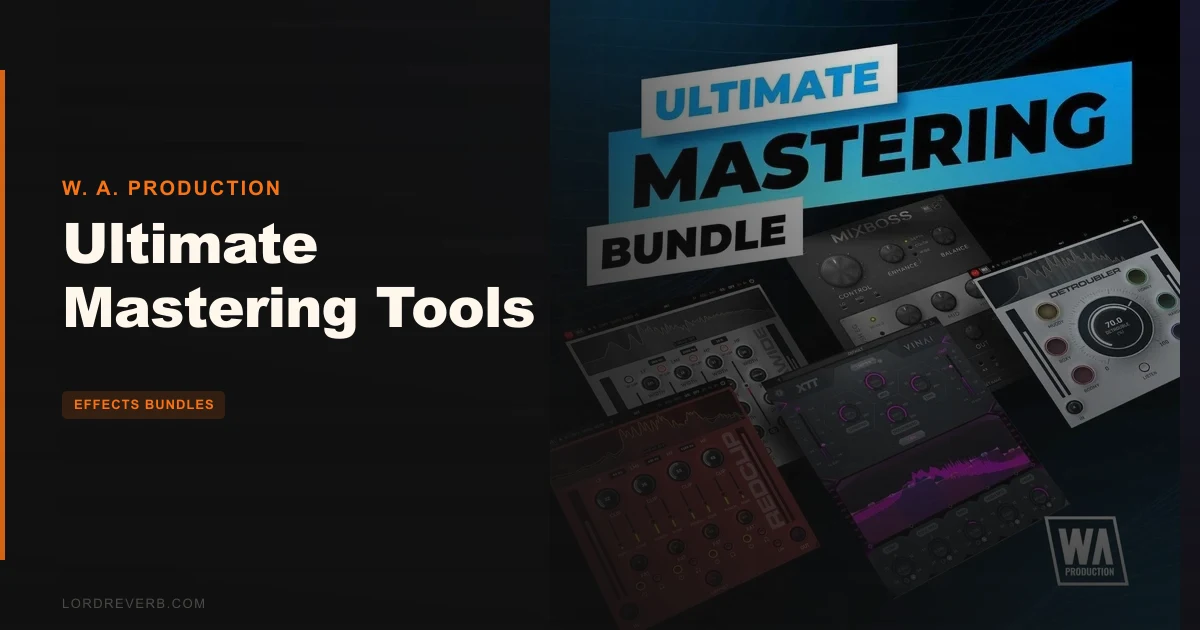
Ultimate Mastering Tools is a solid, affordable five-plugin mastering bundle from W. A. Production that covers the full finishing chain competently, but it's built for speed and accessibility, not surgical precision. If you're a self-producing artist who wants to stop sending tracks out half-finished, this bundle gets you there. If you're running a professional mastering facility, you'll hit its ceiling fast.
The bundle stacks MixBoss, XTT By VINAI, Detroubler, Dynawide, and RedClip into one package. That's mixbus shaping, multiband compression, corrective processing, stereo widening, and a multiband clipper. Everything you need to take a mix from rough to release-ready, in theory.
The honest version: some of these tools punch well above their price point. Others feel like they were designed for producers who want results quickly, even if those results aren't perfectly calibrated. That's not a knock. It's just context. Know what you're buying.
What You're Actually Getting
Five plugins. Five specific jobs.
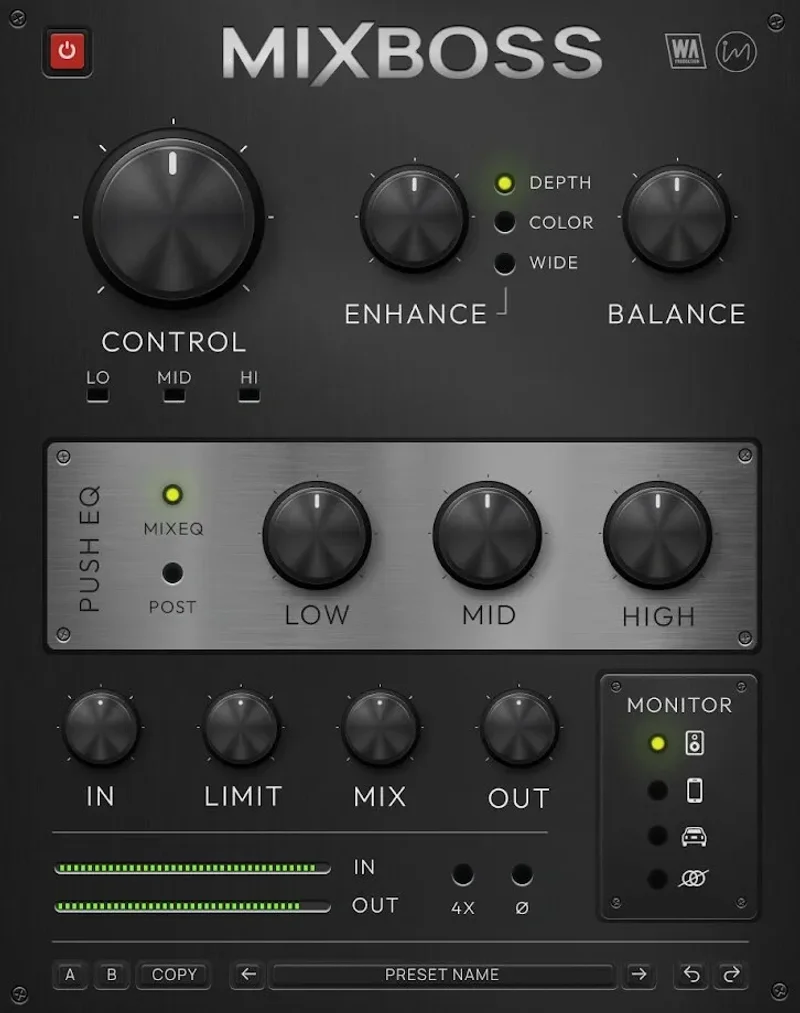
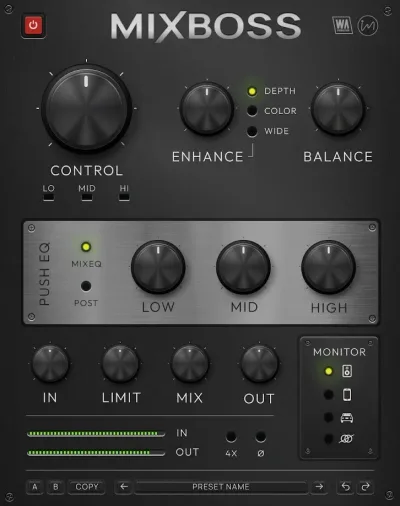
MixBoss handles the mixbus: multiband compression, a Push EQ, stereo width, depth, Color mode, a built-in limiter, and monitoring emulations for Grotbox, Car, Phone, and Mono. It's the Swiss Army knife of the bundle.
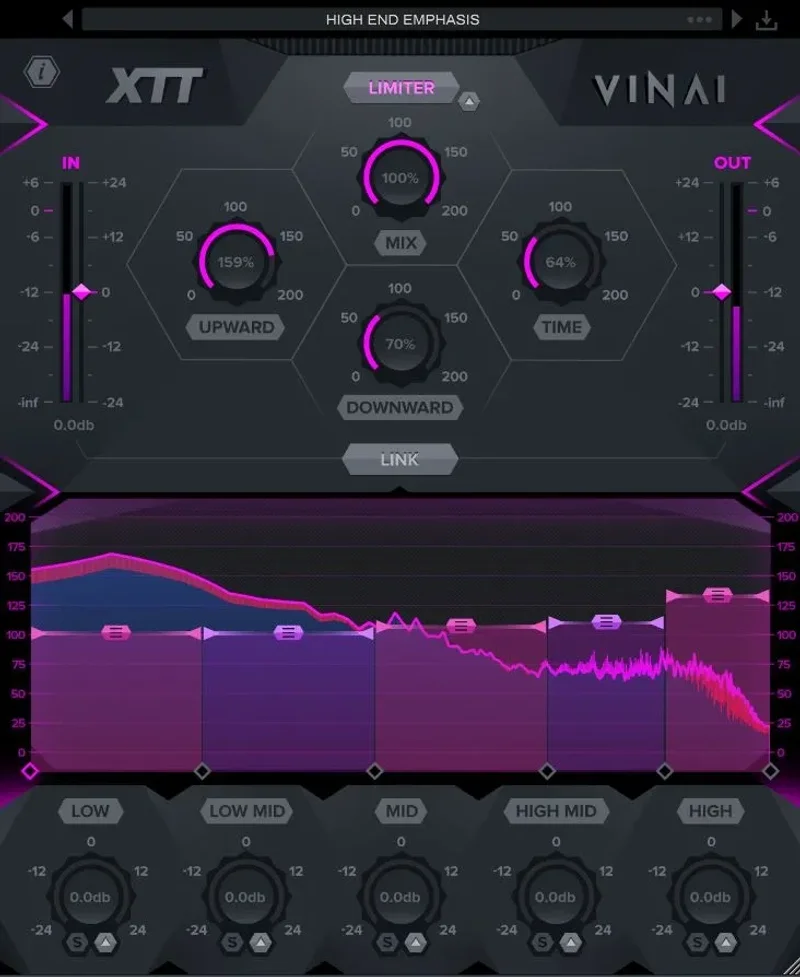
XTT By VINAI is a 5-band dynamic processor with adjustable crossovers, upward and downward compression, Mid/Side controls, and a brickwall limiter. It was built in collaboration with the Dutch DJ duo VINAI, and that heritage shows. It's wired for energy, not subtlety.
Detroubler targets six problem frequency zones using psychoacoustic principles. Think of it as an intelligent corrective filter with a Listen mode, spectrum display, and A/B comparison. It's the most underrated tool in the bundle.
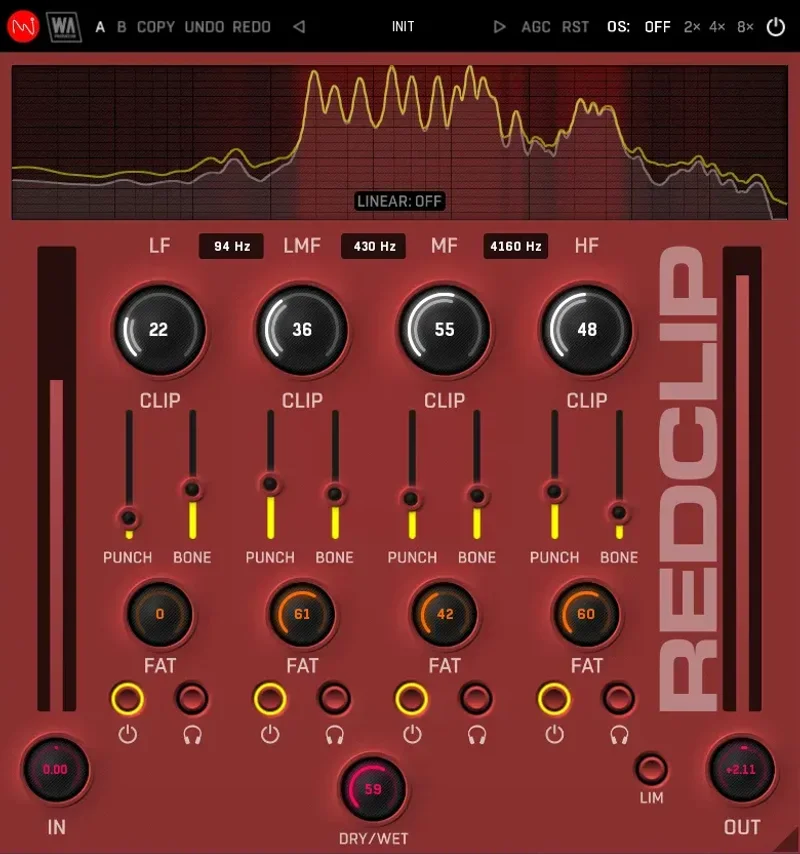
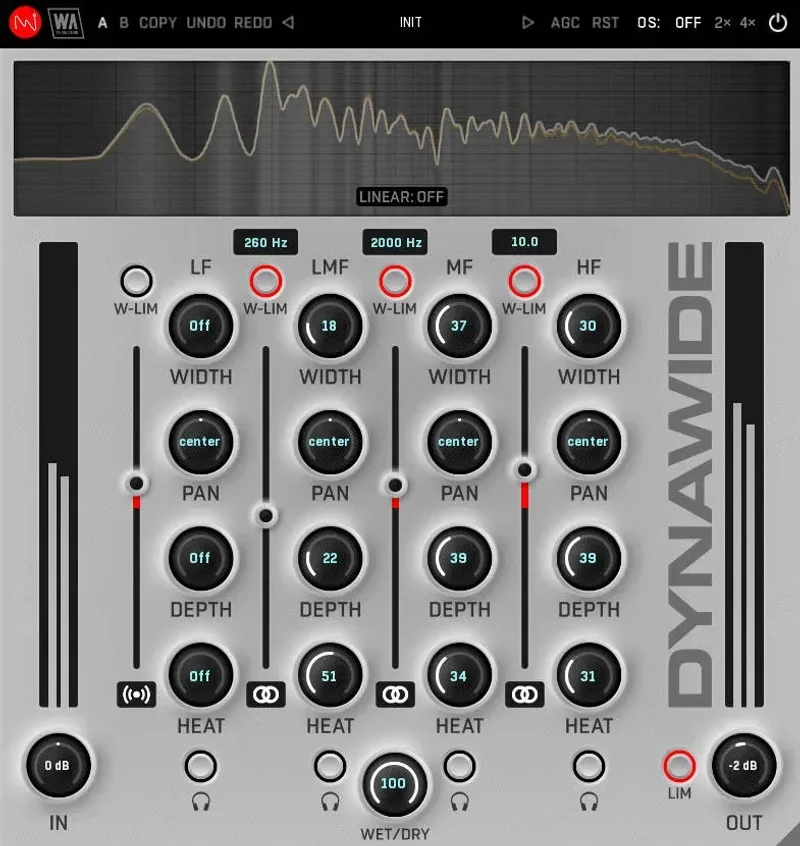
Dynawide controls stereo width, depth, and saturation on a per-band basis, with both linear-phase and analog-style crossover modes. RedClip rounds things out as a four-band multiband clipper with Fat, Punch, and Bone controls for harmonic shaping alongside the clipping itself.
The Good
MixBoss's monitoring modes are the most satisfying surprise here. We loaded a dense pop mix, switched to the Phone emulation, and immediately heard a low-mid build around 280Hz that sounded fine on full-range monitors but turned to mush on earbuds. That's a useful catch. Grotbox mode is equally revealing on crowded arrangements.
Detroubler is clever in a way that tools twice the price often aren't. We ran a vocal that had an annoying presence spike somewhere in the 3-5kHz range. Instead of reaching for a parametric EQ and spending 20 minutes sweeping, we used the Listen mode in Detroubler's Harsh Highs band and had it dialled in within two minutes. The processing feels musical rather than clinical.
RedClip's multiband approach to clipping is genuinely more flexible than something like a single-band clipper. You can push the low-mids hard for weight while keeping the high-end clip gentler to preserve air. The Bone control adds low-end harmonic density without turning your kick into a mud festival. That kind of per-band control at this price is hard to argue with.
Dynawide's dual crossover modes are a nice touch. The linear-phase option keeps things clean on the master bus. The analog-style mode introduces a small amount of phase shift that some producers will love for its warmth (read: subtle harmonic softening in the 2-8kHz range).
The Not-So-Good
XTT is frustrating to calibrate if you're not already comfortable with multiband dynamics. The upward compression can lift quiet passages in ways that feel uncontrolled if you're not watching your RMS metering carefully. Reviewers report that it's easy to add XTT, think your mix sounds bigger and louder, and then bounce and realise you've compressed the life out of your transients.
There's no LUFS targeting. No platform-specific loudness guidance. In 2026, where Spotify targets -14 LUFS integrated, Apple Music targets -16, and YouTube sits at -14, not having even a basic integrated loudness meter in the chain is a genuine gap. You'll need a separate metering plugin to hit streaming standards with confidence.
The bundle also has no reference matching feature. Ozone 12's Master Assistant analyses a reference track and suggests EQ moves. These tools don't. For producers who work by ear, that's fine. For anyone trying to match a commercial reference at a tonal level, you're doing it manually.
MixBoss handles a lot of jobs. That's both its strength and its weakness. With multiband compression, EQ, width, depth, and limiting all in one panel, gain staging between stages can get messy if you're not careful. We'd strongly recommend understanding gain staging before reaching for an all-in-one like this.
Compared to the Alternatives
Brainworx bx_masterdesk is the obvious comparison for a single-panel mastering solution. It's more expensive, sounds more transparent, and is built for a more professional mastering context. It doesn't have five separate processors with individual depth. It has one excellent workflow. Different tool for a different user.
FabFilter Pro-Q 3 alone costs multiples of this entire bundle. But it's a linear-phase surgical EQ that belongs in any serious mastering chain. These two tools aren't actually competing. If you need that level of EQ precision, nothing in this bundle replaces it.
Weiss De-Ess is widely regarded as the benchmark for de-essing on the master bus. Detroubler covers harsh frequencies but it's a broader corrective tool, not a precision de-esser. Users keep running into situations where Detroubler is too blunt for subtle sibilance control on the master. If de-essing is your primary concern, Weiss is a different category of tool.
The more honest comparison is Ozone 12 Elements versus this bundle. Ozone brings AI-assisted Master Assistant and reference matching. This bundle brings five more targeted, individually flexible processors. We'd take this bundle if we already know how to master. We'd take Ozone Elements if we're still learning the fundamentals.
Who Should Buy This
- ✅ Buy if you're a self-producing artist who wants a complete mastering chain without patching together a dozen individual plugins
- ✅ Buy if you want monitoring emulations (Grotbox, Car, Phone) but can't afford to build a full reference speaker setup
- ✅ Buy if you produce energetic music (EDM, pop, hip-hop) where RedClip's and XTT's aggressive character is a feature, not a bug
- ❌ Skip if you need platform-specific LUFS compliance built into your mastering workflow
- ❌ Skip if you're mastering acoustic, classical, or jazz where transparent linear-phase processing is non-negotiable throughout the chain
- ❌ Skip if you want AI-assisted reference matching or automated mastering suggestions
Specs & Technical Details
| Developer | W. A. Production |
| Price | See current price at retailer |
| Plugin Format | VST3 / AU / AAX |
| OS Support | Mac / Windows |
| Activation | N/A |
| CPU Usage | Medium (five plugins running simultaneously; MixBoss and XTT are the heaviest) |
| Trial Available | N/A |
| Version Reviewed | N/A |
Score Breakdown
| Category | Score | Notes |
|---|---|---|
| Sound Quality | 3.5/5 | Competent across the chain; XTT can over-process if you're not careful |
| Value for Money | 4.5/5 | Five dedicated mastering processors at this price is hard to beat |
| Ease of Use | 3.5/5 | Individual plugins are accessible; chaining all five without gain staging issues takes experience |
| Features | 3.0/5 | Missing LUFS metering, reference matching, and AI assistance that competitors offer |
| CPU Efficiency | 3.5/5 | Medium load overall; manageable on modern hardware running all five simultaneously |
| Overall | 3.5/5 | A genuinely useful bundle for self-producing artists; not a replacement for precision mastering tools |
Alternatives to Consider
iZotope Ozone 12 Elements is the go-to if you want AI-driven Master Assistant and reference matching built in. It won't give you five separate processors with the flexibility of this bundle, but it will tell you when your master is hitting streaming loudness targets.
Native Instruments Komplete 26 Ultimate is a different category of bundle, but if you're thinking about whether a large collection makes more sense than a focused mastering toolkit, we covered whether Komplete is still worth it in 2026.
McDSP 6050 Ultimate Channel Strip HD is worth a look if you're coming from an SSL or API hardware mindset and want channel-strip character on your bus processing. We reviewed the 6050 and it still holds up.
The best version of this toolkit is what you get when you know what each plugin actually does before you load them all at once. Drop MixBoss first. Set your gain structure. Add XTT only when you need dynamic control across bands, not as a default. Use Detroubler before you widen with Dynawide. Clip last with RedClip. Follow that order and this bundle produces results that feel professional. Ignore the chain logic and you'll wonder why your master sounds squashed and thin.
If you're a bedroom producer who's been sending tracks out sounding unfinished, this bundle solves that problem at a price that doesn't require a business case. If you're running a professional mastering session for a client who expects LUFS-compliant deliverables with reference matching, you'll need more than this. Worth it for the right producer. Hard pass for anyone who's already outgrown it.
Related reviews: EFEKTOR Pitch Bundle Review 2026 · MicroFX Collection Review
Frequently Asked Questions
What plugins are included in Ultimate Mastering Tools?
The bundle includes five plugins: MixBoss (mixbus shaping and monitoring), XTT By VINAI (5-band multiband compression), Detroubler (corrective frequency processing), Dynawide (stereo width and depth control), and RedClip (multiband clipping). Each plugin covers a specific stage of the mastering chain, from tonal shaping to final loudness.
Is Ultimate Mastering Tools good for beginners?
It's accessible but not effortless. MixBoss and Detroubler are beginner-friendly, with visual feedback and preset-based starting points. XTT By VINAI requires some multiband dynamics knowledge to avoid over-compression. We'd recommend learning your gain staging basics before chaining all five together.
Does Ultimate Mastering Tools include LUFS metering for streaming platforms?
No. The bundle doesn't include a dedicated integrated loudness meter or platform-specific LUFS targeting. You'll need a separate metering plugin, such as Youlean Loudness Meter or similar, to hit Spotify's -14 LUFS, Apple Music's -16 LUFS, or YouTube's -14 LUFS targets with confidence.
How does Detroubler differ from a standard parametric EQ?
Detroubler uses psychoacoustic principles across six targeted frequency zones rather than surgical frequency selection. It's designed for corrective processing that responds to how audio causes listening fatigue, not just where a frequency peak appears on an analyser. It's faster for broad corrective work, but a precision parametric EQ like FabFilter Pro-Q 3 gives more surgical control for fine mastering adjustments.