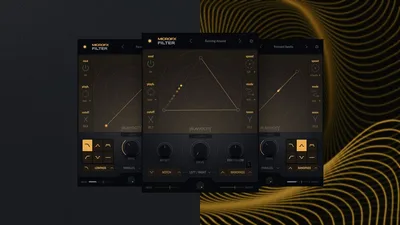
The MicroFX Collection from Heavyocity is a focused, CPU-light effects bundle worth picking up at the introductory price, but it's not for everyone and it has a learning curve that nobody's talking about.
We spent several weeks running the MicroFX Collection through everything: drum buses, vocal chains, synth layers, and sound design sessions starting from silence. Heavyocity built this as the antithesis of bloated effects suites, and they mostly succeeded. Three plugins, a shared interaction model, and enough routing depth to stay interesting past the first month.
The full collection is $139 at launch, with individual plugins sold separately at a higher per-plugin cost. That's a reasonable ask if the workflow clicks for you. If it doesn't, you'll have paid for three plugins you'll open twice.
This review is for producers who want creative, modulation-forward effects tools. It's not the right call for engineers looking for surgical, static processing.
What You're Actually Getting
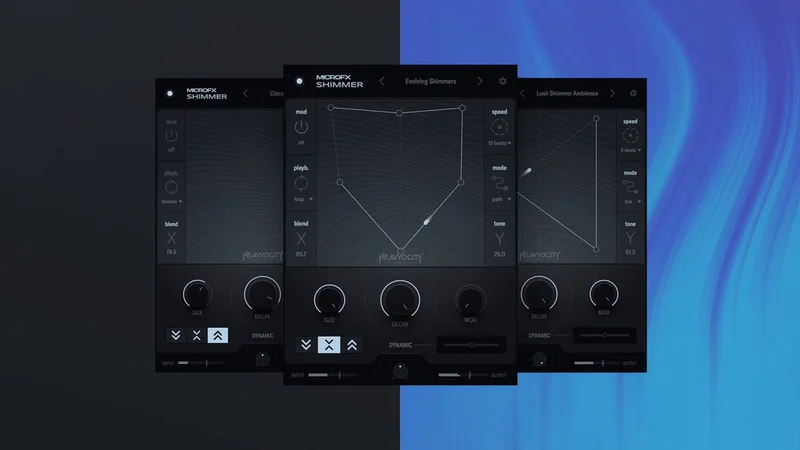
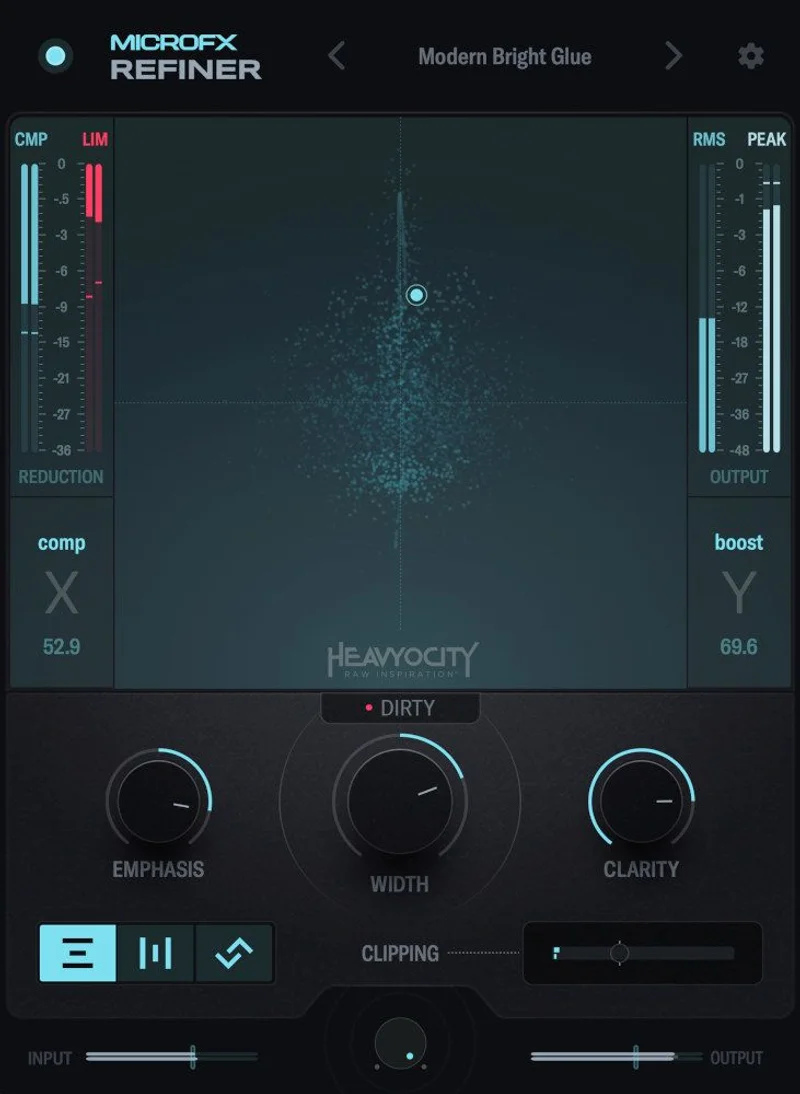
Three plugins ship in the MicroFX Collection: Obscene (distortion/saturation), Filter (dual multimode filter), and Shimmer (pitch-shifted reverb texture generator). Heavyocity added MicroFX Refiner, a compression and polishing tool, as a fourth at The current price is shown in the buy box on this page.
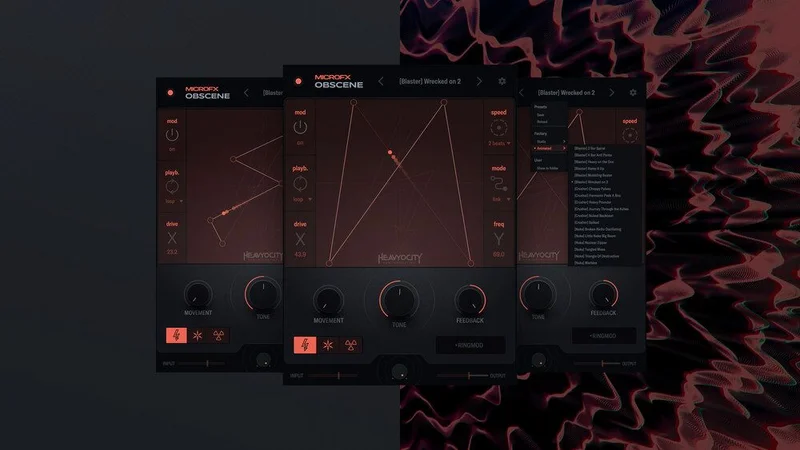
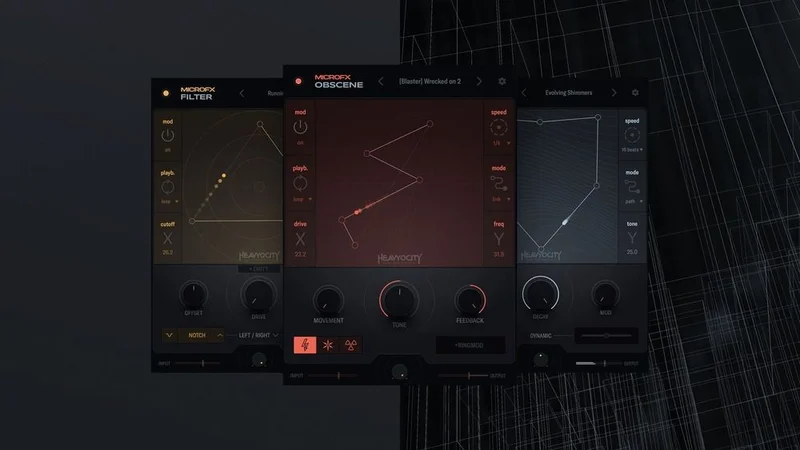
Every plugin runs on the same X/Y pad engine. You map parameters to the X and Y axes, then animate the pad position over time. It's a performance-first design. All three ship as VST, VST3, AU, and AAX on both macOS (native Apple Silicon and Intel) and Windows.
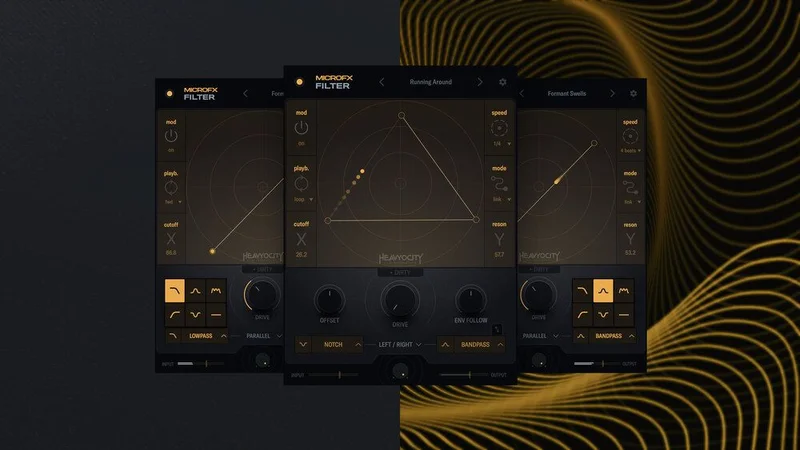
Obscene gives you three distortion modes: Blaster (high-gain pedal character), Crusher (heavy drive with bit-crush), and Nuke (broken fuzz). Filter runs two multimode filters with lowpass, highpass, bandpass, notch, and comb options, with morphing and routing combinations that add up to 144 distinct filtering configurations.
The Good
We loaded all three plugins simultaneously on a dense session: Obscene on a drum bus, Filter on a synth pad send, Shimmer on a vocal texture layer. CPU draw was negligible. We're talking single-digit percentages on an M2 MacBook Pro. For comparison, a single FabFilter Pro-Q 3 instance at high oversampling costs more CPU than all three MicroFX plugins combined in standard mode. That's not a small win.
Obscene is the star. We ran a processed snare hit through Nuke mode with the X-axis mapped to drive amount and Y-axis mapped to a low-cut filter. Moving the pad down and to the right turned a clean crack into grinding, broken fuzz while keeping the low-end mud in check. The automation felt musical. That's a harder thing to achieve than most distortion plugins admit.
The 144 filter combinations in MicroFX Filter aren't marketing padding. Routing the two filters in series with mismatched modes (bandpass into comb, for example) produces textures that a single-filter plugin simply can't touch. We found three combinations we'd never heard before. That's satisfying.
The X/Y pad can be drawn as an automated curve, not just a static point. For sound design and cinematic work, this is clever. You sketch a movement, it plays back on loop. No MIDI required.
The Not-So-Good
Nobody reviewing this plugin is talking honestly about the X/Y pad learning curve. It's real. Producers coming from knob-based workflows will spend at least two or three sessions just understanding which parameters respond well to X/Y mapping versus which ones sound chaotic when automated. We mapped output gain to the Y-axis by accident once and spent ten minutes wondering why the mix kept lurching.
There's no built-in preset browser. You can save patches, but recalling them mid-session is slower than it should be. In a commercial session with a client watching, this is annoying.
Shimmer is undercooked. It does pitch-shifted reverb textures, but the tail control is limited compared to what you'd get from dedicated shimmer tools. We kept wishing for more feedback control and a separate pre-delay parameter that isn't buried in the X/Y mapping. It feels like the third plugin shipped before the other two were done, and it's showing.
Pricing has also crept up. The current price for the collection is higher than the introductory rate. At $139, the value proposition gets harder to defend.
Compared to the Alternatives
Soundtoys 5 is the most obvious comparison. It ships with more plugins (21 versus four in MicroFX), deeper presets, and two decades of workflow trust. It costs more, runs heavier on CPU, and has a steeper total price. But for session engineers who need reliable, proven tools fast, Soundtoys wins on depth. Soundtoys 5 review
FabFilter's individual effect plugins (Saturn 2 for distortion, Volcano 3 for filtering) are more surgical and more exp
ensive per plugin. FabFilter gives you more precise control. MicroFX gives you faster expressive motion. Different jobs.
iZotope's Trash 2 sits closer to Obscene in distortion character but without the X/Y interaction model. Trash 2 wins on sheer variety of distortion types. Obscene wins on performance playability.
For the X/Y modulation concept specifically, Sugarbytes' Turnado is the real competitor. Turnado is more extreme, more chaotic, and built for live performance first. MicroFX is calmer and more mix-friendly.
Who Should Buy This
- ✅ Buy if you do cinematic sound design and want modulation-forward tools that stay light on CPU.
- ✅ Buy if you produce electronic music and want filter textures beyond standard ladder or Sallen-Key topologies.
- ✅ Buy if you already own Heavyocity's Keys and Synth Bundle and want effects that match that aesthetic.
- ❌ Skip if you work primarily in mixing and need static, set-and-forget processing.
- ❌ Skip if you want a plug-and-play preset library with deep recall options.
- ❌ Skip if Shimmer is the main reason you're interested. It's not there yet.
Score Breakdown
| Category | Score | Notes |
|---|---|---|
| Sound Quality | 4.0/5 | Obscene and Filter sound excellent; Shimmer is a weak link |
| Value for Money | 3.5/5 | Strong value at the introductory price, harder to justify at the full price |
| Ease of Use | 3.0/5 | X/Y paradigm takes real time to master; no preset browser hurts |
| Features | 3.5/5 | 144 filter combinations and animated X/Y pads are legitimate depth |
| CPU Efficiency | 4.5/5 | Runs lighter than almost anything in its class |
| Overall | 3.8/5 | A clever, focused bundle let down by one weak plugin and a missing preset browser |
Alternatives to Consider
Soundtoys 5: If you want a fuller effects arsenal with proven mix-ready tools, Soundtoys is the safer long-term investment. The CPU cost is higher but the plugin count and depth justify it for busy session work. Soundtoys 5 bundle review
FabFilter Saturn 2: For distortion specifically, Saturn 2 gives you per-band saturation and multiband routing that Obscene can't touch. It costs more per plugin but it's a surgical tool that lives in mixes permanently. FabFilter Saturn 2 review
Sugarbytes Turnado: If the X/Y modulation concept is what's pulling you toward MicroFX, look at Turnado before you buy. It's wilder, deeper in the performance-effects lane, and better suited to live electronic sets. best creative effects plugins for producers
We'd buy MicroFX Collection at the $139 introductory price without much hesitation, specifically for the combination of Obscene and Filter. Those two earn the cost of entry. Shimmer is a bonus we'd treat as unfinished. At $139, you're paying for potential that hasn't fully arrived yet, and that changes the calculation depending on your budget.
If the X/Y pad workflow clicks for you in the first session, you'll love this. If it doesn't click in two sessions, cut your losses. This is not a plugin that hides its charms.
Frequently Asked Questions
Is the MicroFX Collection worth it at full price?
At the introductory price, yes, with the caveat that Shimmer is the weakest of the three plugins. At full price or above, it depends entirely on whether Obscene and Filter fit your workflow. We'd suggest buying Obscene individually first to test the X/Y paradigm before committing to the full bundle.
How does the X/Y pad modulation work in practice?
You assign any combination of plugin parameters to the X and Y axes of a two-dimensional pad. You then either move the pad manually as a performance controller or draw an animated path that loops automatically. It takes two or three sessions to map parameters in ways that sound musical rather than random.
Does MicroFX Collection work on Apple Silicon natively?
Yes. All three plugins run natively on Apple Silicon without Rosetta translation. We tested on an M2 MacBook Pro and CPU draw was minimal even with all three plugins running simultaneously across multiple tracks.
How does MicroFX Filter's 144 combinations actually work?
Filter runs two multimode filters, each switchable between lowpass, highpass, bandpass, notch, and comb modes. The routing between them (series, parallel, and other configurations) multiplies the options. The 144 figure reflects all possible mode and routing combinations. In practice, the most useful combinations are a fraction of that number, but the flexibility is real and audible.