The FabFilter Mixing Bundle is worth buying at $729 if you want one set of clean, surgical mix tools and you’re done renting your signal chain from six different developers.
Picture the moment. You’ve got a vocal, a kick, a snare bus and a wash of guitars, and you’re opening the fourth different EQ of the week because the stock one can’t do what you need. The vocal is spitting at 7kHz. The reverb tail is clouding the chorus. Nothing sits.
That’s the buyer. Someone tired of patching holes with whatever’s lying around.
It’s also not for everyone. If you want a mix to arrive pre-coloured, keep reading, because we’ll tell you where this bundle stops.
What It Is (and What It's Not)
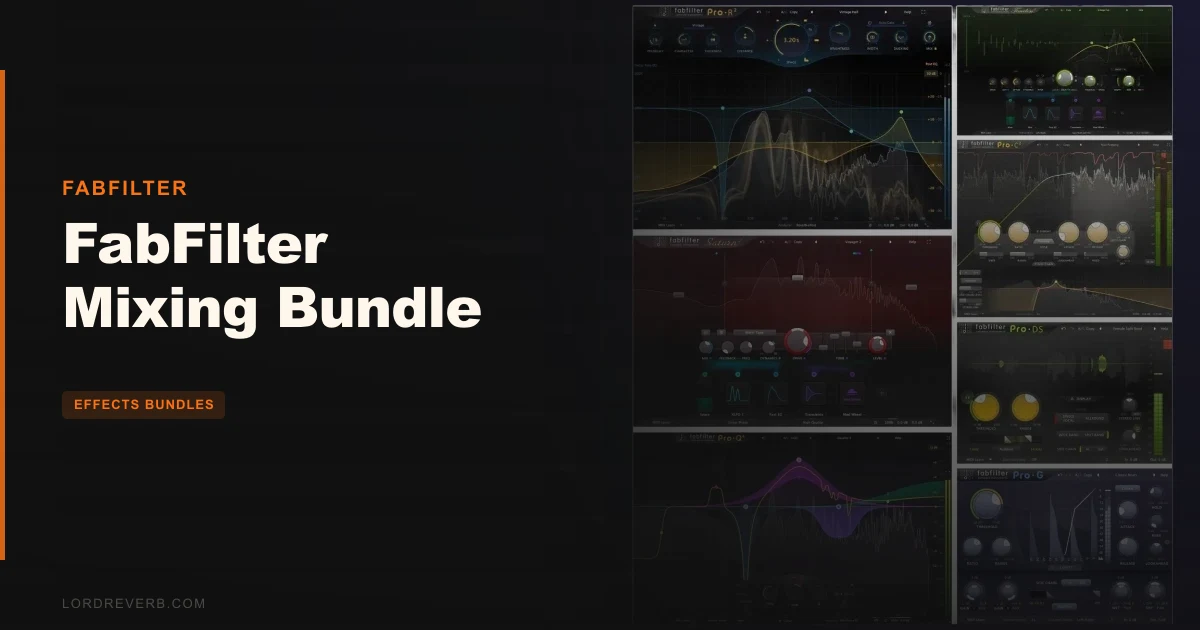
The bundle is seven plugins: Pro-Q 4, Pro-C 3, Pro-R 2, Pro-DS, Pro-G, Saturn 2 and Timeless 3. That’s EQ, compression, reverb, de-essing, gating, saturation and delay in one purchase.
The design philosophy is transparent. Owners report little analog color or warmth beyond what Saturn 2 supplies.
So this is a precision kit, not a character box. If you want the plugin to hand you the sound, look elsewhere. If you want to sculpt the sound yourself, keep going.
Where It Fits In Your Session
Start with the vocal. Open Pro-DS on the lead, and it uses a Single Vocal detection algorithm to find sibilance rather than just pulling down a fixed band. That’s the difference between a tamed “s” and a lisping singer.
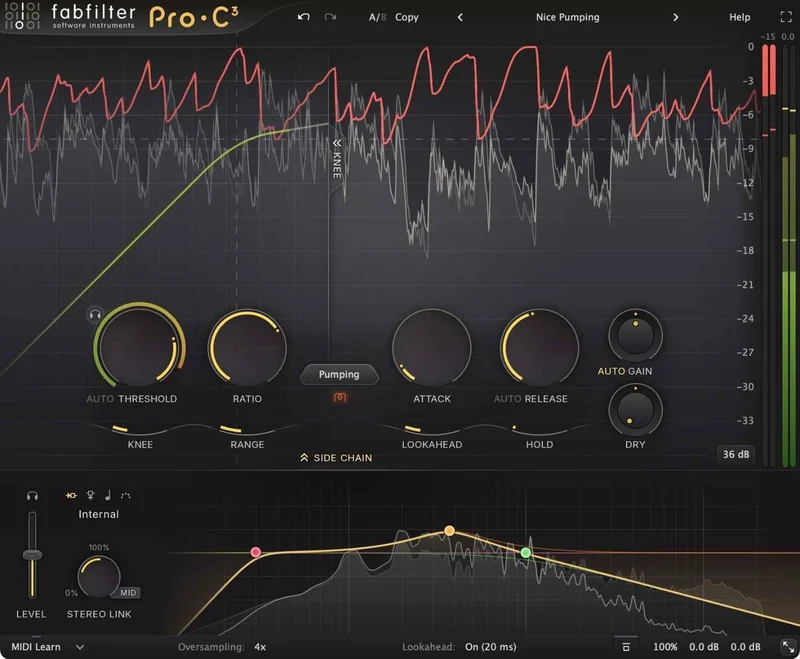
Now the bus. Drop Pro-C 3 across your drums and pick a style from the algorithm selector. Owners report that selector fundamentally changes how the compressor responds to transients, with Opto and Punch modes behaving very differently on a snare hit.
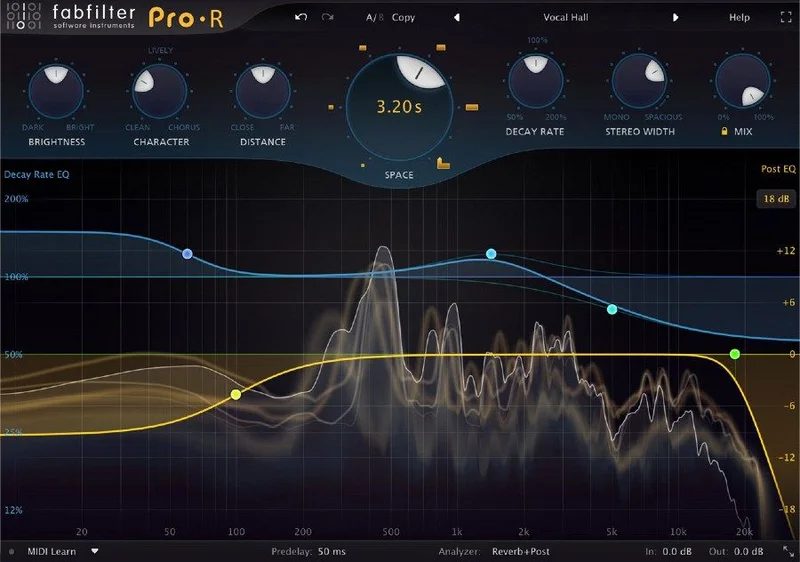
Then space. Put Pro-R 2 on a send and shape the tail before it ever touches the chorus. You’ll use Pro-Q 4 on nearly every channel, and the other six plugins fill specific jobs around it.
One honest caveat. Real-world performance in demanding sessions with large numbers of instances isn’t extensively documented. Budget your CPU before you commit to forty instances of Pro-Q 4 on a 200-track template.
Pro-Q 4: The EQ You'll Open Most
Pro-Q 4 gives you 24 EQ bands. That’s more than most mixes will ever need, which is the point.
It runs linear phase, zero latency, and Natural Phase modes. Pick based on the job. Zero latency for tracking and live monitoring, linear phase when you’re surgically fixing a stereo bus and can afford the delay.
Dynamic EQ and side-chain filtering
Each band can go dynamic, with Attack and Release settings. There’s also optional free side-chain filtering, so the band reacts to a different part of the spectrum than the one it cuts.
That’s the trick for a boomy acoustic guitar that only gets muddy when the player digs in. Cut when it hits, leave it alone when it doesn’t.
Fractional slopes and All Pass
You can set fractional slopes, like a 3.5 dB/oct LP or HP filter. That’s a ridiculous amount of control for a high-pass, and honestly, underrated. Most EQs hand you 6, 12, 18 and make you live with it.
There’s also an All Pass filter shape, handy for phase alignment between a close and a room mic.
Spectrum Grab, EQ Match and the built-in analyzer
Spectrum Grab lets you grab a peak in the analyzer and pull it straight into a band. It’s satisfying and fast.
EQ Match lets you shape a source toward a reference. Full Screen mode gives you a big canvas when you need to see the whole thing.
Owners report the spectrum analyzers overlay input and output at the same time. That live before-and-after is what stops you over-cutting by ear.
Intelligent band solo and copy/paste of bands or presets between instances round out the workflow. Moving a fix from one channel to another takes seconds.
Surround and mid/side
Per-band mid/side processing is here, and the plugin supports full surround up to Dolby Atmos 9.1.6. If you mix for immersive formats, this matters. If you don’t, it’s headroom you’ll never touch.
Pro-C 3: Fourteen Ways to Squash a Signal
Pro-C 3 is the one most people will argue about. It has 14 compressor styles across Modern, Classic and Utility categories.
Six of those are new algorithms: Versatile, Smooth, Upward, TTM, Op-El and Vari-Mu. Each one changes how the thing breathes.
Style, knee and lookahead
Variable knee runs up to a 72 dB soft knee. That’s wide enough to make compression nearly invisible on a vocal.
Lookahead goes up to 20 ms, with a global Maximum Lookahead control. Use it to catch fast peaks before they hit.
Character modes
Character modes add analog-style saturation: Tube, Diode and Bright options. This is a rare spot where the bundle adds a little color outside Saturn 2, but it’s an option you switch on, not the plugin’s default voice.
Auto Threshold and tempo triggering
Auto Threshold makes the compression behave independent of input level. Feed it a hot or quiet signal and the action stays consistent. That’s handy when automating faders after the fact.
You can also trigger compression from host tempo pulses, with customizable Sync and Offset. That’s a clever way to build rhythmic pumping without reaching for a separate ducking tool.
Side-chain EQ and oversampling
The side-chain EQ is multi-band, with filtering up to 96 dB/oct. Keep a kick’s low end from hammering a bass-heavy mix by filtering what the detector hears.
Oversampling goes up to 32x to cut aliasing on aggressive settings. Don’t leave it at 32x everywhere. That’s CPU you’ll want back.
Metering and display
An animated level display shows the action, with optional knee visualization. Peak and loudness metering is EBU R128 and ITU-R 1770 compliant, so you can check loudness without opening another meter.
Pro-C 3 also supports surround and Dolby Atmos up to 9.1.6 with customizable channel linking, and ships in VST, VST3, CLAP, Audio Units, AAX Native and AudioSuite.
Pro-R 2: Reverb You Can Actually Shape
Pro-R 2 is where the bundle gets interesting for ambient work. The developer calls it a huge technological and functional leap forward without compromising workflow and sound quality.
It has three core algorithms: physical spaces, retro digital hardware, and electromechanical plates. That’s a sensible spread. Room, 80s hall, plate.
Decay Rate EQ
Decay Rate EQ is the headline. It shapes how long each frequency range lasts, not just how loud it is. Owners report this mimics real acoustic spaces, where highs die faster than lows.
Put it on a snare and push the decay past a second. That’s where a plate either cracks or clouds. Pull the low-mid decay down and the tail stops swallowing your mix.
Post EQ, ducking and Thickness
A six-band Post EQ cleans the reverb after the fact. Ducking control keeps the tail out of the way while a vocal sings, then lets it bloom in the gaps.
Thickness controls the density of the wash. Intelligent Auto Gate chops the tail cleanly when you need that gated-drum effect.
IR import and Freeze
You can import impulse responses as WAV and AIFF files. That’s a good way to bring in a favorite real space.
The Freeze button holds the reverb buffer for endless playback. Use it for pads and transitions. It’s a brilliant trick for a long riser.
Pro-R 2 supports immersive audio up to 9.1.6 Dolby Atmos with per-band routing, and the preset browser has tags, favorites, search and filters. A big preset library with good search beats a big preset library without it.
Pro-DS and Pro-G: The Cleanup Crew
These two aren’t glamorous. They’re the ones that save a take.
Pro-DS
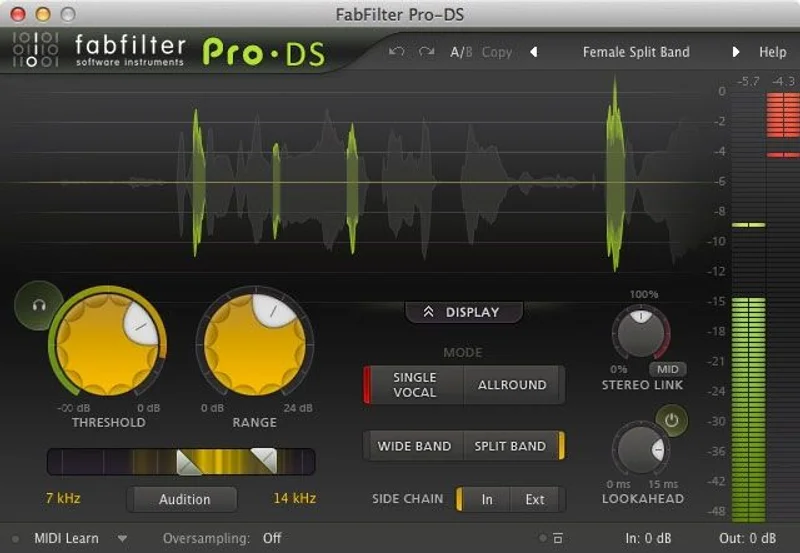
Pro-DS has a Single Vocal mode for identifying sibilance, plus an Allround mode that limits highs on any material. Use Allround on an overhead that’s hissing, not just a vocal.
A real-time de-essing display and spectrum analyzer show what’s being reduced. Look-ahead goes up to 15 ms, and linear-phase oversampling goes up to four times. It’s stereo and mono.
Pro-G
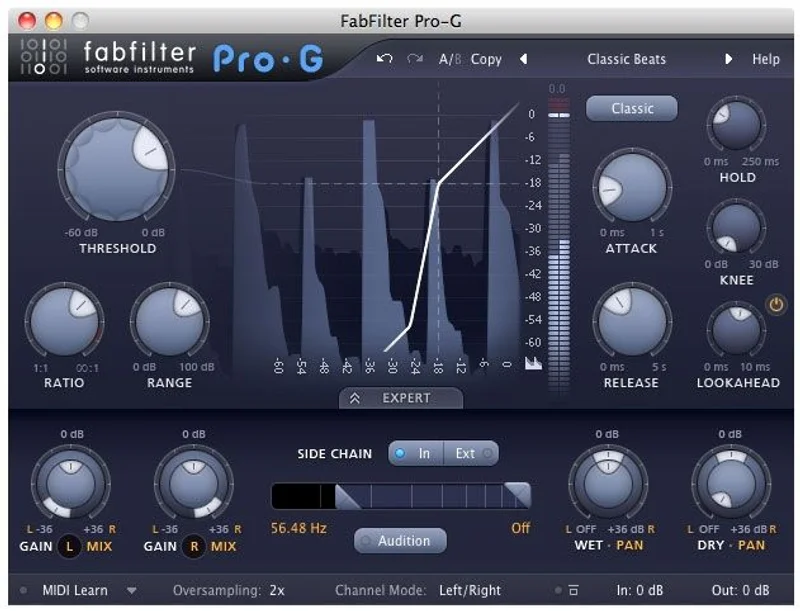
Pro-G is an expander and gate with six algorithms. Program-dependent attack and release curves make it feel less like a switch and more like a musical decision.
Look-ahead goes up to 10 ms, and linear-phase oversampling reaches four times. Use it on toms where bleed is killing the clarity. It’s stereo and mono, like Pro-DS.
Neither is flashy. Both are the kind of plugin you forget until the day you need it.
Saturn 2 and Timeless 3: The Color Department
If you worry about the transparent character, this is your answer. Saturn 2 is the one place the bundle goes for warmth and grit.
Saturn 2
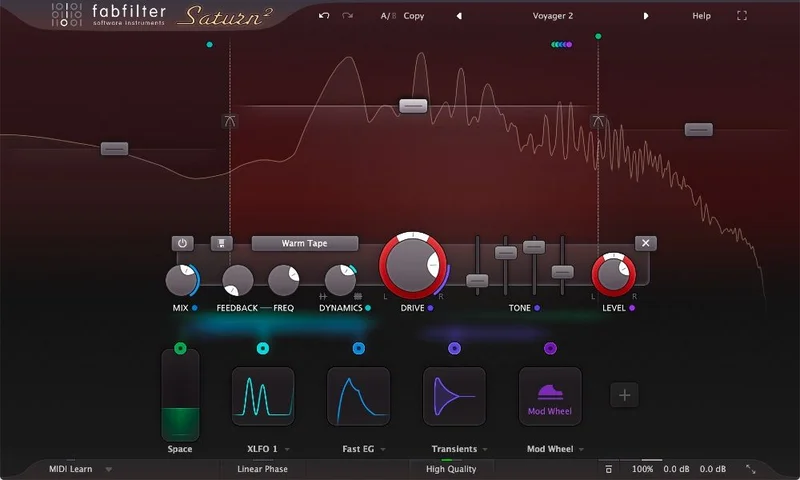
Owners report Saturn 2’s multiband architecture lets you apply different saturation types across frequency ranges. Warm the lows, leave the top end alone.
That’s the right way to add color. You aim it where the mix needs it instead of smearing it across everything.
Timeless 3
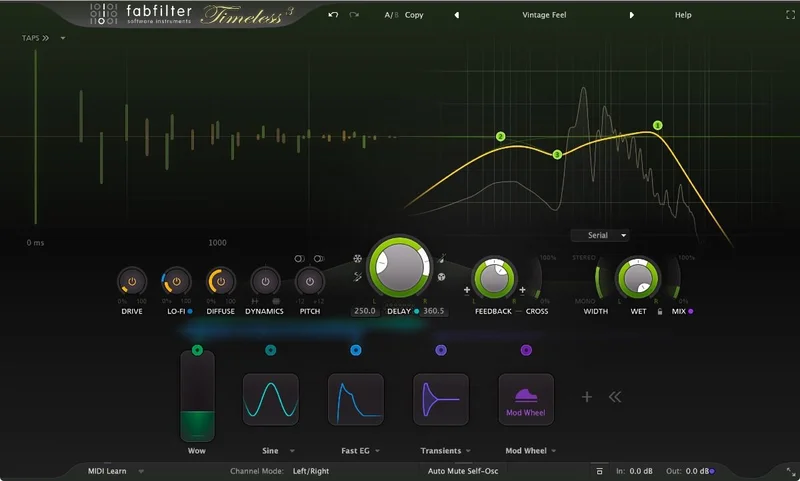
Timeless 3 is the delay. Owners report its tape speed control creates pitch and time modulation artifacts that simulate uneven tape behavior.
That wobble is the charm. Push it on a slap echo and the repeats drift like an old machine. It’s lovely on a guitar line.
The Trade-Offs
Transparency is the whole deal. It’s a strength if you want control, a weakness if you want a sound out of the box. The bundle leaves analog warmth to Saturn 2, so you’ll be reaching for that plugin more often than you might expect.
The naming is annoying. Pro-Q, Pro-C, Pro-R, Pro-DS, Pro-G. In a crowded plugin window, you’ll click the wrong one at least once. Owners report it’s tricky to distinguish at a glance.
And CPU. Potential overhead in large mixing sessions isn’t thoroughly discussed in the material available, so test it on your own template before you trust it with a 150-track project.
Against the Field
Here’s how the bundle stacks up against the alternatives that come up most.
| Option | Strongest point | Weakest point |
|---|---|---|
| FabFilter Mixing Bundle | Seven precision tools with Atmos-ready EQ, compression and reverb | Transparent sound, color mostly limited to Saturn 2 |
| Logic Pro stock plugins | Free with the DAW, all-in-one EQ and spectrum analysis | Fewer surgical options than Pro-Q 4 |
| Slate Digital FG-X | Alternative master limiter for the final stage | One job, not a full mixing kit |
| Oxford Drum Gate | Built for specific gate applications | Narrow focus, not a bundle |
Logic’s stock plugins win on price, since they’re already in the box. They also give you EQ and spectrum analysis in one place. They don’t go as deep on dynamic EQ or fractional slopes.
Slate Digital FG-X wins if you only need a master limiter. Oxford Drum Gate wins if gating drums is the specific job. Neither replaces a full kit.
The Real Verdict
Buy this if you mix a lot, want one coherent set of tools, and prefer to add color deliberately. At $729, it pays for itself over the first few projects where you stop hunting for the right plugin.
Skip it if you want instant analog flavor, or if you only need one or two of the seven plugins. In that case, buy the individual ones.
It’s a toolkit, not a vibe. Know which you want.
Specs & Technical Details
| Spec | Detail |
|---|---|
| Developer | FabFilter |
| Price | $729 |
| Plugin Format | VST3 / AU / AAX |
| OS Support | Mac / Windows |
| Activation | N/A |
| CPU Usage | N/A |
| Trial Available | N/A |
| Version Reviewed | N/A |
Score Breakdown
| Category | Score | Notes |
|---|---|---|
| Sound Quality | 4.5/5 | Transparent and precise, with color left to Saturn 2 |
| Value for Money | 4.5/5 | Seven plugins covering the core mixing chain |
| Ease of Use | 4.0/5 | Clear workflow, but similar names cause confusion |
| Features | 4.8/5 | Deep controls across EQ, dynamics, reverb and surround |
| CPU Efficiency | N/A | Large-session performance not well documented |
| Overall | 4.4/5 | A precise, feature-rich kit for engineers who add color themselves |
Alternatives to Consider
Logic Pro stock plugins
If you’re on Logic, start here. The stock EQ and spectrum analysis cost nothing extra, and you’ll learn what you actually miss before spending on a bundle.
Slate Digital FG-X
Consider this if your gap is the mastering stage. As an alternative master limiter, it covers one job well rather than the whole chain.
Oxford Drum Gate
Pick this if gating drums is your specific pain point. It’s built for those applications, and Pro-G is the broader, more general option.
Buy or Skip?
Buy it at $729 if you want a precise, surround-ready mixing chain and you’re happy to add warmth yourself. It’s the right call for engineers who value control over character.
Skip it if you want a bundle that colors your mix for you, or if you’ll only use one plugin from the seven. It’s wrong for that buyer.
The tools are sharp. What you build with them is up to you.
Frequently Asked Questions
What plugins are in the FabFilter Mixing Bundle?
Seven: Pro-Q 4, Pro-C 3, Pro-R 2, Pro-DS, Pro-G, Saturn 2 and Timeless 3. That covers EQ, compression, reverb, de-essing, gating, saturation and delay.
Does the bundle add analog warmth?
Not much. The bundle is designed with a transparent character, and warmth is mostly limited to Saturn 2. Pro-C 3's Character modes (Tube, Diode, Bright) add some coloration too.
Does Pro-Q 4 support Dolby Atmos?
Yes. Pro-Q 4 supports full surround up to Dolby Atmos 9.1.6, with per-band mid/side processing.
Which plugin formats does Pro-C 3 support?
Pro-C 3 comes in VST, VST3, CLAP, Audio Units, AAX Native and AudioSuite. It also supports surround and Dolby Atmos up to 9.1.6.
Is the FabFilter Mixing Bundle heavy on CPU?
Performance in demanding sessions with many instances isn't extensively documented. Oversampling options like Pro-C 3's 32x will cost more CPU, so use them only where needed.
Is the bundle worth it over buying plugins individually?
If you'll use most of the seven, yes. If you only need one or two, buying individually makes more sense.