The honest doubt about KSHMR Essentials is this: is it a serious mixing tool, or is it a celebrity name on a dumbed-down preset pack? It's both. Knowing that upfront saves you from expecting a channel strip and getting a guided starting point instead.
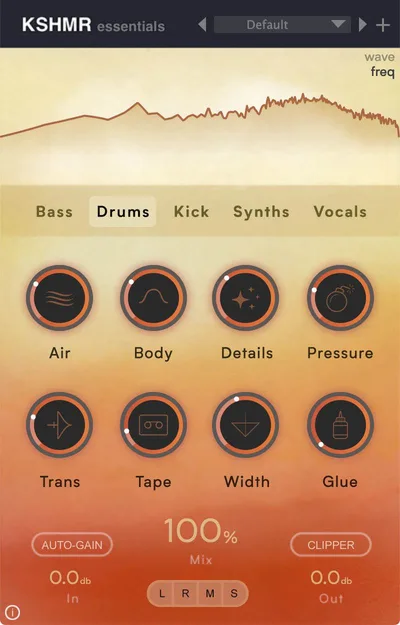
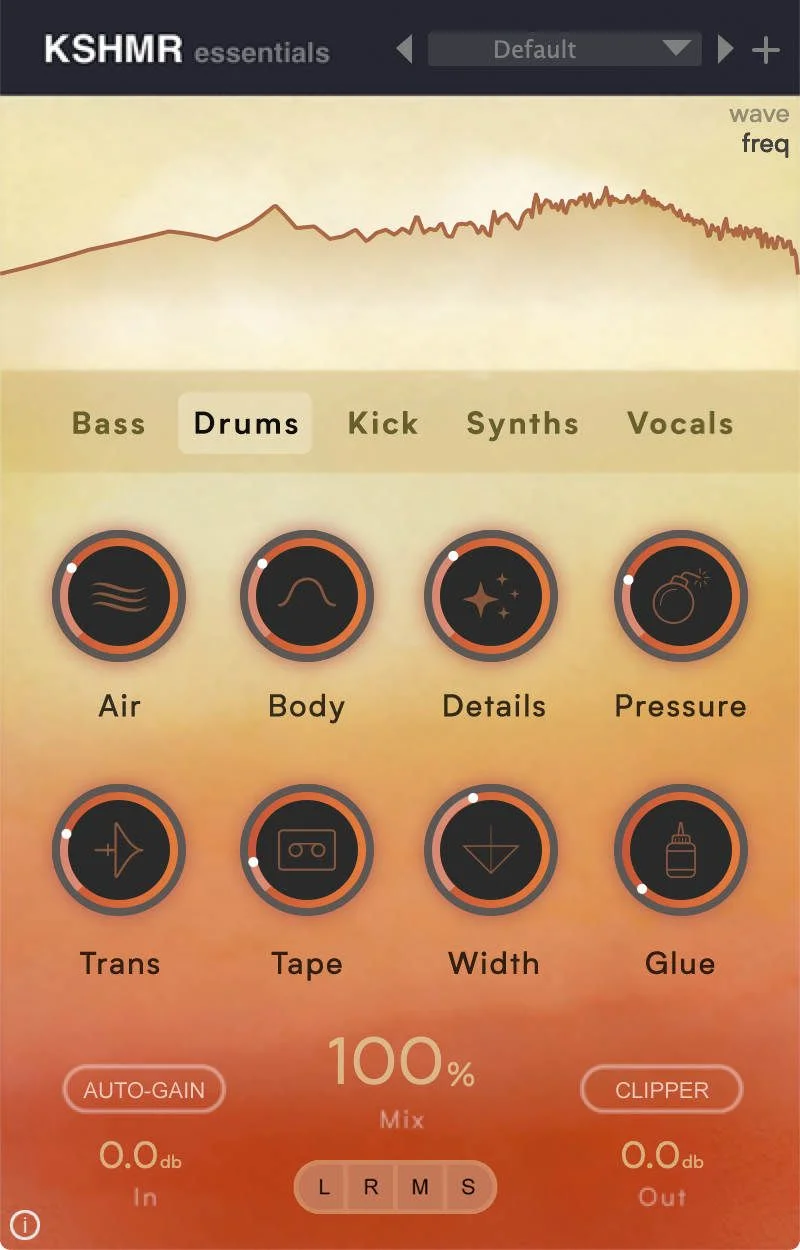
KSHMR Essentials is a multi-effect plugin from W. A. Production built around five instrument-specific signal chains: bass, drums, kick, synths, and vocals. Each chain contains 8 modules. Each module has one main knob. That's the entire design philosophy.
It's built for producers who know what KSHMR's records sound like and want to get closer to that without building the chain from scratch. If that's you, this plugin does exactly what it says. If you're an intermediate-to-advanced engineer who wants to see the processing, this will frustrate you inside of 20 minutes.
Does It Actually Deliver What KSHMR Promised?
KSHMR designed the routing himself. That's the actual selling point, not the knobs. Each of the five chains reflects how he processes those instruments in his own sessions, which means the module order isn't arbitrary.
The vocal chain runs Gate, Body, Clarity, Air, Compression, Pressure, Spread, and Glue in that order. That's a sensible signal flow: clean the noise floor first, shape the low-mids, add top-end detail, then compress and glue. It's not a random stack of effects.
Version 1.1.0, released April 17, 2024, added Apple Silicon native compatibility. Before that update, M1 and M2 Mac users were running it under Rosetta, which introduced latency inconsistencies in projects with high track counts. We'd avoid anything older than 1.1.0 on Apple hardware.
The plugin is available in VST, VST3, AU, and AAX. W. A. Production licenses 3 activations per purchase. That covers a home studio and a laptop without issues.
Where It Actually Shines
We dropped KSHMR Essentials on a trap drum bus with a snare that was sitting too far back in the mix. We nudged the Pressure module to about 65% and the Glue module to 40%. The snare didn't just get louder. It locked into the kick differently, with the transient still leading but the body filling in behind it. That took 90 seconds. Building the same result manually would have taken 15 minutes of parallel compression routing and multiband tweaking.
That speed is the real value here. For rough drafts and demo passes, KSHMR Essentials is genuinely satisfying to work with.
The kick chain is the strongest of the five. We've reviewed the free standalone version separately at KSHMR Essentials Kick Review, and the module logic holds up across genres beyond electronic music. We used it on a hip-hop record and a hybrid orchestral project without it sounding out of place.
CPU load is light. Running all five chains simultaneously across a full template didn't push past 4% on an M2 MacBook Pro. That's genuinely impressive for 40 active processing modules.
Where It Falls Short
The one-knob design is also the biggest problem. It's not annoying in theory. It's annoying in practice when you need to go deeper.
The Clarity module in the vocal chain is doing high-frequency EQ work, but you can't see what frequency it's boosting, what the Q width is, or whether it's a shelf or a bell. You're turning a knob and hoping. For a beginner, that's fine. For anyone mixing professionally, it's a deal-breaker.
We tried running the bass chain on a 808-heavy hip-hop track. The Body module added low-mid weight, but it also introduced muddiness we couldn't remove without bypassing the module entirely. There's no way to adjust the center frequency. You either use it as KSHMR tuned it, or you don't use it at all.
There's also no long-form stability data. The plugin launched in 2020, and the only meaningful update before 2024 was the Apple Silicon fix. That is a slow development cadence for a plugin at this price.
How It Stacks Up Against the Competition
iZotope Neutron gives you full visibility into every band of compression, every EQ node, and every transient shaper. It uses AI-assisted detection to suggest starting points, then lets you override everything. KSHMR Essentials gives you none of that visibility. Neutron costs more (check the manufacturer's site for current pricing), but it is a better long-term investment for anyone who plans to grow past the one-knob stage.
FabFilter's Pro-Q 3 paired with Pro-C 2 costs a similar amount to KSHMR Essentials but teaches you signal chain logic through use rather than hiding it. You build the chain yourself, you see every decision, and you learn something in the process.
KSHMR Essentials wins in one area: setup s peed. If you need a drum bus processing chain in under two minutes without thinking, nothing we've tested matches it at this price point. That's a real advantage for sketch sessions and quick client revisions.
For deeper reading on multi-effect plugins for producers, we've broken down how these tools compare across price tiers.
Is the Price Actually Fair?
At $39.90 from some retailers, it is a fair buy for beginners and producers who work fast and finish fast. At the list price, it is overpriced for what you are getting. The Splice rent-to-own option spread across monthly payments is one way to access it without paying everything upfront. You can cancel after a few months if it doesn't stick.
We would buy it at the discounted street price without hesitation. At the list price, we would buy iZotope Neutron instead.
Score Breakdown
| Category | Score | Notes |
|---|---|---|
| Sound Quality | 3.5/5 | Kick and drum chains sound clean and purposeful; bass and synth chains are too blunt for detailed work |
| Value for Money | 3.0/5 | Fair at the street price, questionable at the list price given the feature ceiling |
| Ease of Use | 4.5/5 | One knob per module is genuinely fast; setup is nearly zero-friction |
| Features | 3.0/5 | 40 modules across 5 chains sounds like a lot until you realize you can only turn one knob per module |
| CPU Efficiency | 4.5/5 | Under 4% with all 5 chains running simultaneously; no complaints here |
| Overall | 3.8/5 | Brilliant for speed and sketching; too shallow for professional finishing work |
Alternatives to Consider
iZotope Neutron is the upgrade path. You get intelligent signal analysis, full parameter visibility, and a channel strip that grows with your skills. Check iZotope Neutron review for our full breakdown on whether the AI-assist features are worth the price difference.
SSL Native Channel Strip 2 gives you the classic console workflow in a single plugin: EQ, compression, gate, and transient control with full manual control over every parameter. It's what KSHMR Essentials would be if it trusted the user more.
Waves CLA MixHub takes a different approach. It's built around channel grouping and bus logic rather than instrument-specific chains. Worth looking at if you're working on full mix sessions rather than individual sound design. See our best channel strip plugins for mixing guide for a side-by-side of all three.
If you're specifically buying KSHMR Essentials for the kick processing, start with the free version. We've tested it extensively. Our verdict is at KSHMR Essentials Kick Review.
KSHMR Essentials is a clever tool wearing a limiting disguise. The signal chain logic is real, the CPU efficiency is impressive, and the kick and drum modules deliver. But a plugin at this list price that will not show you what it is doing is not a professional mixing tool. It's a tutorial with a mute button. Buy it on sale, run it on your demo sessions, then graduate out of it once you need to hear the numbers. If you're already comfortable in your signal chain, skip it entirely.
Frequently Asked Questions
Is there a free version of KSHMR Essentials?
Yes. W. A. Production offers a free kick-only version of KSHMR Essentials in VST, VST3, AU, and AAX formats for both Windows and Mac. It's a legitimate way to test the plugin's workflow before committing to the full purchase. We'd download it before buying anything.
Does KSHMR Essentials work on Apple Silicon Macs?
Version 1.1.0, released April 17, 2024, added native Apple Silicon support. Versions before that ran under Rosetta 2, which caused latency inconsistencies in large sessions. If you're on an M1, M2, or M3 Mac, make sure you're running 1.1.0 or later.
Can you use KSHMR Essentials professionally, or is it just for beginners?
You can use it professionally for speed-draft sessions and as a starting-point bus processor. We wouldn't use it as a finishing tool. The one-knob design means you can't adjust the underlying EQ frequencies, compression ratios, or gate thresholds. For final mix work, you'll want something with full parameter access.
What's the best way to buy KSHMR Essentials in 2026?
Watch for discounted pricing at third-party retailers, where we have seen it drop well below the list price. The Splice rent-to-own option is worth considering if you are not sure it will stick in your workflow. The list price is harder to justify when discounts appear regularly.