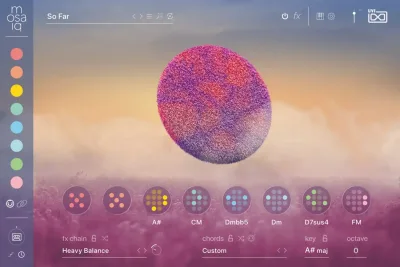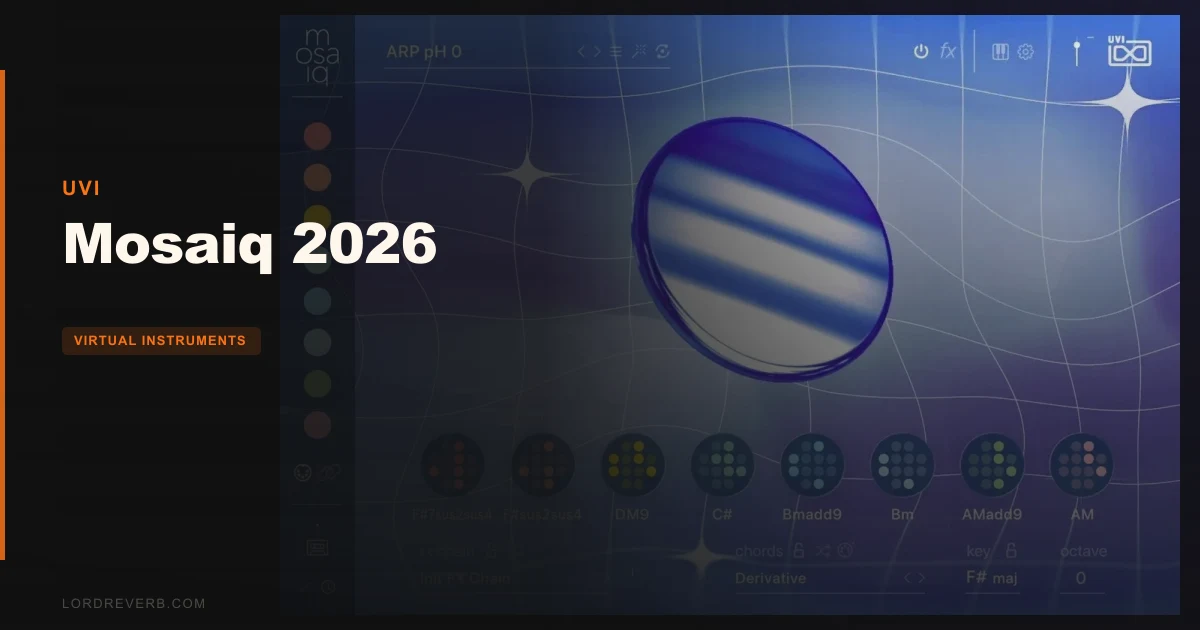
UVI Mosaiq 2026 is a preset-forward virtual instrument and production toolbox built on UVI's Falcon architecture, currently priced at $199, and aimed squarely at producers who want to move fast without thinking slowly.
Here's how we found it. It was 11pm, a half-finished beat loop sitting at 90 BPM, going nowhere. We'd tried three different synths and nothing was locking in. We opened Mosaiq 26, clicked into the Atmospheric Textures collection, hit the Mutate button twice, and landed on a moving pad that fit the track like it had been written for it. That pad ended up being the center of the record.
That's the pitch. And to its credit, it mostly delivers on that pitch. But there are things you need to know before you spend $199 on it. Let's walk through exactly what happened when we dug past that first good moment.
First Impressions: What Installing and Opening It Actually Feels Like
Mosaiq 26 installs cleanly and launches without fuss inside your DAW. UVI uses its own UVI Workstation or Falcon as the host engine, so if you're already in the UVI ecosystem, you're home. If you're not, expect a quick download of the player first.
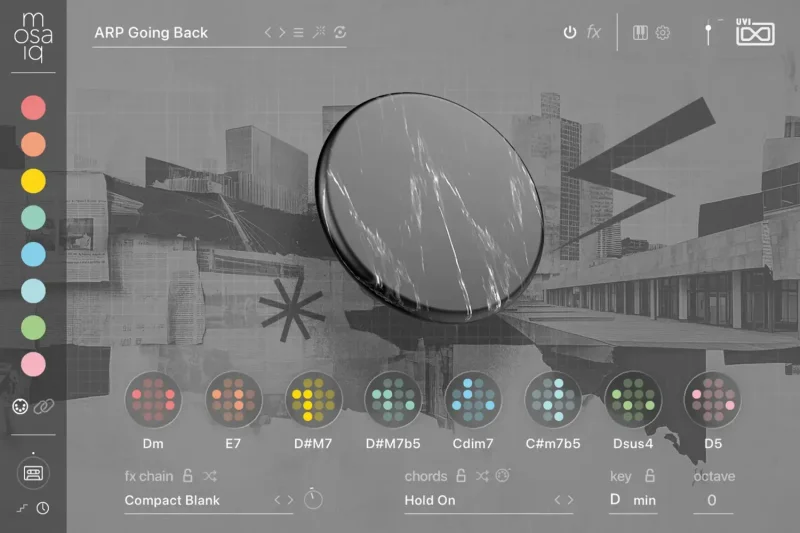
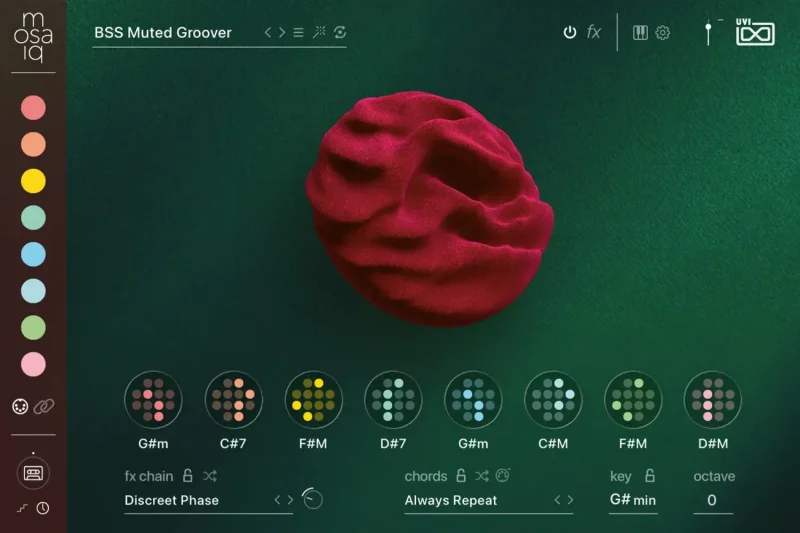
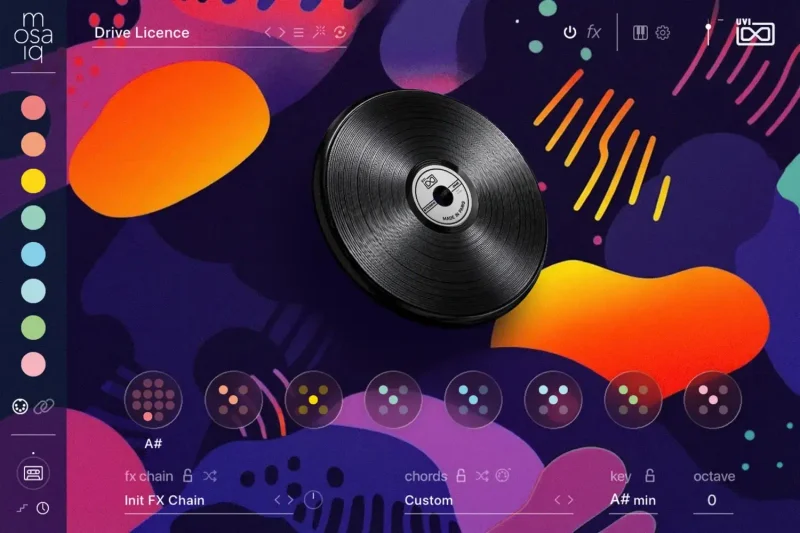
The interface hits you with color immediately. Collections are visually coded by genre, and the preset browser organizes more than 2,000 presets into 12 modern genre-based collections. It's genuinely satisfying to scroll through.
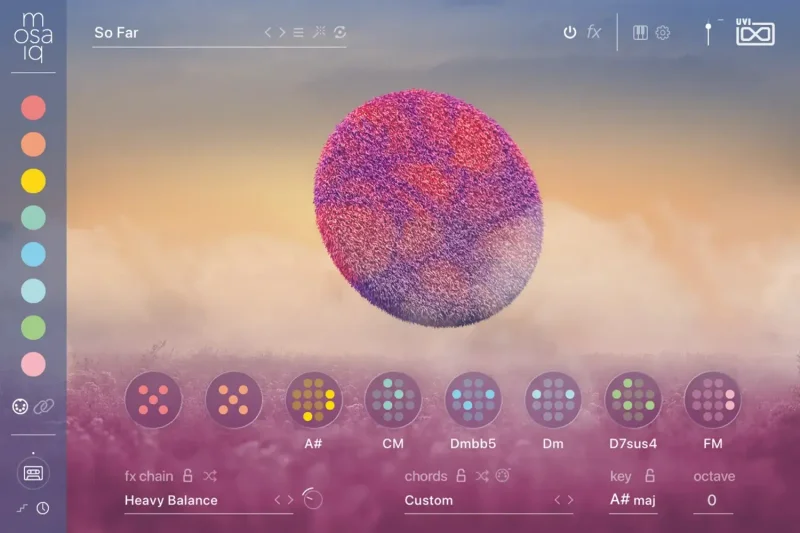
Nothing feels cluttered on first load. The eight keytrack display sits centrally, the five effect slots are visible and accessible, and the chord progression strip sits right at the bottom where your fingers expect it. First impressions are good. Clean, intentional layout.
We'd have loved a tutorial overlay on first launch. There isn't one. You're dropped in and expected to explore. For experienced producers that's fine. For newer users, it might feel like a lot of surface with no map.
Getting It Into a Real Workflow
The fastest path into Mosaiq is through the preset browser. With 2,000+ presets tagged by genre and mood, you'll find something usable in under a minute. That's not a guess. We timed it.
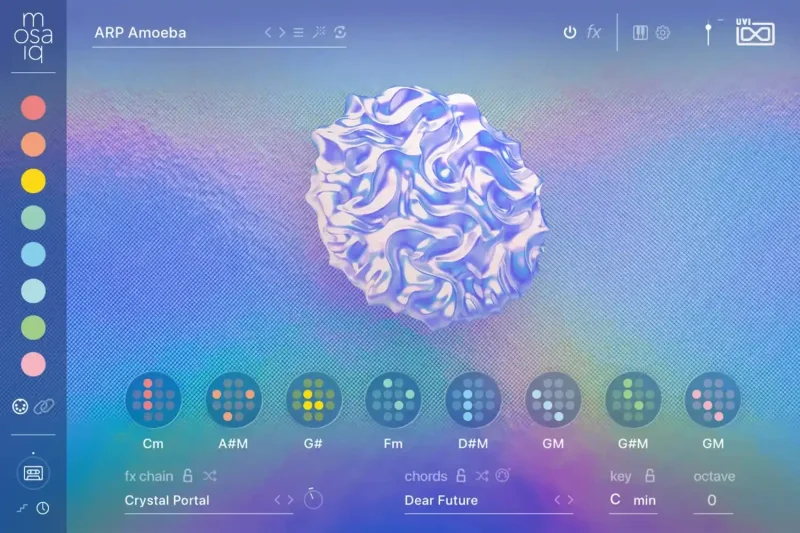
One-note chord mode is where things get fun fast. Hit a single key and Mosaiq triggers a full chord voicing from its 240+ progression library. For producers who don't play keys fluently, this alone justifies a serious look at the plugin. You can perform convincingly without needing theory.
Switching to Keyboard Mode opens full-range playback across the eight keytracks, giving you precise control if you want to build something from scratch. The transition between modes is smooth. No glitching, no reload.
The MIDI sequencer is where friction shows up. It's powerful, and that power takes time to dial in. We spent about 40 minutes on our first session just learning how pattern length interacts with keytrack triggering. Not annoying in a dealbreaker way. More like a puzzle that rewards patience.
One thing we wish UVI had made clearer: importing your own samples into the eight-keytrack engine is possible, but the workflow for doing it is buried. The feature exists and works once you find it. Getting there is not intuitive.
In a standard session, Mosaiq sits comfortably as a sound source on its own channel. It plays well as a send target too, routing its internal FX out to your bus chain without fighting your existing signal chain.
What Mosaiq 2026 Is Genuinely Good At
The eight-keytrack engine is the architectural heart here, and it's brilliant. Each keytrack holds its own sample or sound source, with independent pitch, level, and envelope settings. You're building layered instruments in real time, not just selecting presets.
Five interactive effects per patch. These aren't decorative. They respond to MIDI input, velocity, and modulation, so the sound changes as you play. We routed a filter sweep to aftertouch on a pad preset and the movement was immediate and musical. No extra routing required.
The 100 modular FX chains are the underrated part of this package. You can load a ready-built chain or build your own from scratch. We built a parallel compression and saturation chain on a drum preset in about six minutes. It held up in a mix against a separately designed drum bus.
Mutate deserves its own sentence. It's UVI's smart sound replacer, and it works by swapping the underlying source material while preserving the character of your current patch settings. We hit Mutate twelve times in a row on a pluck preset and got twelve distinct, usable sounds. Zero repeats. That's a real creativity tool, not a gimmick.
Varispeed is equally clever. It shifts the global playback speed of internal sequences and modulations, changing the mood of a patch from urgent to glacial without touching a single parameter manually. For film score work or ambient production, this is genuinely useful.
The preset generation engine, which randomizes patch settings intelligently rather than randomly, consistently produces results that are at least interesting. About one in four randomizations gave us something we'd actually use.
The Rough Edges
No published CPU benchmarks. That's a real problem at this price point. We can tell you that Mosaiq 26 runs at medium CPU load in our testing on an Apple M2 with 32GB RAM, but UVI doesn't give you specs to plan around before buying. You're flying blind on older machines.
The modular FX layer is powerful and also overwhelming. A hundred FX chains sounds like a feature. When you're in a session and want a specific texture fast, scrolling through a hundred unlabeled chain options is frustrating. Better tagging would fix this entirely.
Sample import, as we mentioned, is possible but underdocumented. For a tool marketed as a creative sandbox, leaving that feature half-buried is a mistake. It makes Mosaiq feel less open than it actually is.
The chord progression library sits at 240+ options. Most are good. A handful feel repetitive once you've been in the plugin for a few hours. You'll notice the same rhythmic shapes appearing in different voicings. It's not a dealbreaker. It's a limitation worth knowing about.
The UI scales well on Retina screens but can feel slightly cramped on smaller 1080p monitors. Nothing breaks. Some labels get tight. We'd like a resizable interface window in a future update.
Who Mosaiq 2026 Is Really For
This is a specific tool with a specific audience. It's not for everyone, and we'd rather tell you that straight than watch you spend $199 on the wrong plugin.
- ✅ Buy if you produce beats, lo-fi, pop, or electronic music and need fast, polished starting points without building from zero every session.
- ✅ Buy if you're a non-keyboardist who wants to perform chords and progressions in real time without a theory degree.
- ✅ Buy if you regularly hit creative walls mid-session. Mutate and Varispeed are specifically built for that problem, and they work.
- ❌ Skip if you're a deep sound designer who wants modular-level control over every oscillator parameter. Mosaiq isn't that.
- ❌ Skip if you're on a lower-spec machine and need guaranteed performance data before buying. UVI doesn't give you that here.
- ❌ Skip if you already own a large Kontakt or Falcon library with sequencing tools. The overlap may not justify the cost.
can UVI Plate replace your reverbs if you're building out a full UVI studio setup and want to pair Mosaiq with their reverb tools.
Specs & Technical Details
| Developer | UVI |
| Price | $199 |
| Plugin Format | VST3 / AU / AAX (via UVI Workstation or Falcon) |
| OS Support | Mac / Windows |
| Activation | UVI Workstation or Falcon (required host player) |
| CPU Usage | Medium (no official spec published by UVI) |
| Trial Available | N/A |
| Version Reviewed | Mosaiq 26 (March 2026 release) |
| Presets | 2,000+ |
| Collections | 12 genre-based |
| Keytracks | 8 |
| Interactive Effects Per Patch | 5 |
| Modular FX Chains | 100 |
| Chord Progressions | 240+ |
Score Breakdown
| Category | Score | Notes |
|---|---|---|
| Sound Quality | 4.5/5 | Presets are polished and production-ready across all 12 collections |
| Value for Money | 3.5/5 | Strong feature set but no trial available and CPU specs are missing |
| Ease of Use | 4.0/5 | Fast for preset-driven work; sample import and deep FX require effort |
| Features | 4.5/5 | Mutate, Varispeed, 8-keytrack engine and chord mode are all genuinely useful |
| CPU Efficiency | 3.5/5 | Medium load in our tests, but no published benchmarks from UVI is a real gap |
| Overall | 4.1/5 | A satisfying production toolkit that earns its price for the right producer |
Alternatives to Consider
If Mosaiq 2026 doesn't quite fit your workflow, these are the tools we'd point you toward instead.
Native Instruments Maschine+ gives you hardware-integrated beat production with its own sample engine and sequencer. It's deeper on the drum programming side. Lighter on the instant chord and preset inspiration angle.
Arturia Pigments 5 is where you go when you want Mosaiq's sonic range but with full synthesis control underneath. It's a proper wavetable and granular synth with strong preset libraries. Less workflow-centric, more sound-design-centric. Worth it if you want to build from the signal chain up rather than browse down.
Output Arcade covers similar preset-browsing and loop-remixing territory with a subscription model. If you want constant new content without buying new instruments, Arcade competes directly. If you'd rather own your library outright, Mosaiq wins that comparison cleanly.
UVI Drum Designer review for a closer look at UVI's drum-specific engine
Final Word: Buy It, or Don't
Mosaiq 2026 is one of the more honest tools we've tested this year. It says it's an inspiration machine, and it actually is one. Not because it does your work for you, but because it removes the setup friction that kills sessions before they start.
We went back to that 90 BPM loop three days after first testing this plugin. We built a full arrangement around the Mutate result in under two hours. That's the real value here. Not the spec sheet. The session that actually got finished.
At $199, Mosaiq 2026 is a fair ask for beat-makers and electronic producers who want a playable, deep, fast-moving library with real sequencing tools built in. Skip it if you need low-CPU guarantees or deep synthesis controls. Buy it if you need to get unstuck and stay moving.
The plugin that gets a session finished is always worth more than the one that sounds slightly better on paper.
Related reviews: Delphi Piano #2 · Pianoverse Black Diamond B280
Frequently Asked Questions
Does Mosaiq 2026 require UVI Falcon to run?
Mosaiq 2026 runs inside UVI's player ecosystem, which means you need either UVI Workstation (free) or UVI Falcon installed as the host. You don't need to own Falcon separately. UVI Workstation handles playback and is a free download, so the barrier to entry is lower than it looks.
Can I use my own samples inside Mosaiq 2026?
Yes, you can import your own samples into the eight-keytrack engine. The feature works and opens up a lot of custom sound design territory. Finding the import workflow isn't immediately obvious from the main UI, so plan to spend a few minutes in the manual the first time you try it.
How does the Mutate feature actually work?
Mutate is UVI's smart sound replacer. It swaps the underlying source material within your current patch while keeping the character of your effects, envelope, and modulation settings intact. The result is a different sound with the same overall processing feel. We found it consistent and musical rather than chaotic in our testing.
Is Mosaiq 2026 good for live performance?
It handles live performance well, especially for electronic and beat-driven sets. One-note chord mode, the MIDI sequencer, and Varispeed all have live applications. The five interactive effects respond to real-time MIDI input, which makes expressiveness possible. We'd want a dedicated MIDI controller mapped to the effect parameters for a proper live setup.
How does Mosaiq 2026 compare to Mosaiq's earlier versions?
The 2026 version (Mosaiq 26) focuses on sonically richer source material and improved beat-matching capabilities compared to earlier iterations. UVI has framed it as an evolution of the existing Falcon-based architecture rather than a ground-up redesign. Existing Mosaiq users report the preset library expansion and sequencer refinements as the most noticeable upgrades in day-to-day use.