SunBurnt sits closest to Convolution-based creative reverbs like Convolution Reverb Pro and Paul's Extreme Sound Stretch, and our verdict is this: it beats both on raw creative flexibility, but you'll pay for that flexibility in CPU load and a learning curve that has no manual to guide you through it.
It's free. That changes the calculation significantly. But "free" isn't the same as "no cost." We spent time with SunBurnt to find out exactly what you are trading when you skip the paid Patreon tier and what you get when you don't.
This is a reverb for sound designers and experimental producers first. If you're mixing a podcast or want a clean room sound on your vocals, close this tab and grab something simpler.
How SunBurnt Compares Out of the Box
Most reverbs give you sliders. SunBurnt gives you a canvas. That's the comparison that matters most.
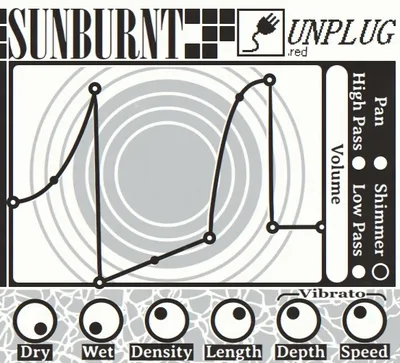
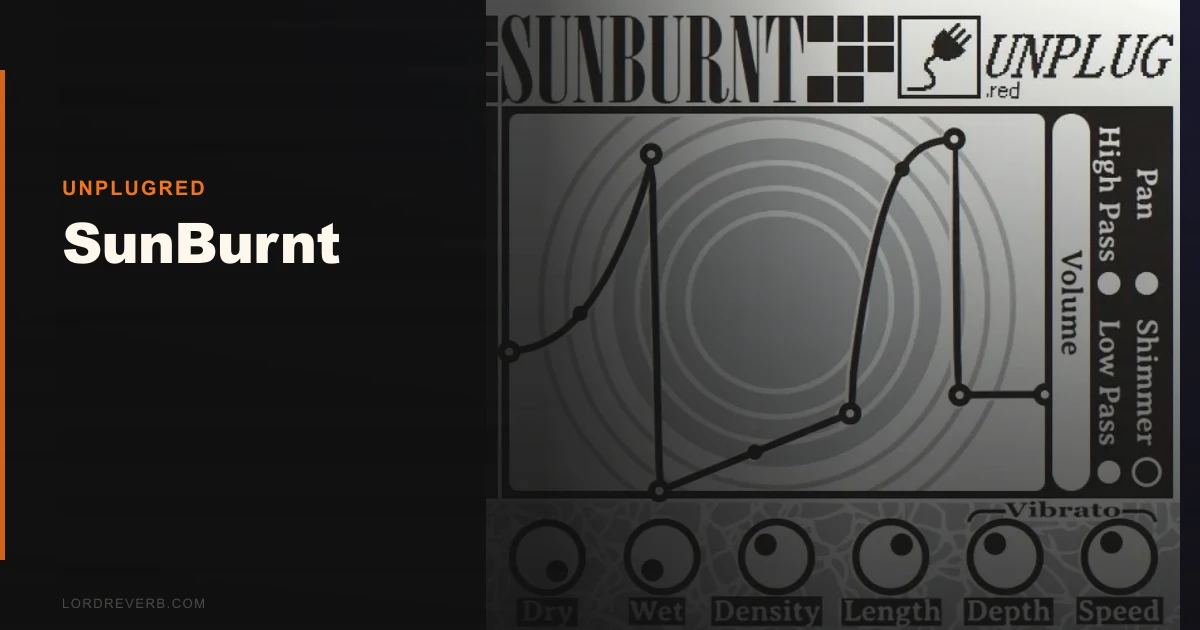
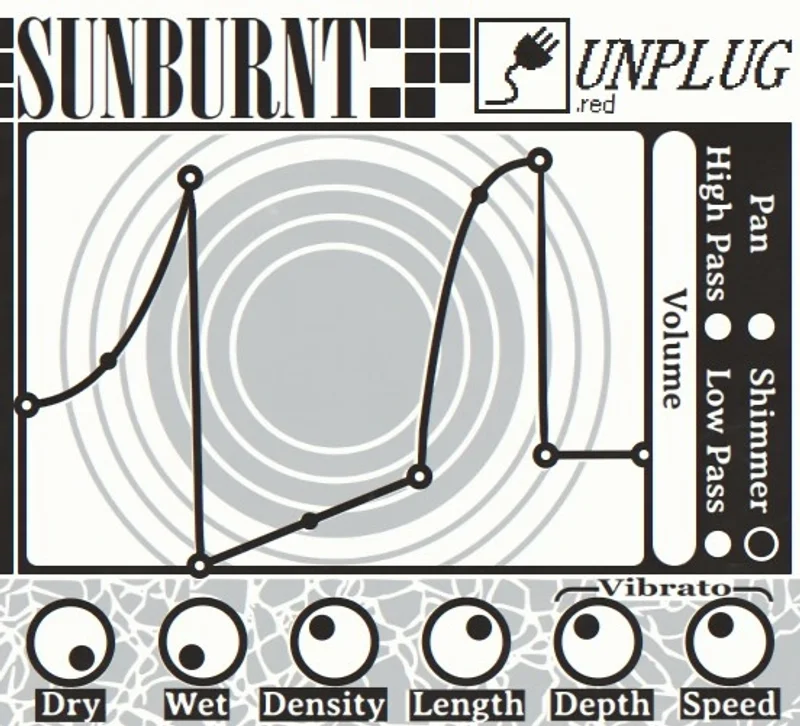
Against something like Valhalla Room, SunBurnt has no presets that load a usable hall sound in two seconds. Against Convolution Reverb Pro, it has no impulse response library to browse. What it has instead is six drawable curve editors: volume, pan, shimmer, low-pass, high-pass, and density. You draw the shape of the reverb tail yourself.
First-impression difference from competing free reverbs like OrilRiver or Dragonfly? Those load fast, sound decent, and ask nothing of you. SunBurnt asks you to think. The interface is sparse, almost brutalist, and the banner across the free version is annoying enough that we'd call it a deliberate nudge toward the Patreon tier.
That said, within 20 minutes we'd drawn a gated reverb tail that no stock plugin in our DAW could replicate. That counts for something.
Performance Deep Dive
SunBurnt uses convolution under the hood. That's not a guess. The CPU behaviour confirms it.
We ran it on a session at 256-sample buffer size on an Apple M2 MacBook Pro. One instance of SunBurnt with a complex drawn curve pulled roughly the same CPU headroom as three instances of Valhalla Room. At 128 samples, the session stuttered. At 512 samples, it stabilised and behaved acceptably. The developer, Melody, recommends increasing buffer size and that's not optional advice. It's survival advice.
We tested with a shimmer curve drawn to rise across 2 seconds and a high-pass curve set to sweep from 80Hz up to 400Hz across the tail. That combination, which would cost real money to achieve in something like iZotope Neoverb, ran fine at 512 samples on the M2. On an older Intel i7 test machine at 256 samples, it clipped the CPU meter and required a bounce-to-audio workflow.
Bottom line on specs: 64-bit only, VST3, AU, and CLAP. No AAX, which means Pro Tools users are out. No 32-bit legacy support. Linux compatibility is rare enough in free plugins that it deserves a mention. Check current availability at the UnplugRed site, since this is an active open-source build.
Where SunBurnt Wins
The drawable shimmer curve is where SunBurnt stops being a curiosity and starts being a tool we'd actually keep in the signal chain.
We loaded a synth pad, drew a shimmer curve that peaked at the 1.2-second mark and fell off sharply, then drew a pan curve that swept from centre to hard right by the end of the tail. The result was a spatial movement that felt composed rather than accidental. That took four minutes. To achieve the same result with a standard reverb plus automation, it would've taken twenty.
The tap delay mode is underrated. Most coverage ignores it. We didn't. Used as a rhythmic effect on a vocal chop, with the volume curve drawn as a staircase of four descending levels, it behaved more like a multi-tap delay than a reverb. Clever and genuinely fun to dial in.
Reverse reverb is also handled well. Draw the volume curve backwards. Done. No additional plugin needed.
For the full breakdown of what makes creative reverbs worth the hassle, we've covered the category in depth elsewhere.
Where the Competition Wins
Any polished paid reverb wins on workflow speed. That's the honest truth.
Valhalla Room has 144 presets. You can have a convincing medium hall on a snare in eight seconds. SunBurnt has no presets. None. You start from a flat line every time, and if you didn't save your curve settings externally, they're gone when you close the project.
We wish SunBurnt had a preset save system. Badly. It's the single biggest frustration in daily use.
The lack of AAX support is a real cut. Working producers on Pro Tools won't touch a plugin that doesn't run in their environment. That's not snobbery. That's a session that needs to run without resampling workarounds.
And the learning curve has no map. No manual. No video series. No in-plugin tooltips. If you're not the type to experiment until something breaks, SunBurnt will feel hostile. The SpaceBlender review covers a plugin that handles creative signal design with much better onboarding.
Who Should Buy Which
✅ Download SunBurnt if you...
- Do sound design, scoring, or experimental production where tail shapes matter more than preset speed
- Work on Mac, Windows, or Linux in a DAW that accepts VST3, AU, or CLAP
- Run sessions at 512-sample buffer or higher and have CPU headroom to spare
❌ Skip it if you...
- Mix in Pro Tools and need AAX support
- Want fast, preset-driven reverb for everyday mixing sessions
- Work at low buffer sizes for real-time recording and can't afford the CPU hit
Score Breakdown
| Category | Score | Notes |
|---|---|---|
| Sound Quality | 3.8/5 | Convolution base sounds clean; shimmer curves add real character |
| Value for Money | 4.5/5 | Free tier is functional; the paid tier is genuinely fair for what it does |
| Ease of Use | 2.3/5 | No manual, no presets, no tooltips; steep for new users |
| Features | 4.0/5 | Six drawable curves plus density and length controls is a serious toolkit |
| CPU Efficiency | 2.0/5 | Noticeably heavier than algorithmic reverbs; needs buffer management |
| Overall | 3.8/5 | Brilliant idea held back by CPU cost and zero onboarding support |
Alternatives to Consider
If SunBurnt's CPU weight rules it out, Sparkverb is the algorithmic reverb we'd recommend for producers who need speed and efficiency without sacrificing quality. It runs lean and has presets that actually cover ground.
For a paid creative reverb that handles experimental tail design with better workflow integration, Apogee Clearmountain's Spaces is worth comparing. It's a different philosophy, but the output is more session-ready.
If you want a spring-flavoured oddity that's also free-adjacent and punches above its price point, Rhino Reverb from Safari Audio is the one we'd grab before SunBurnt for live room work.
Our Final Call
SunBurnt is free. Download it. Play with the shimmer curve on a synth pad for twenty minutes. If something clicks, paying to lose the banner is one of the easiest Patreon decisions in music production software.
But don't mistake "free and creative" for "ready for a session." It isn't. The CPU cost is real, the lack of presets will frustrate you during crunch time, and the absent documentation means you'll spend time learning a plugin instead of finishing a track.
It's wrong for mixing engineers who need a reverb that works fast. It's right for the producer who builds sounds from scratch at 3am and wants a tail shape nobody else has drawn yet.
That producer exists. Maybe it's you.
Frequently Asked Questions
Is SunBurnt completely free to use?
Yes. SunBurnt downloads and runs for free on Windows, Mac, and Linux with no feature restrictions. The free version displays a banner in the interface. The paid Patreon tier removes the banner. That's the only functional difference between the two tiers.
Why is SunBurnt so CPU-heavy?
SunBurnt uses convolution processing to render the custom curves you draw, which is inherently more CPU-intensive than algorithmic reverb. The load increases with curve complexity. Running it at a 512-sample buffer size rather than 128 or 256 is the most reliable way to stabilise CPU behaviour, especially on older machines.
Does SunBurnt work in Pro Tools?
No. SunBurnt ships in VST3, AU, and CLAP formats only. Pro Tools requires AAX, which SunBurnt doesn't support as of the version reviewed. Pro Tools users will need to record the output as audio or use it in a secondary DAW and bounce stems across.
How do you save your SunBurnt curve settings?
SunBurnt doesn't have a built-in preset save system. Your curve drawings are saved within the DAW project file, so they'll reload when you open that session. If you want to reuse a curve in another project, screenshot it or manually recreate it. It's a genuine workflow gap, and we hope a future update addresses it.