
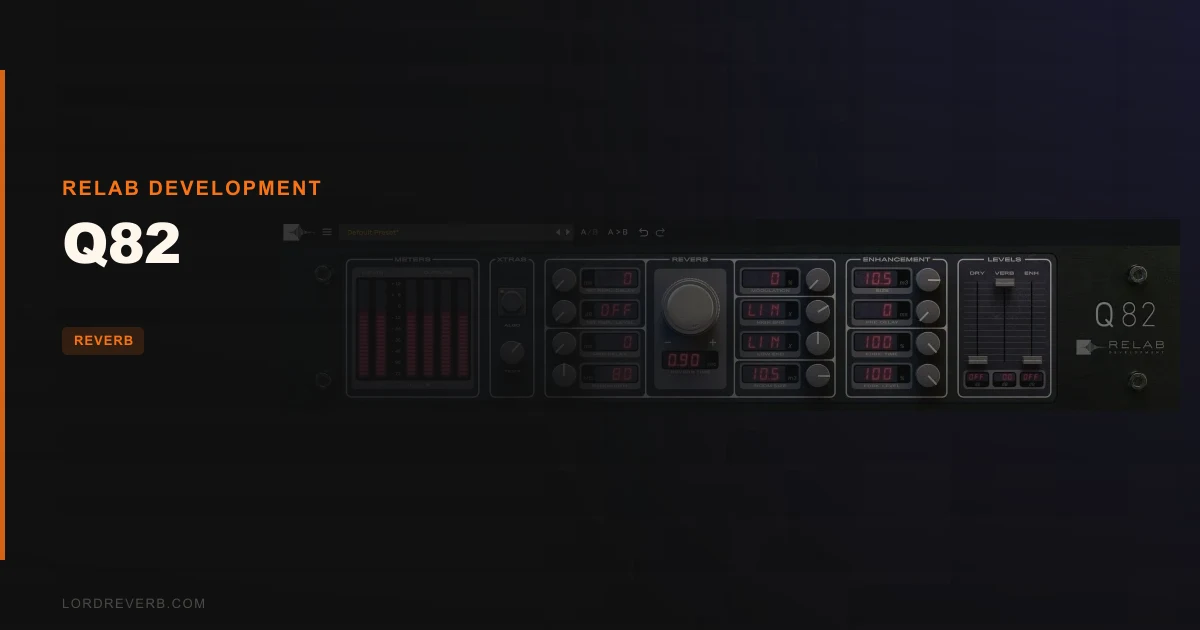
You’ve got a vocal sitting dry and brittle against a wall of synths, and every modern algorithmic reverb you throw at it either washes the lead out or sounds like a plugin. Q82 is built for exactly that moment, and at $109 it’s a convincing recreation of an 80s hardware reverb that mixers reach for when they want a room that sounds like a room.
It’s for mixers who want that vintage hardware ambience without the heat and noise of the real box. It’s not for anyone who hates account-based activation.
Quick verdict
Q82 earns a 4.2 out of 5. The rooms sound real, the long tails are the point, and the dual-engine controls let you reshape width and depth while the track plays. The rough edges are workflow ones: a fiddly reverb time knob and spikes when you swap presets mid-playback. At $109, it’s a strong buy if vintage hardware reverb is your sound. Skip it if you want a do-everything modern reverb.
What's In The Box
Q82 2.0 is a dual-engine recreation of an 80s hardware reverb. The developer, Relab Development, says it’s the world’s only dual-engine premium recreation of this unit, and says machine learning captured the hardware’s nuances, quirks included.
Here’s the feature list:
- 8-voice hand-tuned modulation
- First reflection channel swapping
- Bandwidth control from 4kHz to 16kHz
- US and German algorithm variants
- A ±3% stability factor that models heat-induced fluctuation of the US unit
- A cut-down Q82 Essentials version if you want less
Mac needs OS 10.15 or later, with M1 native support, in VST3, AU and AAX (64bit). Windows needs Windows 10 or later, in VST3 and AAX (64bit). It works in all major DAWs.
Where It Fits In Your Workflow
Think of Q82 as your depth-and-space tool. Put it on a send, feed it your vocal, snare or a synth pad, and decide how far back you want that element to sit.
The dual-engine design is the interesting part. You can shape width and front-to-back depth in real time, so you can push a lead forward while the reverb stays wide behind it. Do that while the track loops. It’s quicker than guessing and bouncing.
Then there’s the bandwidth control. Roll the top of the reverb between 4kHz and 16kHz and you’re deciding how bright the tail is. Darker tails sit behind a vocal. Brighter ones add air.
Activation is the part that slows you down on day one. You need a free PACE account, an internet connection and the latest PACE drivers. No hardware dongle is required. You can authorize on your computer or on an iLok USB key (V2 or above).
What It's Genuinely Good At
Realistic rooms and long tails. That’s the headline. Owners report the plugin produces real rooms that sound authentic, and long reverb times are what the original hardware was known for.
I love the idea of the ±3% stability factor. Hardware drifts as it heats up, and Q82 models that wobble on the US unit instead of sanding it flat. That’s a clever touch, and it’s the kind of detail that stops a digital reverb sounding sterile.
Reviewers note it captures the original sonic quality while avoiding hardware problems like overheating and noise artifacts. You get the character without the noise floor.
The US and German variants matter too. They have distinct character, so you’re not buying one reverb. You’re buying two flavours of the same box.
Owners also report precision in repeatability combined with analogue naturalness after extensive testing, and no bugs in Pro Tools. For session work you recall next week, that’s reassuring.
The Rough Edges
Here’s what’s annoying. Fine-tuning the reverb time knob with a mouse is difficult. Users want clickable display value entry so they can type a number, and without it you’re nudging a knob and hoping.
Worse, recalling presets during playback can produce high spike artifacts. Users have asked for a mute-during-transition option. Until that exists, stop the transport before you switch presets, or keep your ears (and monitors) protected.
Activation is a hurdle too. A free PACE account is mandatory, and you need internet and current drivers at the moment you authorize. Fine at home. Frustrating if you’re setting up a machine in a studio with locked-down internet.
None of these are deal-breakers. All three are the sort of thing you’ll grumble about on a Tuesday.
Who This Is Really For
✅ Buy if you want a convincing 80s hardware room for vocals, snares and pads.
✅ Buy if you like adjusting width and depth in real time while the track plays.
✅ Buy if you want hardware character without overheating or noise artifacts.
❌ Skip if you want to type exact reverb times and hate fiddly knobs.
❌ Skip if you swap presets during playback and can’t tolerate spikes.
❌ Skip if PACE account activation is a dealbreaker for your setup.
Specs & Technical Details
| Spec | Detail |
|---|---|
| Developer | Relab Development |
| Price | $109 |
| Plugin Format | VST3 / AU (Mac only) / AAX (64bit) |
| OS Support | Mac OS 10.15+ (M1 native) / Windows 10+ |
| Activation | Free PACE account, local computer or iLok USB key (V2 or above), internet and latest PACE drivers at activation |
| CPU Usage | N/A |
| Trial Available | N/A (30-day money-back guarantee) |
| Version Reviewed | 2.0 |
Score Breakdown
| Category | Score | Notes |
|---|---|---|
| Sound Quality | 4.5/5 | Owners report authentic, realistic rooms and long tails |
| Value for Money | 4.0/5 | Two algorithm variants and real-time depth control |
| Ease of Use | 3.5/5 | Reverb time knob is hard to fine-tune with a mouse |
| Features | 4.5/5 | Dual engine, 8-voice modulation, bandwidth control, US and German variants |
| CPU Efficiency | N/A | No CPU figures to score against |
| Overall | 4.2/5 | A strong vintage room, held back by workflow annoyances |
The Bottom Line
Buy Q82 at $109 if you want vintage hardware ambience that sits believably behind a vocal and keeps its long tails clean. The 30-day money-back guarantee lowers the risk, so you can check the preset-recall spikes and the knob on your own setup.
It’s the wrong pick if you want a modern, do-everything reverb or you can’t stand account-based activation. For everyone else: a room worth owning.
Related reviews: Can IR-Live Convolution Reverb Replace Your Hardware Unit?
Frequently Asked Questions
Does Q82 need an iLok dongle?
No. No hardware dongle is required. You authorize through a free PACE account, either on your local computer or on an iLok USB key (V2 or above). You'll need an internet connection and the latest PACE drivers at activation.
What formats and systems does Q82 support?
On Mac you get VST3, AU and AAX (64bit), with OS 10.15 or later and M1 native support. On Windows you get VST3 and AAX (64bit), and you need Windows 10 or later. It's compatible with all major DAWs.
What's the difference between the US and German algorithms?
They're two algorithm variants with distinct character. The US version also includes a ±3% stability factor that models heat-induced fluctuations of the original US unit. Try both on the same vocal and pick the one that sits better in your mix.