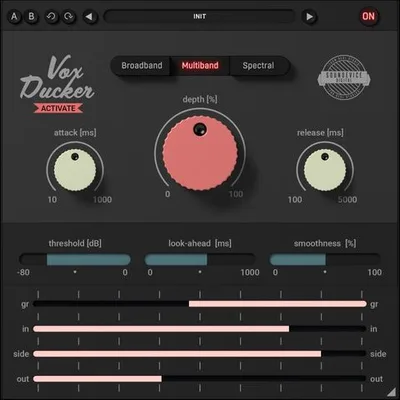
You've set a perfect vocal level. Then the guitars come in and swallow it. You ride the fader, automate the bus, and still spend 40 minutes fixing something that should have taken five. That's the problem VoxDucker by United Plugins exists to solve.
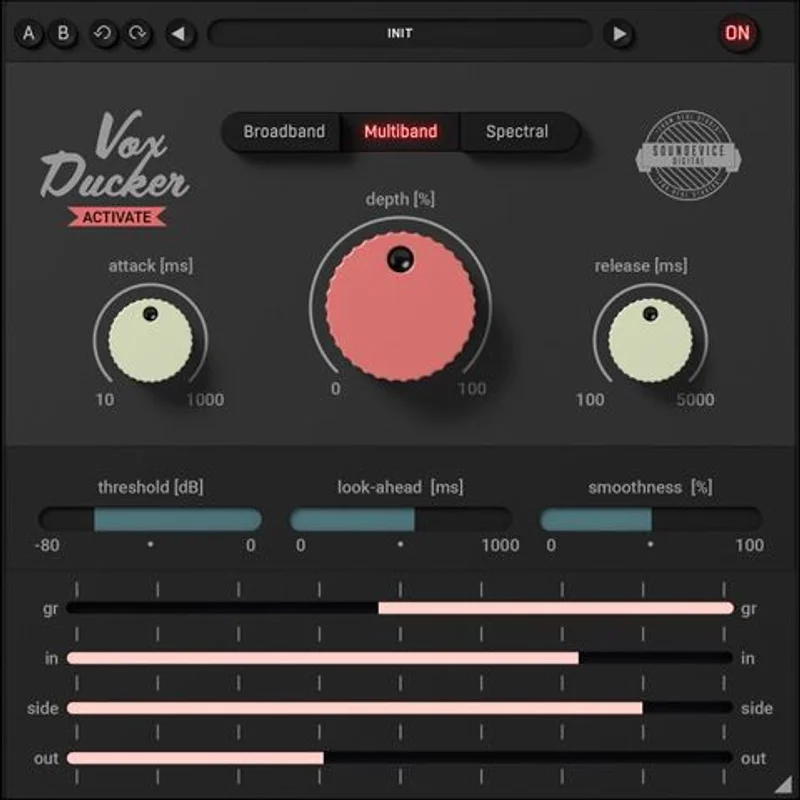
VoxDucker is a sidechain ducking plugin that automatically ducks the backing mix when a vocal or voiceover is present. It ships with three ducking modes, each designed to be more frequency-aware than a standard compressor sidechain. It targets podcasters, voiceover engineers, and anyone mixing vocals over dense instrumental beds.
We tested it across podcast mixes, a full band production, and a voiceover-over-music session. Here's where it earns its price and where it doesn't.
The Exact Frustration This Addresses
Standard sidechain compression ducks everything. Full broadband gain reduction across your entire backing track every time the vocalist opens their mouth. It works. It's also blunt. You hear the music pumping down and back up with every phrase, and on anything with a dynamic vocal, it gets distracting fast.
The workaround most of us use is Trackspacer, a multiband sidechain tool from Wavesfactory. It's brilliant but designed for individual instrument carving. Getting it to behave correctly on a full mix bus takes more setup than it should.
VoxDucker's pitch is simpler: put it on the music bus, route the vocal to its sidechain input, and duck only what the voice actually occupies. Less pumping. Cleaner result. Faster session.
For podcast producers especially, that's not a small thing. That's the whole job.
How It Performs Under Real Conditions
We loaded VoxDucker onto a stereo music bus with a dense indie-pop arrangement. Guitars, synths, a kit. Routed a lead vocal to the sidechain. Ran all three modes back to back.
Broadband mode behaved like a well-tuned sidechain compressor. It's the fastest to dial in and the most predictable. We landed on 7dB of depth, attack at 18ms, release at 220ms. Clean duck, no artifacts. Nothing new here, but it works.
Multiband mode was more interesting. It focused gain reduction on the frequency ranges most active in the vocal rather than pulling everything down equally. The kick drum sat more consistently in the pocket during the duck because it stopped getting pulled down on every phrase. That's a real improvement over broadband sidechain.
Spectral mode was the most impressive and the most demanding. It ducked only the spectral content matching the live vocal signal. A piano chord that shared the same 800Hz–2kHz range as the lead vocal got ducked. The floor tom at 80Hz stayed untouched. The imaging held together better than either of the other two modes. The latency penalty is real, though. In our session at 44.1kHz, it added enough latency to matter in a live monitoring context. Fine for mixing. Not usable for real-time tracking.
We ran the same test through Smart:Comp 2 using its sidechain features for comparison. VoxDucker's spectral mode produced a more transparent result on the music bus. Smart:Comp 2 is more versatile but it's not built specifically for this workflow.
Where It's Strong and Where It Frustrates
The pre-set behaviour is one of the genuinely clever design choices here. You load it, route the sidechain, and the depth control is usually all you need to move. In a podcast workflow where you're dropping this onto the same music bed session you've used twenty times, that's satisfying. No menu diving. No saved presets to manage.
We love the spectral mode's ability to lift specific instruments out from under a vocal without making the ducking audible. We ran a string arrangement under a voiceover. The strings kept their character between phrases and stepped back only where they competed with the voice. The client on that session didn't hear the ducking. They just heard the voice sitting clearly. That's the goal.
What we wish was better: the lookahead and smoothness parameters need a proper explanation in the manual. We spent an annoying 20 minutes on smoothness before understanding how it interacts with spectral mode's attack behaviour. The UI looks intuitive, and mostly it is, but those two controls are underexplained for the target audience this plugin is chasing.
CPU overhead across modes varies more than the marketing suggests. Spectral mode is heavier. On a session with eight instances (multiple music buses, a few regional language feeds), it started competing for resources. Broadband mode is light. Spectral mode is not. That matters if you're running a heavy session.
Is the Price Honest?
Regular pricing sits at $55. VAT in the UK). At that price, it's a reasonable specialist tool. Not essential for everyone, but fair for what it does.
At the introductory price we saw at various retailers, it is a straightforward yes. There's no competing argument at that number. Buy it, learn the modes, use spectral on anything where transparency matters.
At full price, it only makes sense if you're regularly mixing vocals over music, doing podcast production, or handling voiceover sessions. For a one-genre producer who handles one vocal per project, a sidechain compressor already in your DAW will cover 80%
of this ground. It’s a specialist tool at a specialist price.
Who Should Buy This and Who Should Skip It
- ✅ Buy if you produce podcasts or voiceover content and want ducking that doesn't sound like ducking.
- ✅ Buy if you're mixing vocals over dense arrangements and broadband sidechain compression is making your low end pump awkwardly.
- ✅ Buy if you can get it at the introductory price. At the introductory price, the risk is zero.
- ❌ Skip if you need real-time monitoring through spectral mode. The latency makes it impractical for tracking.
- ❌ Skip if you're mixing one vocal style and your DAW's stock compressor sidechain already does the job cleanly.
- ❌ Skip if you're CPU-limited. Heavy sessions with multiple spectral instances will cost you headroom you might not have.
Score Breakdown
| Category | Score | Notes |
|---|---|---|
| Sound Quality | 4.3/5 | Spectral mode is genuinely transparent; broadband is competent but unremarkable |
| Value for Money | 4.0/5 | At introductory price it's a steal; full price is fair for specialists only |
| Ease of Use | 3.8/5 | Mostly fast to dial in, but lookahead and smoothness need better documentation |
| Features | 3.8/5 | Three modes cover the main use cases; nothing surplus, nothing missing badly |
| CPU Efficiency | 3.5/5 | Spectral mode gets hungry fast; broadband is light |
| Overall | 4.1/5 | Solid specialist tool that earns its place in podcast and voiceover signal chains |
Alternatives Worth Knowing
Trackspacer by Wavesfactory is the most direct comparison. It ducks a target track based on the spectral content of a sidechain source, which is almost exactly what VoxDucker's spectral mode does. Trackspacer is more flexible for individual instrument carving but takes more setup on a full mix bus. See our Trackspacer review for a full breakdown.
Fuser by Sonible takes a different approach to spectral blending and is worth considering if you want broader control over how two sources share frequency space. It's more expensive and more complex. Our Sonible Fuser review covers whether the extra cost is worth it.
Smart:Comp 2 by Sonible can handle sidechain ducking intelligently as part of a broader compression workflow. If you need a full-featured compressor that can also duck, it's a better all-rounder. If you only need ducking, it's overkill. Check our best sidechain plugins guide for a direct comparison table.
Also worth a quick look: your DAW's native multiband sidechain options. Logic Pro's own tools and Ableton's rack-based sidechain routing cover a lot of this ground for free. sidechain compression in Ableton walks through doing it without a dedicated plugin.
VoxDucker won't change how you think about mixing. It'll just stop you losing 40 minutes to a problem that should take five. At the introductory price, that trade-off is obvious. At full price, buy it if vocal ducking is a regular part of your work. If it's occasional, your existing sidechain tools are good enough. The plugin isn't for everyone. It's for the producer who already knows exactly why they need it.
Frequently Asked Questions
Does VoxDucker work in all major DAWs?
It works in any DAW that supports sidechain input routing, which covers Pro Tools, Logic Pro, Ableton Live, Cubase, Reaper, and Studio One. It ships in VST, VST3, AU, and AAX formats so format compatibility is broad. The only requirement is that your DAW can route an audio signal to a plugin's sidechain input. If yours can't, the plugin won't function as intended.
What's the difference between the three ducking modes?
Broadband mode applies gain reduction across the full frequency spectrum when the sidechain signal is active. Multiband mode focuses the reduction on frequency bands that are most active in the sidechain signal. Spectral mode is the most surgical: it ducks only the specific spectral content matching the live vocal, leaving unrelated frequencies untouched. Spectral mode sounds the most transparent but adds the most latency and uses the most CPU.
Is VoxDucker usable for live performance or real-time monitoring?
Broadband and multiband modes are usable in near-real-time contexts. Spectral mode adds meaningful latency in our testing and isn't practical for live monitoring or real-time tracking situations. If you're using it strictly in a mixing or mastering context where latency compensation handles the offset, it's fine. For live use, stick to broadband mode.
How does VoxDucker compare to just using a sidechain compressor?
A standard sidechain compressor ducks the full signal broadband, which is what VoxDucker's broadband mode also does. The real difference is in multiband and spectral modes, where only the frequencies competing with the vocal get reduced. This means instruments that don't overlap with the vocal's frequency range stay at their original level, which produces a more natural, less audibly processed result. For podcast and voiceover work, that distinction matters more than in standard music mixing.