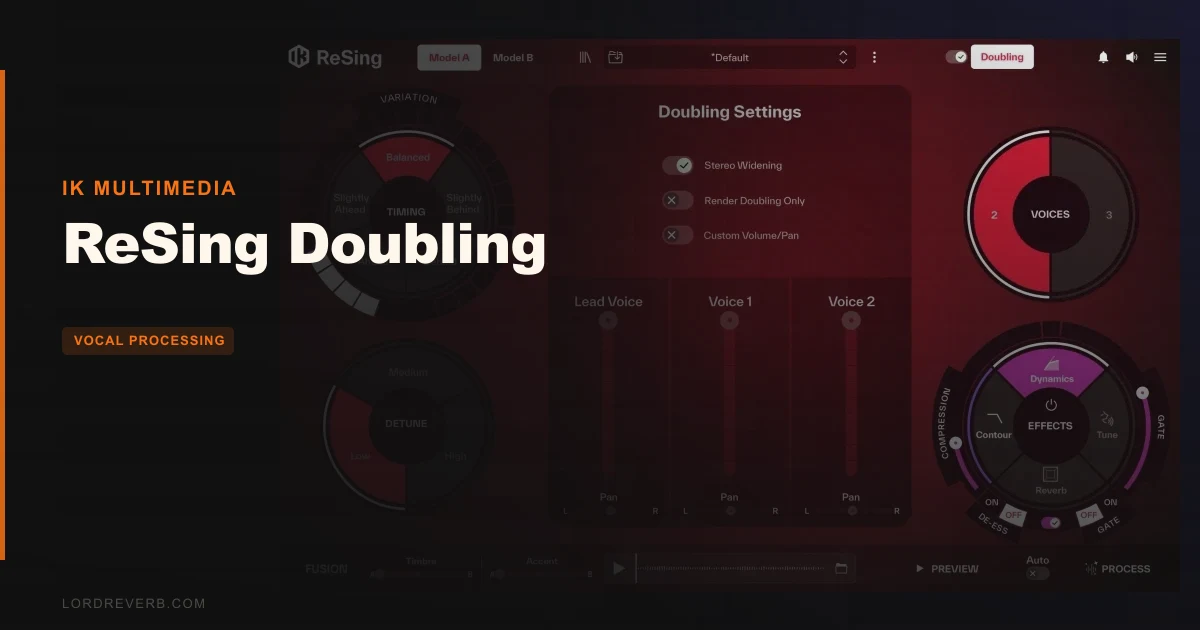
ReSing Doubling does exactly what it says and not quite what you might expect, so who it's right for depends entirely on what "doubling" means to you.
This add-on for ReSing generates additional vocal layers automatically from a single performance. No re-recording, no extra session time, no internet connection. The processing runs locally, the results come back fast, and in a busy mix it can sound genuinely convincing.
But here's the honest caveat: the layers aren't a true double of your singer's voice. They're AI voice models called Amber, John, and Lydia. In a dense arrangement, that distinction might not bother you. Strip the mix back to vocals and a guitar, and it probably will.
This is a tool with a real use case and real limits. The review below lays out both.
What You're Actually Getting
ReSing Doubling sits inside the ReSing environment as an add-on. You feed it a lead vocal, pick a voice model, and it builds out additional layers using AI-generated performances, not pitch-shifted copies of the original.
The Performance Variation feature introduces subtle timing shifts so each layer breathes differently. Timing Control lets you nudge generated voices ahead or behind the lead. Detune for Depth adds natural pitch spread to thicken the stack or push it toward chorus territory.
Stereo Widening spreads the generated voices across the field. Individual Voice Mixing gives you volume and pan control per layer. Render Layers Separately exports only the AI-generated parts, so you can process them independently in your DAW.
It requires 9 GB of local storage for the AI models. Full-track processing runs in approximately 30 seconds. No subscription, no internet, no cloud upload.
The Good
Speed and privacy are the two things owners consistently love. Processing a full-length track in around 30 seconds is genuinely fast for AI-generated vocal content. And the fact that your recordings never leave your machine matters to a lot of producers working with unreleased material or client sessions.
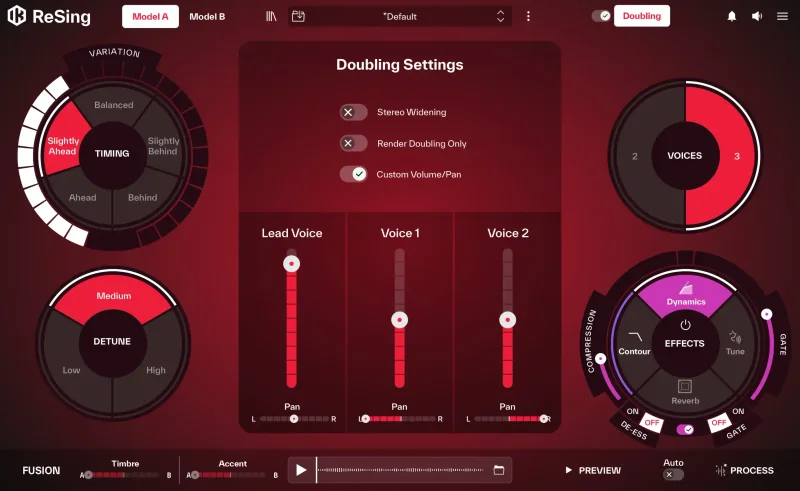
The timing variation is where ReSing Doubling earns its keep. When you're stacking vocals, cloned layers are the enemy. The Performance Variation feature introduces the kind of subtle human inconsistency that keeps each generated voice from sounding like a pitch-shifted xerox copy.
Owners describe the results as surprisingly usable, with nuance and character that creates the illusion of layered singers. In a thick pop chorus or an EDM breakdown with reverb and saturation doing heavy lifting, that illusion holds.
Render Layers Separately is a clever workflow choice. Export only the AI parts, hit them with your own processing, and they start behaving like real session stems.
The Not-So-Good
Here's the frustrating part: the marketing calls this a doubling tool, and traditional doubling means the same singer, same mic, captured twice. ReSing Doubling is not that. It's a backing vocal generator using three fixed voice models. That's a different thing.
In an exposed production, you'll hear it. An intimate singer-songwriter track, a confessional R&B vocal with space around it, a stripped acoustic arrangement: this is where the AI layers stop holding up, and owners are clear about that. Tight, authentic quad-tracking isn't something this tool can replicate.
The preview functionality is insufficient for longer vocal phrases. Owners report it doesn't give you enough to assess how a voice model performs across a full verse, let alone a transition. That's annoying when you're trying to audition which of the three models works for a specific track.
Systems without powerful GPUs can see that 30-second estimate stretch considerably. And there are crash reports on M3 MacBooks in standalone mode, with an "unable to reach engine" error that owners flag as unresolved.
Compared to the Alternatives
Real double tracking wins on realism. Period. Recording a second take with the same singer captures natural interaction between performances that no AI currently matches. If you have the singer available and the session time, that's still the gold standard for exposed vocal production.
Traditional doubler plugins, the classic ADT-style tools, are lighter, faster, and transparent about what they are. They pitch-shift and delay the original signal to simulate a double. They're honest fakes, and in many situations the honesty works. They won't give you three-part harmony scaffolding, but they won't surprise you either.
VocAlign-style alignment tools solve a completely different problem. They're built for taking real multi-take recordings and snapping them into timing alignment. If you have the performances and need them tightened, that's the workflow. If you don't have the performances at all, they can't help you.
ReSing Doubling sits in the gap: you have one take, no time to re-record, and you need something above a simple doubler effect. That's its actual territory.
Who Should Buy This
- ✅ Buy if you produce dense genres where AI vocal layers will sit underneath lead vocals with plenty of mix coverage.
- ✅ Buy if offline processing and no subscription model matter to your workflow.
- ✅ Buy if you need fast backing vocal scaffolding for demos, sketches, or arrangements that aren't heading into forensic scrutiny.
- ❌ Skip if your productions are sparse and the vocal is the main event with little else around it.
- ❌ Skip if you expect the result to genuinely sound like your singer doubled their own performance.
- ❌ Skip if you're on an M3 Mac and need a rock-solid standalone workflow right now.
Specs & Technical Details
| Developer | IK Multimedia |
| Price | $39.99 |
| Plugin Format | N/A |
| OS Support | N/A |
| Activation | N/A |
| Storage Required | 9 GB (local AI models) |
| Internet Required | No (fully offline) |
| Processing Speed | ~30 seconds for full-length track |
| Included Voice Models | Amber, John, Lydia |
| CPU Usage | N/A |
| Trial Available | N/A |
| Version Reviewed | N/A |
| Pluginera Rating | 4.6 / 5 |
Score Breakdown
| Category | Score | Notes |
|---|---|---|
| Sound Quality | 3.5/5 | Convincing in dense mixes, unconvincing in exposed arrangements |
| Value for Money | 3.5/5 | Fair for the workflow it actually fits |
| Ease of Use | 4.0/5 | Simple controls, quick results, weak preview functionality |
| Features | 3.5/5 | Good layer controls but limited voice model range and no documentation |
| CPU Efficiency | 3.0/5 | GPU-dependent; slow on machines without dedicated graphics |
| Overall | 3.5/5 | Useful tool for a specific use case, not the universal vocal doubler it's marketed as |
Alternatives to Consider
Real Double Tracking. Still the best option when you have access to the vocalist. Two takes from the same singer, same session, same mic placement, creates natural timing and pitch interaction that no AI voice model currently matches. If the vocal is the centrepiece of your track, this is where you put your energy.
Traditional Doubler Plugins. If you want the shimmer and width of a doubling effect without committing to AI-generated parts, a classic ADT-style plugin gets there in milliseconds with zero storage overhead. It won't give you separate voice layers or backing vocal character, but it won't introduce a different singer's timbre either. Lightweight, proven, fast.
VocAlign-Style Alignment Tools. If you already have multiple vocal takes and need them tightened, VocAlign-style tools are the industry standard for that job. They don't generate new performances. They're the finishing step after you've recorded the real thing. A different problem, a different solution.
The Verdict
You're building a pop chorus. The vocalist is gone, you need three-part width behind the lead, and the mix has enough going on that no one's going to scrutinise every layer in isolation. Drop ReSing Doubling in, dial in the Timing Control, add some Stereo Widening, render the layers separately, and process them like real stems. That's a genuinely useful workflow.
Now flip the scene. You're finishing an acoustic track. The vocal sits front and centre, dry, honest, close. You want that warm, thick double your singer can't come back to record. ReSing Doubling will disappoint you. Not because the processing is sloppy, but because Amber, John, and Lydia aren't your singer. That distinction is audible when there's nowhere for it to hide.
This is more accurately understood as a backing vocal generator with a doubler interface, not a true voice-cloning double tracker. The expectations that name creates are the main reason owners feel misled.
The tool itself is clever. The offline processing is satisfying. The 30-second turnaround is hard to argue with. And for producers who understand what it actually does, it earns its place in the signal chain.
But if tight, authentic double tracking is what you need, keep recording that second take.
Frequently Asked Questions
Does ReSing Doubling clone my singer's actual voice?
No. It generates additional layers using three built-in AI voice models: Amber, John, and Lydia. These are separate vocal identities, not replicas of your lead singer. In a dense mix the distinction is easy to miss, but in an exposed arrangement you'll hear that the doubles aren't the same voice.
Does it require an internet connection or subscription?
Neither. Processing runs entirely offline using locally stored AI models, which require 9 GB of storage. There's no cloud upload, no ongoing subscription, and no latency tied to server response times. Owners flag this as one of the product's genuine strengths.
How long does processing actually take?
IK Multimedia states approximately 30 seconds for a full-length track. Owners confirm this holds on machines with capable GPUs. On systems without dedicated graphics hardware, that figure can climb significantly. Check your machine's GPU before expecting the advertised speed.
Can I process the generated layers independently in my DAW?
Yes. The Render Layers Separately feature exports only the AI-generated vocal layers, leaving your lead vocal untouched. You can then route those stems into your DAW and apply your own EQ, compression, reverb, or any other processing. This is one of the more useful workflow features the tool offers.
Is ReSing Doubling a standalone app or does it work inside a DAW?
ReSing Doubling is an add-on for the ReSing platform and can operate in standalone mode. Owners on M3 MacBooks report a crash issue in standalone operation with an "unable to reach engine" error. Whether this has been patched in the current version is worth checking directly with IK Multimedia before purchasing if you're on that hardware.