You recorded a great take. The performance is there, the timing is locked, the emotion lands. Then you listen back through headphones and hear the room: a slight wash of reverb from bare walls, an HVAC hum underneath everything, maybe a passing car mid-sentence. That's the problem Supertone CLEAR exists for. It's a de-noise and de-reverb plugin that separates audio into three independent channels, voice, ambience, and voice reverb, so you can decide exactly how much of each survives into your final mix.
The Specific Mess This Plugin Was Built For
Room tone is the quiet killer of dialogue recordings. You can comp the perfect take, EQ it carefully, and it still sounds like it was recorded in a bathroom if the reverb tail is sitting under every consonant.
Traditional noise reduction tools give you a noise floor profile and a reduction slider. That's fine for steady hum. It's frustrating for reverb, because reverb isn't stationary noise, it moves with the voice.
CLEAR approaches this differently. Rather than treating the whole signal as one thing to be filtered, it runs a separation algorithm that pulls the voice out from the ambience and the reverb independently. That three-channel model is what makes it interesting. You're not just reducing, you're separating.
How It Performs in Practice
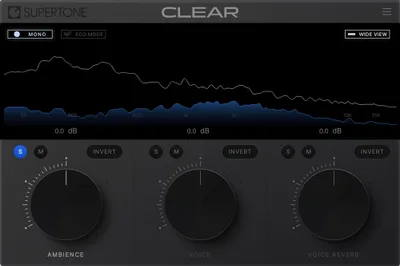
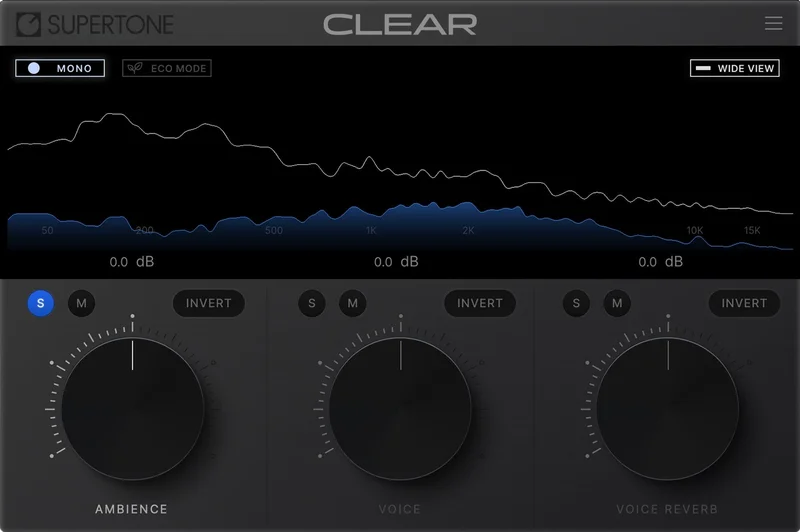
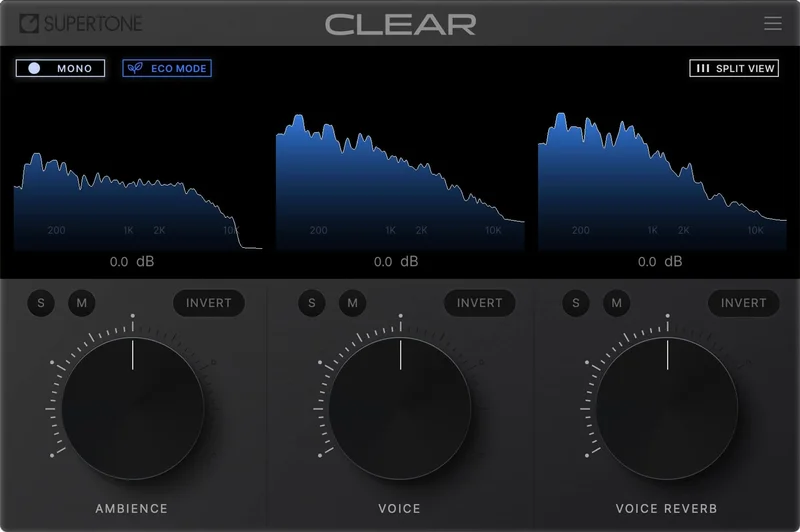
The interface is three knobs. That's it. Voice, ambience, reverb. You can blend each to taste, monitor them independently, or use the combined visualization to see what the algorithm is doing to your signal.
Owners report that voices retain their natural character even when you push the processing hard. That's the detail that matters most here, because aggressive de-reverb usually thins a voice out or introduces a cold, hollowed quality. CLEAR apparently avoids that. Owners also report that high frequencies aren't dulled by the noise reduction, which is the most common complaint with older gate-and-reduce approaches.
Owners report de-reverb performance that rivals expensive professional tools for room echo problems. That's a meaningful statement for $69.
Latency is 36 milliseconds in standard mode, 24.5 milliseconds in eco mode. CPU sits around 30 percent, which is real. You'll want to check your buffer size: a recommended I/O buffer size of 256 or higher is advised. If you're tracking live, that 36ms standard latency will be annoying. This is a mix-stage tool, not a monitoring tool.
Imagine you've got a podcast interview recorded in a tiled kitchen. You pull the ambience knob down, watch the room wash disappear, and the voice stays intact. That's where CLEAR earns its keep.
Strengths and Weaknesses
The clever part is the monitoring. You can solo the separated ambience channel and hear exactly what you're removing. That kind of transparency is satisfying and builds trust in the process quickly.
But CLEAR is not a one-size-fits-all noise tool. The AI separation has a real blind spot: non-stationary noise. Dog barking mid-sentence, a door slamming in the background, a phone vibrating on the desk, these confuse the algorithm and owners report digital ghosting artifacts when it struggles. That's an honest limitation, not a minor quibble.
The same issue surfaces with breathy or raspy voices. If your vocalist or speaker has a lot of breath in their delivery, the AI may classify some of that as noise and pull it. You'll hear the difference. The voice sounds slightly wrong, like a thin layer of personality got sanded off.
Eco mode reduces latency to 24.5 milliseconds but owners note it introduces a slight quality reduction. Not catastrophic, but audible if you're comparing. Use standard mode when you can afford the CPU headroom.
Registration can be a headache after updates. Re-entering activation keys is one of those annoying real-world friction points that nobody mentions until it happens to you at 11pm before a deadline.
Value for the Price
It does two things well: de-reverb and de-noise on dialogue. It doesn't try to be an EQ or a leveler or an all-in-one suite.
If you need surgical frequency-specific control, or if your noise sources are unpredictable, the value drops sharply because CLEAR doesn't have the tools to compensate.
The three-channel separation alone is worth something over a basic noise gate. But this isn't a replacement for a full spectral editor on complex problems.
Who Should (and Shouldn't) Buy This
- ✅ Buy if you record dialogue, voiceover, or podcasts in imperfect rooms with consistent background hum or reverb problems
- ✅ Buy if you want de-reverb that preserves vocal tone without thinning or hollowing the sound
- ✅ Buy if you're on Mac or Windows and need AAX support alongside VST3 and AU
- ❌ Skip if your recordings have unpredictable non-stationary noise like animal sounds or sudden bangs
- ❌ Skip if your speakers or singers have breathy or raspy vocal textures that need protecting
- ❌ Skip if you need frequency-specific noise surgery, you'll hit the ceiling fast
Specs & Technical Details
| Developer | Supertone |
| Price | $69 |
| Plugin Format | VST3 / VST / AU / AAX |
| OS Support | macOS 10.13+ (Apple Silicon native) / Windows 10+ (64-bit) |
| Activation | N/A |
| CPU Usage | Heavy (approx. 30% in current version) |
| Trial Available | N/A |
| Version Reviewed | 1.2.0 |
| Sample Rate Support | 44100Hz / 48000Hz / 96000Hz |
| Standard Latency | 36ms |
| Eco Mode Latency | 24.5ms |
| Recommended Buffer Size | 256 samples or higher |
Score Breakdown
| Category | Score | Notes |
|---|---|---|
| Sound Quality | 4.0/5 | Natural vocal preservation is strong; ghosting artifacts on non-stationary noise pull the score down |
| Value for Money | 3.5/5 | Fair for clean dialogue work; limited if your noise problems are complex |
| Ease of Use | 4.0/5 | Three-knob interface is immediate; registration friction is a recurring annoyance |
| Features | 3.0/5 | Three-channel separation is clever; no frequency-specific tools is a real gap |
| CPU Efficiency | 3.0/5 | 30% CPU is significant; eco mode helps but costs sound quality |
| Overall | 3.5/5 | Solid specialist tool for clean dialogue rescue, not a general-purpose noise solution |
Alternatives to Consider
iZotope RX is the professional standard here. It includes a spectral editor for surgical work on isolated sounds: the things CLEAR can't touch, like that one door slam in the middle of your best take. It's a deeper, more complex tool. If your noise problems are unpredictable or highly varied, RX is where you'd go.
Adobe Podcast Enhance Speech is the free option. One click, browser-based, no plugin install, no registration headaches. The processing is black-box, you don't see what it's doing or control it, but for fast turnaround on casual dialogue, it's hard to argue against free.
iZotope VEA goes wider than CLEAR in the other direction. It adds EQ and leveling to the voice-cleaning toolkit. If you want one plugin that handles presence, dynamics, and cleanup in a single signal chain, VEA covers ground that CLEAR doesn't touch.
| Plugin | Strongest Point | Weakest Point | Best Situation |
|---|---|---|---|
| Supertone CLEAR | Three-channel separation, natural tone preservation | Non-stationary noise, no frequency-specific tools | Consistent room noise and reverb on dialogue |
| iZotope RX | Spectral editor, surgical precision on isolated sounds | Steeper learning curve, higher cost | Complex, varied, or one-off noise problems |
| Adobe Podcast Enhance Speech | Free, instant, no setup | No user control, black-box processing | Quick turnaround, casual content, zero budget |
| iZotope VEA | EQ and leveler included alongside cleanup | Different scope, not a direct de-reverb specialist | All-in-one voice chain without multiple plugins |
You're recording voiceover in a room with flat walls and an air conditioner. CLEAR is a natural fit. That's where CLEAR struggles and RX earns its price, whatever that is.
CLEAR is the right call if your problem is consistent and your voice is clean. It's the wrong call if you're hunting ghosts across a chaotic recording session. Know which job you're actually hiring for.
Frequently Asked Questions
Does Supertone CLEAR work in real time during recording?
Technically yes, but standard mode carries 36 milliseconds of latency, which will feel noticeably off if you're monitoring your own voice while tracking. Eco mode brings that down to 24.5 milliseconds with a slight quality trade-off. Most owners use it as a mix-stage tool after recording rather than a real-time monitoring insert.
Can CLEAR remove background music from a vocal recording?
That's outside CLEAR's design. It's built to separate voice, ambience, and voice reverb, not to isolate vocals from music beds or full mixes. A stem-separation tool would be a better fit for that job.
Is there an eco or low-CPU mode, and what does it cost you?
Yes, CLEAR has an eco mode that drops latency to 24.5 milliseconds and reduces the CPU load. Owners report a slight reduction in sound quality compared to standard mode. It's a useful option when your session is busy, but standard mode is the better choice when you have the headroom.
Will CLEAR damage breathy or soft vocal performances?
It can. The AI separation occasionally misreads breathy or raspy vocal characteristics as noise and removes some of that texture from the signal. If your speaker or singer has a naturally breathy delivery, you'll want to check the output carefully and dial the processing back if you hear the voice losing character.
How does CLEAR compare to iZotope RX for voice cleanup?
They're solving adjacent problems differently. CLEAR is fast, three-knob simple, and strong on consistent room reverb and steady-state noise. RX has a spectral editor and handles non-stationary, complex, or surgical noise problems that CLEAR can't address. If your recordings are well-controlled and the noise is predictable, CLEAR holds its own. If your sessions are chaotic, RX gives you more tools to work with.