Nectar 4 Standard is a solid upgrade if you're already in the iZotope world and make pop or hip-hop. It's a frustrating buy if you record acoustic or intimate vocals and expect the AI to carry the load.
At $149 for the update from any previous Nectar version, you're getting a genuinely improved vocal suite: two 24-band Dynamic EQs with pitch-tracking Follow EQ, built-in Melodyne 5 Essential, a Backer module that conjures AI backup singers, and a Voices module that builds 11-part auto-harmonies without you needing a theory degree. That's a lot. Some of it works brilliantly. Some of it, on an exposed vocal in a quiet room, will make you want to bin the whole session.
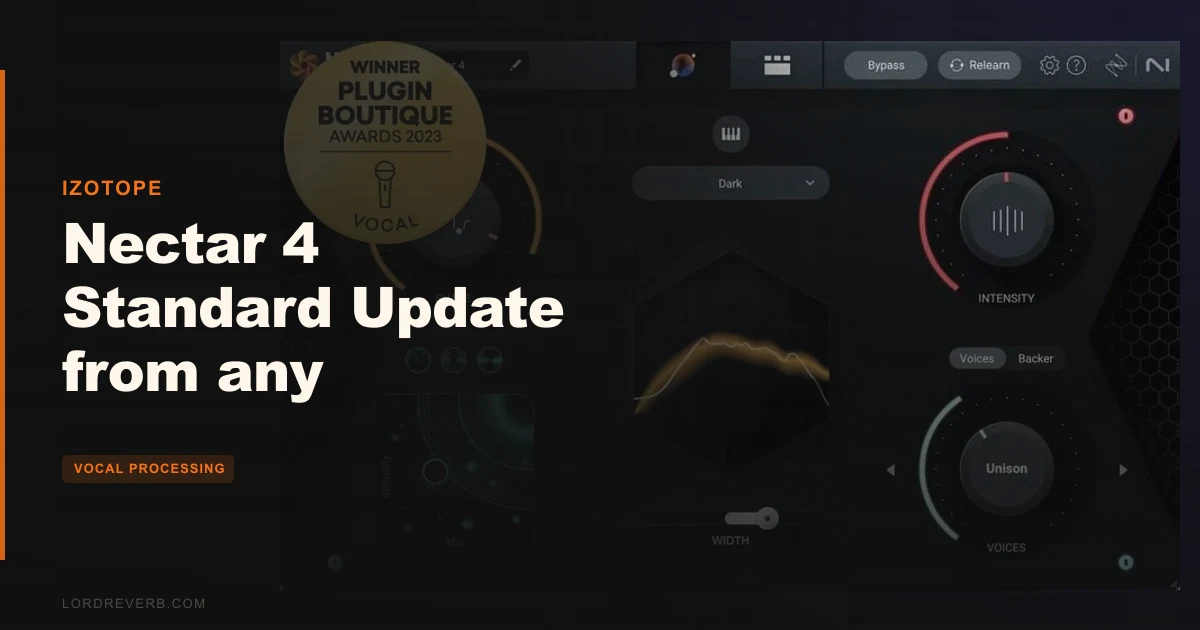
This review breaks down exactly what changed, what still irritates, and which type of producer should click "buy" versus "wait for the next sale."
What You're Actually Getting
Nectar 4 Standard is a vocal processing chain wrapped in a single plugin window. It stacks modules you'd normally patch across a signal chain: EQ, compression, de-essing, pitch correction, reverb, saturation, and now AI-powered harmony generation.
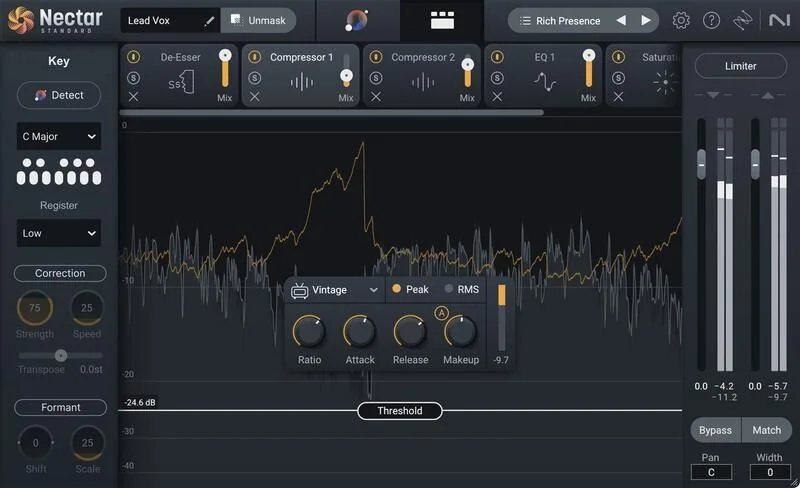
The update from any prior Nectar edition brings the full Nectar 4 Standard feature set. You're not getting a legacy version with a few cosmetic tweaks. The core additions are the Voices module, the Backer module, the updated Vocal Assistant with Audiolens support, and the shift to 24-band Dynamic EQs with adaptive pitch-tracking nodes.
Melodyne 5 Essential is built in. That's not a separate download in name only. You open it from within the Nectar window, edit your vocal, and the correction feeds back into the chain. It requires its own activation, either computer-based or via iLok USB dongle, so factor that in before your session day.
Inter-plugin Communication lets Nectar talk to other iZotope tools like Neutron, Ozone, and RX via iZotope Relay. If you're already running an iZotope stack, this is genuinely useful. If you're not, it won't affect you either way.
Supported formats are AU, AAX, VST2, and VST3, 64-bit only. Mac requires macOS 12.6 through 13.5.x Monterey. Windows needs version 10 or 11. Check your OS before you buy. Older systems are out.
The Vocal Assistant: AI That Helps and Occasionally Annoys
The Vocal Assistant is the first thing most people open. You tell it what you want, it listens to your vocal, and it configures the module chain to match. That's the pitch.
What it does well: owners report the Nectar 4 Assistant sounds noticeably more natural and less harsh in the highs than the Nectar 3 version. That's a real improvement. For dense pop mixes where you want a vocal that sits tight without sounding metallic, the Assistant gets you most of the way there fast.
The Audiolens integration is the clever part. You can load Audiolens as a separate plugin on any track or even an external source, capture the tonal character of a vocal you love, and import that as a reference target inside Nectar's Vocal Assistant. The plugin then shapes your EQ and processing toward that character. It's not exact surgery, but as a starting point on a busy session day, it saves real time.
You can also import custom reference tracks directly into the Vocal Assistant for tone matching without Audiolens. Useful for quick vocal matching across multiple takes or artists in one session.
The Improved Unmask feature sits in the Vocal Assistant menu and reduces competing mix elements directly from that screen. This taps into the inter-plugin communication system. If you have Neutron on your instruments and Nectar on your vocal, Unmask can carve space for the vocal by instructing Neutron where to pull back. Clever in theory. In practice, it's context-dependent and worth testing on your specific mix rather than trusting blindly.
Here's the honest problem with Vocal Assistant: users report needing to manually adjust nearly every module before the result sounds acceptable. If the AI gets you a rough shape fast and you dial it in from there, that's fine workflow. We'd frame it as "a smart starting point" rather than an autopilot.
The Dynamic EQ and Follow EQ Mode
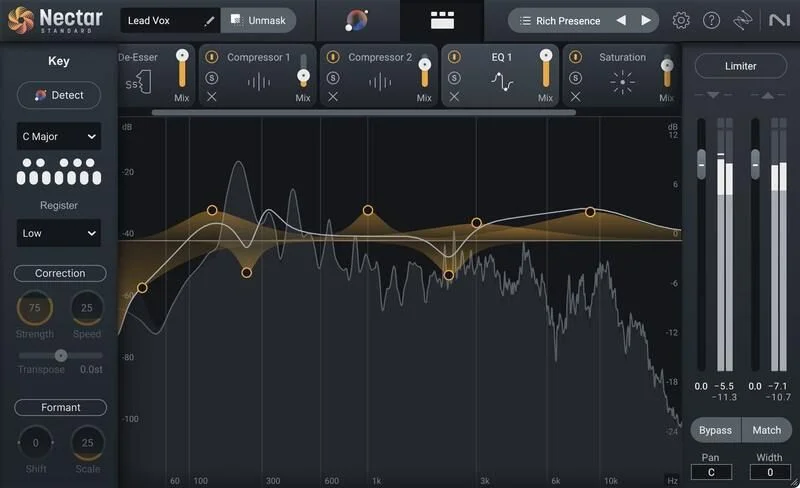
Two 24-band Dynamic EQs built for vocals. That's not a gimmick. Vocals move. They shift resonant frequencies note by note, and a static EQ node that fixes a 400Hz buildup on one phrase will clobber the wrong thing two bars later.
The adaptive nodes respond to the incoming signal rather than sitting static on a fixed frequency. You set the target range and the node chases the problem. For taming a vocalist who pushes harder on certain vowels, the adaptive nodes respond to the incoming signal in real time.
Follow EQ mode goes further. It tracks the pitch of the vocal in real time and adjusts EQ nodes to match harmonic relationships as the note changes. In practical terms: you set a node to catch a nasal resonance, and instead of it sitting fixed at 900Hz while the vocal moves from a low C to a high G and the resonance shifts with it, Follow EQ tracks that movement. Owners report it eliminates a substantial amount of manual breakpoint editing for resonant frequencies.
Keep that in mind when building your chain.
The correction is not perfect for every vocal style. On a tightly produced pop track where the vocal is pitched and doubled, Follow EQ saves you hours. On an acoustic folk vocal where natural resonance variation is part of the performance character, it can strip something that was supposed to be there. Disengage it in those cases.
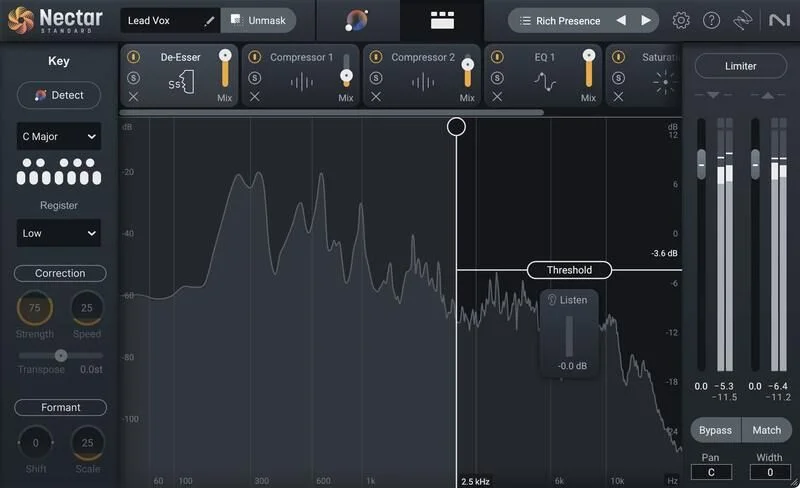
The De-Esser: One of the Quieter Wins
Honestly? This might be the most underrated module in the whole chain.
Owners report the De-Esser detection is accurate enough that manual riding is rarely needed, and that it handles variable sibilance better than most standalone de-essers. That's a strong claim and it holds up based on what's reported across user accounts. A vocalist who gets harsh on certain words but not others is exactly the problem a clumsy de-esser ruins. Nectar 4's approach seems to read that variance well.
The Backer Module: Brilliant Concept, Rough Edges
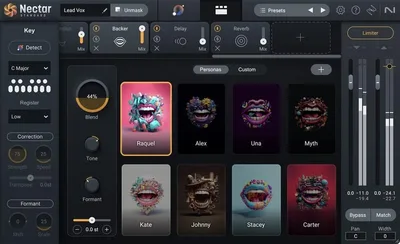
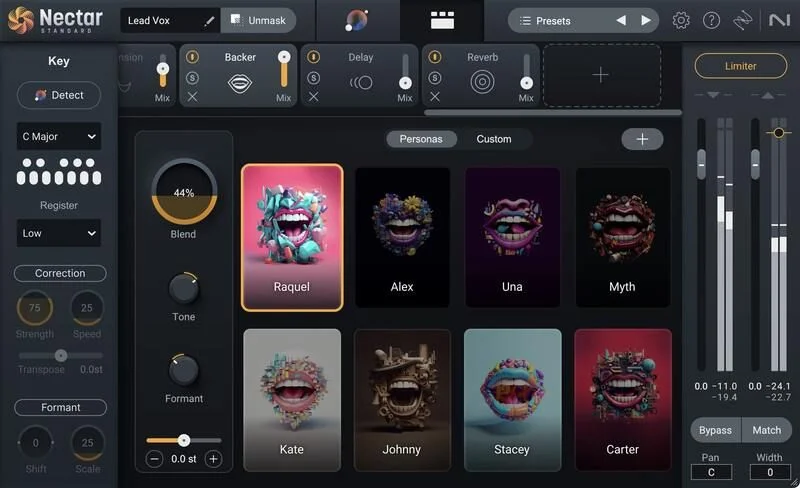
The Backer module is the headliner feature of Nectar 4. It creates AI-generated backup singers in eight different styles. You can also create a custom style using a reference target. Tone, Pitch, and Formant controls let you blend the backing vocal into the mix, and the module supports automation for style and shifting changes across a track.
The concept is genuinely clever. Background vocals are expensive, time-consuming, and sometimes logistically impossible. If Backer could deliver convincing BVs at the click of a button, it'd justify the $149 on its own.
Here's where we get honest. Owners report that preset backing vocals can run late and off-beat even after rendering. That timing issue is not a minor artifact. A BV that sits behind the beat sounds wrong in a way your listeners will feel even if they can't name it. The Backer module cannot run in real time during MIDI operation either, which limits how you can use it in a live or real-time context.
On exposed vocal sections, where the Backer vocal sits without much else around it, the robotic character and glitching artifacts become audible. In a busy pop or hip-hop mix where BVs are buried under layers, production, and reverb, those artifacts often disappear. That's the honest line: Backer works in dense mixes and struggles in exposed arrangements.
You'll want to automate the style and blend controls. The static preset BVs rarely sit right for an entire song without adjustment. Once you're riding the Formant and Tone knobs through different sections, it starts feeling less like a novelty and more like a production tool. It still won't replace a real singer, but for a reference demo or a deep-mix layer, it earns its place.
Custom styles using a reference target are where the Backer module gets interesting for sound designers. Feed it something odd and it tries to match the character. Results vary. Some produce useful textures. Some produce glitchy chaos. For pop vocals wanting clean BVs, stick to the built-in styles and manage expectations.
The Voices Module: 11 Harmonies Without a Theory Lesson
The Voices module builds up to 11 auto-harmonies from a single vocal. MIDI mode lets you trigger specific notes manually for precise voice leading. Direction control adjusts whether the harmonies sit above or below the main vocal. Mixer View gives you per-voice level and pan control for building a proper soundstage.
This is where Nectar 4 earns real praise from working producers. Complex vocal arrangements take time. A lead vocal plus three harmonies, panned and balanced, sitting in the right key relationship. The Voices module compresses that work significantly.
It's late, you've spent four hours on the instrumental, and the artist needs to hear a harmony arrangement before tomorrow morning. You open the Voices module, set the Direction above the lead, dial in three voices in Mixer View, and you have a workable arrangement in ten minutes. That's real workflow value.
MIDI mode is where it gets complicated. Owners report that MIDI-triggered harmonies intermittently recognize only high notes and join late. That's an annoying bug, not a minor quirk. If you're relying on MIDI mode for precise live or recorded harmony triggering, check whether this has been patched in your current version before committing the workflow to it.
For auto-harmony in MIDI-free mode, the module performs better. Set your key, set your voicing, and the 11-voice engine builds the stack from the incoming audio. For pop, R&B, and hip-hop production, it's a legitimate time-saver.
Compression, Auto-Level, and the Parallel Mix Control
Nectar 4's compressor is not the main event, but it's solid. The Parallel mix control is the part worth discussing.
Parallel compression on vocals means you can hit the compressor hard, get a dense, squashed character, and blend that back against the dry signal. Owners report that this control lets them dial in aggressive compression while keeping natural dynamics intact. For pop vocals that need to sound controlled but not lifeless, this is the right approach and the control is there to do it cleanly.
The Auto-Level module is reportedly a meaningful improvement over the Nectar 3 version. It works as a separate plugin too, so you can drop it earlier in a signal chain or use it alongside third-party effects without needing to run the full Nectar window. That flexibility matters. Gain staging a vocal before it hits your chain is the difference between a compressor that sounds musical and one that's just reacting to peaks.
Nectar provides what owners describe as silky smoothness to vocals without making tracks sound processed, and does it at low CPU. That's the general character of the compression and level management working together. For pop and hip-hop contexts where that polished but natural sound is the target, this combination works well.
CPU Load: The Honest Problem
Owners report Nectar 4 is unusually CPU-heavy. That's a real issue, not a marginal one.
A vocal processing chain that taxes your CPU means slower sessions, higher buffer sizes, and more latency. If you're working on a machine that's already handling a dense arrangement, adding Nectar 4 to the vocal bus may cause problems. Older machines will feel this more than current generation ones, but even modern systems take a hit.
The plugin does a lot. Two 24-band Dynamic EQs, AI harmony generation, pitch tracking, built-in Melodyne integration. CPU load this high is not a surprise given the feature set. But it needs to be named rather than buried in a footnote.
Work on the vocal in a stripped-down session and print the result. Don't try to run it live alongside a complex arrangement if your machine is under strain.
Melodyne 5 Essential: Built In, Not Buried
Melodyne 5 Essential being built into Nectar 4 Standard is a bigger deal than it sounds in a bullet-point list. Pitch and time correction without leaving the vocal plugin window keeps the workflow tight.
Melodyne 5 Essential handles pitch and time correction and is described by the developer as a GRAMMY-award winning tool. The Essential tier doesn't give you the note-by-note DNA editing of the full Melodyne versions. That's a real limit. If you need to adjust individual note formants or manipulate polyphonic material, you'll need to upgrade.
For monophonic vocal pitch correction on standard takes, Melodyne Essential handles it. You're getting the core pitch editing capability, access from within Nectar's window, and the result feeds directly back into your chain. That integration avoids the extra routing step of a rewire or external clip.
Remember the activation requirements. Melodyne 5 Essential needs Intel or AMD Dual Core as a minimum, 4 GB RAM minimum, macOS 10.12 or higher, or Windows 10-11 64-bit. It accepts computer-based or iLok USB dongle activation. If you're on an iLok-only studio setup, this works fine. If the computer-based activation route matters to you, that's available too.
Compared to the Alternatives
Auto-Tune Pro 11 does one thing and does it better than Nectar's pitch correction: the classic hard-tune effect, real-time tracking, and the creased, formant-aware pitch manipulation that's been in professional vocal chains for decades. If pitch correction is your main need and you want that iconic character, Auto-Tune Pro 11 is the buy. Nectar's built-in Melodyne Essential can't replicate that specific sound.
Waves Tune Real-Time sits at the low-latency end. If you need pitch correction live or during tracking with minimal delay, Waves Tune Real-Time is built for exactly that and nothing else. It doesn't give you a harmony module, a de-esser, a dynamic EQ, or Backer. It just corrects pitch quickly and quietly.
iZotope's own RX 11 is a different tool entirely. Where Nectar 4 is about building and enhancing a vocal, RX 11 is about repair. Mouth noise, background rumble, clipping, noise reduction. If the problem is a broken recording rather than a vocal that needs production, RX 11 is where to look. Some producers use both: RX 11 to fix, Nectar 4 to build.
None of these are direct Nectar replacements. Nectar 4 Standard's proposition is the all-in-one vocal chain. If you want separate best-in-class tools for each function, you'll spend more money and get more flexibility. If you want a coherent workflow in one window, Nectar 4 at $149 makes sense.
Who Should Buy This
- ✅ Buy if you produce pop, R&B, or hip-hop and want harmonies, BVs, pitch correction, and EQ in one plugin without routing across six separate tools.
- ✅ Buy if you're coming from Nectar 3 or earlier and want the Follow EQ mode, the improved de-esser, and the Auto-Level improvements. The upgrade jump is real.
- ✅ Buy if you're in the iZotope ecosystem already. The inter-plugin communication with Neutron and RX makes Nectar 4 worth significantly more in that context than as a standalone buy.
- ❌ Skip if you record acoustic or folk vocals where the natural dynamics and resonance character of the performance are what you're protecting. Nectar 4 can sound processed and synthetic on intimate recordings, and the AI modules don't know to leave well enough alone.
- ❌ Skip if you need reliable MIDI-triggered harmonies right now. The note-recognition and timing bugs owners report make that workflow risky in a production context.
- ❌ Skip if your machine is already CPU-strained. Running Nectar 4 on a stressed session will cause problems, and no amount of feature-set appeal fixes a crashing DAW.
Specs & Technical Details
| Developer | iZotope |
| Price | $149 |
| Plugin Format | AU / AAX / VST2 / VST3 (64-bit only) |
| OS Support | macOS 12.6 to 13.5.x Monterey / Windows 10 and 11 |
| Activation | Computer-based or iLok USB dongle (Melodyne 5 Essential requires separate activation) |
| CPU Usage | Heavy (owners report unusually high CPU load) |
| Trial Available | N/A |
| Version Reviewed | Nectar 4 Standard |
Score Breakdown
| Category | Score | Notes |
|---|---|---|
| Sound Quality | 3.5/5 | Natural and smooth in pop contexts; can sound dense and synthetic on acoustic or intimate vocals |
| Value for Money | 3.5/5 | Update price is fair for the feature jump from older Nectar versions; Backer bugs reduce overall value |
| Ease of Use | 3.5/5 | Vocal Assistant is a solid starting point but nearly every module needs manual adjustment before it sounds right |
| Features | 4.0/5 | Voices, Backer, Follow EQ, built-in Melodyne, and Audiolens support is a strong combined feature set |
| CPU Efficiency | 2.5/5 | Unusually high CPU load reported by owners; problematic on busy sessions |
| Overall | 3.5/5 | A real upgrade from older Nectar versions that suits pop and hip-hop well, with meaningful bugs and CPU costs to weigh |
Alternatives to Consider
Auto-Tune Pro 11 is the right buy if pitch correction is your primary need and you want the iconic hard-tune effect or precise real-time tracking. It doesn't give you a harmony engine, de-esser, or dynamic EQ. But for the thing it does, nothing in Nectar's bundle matches it.
Waves Tune Real-Time handles low-latency pitch correction without the overhead of a full vocal suite. If you track with pitch correction engaged and need zero perceptible delay, this is the leaner choice. Skip it if you want anything beyond basic pitch correction in the same plugin.
iZotope RX 11 is not a Nectar replacement. It's a repair tool. But if you're deciding between fixing recording problems and adding production processing, RX 11 and Nectar 4 serve genuinely different needs. Many producers run both.
The Verdict
Nectar 4 Standard at $149 is not the right plugin for every vocalist or every engineer. It's the right plugin for a specific kind of producer in a specific kind of workflow.
If you make pop, R&B, or hip-hop and you're upgrading from Nectar 3 or earlier, the jump is real and worth it. The Follow EQ mode alone saves meaningful session time. The de-esser is genuinely good. The Auto-Level improvement is not cosmetic. The Voices module builds usable harmony arrangements fast. These are improvements you'll feel in a working session.
The Backer module is a brilliant idea with a rough implementation. Timing drift and robotic artifacts on exposed sections are hard to love. You'll get usable results in dense mixes and frustrating results on exposed vocal lines. That's not a reason to skip the whole plugin, but it is a reason to walk in with managed expectations.
The CPU cost is real. The MIDI harmony bugs are annoying. The AI workflow requires more manual intervention than the marketing suggests. And on an acoustic vocal in a sparse arrangement, this plugin's sonic character can feel heavy-handed in a way that works against you.
Buy it if you're a pop or hip-hop producer already running iZotope tools and looking to consolidate your vocal chain. Skip it if intimate vocals are your core work, if your machine is under CPU pressure, or if MIDI-triggered harmonies are a key part of your session workflow right now. Check the Voices MIDI patch status before you rely on it for a deadline.
The plugin that works brilliantly in one producer's session is the one that sits unused in another's. Nectar 4 Standard knows exactly what it is. The question is whether that matches what you need.
Related reviews: SA-2 Dialog Processor HD v7 Review
Frequently Asked Questions
Does the Nectar 4 Standard update include Melodyne 5 Essential?
Yes. Melodyne 5 Essential is built into Nectar 4 Standard and accessible from within the plugin window. It requires a separate activation step, either computer-based or via iLok USB dongle, so set that up before your first session. The Essential tier covers monophonic pitch and time correction. It does not include the note-by-note DNA editing or polyphonic capabilities of Melodyne's higher-tier versions.
Is Nectar 4 Standard compatible with Logic Pro X and Pro Tools?
Yes. Nectar 4 Standard supports AU, AAX, VST2, and VST3 formats in 64-bit only, covering Logic Pro X and Pro Tools. Check your exact DAW version against the compatibility list in your notes. Logic Pro X is supported, as are Pro Tools versions 12.8 through 2020.5. Older DAW versions outside that range are not guaranteed to work.
What's the difference between the Voices module and the Backer module?
The Voices module generates up to 11 auto-harmonies from your lead vocal based on a set key and voicing, with optional MIDI control for precise note triggering. The Backer module creates AI-powered backup singer performances in one of eight styles, or a custom style built from a reference target. Voices gives you harmonic layers. Backer gives you a simulated BV performance with its own phrasing and tone. Both have known issues worth reading before committing to them in a deadline session.
Does Nectar 4 Standard work with non-iZotope plugins?
Yes, as a standard AU, AAX, or VST plugin it works in any compatible DAW session alongside any other plugins. The inter-plugin communication features, including Unmask and the iZotope Relay hub, only work with other iZotope plugins that support that system. If you're not running Neutron, Ozone, or other iZotope tools, those specific features won't be available, but the core Nectar modules all function independently.
Is Nectar 4 Standard good for acoustic or folk vocals?
Not ideally. Owners and users report that the plugin's sonic character can sound processed, dense, and synthetic in tone, which suits pop and hip-hop productions well but works against intimate acoustic vocal recordings. The AI modules don't always recognise when to leave natural resonance and dynamics intact. For acoustic or folk work, a more transparent chain of dedicated single-purpose tools may serve the vocal better than Nectar 4's all-in-one approach.