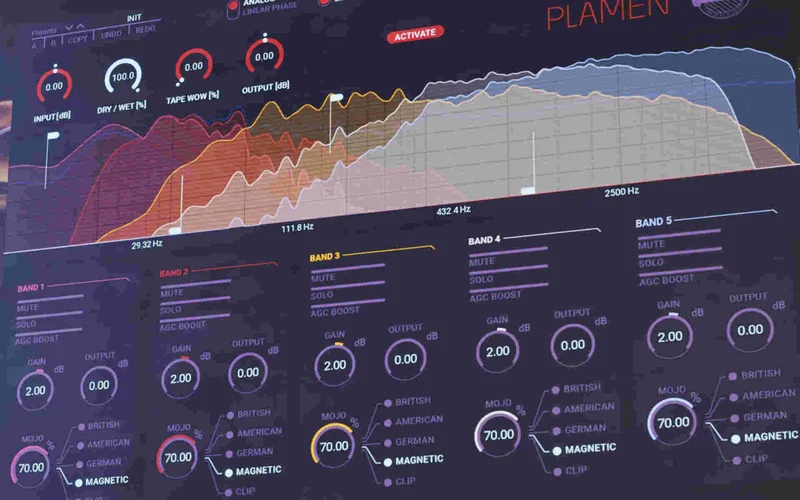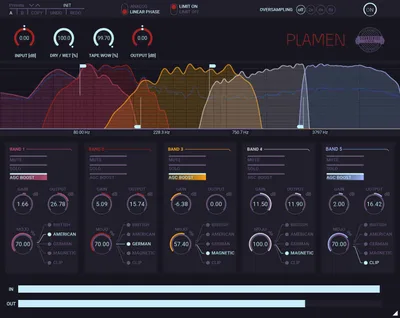
Plamen is a five-band, five-algorithm multi-band saturator from Czech developer SounDevice Digital, distributed by United Plugins, and it's one of the most focused tools we've used for adding targeted harmonic colour to a mix without nuking the tonal balance.
We loaded it on a dense pop master session that had been sitting slightly dull for two days. No amount of shelf boosting was fixing the high-mids. We dropped Plamen across the stereo bus, pushed the tape saturation type on band four (high-mids, set around 2kHz to 6kHz), kept the MOJO at roughly 40%, and the mix suddenly had presence without adding harshness. That was the moment we stopped treating this as a review and started thinking about whether we'd keep a licence.
At $89, it sits in a range where it has to work properly. Mostly, it does.
What Plamen Actually Is (and Where It Won't Help You)
Plamen is not a one-knob "make it warmer" tool. It's a multiband saturation processor with five independent frequency bands, each running its own saturation algorithm, its own input gain, its own parallel blend (MOJO), and its own output level. Think of it less like a tape emulator and more like an EQ that adds harmonics instead of dB.
That framing matters. If you want the sound of a specific piece of hardware saturating everything together, Plamen won't scratch that itch. It's not Decapitator or Satin. It's closer to surgical harmonic EQ.
It also won't replace a proper limiter or clipper on your master bus. The clipping algorithm inside it is one colour option among five, not a mastering-grade brick wall. Use it as a shaping tool, not a loudness tool.
Where it genuinely earns its slot is on sources that need different treatment across the spectrum. Vocals. Full drum buses. Dense guitar stems. Masters that have flat, lifeless high-mids. That's its world. Stay in it.
Saturation Plugins Guide: 5 Types Every Producer Needs
Living With It: Setup, Signal Flow, and What We Found Over Time
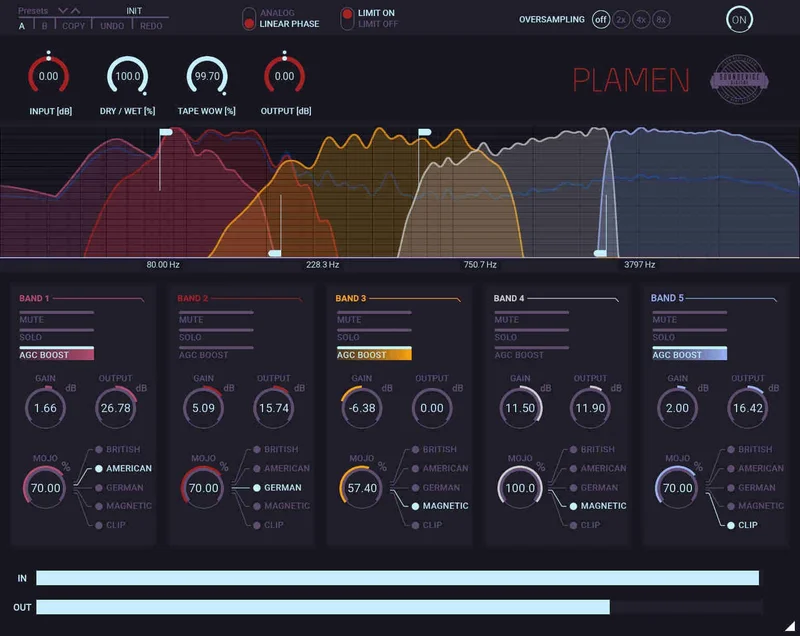
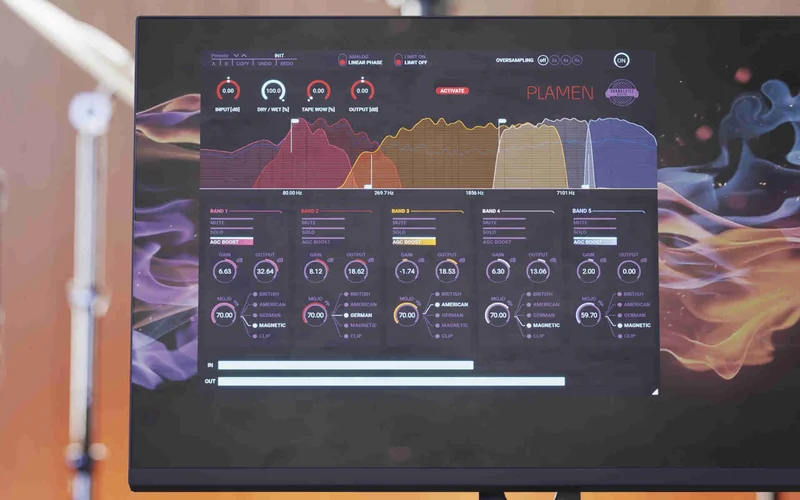
The first session with Plamen is going to take you longer than you expect. Not because it's badly designed, but because there are a lot of knobs and the photorealistic GUI is dense. Each of the five bands has input gain, saturation type selector, MOJO (the parallel blend), output volume, and a solo/mute toggle. That's twenty-five primary controls before you touch the global crossover, oversampling, or the overall parallel dry/wet.
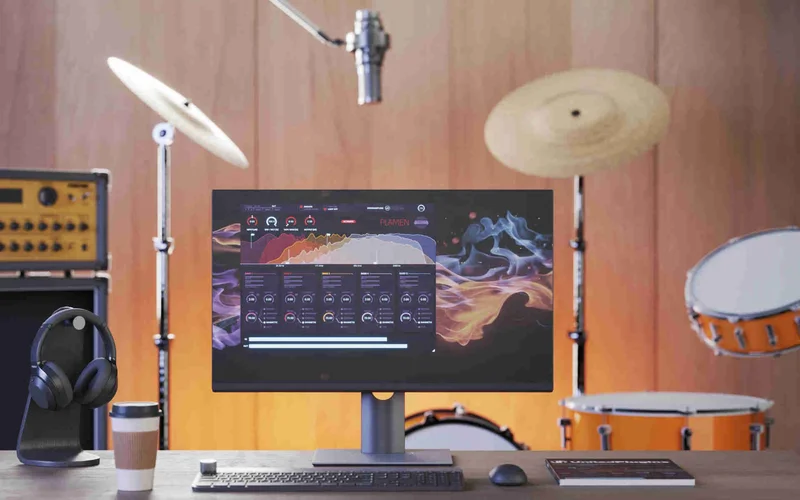
Once you understand the signal flow, it clicks. Drive the input. Set the saturation type. Blend in MOJO. Level-match the output. Repeat per band. The AGC Boost button adding 10dB to a band's input is a nice shortcut when you're working with already-mastered material that doesn't have a lot of headroom to push into.
We found ourselves reaching for the linear phase crossover mode on mix bus work and flipping to the analog 6dB/oct mode on individual instruments. The linear phase option introduces latency, but Plamen's smart bypass compensates for it, so the A/B comparison stays honest. That's a detail that matters and a lot of cheaper plugins skip it.
The band solo feature saved us twice in one session on a funk bass track. We soloed band two (bass frequencies, set around 80-200Hz), pushed the magnetic tape algorithm with the input gain around +7dB, and dialled MOJO to 60%. The low end got thick and rounded without spilling into the kick's territory. Soloing let us hear exactly what we were adding. When we unsolo'd, it sat correctly in context.
The Tape Wow effect is global, not per band. It adds slow pitch flutter, the kind of wobble you'd hear on a degraded reel-to-reel. It's a creative tool, not a standard mix tool. We used it once, on an ambient track, and it worked. We haven't touched it since. Reviewers report similar experience: it's a nice extra, not a reason to buy.
Oversampling deserves a specific mention. At 2x, Plamen runs light enough to leave on a dozen tracks without drama. At 4x, you'll feel it on a mid-range CPU with five bands all active. At 8x, we'd recommend keeping it to single instances on master or bus tracks. The intelligent sleep-on-silence feature helps, but it doesn't offset the cost of 8x oversampling on a busy session.
Can DarkFire Meet Your Saturation Needs?
The Five Saturation Types: What They Actually Do
This is where Plamen's value proposition lives or dies, so we're going in detail.
The three classic preamp emulations cover different harmonic profiles. Type one is the warmest, adding predominantly second-order harmonics with a soft knee. It works best on low-mids and bass, where even-order harmonics sound musical rather than edgy. Type two brings a bit of push, sitting between clean and gritty, useful on upper-mids where you want presence without crunch. Type three leans into odd-order harmonics, which gets aggressive fast. We used it on guitars at moderate input gain and it added useful mid-range bite without going full distortion.
Magnetic (tape) saturation is the smoothest of the five. It rolls off extreme transients, compresses gently, and adds warmth that sits lower in the harmonic spectrum. On a vocal bus, it felt like adding slight glue without touching compression settings. On a sharp snare, it softened the attack by just enough. We loved this one.
Clipping is the hardest. Even at moderate MOJO settings, it introduces the kind of edge you associate with pushing an AD converter. On kick drum, used sparingly on band one (sub/bass range), it adds a subtle hardness that translates on small speakers. Pushed harder, it goes full overdrive. It's useful. It's also easy to overdo.
The important thing is that these five types are available independently per band. That's not a small thing. Tape on the bass, preamp type one on the low-mids, preamp type two on the upper-mids, and clipping at low MOJO on the high-mids is a genuinely useful combination for acoustic guitar. We ran exactly that on a fingerpicked nylon string recording and the result was satisfying in a way that single-algorithm saturation never achieves on that source.
Distortion Plugins Guide: Still Beats Hardware Saturation
The Trade-Offs You Need to Know Before Buying
The flexibility is the strength. It's also the friction. Plamen rewards time and punishes impatience. If you're mid-session and need something to warm up a vocal in thirty seconds, this isn't the tool you'll reach for. You'll open a simpler one-knob saturator and move on.
The GUI reads as premium at first glance. Spend an hour with it and some frustration sets in. The knobs are physically small on a standard 1080p monitor. Even with the resizable window, it's busy. We wish there was a simplified view mode that hid the per-band fine detail when you just want the top-level controls.
The pricing situation in the market is worth flagging. This plugin regularly appears at promotional prices well below its standard retail rate. If you see it at $89, that's the price to buy at. Paying full standard list price for this feels hard to justify against what you get, even though what you get is genuinely good.
CPU is manageable at 2x oversampling. At 8x with five bands, it's not a set-and-forget master bus plugin in a large session unless your machine is strong. Users report that on an M1 MacBook Pro, eight instances at 4x oversampling was the practical limit before buffer adjustments were needed. That's a specific limit worth knowing.
On the plus side: no iLok, no dongle, and licence files that run on all your machines. That's 2026 standard practice but some developers still haven't figured it out, so credit where it's due.
Against the Field: Where Plamen Wins and Where It Doesn't
Kilohearts Multipass is the obvious competitor if you want maximum per-band routing control. Multipass is more powerful but genuinely complex to set up. Plamen is faster to get results from and cheaper.
iZotope Neutron's Exciter module does per-band harmonic saturation inside a larger channel strip. If you already own Neutron, you might not need Plamen. If you don't, buying Neutron just for its Exciter makes no sense at any price.
Klanghelm SDRR is the single-band alternative we'd recommend for producers who work on one source at a time and want character over control. SDRR has more personality per algorithm. Plamen has more control per session.
TDR Prism is free and offers four-band harmonic excitement. It's less flexible than Plamen in algorithm choice but costs nothing. Beginners should start there. If they hit its limits, Plamen is the logical next step.
Against multiband saturation tools at similar price points, Plamen wins on algorithm variety per band. Nowhere else at this price do you get five genuinely different saturation types, all available per band, with both linear phase and analog crossovers. That's the honest competitive case for it.
Technocolor Review: Does It Beat Free Saturation in 2026
The Real Verdict
Plamen is an underrated tool for producers who've hit the ceiling of single-band saturation and want surgical harmonic control. At $89, it's one of the most versatile saturation processors in its class, and the five-algorithm-per-band architecture is genuinely clever, not just a feature list.
Skip it if you want quick, character-heavy saturation with minimal setup. It's frustrating as a grab-and-go tool.
Buy it if you work on full sessions where different frequency bands need different harmonic treatment, and you have the patience to dial it in. Mixed drums, dense arrangements, and mastering work are where it earns its keep.
It won Mixed Magazine Plugin of the Week in 2023. We'd still recommend it in 2026. That's not nothing.
Specs & Technical Details
| Developer | SounDevice Digital / United Plugins |
| Price | $89 |
| Plugin Format | VST2 / VST3 / AU / AAX |
| OS Support | macOS 10.10 and above (Intel / Apple Silicon) / Windows 8-11 (64-bit) |
| Activation | Licence file (no iLok, no dongle, no internet required after activation) |
| CPU Usage | Light at 2x oversampling; medium at 4x; heavy at 8x with all five bands active |
| Oversampling | 2x, 4x, 8x |
| Internal Processing | 64-bit at any sample rate, including 192kHz+ |
| Crossover Modes | Linear phase / Analog 6dB/octave |
| Trial Available | Yes (United Plugins trial available) |
| Version Reviewed | Current as of 2026 |
Score Breakdown
| Category | Score | Notes |
|---|---|---|
| Sound Quality | 4.5/5 | Five genuinely distinct algorithms that behave differently across the spectrum; the tape and preamp modes are strong |
| Value for Money | 4.5/5 | At promotional price, it's hard to beat for per-band saturation variety; at full list, it's a tougher call |
| Ease of Use | 3.5/5 | Signal flow is logical once learned but the GUI is dense and the learning curve is real |
| Features | 4.5/5 | Per-band solo/mute, global parallel dry/wet, linear phase and analog crossovers, Tape Wow, three oversampling levels |
| CPU Efficiency | 3.5/5 | 8x oversampling with five active bands is demanding; 2x is fine; the sleep-on-silence helps |
| Overall | 4.2/5 | A genuinely useful multi-band saturation tool that rewards patience with results you can't easily get elsewhere at this price |
Alternatives to Consider
Kilohearts Multipass is the full-power alternative if you want per-band routing for any effect, not just saturation. It's deeper, more complex, and worth the extra investment if you work in sound design.
Klanghelm SDRR wins on character and simplicity. If you want one saturation type that sounds brilliant on everything it touches, SDRR is the honest recommendation. Plamen wins when you need control across the spectrum.
TDR Prism is free and covers basic per-band harmonic excitement across four bands. Start here if you're new to multiband saturation. It'll tell you whether you need Plamen's deeper control.
If you're already in the United Plugins ecosystem and liked DarkFire, Plamen is the logical companion.
The best multi-band saturator isn't always the one with the most features. It's the one you'll actually configure correctly for each source. Plamen gives you the controls. Whether you'll use all of them is on you.
Frequently Asked Questions
What does Plamen mean?
Plamen is a Czech word meaning "flame." SounDevice Digital is a Czech studio team and chose it as a nod to saturation adding warmth, like a flame. The developer notes that "Plameny" (the plural) might technically be more appropriate for a multi-band plugin, which is a nice touch of self-awareness.
Can you use Plamen on a master bus?
Yes, and it works well there. Keep oversampling at 4x or 8x for mastering work to avoid aliasing artefacts. Watch your CPU load with five bands active at 8x, especially in a large session. The linear phase crossover mode is the correct choice for stereo bus work to avoid phase distortion between bands.
How does the MOJO control work?
MOJO controls how much of each band's saturated signal is blended in parallel with the dry signal for that specific band. It's not a simple wet/dry knob for the whole plugin. You set MOJO per band, which means you can run band one at 30% MOJO and band four at 80% MOJO independently. There's also a global parallel dry/wet for the whole plugin on top of that.
Does Plamen work on Apple Silicon Macs?
Yes. The plugin runs natively on Apple Silicon as well as Intel Macs, and covers macOS from 10.10 Yosemite up to current versions. Activation uses a licence file, no internet connection is required after that, and you can run it on multiple machines under the same user.
Is Plamen worth buying at full price?
At promotional pricing, it's a clear buy for anyone doing serious mix or master work who wants per-band harmonic control. At standard list price, compare it carefully against what else is available at that price point before committing. United Plugins runs frequent sales, so patience usually pays off here.