
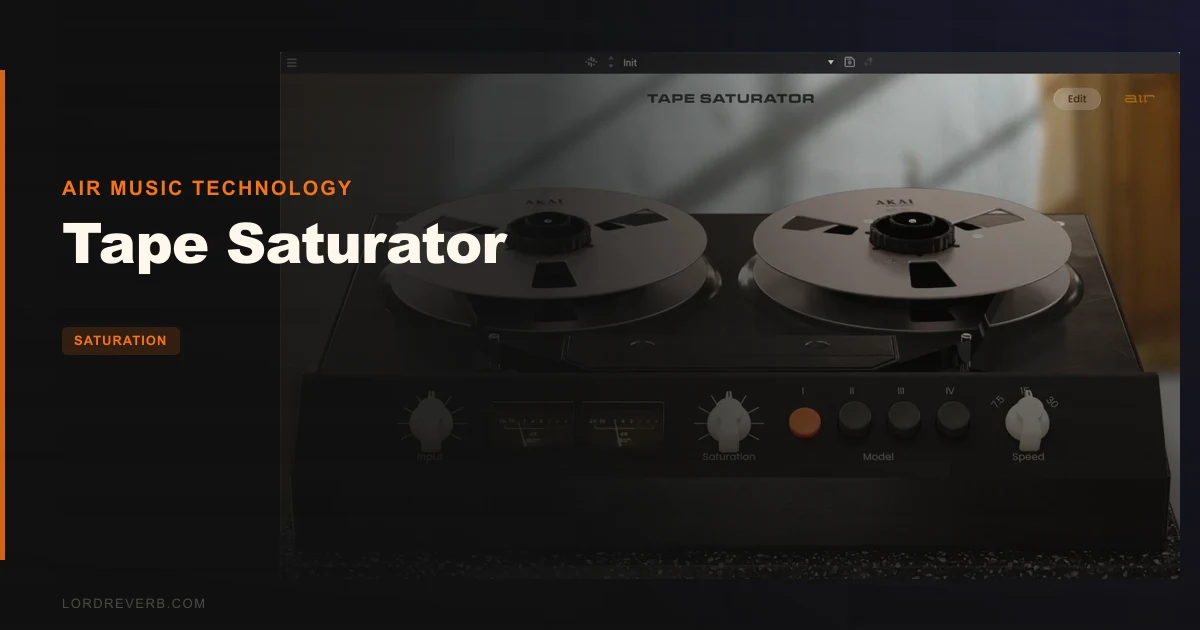
Tape Saturator from AIR Music Technology is a four-model tape emulation for mixing and mastering at $99, and our answer is a conditional yes: buy it if you’ll live with the licensing, skip it if you won’t.
Picture the session. Your drum bus is clean, tight and a little lifeless. The kick and snare hit on time, nothing clips, and the whole thing sounds like a screenshot of a drum kit. You’ve tried a compressor and an EQ. What you want is that dense, slightly smeared weight you hear on records from tape-era engineers.
That’s the job this plugin is built for. It’s made for desktop DAWs and for MPC owners who want tape character inside the box.
It’s brand new, released May 26, 2026. That matters, because the evidence pool is thin. Everything below comes from the developer’s own description and a small handful of owner comments.
What's In The Box
Tape Saturator offers 4 saturation models. That’s the core of it.
Around those models sits a set of controls aimed at tape behavior rather than plain distortion. A tape condition control runs from mint to heavily aged. Wow, flutter and dropout behavior each get adjustment. There’s a noise control, tone shaping, auto gain make-up, and a choice of clipping types.
Formats are VST, AU and AAX. It runs in MPC Standalone, MPC Desktop and the major DAWs.
Two practical facts before you get excited. There’s a 10-day free trial. And license activation is required, which we’ll come back to, because it’s the sore spot of this whole review.
Where It Fits In Your Workflow
Tape saturation lives in two places: on individual sources and on buses. Tape Saturator suits both, and the MPC compatibility tells you who AIR had in mind.
Say you’re building a beat in MPC Desktop. The sample chops sound great in isolation but thin out once the drums arrive. Drop the plugin on the sample bus, pick a model, and push the drive until the chops thicken. Then reach for the auto gain make-up so you’re judging tone, not loudness.
On a vocal, the reasoning flips. You want weight, not grit. Keep the tape condition near the mint end and use the tone shaping to keep the top from going dull.
The catch is the license check. If your studio machine sits offline for weeks, or you move between laptop and desktop, the re-authorization requirement owners describe could bite you mid-project.
The Tape Condition Control
This is the feature we find most interesting on paper. Tape condition sweeps from mint to heavily aged, so you’re choosing how worn the imaginary machine is, not just how hard you hit it.
A mint setting should read as gentle color. A heavily aged setting is where the character-driven end of the plugin lives, according to the developer, who says you can dial from subtle color up to pronounced saturation.
Here’s the scene. You’re mastering a pop-leaning track and it feels too polished. Don’t crank the drive. Move the condition control toward aged and listen for the glue to change before you touch anything else.
We love this idea. A worn-machine slider is a more musical way to think about saturation than a bare drive knob.
Wow, Flutter And Dropout
Wow is slow pitch drift. Flutter is faster pitch wobble. Dropout is the brief level dip you get when tape oxide gives out.
The plugin gives you control over all three, and that’s more than many saturators bother with. Owners say this is where the plugin stops being a hardware copy: it lets you push beyond what the real machines allowed.
Used lightly, those behaviors make a loop feel less like a copy-paste. Used heavily, they’re a lo-fi effect. On a lead synth, a little flutter can stop a static patch from sounding like a preset.
On a master, be careful. Dropout on a full mix is ridiculous in the wrong way. Keep it off unless you’re deliberately going for a warped, vintage record.
Noise Control
Tape hiss is part of the sound for some people and a plague for others. A dedicated noise control means you pick.
On a drum bus, you probably want it at zero. On a sparse intro with a single pad, a whisper of noise can fill the space. It’s a small feature, but a satisfying one.
The Four Saturation Models
The notes confirm there are 4 saturation models. They don’t name them or describe what each one does, so we won’t invent tape machines or personalities for them.
What we can say is this. Four models means you can match the saturation flavor to the source without re-stacking plugins. Check each one on drums first, because drums reveal how a saturator treats transients faster than anything else.
Here’s your homework in the trial. Loop a snare and a bass note. Solo each model at the same drive. Listen for which one flattens the snare crack and which one leaves it alone. That’s how you’ll pick your default.
Tone Shaping And Clipping Type
The tone control lets you steer the color after saturation. That’s the right place for it, because saturation often adds top end you didn’t ask for.
Imagine a vocal bus that turned brittle after you added drive. Pull the tone control down a notch before reaching for a de-esser. Often that’s enough.
The clipping type selection is the other control worth testing. Different clipping behavior changes how the plugin treats peaks, so it matters most on drums and on loud masters. We’d test it on a kick before anything else, because a kick shows you immediately whether a clip feels rounded or harsh.
Auto Gain Make-Up
This one’s underrated. Saturation raises level, and louder always sounds better. Without gain compensation you’ll fool yourself into thinking every setting is an improvement.
Auto gain make-up keeps the comparison honest. Leave it on while you audition models and condition settings. Switch it off only when you want the level change as part of the sound.
What It's Genuinely Good At
On the evidence available, three things stand out.
First, depth of control. Condition, wow, flutter, dropout and noise together give you more tape behavior than a typical saturation plugin. Owners say that freedom beyond hardware limits is the draw.
Second, ease of use. Users call the interface straightforward, and they say it brings weight and fullness to drums and vocals. That’s the exact use case we sketched at the top.
Third, platform reach. Plenty of plugins ignore the MPC world. This one is optimized for it, and that’s a real advantage if your beats start on an MPC.
Owners describe the sound as authentic tape saturation with timeless warmth and harmonic character. Keep in mind that’s owner and developer language. We haven’t got measurements to back it up, such as harmonic distribution or frequency response, and none appear in the material available.
The Rough Edges
Here’s the part we’d flag before you spend $99.
Licensing. One user reports needing to re-authorize the plugin at least every 30 days and found it annoying enough to stop using it. Another reports difficulty with the registration process. Two reports is a small sample, but both point at the same pain.
Annoying is the right word. A creative tool that interrupts you for paperwork has failed at its one job, which is staying out of your way.
The second issue is evidence. There are no independent reviews, no benchmark comparisons and no user ratings. You’re buying a new product on the developer’s word and a few owner comments. Use the trial properly.
Third, the notes don’t tell us about CPU load, so we won’t guess. Test it on your heaviest session.
Who This Is Really For
Here’s how it breaks down by user type, with a clear call for each.
The MPC Beatmaker
You work in MPC Standalone or MPC Desktop and want tape color without leaving the ecosystem. This is the clearest fit. Buy it, after confirming activation works on your setup during the trial.
The Working Producer
You’re in a DAW all day, hopping between machines. The re-authorization complaint should worry you most. Wait, and run the trial across both machines before deciding.
The Mixing Engineer
You want saturation on buses and a handful of sources, with level-matched comparisons. Auto gain make-up and the tone control serve you well. Try it, but don’t commit to a client project until activation behavior proves reliable. Wait.
The Sound Designer
Wow, flutter, dropout and noise are your toys. The aged end of the condition control is where you’ll live. Buy it if you can tolerate the license check.
The Beginner
You want one plugin that makes things sound better. The straightforward interface helps, and the condition control is easy to grasp. But licensing hiccups are harder for newcomers to diagnose. Skip it for now unless you’re on an MPC.
Quick scenarios:
✅ Buy if you build beats on an MPC and want tape character inside it. ✅ Buy if you want wow, flutter, dropout and noise as real controls, not afterthoughts. ✅ Buy if you can pass the 10-day trial on every machine you use.
❌ Skip if you work offline or across several computers and hate license checks. ❌ Skip if you need independent proof of the sound before spending money. ❌ Skip if you only want a simple drive knob.
Try It Yourself
You have 10 days. Use them on purpose.
- Loop a drum bus and audition all four models at matched loudness with auto gain make-up on.
- Sweep tape condition from mint to heavily aged on a vocal and note where it stops flattering the performance.
- Install and activate on every computer you use, then leave one offline for a few days and see what happens.
That third check is the one that decides this purchase.
Specs & Technical Details
| Spec | Detail |
|---|---|
| Developer | AIR Music Technology |
| Price | $99 |
| Plugin Format | VST / AU / AAX |
| OS Support | N/A |
| Activation | License activation required |
| CPU Usage | N/A |
| Trial Available | Yes (10 days) |
| Version Reviewed | N/A |
Score Breakdown
| Category | Score | Notes |
|---|---|---|
| Sound Quality | 3.8/5 | Owners report authentic tape warmth, but no independent verification yet |
| Value for Money | 3.5/5 | Deep control set, held back by licensing friction |
| Ease of Use | 3.5/5 | Straightforward interface, awkward activation |
| Features | 4.2/5 | Condition, wow, flutter, dropout, noise, tone, clip types |
| CPU Efficiency | N/A | No data available |
| Overall | 3.6/5 | Strong feature set, real licensing risk, thin evidence |
Our Verdict
Tape Saturator is a feature-rich tape plugin held hostage by its own activation system.
If you’re an MPC producer, or you want wow, flutter and dropout as honest controls, it’s worth $99 once the trial proves the licensing works for you. If your setup is offline, shared or multi-machine, it’s the wrong plugin, however good it sounds.
We’d rather you walk away after day nine of the trial than discover a lockout in the middle of a deadline.
Related reviews: Plamen
Frequently Asked Questions
Is there a free trial for Tape Saturator?
Yes. AIR offers a 10-day free trial. Use it to test every saturation model and, just as important, to confirm that license activation works on every machine you plan to use.
Does Tape Saturator work in MPC Standalone?
Yes. It's compatible with MPC Standalone and MPC Desktop, as well as major DAWs. It's built in VST, AU and AAX formats.
How many saturation models does it have?
Four. The tape condition control, which runs from mint to heavily aged, sits on top of those models, along with wow, flutter, dropout, noise and tone controls.
What's the main complaint about Tape Saturator?
Licensing. One user reports needing to re-authorize at least every 30 days and stopped using the plugin because of it. Another reports trouble with registration. Both are small samples, but they point at the same problem.
Is Tape Saturator worth $99?
For MPC users and anyone who wants deep tape behavior controls, probably yes, provided the trial goes smoothly. If you dislike license checks or work offline, skip it. Lean on the trial to verify performance on your setup.