
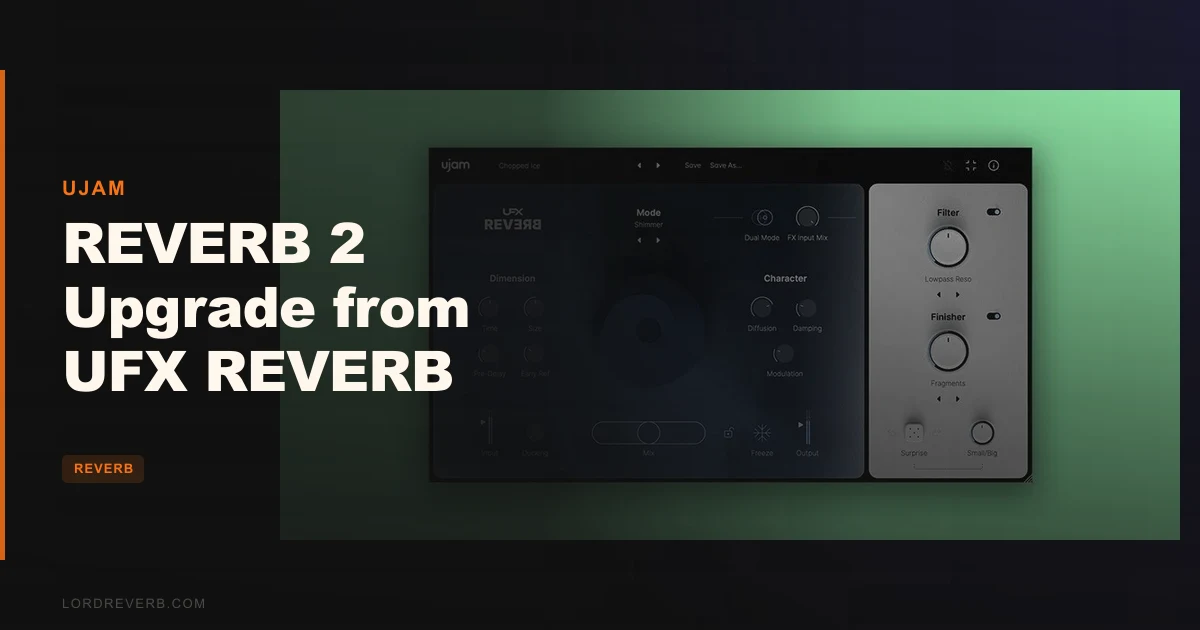
If you already own UFX REVERB and you're asking whether the upgrade to version 2 is worth it, the answer is yes, for most owners, at $19 it isn't even a close call. You're getting double the reverb algorithms, a new Dual Mode, 40 new Finisher effects, 15 new Filter modes, and 100 new presets stacked on top of everything you already paid for. The real question isn't whether version 2 is better. It clearly is. The question is whether you specifically will use what's new, and whether the few rough edges in the plugin are dealbreakers for your workflow.
This review is built for UFX REVERB owners sitting on the fence. We'll cover every new feature in detail, flag where the plugin frustrates, and tell you honestly when to pass.
What You Are Upgrading To
UFX REVERB 2 is UJAM's second major version of their multi-algorithm reverb plugin, rebuilt around user feedback from the original. The headline number is 20 reverb models, up from 10. That's not a marketing rounding trick. Version 1 had Basic, Room, Hall, Plate, Spring, Digital, 80s, Warm, Gated, and Reverse. Version 2 adds Drum Room, Courtyard, Scoring Stage, Parking Garage, Vocal Ice, Gigathedral, Gated Freeze, Shimmer, Fat Shimmer, and Long Reverse.
That's a real expansion. Shimmer and Fat Shimmer alone open up textures the original couldn't touch. Parking Garage and Courtyard give you spatial flavours that sit outside the standard studio vocabulary.
Beyond the algorithm count, the three structural additions are Dual Mode, Early Reflections, and the expanded Filter and Finisher sections. Dual Mode is new architecture, not a workaround. Early Reflections is a new parameter for spatial placement. And the Filter and Finisher expansions aren't small: 15 new Filter modes and 40 new Finisher effects is a meaningful content drop, not just a patch update.
All existing presets have been upgraded alongside 100 brand new ones. If you've built sessions around version 1 presets, check your recall.
Who Qualifies
This upgrade path is for existing owners of UFX REVERB, the original version 1. The product page is explicit: if you're not already a license holder, this isn't your purchase path. The standard full version is listed separately.
If you're on the fence about owning UFX REVERB at all, read the full version review first. This review is scoped only to the upgrade decision, not the from-scratch buy.
Format support covers VST2, VST3, AU 2, and AAX across macOS Catalina through Sequoia and Windows 10 through 11. Intel Macs and Apple silicon are both covered, with native support on M-series chips and Rosetta as a fallback. You'll need 8 GB of RAM minimum and 300 MB of disk space. If you're already running version 1, you almost certainly meet those requirements.
The Value Case
At $19 for existing owners, the upgrade is priced well below what you'd spend on a single boutique reverb plugin for half the content. You're getting 10 new reverb modes, Dual Mode, Early Reflections, 40 Finisher effects, 15 Filter modes, and 100 presets. That's closer to a new plugin than a maintenance update.
Reviewers consistently flag the value here. The phrase that keeps appearing in independent assessments is "punches above its price range," which in concrete terms means the multi-effects depth you get from stacking the Filter and Finisher sections on top of the reverb engine is what you'd normally find in a more expensive dedicated processor.
The one thing we'd flag: if you bought UFX REVERB specifically for mixing duties and you only use one or two of the original ten modes, the new modes and effects won't automatically change your habits. The value is real, but it's weighted toward producers who push into creative territory, not engineers who lock onto one clean hall and stay there.
For sound design, scoring, and production work that crosses genre lines, the upgrade at $19 is an easy yes. For a dedicated mix reverb workflow where you're happy with what you have, it's still good value, just less transformative.
Who Should Skip It
Skip this if your reverb workflow is already settled around a dedicated premium plugin like Seventh Heaven or Valhalla's Plate and you've no intention of changing it. Some users who compared version 2 to those references concluded it doesn't displace them as primary reverbs. That's a fair criticism. This isn't a direct challenger to high-end algorithmic reverbs at their ceiling.
Skip it if precise time-based control is non-negotiable for you. Parameters are measured in percentages, not milliseconds or seconds. If you dial in reverb times by number for mix-critical decisions, that's frustrating in practice.
Skip it if CPU headroom is already tight. Users report that UFX REVERB 2 runs heavier than you'd expect for a reverb plugin, and occasional stability reports surface alongside that. Neither issue is universal, but they're real enough to name.
And skip it if you're after a traditional reverb and nothing else. The Finisher section leans into creative effects territory. If you want a pure algorithmic reverb, you're paying partly for tools you won't touch.
The 20 Reverb Algorithms: What Actually Changed
The original 10 modes covered the basics well. Room, Hall, Plate, Spring, and Reverse are workhorses. Digital and 80s give you era-specific colour. Gated is useful for drum processing. Warm and Basic fill the gaps. None of that went away.
The 10 new modes in version 2 are where the character shifts.
Drum Room
Built for drums, which sounds obvious, but matters in practice. Reviewers flag that drums sit differently here than they do in the generic Room mode. If you're layering room sound on a snare bus, load Drum Room and pull the Size control before touching anything else. The mode is tuned for transient-heavy material.
Courtyard
An outdoor, echo-heavy spatial character. It's the mode to reach for when a standard hall sounds too controlled for what you need. Useful on guitars and percussion when the track wants air without the formality of a reverb chamber.
Scoring Stage
Warm orchestral ambience. Scoring Stage is the mode that matters if you're writing for picture or producing anything with live-instrument samples. Reviewers specifically noted compelling results on keyboards here. Try it on a piano or string patch with the Damper control pulled back for a drier, closer result.
Parking Garage
Large, concrete, slightly chaotic. Parking Garage is a flavour mode, not a mix tool. It's in the plugin for texture and sound design. If you're building industrial, hip-hop, or experimental tracks, this is where you'll spend time. Don't put it on a lead vocal in a pop mix and expect it to behave.
Vocal Ice
Frozen vocal ambience. The name describes the character accurately. It sits between a standard reverb and a shimmer effect. Useful on vocals when you need the tail to feel static rather than decaying naturally. Run it as a send at low levels to add depth without movement.
Gigathedral
Larger-than-life cathedral. The name isn't modest and neither is the effect. This mode is built for moments where scale is the point. It's brilliant for ambient music, scoring, or a specific kind of post-rock guitar texture. For pop and hip-hop? Use sparingly, or not at all.
Gated Freeze
A cut-off variation of the Freeze function built into an algorithm. The original Freeze function is still accessible as a standalone feature. Gated Freeze makes the cut feel rhythmic and intentional rather than manually triggered. On a snare with the gate timed to a slow eighth note, it's satisfying in a way that the standard Gated mode doesn't quite match.
Shimmer
Classic pitch-shifted reverb shimmer. If you've been chasing that sound with a separate pitch plugin in your chain, Shimmer handles it natively. Reviewers report smooth behaviour on guitars and pads. The Width and Size controls interact well here.
Fat Shimmer
Shimmer plus a low octave layer. This one is greedy in terms of the space it occupies in a mix. It's not subtle. It works brilliantly as a design element on synth pads or as a cinematic texture. If you're using it as a send on a busy mix, it'll overpower quickly. Use it on a separate bus with careful level management.
Long Reverse
An extended version of the original Reverse mode. The original Reverse had useful applications for transitions and ambient swells. Long Reverse gives you more tail to work with. On a vocal or synth lead going into a chorus, automate the send level so the reverse swell builds in the bar before the drop.
Dual Mode: The Feature That Changes the Workflow
Dual Mode is the version 2 feature that owners of the original will feel most immediately. It layers two instances of the selected reverb algorithm simultaneously to create a fuller, denser reverb character without requiring you to route two plugins or set up a parallel chain.
The developer describes it as producing "fuller reverb with density enhancement." In practice, users report that the result adds richness that a single algorithm at higher settings doesn't quite replicate. It's a different texture, not just a louder one.
The limitation is real and worth naming clearly: Dual Mode doesn't let you select a different reverb type for the second layer. You get two instances of the same algorithm. That's a workflow constraint that some producers will bump into quickly. If you want a Room plus a Hall stacked, that's not what Dual Mode does. You'd need a second instance of the plugin on a send for that.
Still, for density on its own terms, it works. Users who've used it on drums report that it adds the kind of layered room sound that usually requires more effort. Put it on a vocal send and push the wet level lower than you think you need. The density fills the space without the reverb becoming obvious.
Early Reflections: Spatial Precision, Finally
Early Reflections is a new parameter in version 2 that controls the initial reflections before the reverb tail develops. This is what places a sound in a physical space. Longer pre-delay and stronger early reflections push a sound further back in a mix. Shorter settings keep it close.
The developer says Early Reflections add "improved spatial definition." That's accurate framing. The original UFX REVERB was good at tail and texture. The Early Reflections parameter adds a tool for placement that the original lacked.
For mix engineers, this matters more than it might seem. You can use the standard reverb modes you already know from version 1 and add spatial depth through the Early Reflections control without changing anything else in the chain. It's a mixing tool as much as a creative one.
If you're placing a guitar in a room, dial in Early Reflections first. Get the sense of physical space right before you worry about the tail. That's the order of operations that makes the parameter actually useful rather than decorative.
The Ambience and Character Sections: What You Already Know
These carried over from version 1 and remain the core of the mixing interface. The Ambience section covers room size, density, damper, and modulation. The Character section sits alongside it.
The parameters are musical rather than technical. Density controls how quickly the reverb fills out. Damper rolls off high-frequency content in the tail. Modulation adds subtle pitch movement to prevent the tail from sounding static. None of these parameters give you an exact time value. They give you a direction and a feel.
That's both the appeal and the frustration. If you work by ear and adjust until it sounds right, the interface is quick and clear. If you need to set a pre-delay to exactly 23 milliseconds to match the tempo of a track, you can't do it. The percentage-based parameter system is one of the consistent complaints users raise. It's a real limitation for mix engineers who work to strict technical specifications.
For producers and composers who work more freely, it's not an issue. But be honest about which camp you're in before you buy.
Ducking Control: The Underrated Mix Tool
Ducking Control reduces the reverb signal's attack, which pulls the reverb back when the dry signal is present and lets it bloom in the gaps. The developer calls it "great for removing mix muddiness." That's accurate. It's also great as an effect when pushed hard on longer reverb tails.
If you're mixing a dense track where the reverb is blurring the low-mid register, Ducking Control is the first place to reach. Set the reverb tail as long as you want the space, then bring the Ducking up until the attack clears. You get the room size without the initial smear.
The moderate setting is usually more useful than the extreme. Full Ducking on a short Room reverb makes the plugin sound gated. Unless that's what you want, keep it in the lower half of the range for mix use and push it higher for effect.
This is one of the features that separates UFX REVERB from basic algorithmic reverbs in its price bracket. Most reverb plugins at this level don't include integrated ducking. The fact that it's been in the plugin since version 1 and carried forward here is worth noting.
Freeze Function: Ambient Texture and Resampling
Freeze captures the current state of the reverberation and holds it indefinitely. The developer says it's "great for resampling," and that's the most practical application to highlight here.
Load it on any instrument, let the reverb develop for a second or two, then hit Freeze. You get a static ambient cloud at whatever pitch and texture the reverb was producing at that moment. Resample that to an audio file and you have a pad or texture layer that came from your own session.
The creative applications stack quickly. Freeze on a Scoring Stage reverb applied to a piano chord gives you an orchestral ambience layer that blends naturally with the source because it literally came from it. Freeze on Gigathedral applied to a single guitar note gives you something close to a drone.
Gated Freeze as an algorithm is the rhythmic companion to this. Where the Freeze function is a sustained hold, Gated Freeze cuts in and out in a controlled pattern. The two together, in separate instances or on separate sends, give you a range of ambient textures from static to rhythmic.
The Multimode Filter: Shape the Tail
The Filter section lets you apply filtering shapes to the reverb signal itself, not to the dry signal or the overall output. You're shaping the character of the reverb tail and body.
Version 2 adds 15 new Filter modes on top of what was already there. The range covers Lowpass, Highpass, Comb, megaphone, and EQ curve shapes. That's a wide span from mixing utility to pure character processing.
Lowpass on a Hall reverb to roll off the high-frequency content in the tail is a clean, practical mixing move. Highpass on a Room reverb to keep the low end clean under a bass-heavy mix is equally useful. Comb filtering on a Plate reverb starts to push into telephone-effect territory.
The EQ curve options and the megaphone filter are where the creative territory opens. Megaphone applied to a shimmer reverb produces a specific kind of lo-fi, distant texture that's harder to replicate with a standard EQ after the fact because you're shaping the reverb itself, not what comes out of it.
Reviewers flag that the interaction between the Filter and Finisher sections is where UFX REVERB 2 separates itself from a standard reverb tool. The Filter alters the character. The Finisher processes what comes after. Used together, users describe the result as transforming a good reverb into something special.
The Finisher Section: Where the Multi-Effects Live
The Finisher section is the most divisive part of UFX REVERB 2, depending entirely on what you bought the plugin for.
Version 2 adds 40 new Finisher effects, bringing the total to a substantial library organised into four categories: gaters, delay and modulation effects, cinematic effects, and sequenced soundscapes. That's a genuine content addition, not just a few extra presets.
The caveat is real: Finisher effects are preset-only. You can select from the library, but you can't build your own Finisher chain from scratch or adjust individual parameters within a Finisher effect the way you can with the Filter or the main reverb controls. You pick from what's available.
That's a workflow constraint that will frustrate some producers. If you're used to building effects chains from individual components, the Finisher section will feel limited. You're choosing from a menu, not cooking from ingredients.
That said, the menu is large. Forty new Finisher effects across four categories means there's a meaningful range. The cinematic and sequenced categories in particular push UFX REVERB 2 into territory that most reverb plugins don't go near. A gated delay with shimmer applied to a scored string pad, called up in one click from the Finisher library, is useful even if you can't adjust the gate timing independently.
For producers who want creative textures fast, the Finisher section is a strength. For engineers who want full parameter control over every element, it's a limitation. Know which one you are.
The Surprise Feature: Randomisation Done Right
Surprise is an intelligent randomisation tool that generates new reverb presets at a single click. The developer calls it "a well of inspiration."
Randomisation in plugins is often gimmicky. It produces results that range from unusable to accidentally interesting, and the ratio of useful to pointless is rarely good. What separates Surprise from standard random functions is that it's intelligent rather than fully random, which means the results stay within musical range rather than throwing values to extremes.
In practice, it works best when you're stuck. Load a mode you like, get the core settings close to where you want them, then hit Surprise to move into adjacent territory. The results are apparently varied enough to be genuinely useful as a starting point. Users praise the presets for immediate results, and Surprise is part of that pipeline.
If you're a producer who works from presets and adjusts from there, Surprise fits naturally into that workflow. If you dial in every parameter manually, you'll probably ignore it. Either way, it's there when you want it and out of the way when you don't.
100 New Presets and the Upgraded Existing Ones
The 100 new presets span the new reverb modes and effects categories added in version 2. They're built to demonstrate the new features, which means there's genuine range here. Scoring Stage presets work differently from Parking Garage ones. Shimmer presets feel distinct from Gated Freeze ones.
The upgrade to existing presets is worth flagging for owners. Your recalled sessions will sound different if you saved them using version 1 presets by name. This isn't a disaster, but it's something to check before you update mid-project. Finish current sessions on version 1, then upgrade.
Users praise the interface clarity and the presets for giving immediate, usable results without deep editing. That's a real strength. You can load a preset, adjust one or two parameters, and have something that sits in the mix without deep editing. For composers working to picture or producers under deadline, that speed matters.
The CPU and Stability Reality
This is the part we're not going to smooth over. Users report higher CPU usage than they expected from a reverb plugin at this price point. No figures are published. But "higher than expected" is the consistent signal across user reports, and it's worth taking seriously before you decide how many instances to run.
If your sessions are already running close to the limit of your system, run UFX REVERB 2 on a bus send rather than inserting it on individual tracks. That way you're running one instance instead of five or six. Use the Ducking Control and the Mix knob on the send return to manage how much reverb bleeds back into the mix. One instance on a reverb bus is standard practice anyway, and here it's also the smarter CPU approach.
Occasional stability reports also surface in user feedback. Not widespread, not catastrophic, but present. Check compatibility with your specific DAW version before updating mid-project. UJAM provides support on macOS Catalina through Sequoia and Windows 10 through 11. Anything older than those isn't guaranteed, even if it happens to work.
These aren't dealbreakers. But they're real. An honest review names them.
Workflow Integration: What Version 1 Users Need to Know
If you've built templates around version 1, a few things need attention when you upgrade. The preset library has changed. Existing presets have been upgraded, which means the same preset name may not recall identically. Finish open projects before you update.
The new parameters, particularly Early Reflections and Dual Mode, will appear in sessions that previously had neither. They're non-destructive additions in that the default state doesn't alter existing settings, but once you start using them, older sessions that recall the plugin will show the new parameters at default, not at whatever values you'd have set if you'd had them originally.
The format support hasn't changed: VST2, VST3, AU 2, and AAX. If you're on a DAW that dropped VST2 support, you're on VST3 and AU. The AAX version is for Pro Tools users, and that's fully supported across the macOS and Windows versions.
One workflow point worth raising: the percentage-based parameters mean that session sharing with collaborators who use different reverb tools requires note-taking rather than value matching. If you need to hand off a session and the engineer on the other end needs to match your reverb times exactly, you'll need to communicate the sound target rather than the parameter values. That's a limitation of the interface design.
Try It Yourself: Three Checks Before You Commit
If UJAM offers a trial version of UFX REVERB 2, here's how to use the time well.
First, load the Scoring Stage mode on whatever you scored or produced last. Push Early Reflections to about 60 percent and dial the Size down from where you'd normally park it. That's the test of whether the new spatial controls work for your material.
Second, enable Dual Mode on a Hall reverb set to a medium tail. Then disable it and compare. If the density difference is meaningful to you, the feature will earn its place in your signal chain. If you can't hear it on your material, be honest with yourself about whether you need it.
Third, open the Finisher section and spend five minutes cycling through the cinematic category. If nothing in there sounds useful for your genre, the Finisher section won't change your mind with more time. If one or two stop you mid-scroll because they fit something you've been chasing, that's the signal you needed.
The Verdict
UFX REVERB 2 is a real upgrade, not a maintenance release dressed up with a version number. The jump from 10 to 20 reverb algorithms alone would justify $19 for most owners. Dual Mode, Early Reflections, the expanded Filter and Finisher sections, and 100 new presets make it a substantially more capable plugin than version 1.
The weaknesses are consistent and real: percentage-based parameters instead of time values, no secondary algorithm choice in Dual Mode, and CPU usage that runs heavier than you'd want. None of those are small complaints. For engineers who need precise numerical control, the parameter system will frustrate regularly.
But at $19 for owners coming from version 1, this is an easy recommendation for producers, composers, and anyone who pushes into creative reverb territory. If you're a pure mixing engineer who wants one transparent hall and nothing else, UFX REVERB 2 still gives you that, plus a lot of other things you might not use. That's not a reason to avoid it at this price. It's just context.
We'd upgrade. The alternative is staying on a plugin with half the content when the full version costs less than a coffee subscription for a month.
Specs & Technical Details
| Developer | UJAM |
| Price | $19 |
| Plugin Format | VST2, VST3, AU 2, AAX |
| OS Support | macOS Catalina (10.15) through Sequoia (15) / Windows 10 through 11 |
| Activation | UJAM account / internet connection required |
| CPU Usage | Heavy (user reports flag higher-than-expected load) |
| Trial Available | Check UJAM site |
| Version Reviewed | UFX REVERB 2 |
Score Breakdown
| Category | Score | Notes |
|---|---|---|
| Sound Quality | 4.5/5 | Reviewers report smooth tails and compelling results across genres; Shimmer and Scoring Stage stand out |
| Value for Money | 4.8/5 | At upgrade pricing, the content added in v2 is hard to argue with for existing owners |
| Ease of Use | 4.0/5 | Interface is clear and presets are immediate; percentage-only parameters limit precision |
| Features | 4.5/5 | 20 algorithms, Dual Mode, Freeze, Ducking, Filter, Finisher, Surprise, genuinely deep |
| CPU Efficiency | 3.5/5 | User reports of higher-than-expected CPU load are consistent; run on a bus, not per-track |
| Overall | 4.3/5 | A strong, content-rich upgrade let down only by parameter precision and CPU weight |
Alternatives to Consider
If UFX REVERB 2 isn't the right fit, here's where we'd look instead.
Valhalla Room / Valhalla Plate, best Valhalla reverb plugins, Valhalla's algorithmic reverbs remain the reference point for this price bracket. They give you precise decay time controls in seconds rather than percentages, which matters for mix engineers. The trade-off is that Valhalla doesn't give you the multi-effects architecture that UFX REVERB 2 has. If pure reverb quality with full parameter control is the priority, Valhalla wins on workflow clarity.
Lair by Aberrant DSP, Lair review: the haunted reverb worth it?, A reverb built around atmosphere and character rather than algorithmic purity. If the creative and cinematic territory in UFX REVERB 2's Finisher and Scoring Stage modes appeal to you, Lair is worth a look for a different flavour of the same direction.
Apogee Clearmountain's Spaces, Can Clearmountain's Spaces change how you reverb?, For a different approach entirely, Spaces is built around convolution reverb using real spaces captured by Bob Clearmountain. If the algorithmic texture of UFX REVERB 2 isn't what you need and you want the character of physical spaces, this is the contrasting option.
Seventh Heaven by Liquidsonics, best reverb plugins for mixing, Users who compared UFX REVERB 2 directly to Seventh Heaven noted that it doesn't displace it as a primary mixing reverb. Seventh Heaven is a convolution reverb built around emulations of the Bricasti M7, which is a different tool for a different job. If your primary use is high-end mix reverb on vocals and buses, Seventh Heaven is the more focused option at a higher price.
None of these do what UFX REVERB 2 does with Dual Mode, Freeze, and the Finisher section. They're alternatives for the core reverb function, not for the full package.
The honest take: if you already own UFX REVERB, none of the alternatives above are a reason to skip the version 2 upgrade. They're options for someone starting fresh who wants to compare before buying the full version.
Related reviews: Revolver Convolution Reverb Native v7 Upgrade from v6
Frequently Asked Questions
Do I need to own UFX REVERB to buy this upgrade?
Yes. This is an upgrade path for existing owners of UFX REVERB version 1. If you don't already own a license, the standard full-version purchase path is listed separately on the product page. Buying this upgrade without owning the original won't give you a working license.
Will my version 1 presets still work after upgrading?
The existing presets have been upgraded in version 2, which means the same preset name may not recall identically. Complete any open sessions before upgrading. If session recall is critical for a current project, wait until the project is finished before you update.
What are the 10 new reverb modes in UFX REVERB 2?
The 10 new modes are: Drum Room, Courtyard, Scoring Stage, Parking Garage, Vocal Ice, Gigathedral, Gated Freeze, Shimmer, Fat Shimmer, and Long Reverse. These sit alongside the original 10 modes from version 1, bringing the total to 20 distinct reverb algorithms.
Can I choose a different reverb type for each layer in Dual Mode?
No. Dual Mode runs two instances of the same selected reverb algorithm simultaneously. You can't assign a different reverb type to each layer. The density enhancement comes from doubled instances of one mode, not from two different character modes combined. It's a real limitation but still adds richness that a single instance at higher settings doesn't replicate.
Are the Finisher effects adjustable or are they fixed presets?
The Finisher effects are preset-only. You select from the library of gaters, delay and modulation effects, cinematic effects, and sequenced soundscapes, but you can't build or modify the individual parameters within a Finisher effect. Version 2 adds 40 new Finisher effects to the existing library, giving you more to choose from, but the architecture remains preset-based.
Is UFX REVERB 2 heavy on CPU?
User reports flag higher-than-expected CPU usage for a reverb plugin at this price point. UJAM hasn't published specific CPU figures for the developer's spec sheet. The practical recommendation is to run the plugin on a reverb bus send rather than inserting it on individual tracks. One instance on a bus handles the CPU load more efficiently than multiple inserts across a session.
Does UFX REVERB 2 work natively on Apple silicon Macs?
Yes. UFX REVERB 2 runs natively on Apple silicon Macs and also supports Intel Macs via Rosetta. The macOS compatibility range is Catalina (10.15) through Sequoia (15). You'll need 8 GB of RAM minimum and 300 MB of free disk space regardless of which platform you're on.