If you own McDSP Revolver v6, the v7 upgrade is worth taking at $29, provided you're on a compatible DAW and you're ready to let go of VST support. That's the short answer. The rest of this review is about whether the specific changes McDSP made justify the move, who gets left behind by the VST discontinuation, and whether Revolver's convolution engine still holds up against what the market offers in 2026.
This is not a full-version purchase. It's an upgrade path for existing v6 owners only. If you don't already own Revolver, you need the full version. But if you do own v6 and you've been sitting on the fence about updating, here's what changed, what didn't, and where the friction is.
Revolver is a convolution reverb with a deeper feature set than most of its peers. It's not just a drag-IR-and-play tool. It's built around total impulse response manipulation: editing, shaping, EQing, and delaying the IR itself, not just the wet signal. That positioning hasn't changed in v7. What's changed is the engine optimization, the UI, the format support, and some new presets. Whether that's enough to pay for depends on your setup.
Quick Verdict
We'd take this upgrade. At $29 for existing v6 owners, it's a low-cost path to Apple Silicon nativity, zero-latency algorithms, and a high-definition UI overhaul. The VST cut will sting if you're on a Windows VST host, and the iLok requirement is a friction point worth knowing about upfront. But if you're in Pro Tools, Logic, Cubase, or Studio One on a current machine, there's no real argument against it. Score: 4.0/5.
What You're Actually Upgrading To
Version 7 of Revolver Native is not a ground-up rewrite. It's a focused update that addresses four things: processor optimization, UI quality, format support rationalization, and a batch of new presets. That's honest. Some upgrades oversell themselves. This one is fairly clear about scope.
The headline upgrade is native optimization for Apple Silicon and the latest Intel processors. For M1 and M2 Mac users who've been running v6 through Rosetta 2 or dealing with any instability, this matters. Native ARM builds generally run tighter, with lower latency overhead and better thermal behavior. McDSP built this in rather than relying on emulation.
Zero Latency Algorithms are included in v7. This is the one that changes the day-to-day workflow most directly. Convolution reverbs traditionally carry latency because they're computing a convolution of the IR with the audio signal in real time. Zero-latency modes shift that burden without compromising the IR quality. For tracking sessions where you need to monitor through the reverb, or for live performance use, this is a real-world improvement.
Double Precision Processing is also new to v7. Running the audio math at 64-bit floating point instead of 32-bit means more headroom in the signal chain before errors accumulate. In a complex mix with multiple instances and lots of gain staging happening, that precision adds up. It's not something you'll necessarily hear on one instance in isolation, but across a session it's a sign of an engine that's being taken seriously.
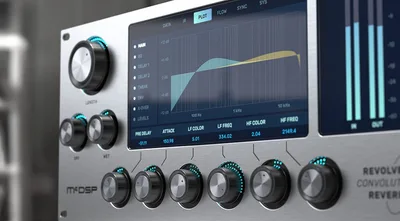
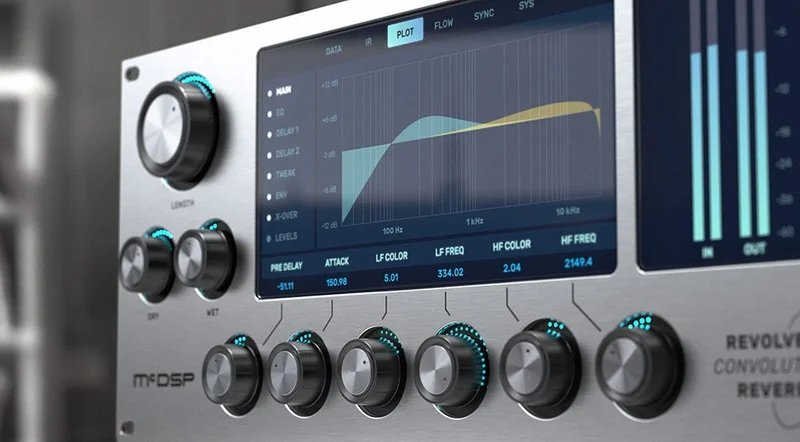
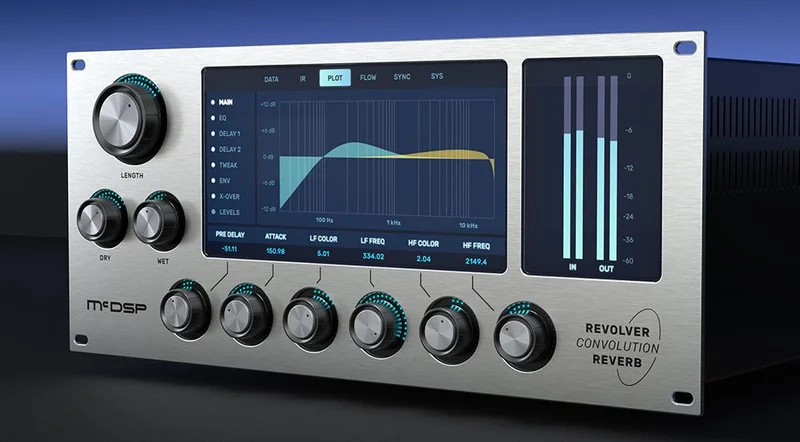
The UI has been updated to high definition. Graphical representations of signal flow, impulse response data, EQ responses, and source images of the impulse response are all displayed at higher resolution. One user reviewing the product flagged that the three-band EQ controls are easy to read and quick to dial in on the tail. That kind of clarity matters when you're moving fast in a session.
New presets ship with v7. The library already held hundreds of sounds from rare, out-of-production reverbs and acoustic spaces. The new presets build on that. McDSP describes this as "the most compelling impulse library to date," which is their call to make. What we can say is that the existing v6 library was already a strong point of the product, and more presets from the same stable is a fair addition.
All parameter changes are heard immediately without re-rendering. No waiting. No muted output while the engine catches up. That's a quality-of-life detail that sounds minor until you've spent an afternoon in a convolution reverb that does mute while it recalculates. Annoying doesn't cover it. This gets it right.
The VST Cut: What It Means for v6 Users
This is the part of the v7 upgrade that deserves the most direct treatment, because it's not a footnote. As of v7.0, VST is gone. Not deprecated. Gone. And the v6 VST versions will be uninstalled when you move to v7.
Read that again. The v6 VST versions will be uninstalled.
If you're on Windows and your primary host is a DAW that runs VST but not VST3, moving to v7 leaves you without Revolver entirely. Your sessions that used the VST version of v6 will lose the plugin. Cubase and Nuendo support VST3, so you're fine there. Pro Tools is AAX. Logic is AU. Studio One, Ableton, and Reaper all support VST3. So for most modern setups, the migration is straightforward.
But if you're on an older DAW version that only handles VST, or if you have a specific Windows workflow built around VST specifically, v7 is not for you yet. Stay on v6, keep the VST, and wait until you're ready to move the whole setup forward.
This is a frustrating design choice for some users, and we understand the complaint. McDSP is clearly pushing the ecosystem toward the more modern format standards, and VST3 is the right direction long-term. But doing it by uninstalling the old version is a blunt approach. It's worth knowing before you click buy.
Windows users on VST3-capable hosts: you're fine. Windows users on VST-only hosts: hard pass on this upgrade until you sort the DAW situation.
The iLok Situation
Revolver v7 requires iLok activation. Specifically, you need either an iLok2 or iLok3 USB Smart Key, or an iLok License Manager account with an active iLok Cloud session. There is no machine-based activation and no offline machine license outside the iLok hardware key.
Each v7 plugin includes two activations per authorization. That means you can run it on two machines simultaneously, which is generous. One studio workstation and one laptop covers most people's needs. If you lose both activations due to hardware failure, iLok's Zero Downtime coverage handles that, but you need to be enrolled.
The iLok Cloud option reduces the hardware dependency. You don't need the physical dongle if you're running iLok Cloud, provided you have a reliable internet connection or have pre-loaded the session for offline use. That's a reasonable middle ground.
But there are people who deeply dislike iLok on principle, and we're not going to pretend that's not a legitimate position. If you're one of them, this is a hard wall. McDSP hasn't moved away from iLok, and there's no sign they're about to. Know that going in.
One user who reviewed the product reported getting up and running within minutes of installation, with no compatibility issues. That tracks with iLok's current workflow being fairly streamlined compared to earlier versions. The process itself is not the pain point it used to be.
Total Impulse Response Control: What It Actually Means
Convolution reverb, at its simplest, takes an impulse response of a real space or piece of hardware and convolves it with your audio. The result is a simulation of that acoustic environment. Most convolution reverbs do this and not much more. Load the IR, set wet/dry, maybe trim the tail, done.
Revolver does more. The "total impulse response control" on the tin means you're working with the IR itself as a malleable object, not just a fixed template. You can stretch and manipulate the IR's time domain, shape its frequency content with dedicated EQ, and route that EQ independently within the signal chain.
The three-band routable EQ is a key part of this. It's not just a static filter on the output. It's routable, which means you can place it at different points in the signal chain to shape different aspects of the reverb character. One user specifically noted how quickly and efficiently the EQ controls let them dial in color on the reverb tail. That's the kind of hands-on control that makes the difference between a plugin you set once and a plugin you actually mix with.
The two-band dedicated reverb EQ sits on top of that. Two separate EQ layers let you do broad tonal shaping with one and surgical work with the other, or use them at different routing points for additive shaping. That's a more complex and flexible system than a single EQ band on the wet signal.
Pre-delay control handles both positive and negative values. Positive pre-delay is standard: push the reverb slightly behind the dry signal to create space and separation. Negative pre-delay is less common and more interesting. It lets the reverb arrive before the dry signal at the output stage, which creates an effect used in certain dramatic production styles. Having the option is worth noting for anyone working in cinematic, ambient, or experimental contexts.
The Two Delay Lines
Revolver includes two sync-able delay lines. They support up to 3 seconds of delay time each. That's a long delay. Most mixing applications don't need more than a second, but for ambient production, film work, or building textural layers, 3 seconds gives you enough space to do something genuinely unusual.
The delay lines sync to your DAW tempo. That's standard at this point, but it needs to be said explicitly: you can lock the delays to musical subdivisions rather than managing millisecond values manually. For tempo-sync'd effects in anything groove-based, this is the right way to work.
The decay crossover network sits alongside the delay architecture. A crossover network in this context means Revolver splits the reverb signal by frequency and applies decay control independently per band. Low frequencies and high frequencies can have different decay times. This is the difference between a reverb that just gets shorter or longer and one that actually behaves like a real acoustic space, where low-frequency energy lingers differently than high-frequency energy.
In practice, this means you can keep the high-end of a reverb tail short and present while letting the low-mid decay breathe longer. Or you can pull the low-frequency decay down to keep a kick drum's reverb from muddying the mix while preserving air on the attack. Load a long plate on a snare and pull the low-frequency decay time down with the crossover network. That's where the crossover network earns its place.
These two systems, the delay lines and the crossover network, are what push Revolver past the category of "basic convolution tools." Most convolution reverbs don't have this level of per-frequency decay control. It's the feature that justifies the product's claim of being more than a playback engine for IRs.
The Impulse Response Library
Revolver ships with hundreds of impulse responses from reverbs and acoustic spaces that are no longer in production. These are not the generic plate and hall presets you find in free convolution tools. They're drawn from rare outboard hardware and specific rooms that either no longer exist or can't be accessed for re-sampling.
That's a real differentiator. You can find free IR libraries online. What you can't easily find is a well-curated, professionally sampled set from hardware that costs tens of thousands of dollars and hasn't been manufactured in decades. That's what McDSP is offering, and it's the strongest argument for Revolver over a more basic convolution host.
V7 adds new presets to this library. The existing base was already substantial, and the additions extend that. McDSP describes it as the most compelling impulse library currently available. We'd call that a confident claim. The proof is in the breadth and rarity of the sources rather than in the count.
There's one legitimate complaint that surfaces from the user community: converting external IRs from other sources into Revolver is a tedious process. If you have a large collection of third-party WAV impulse responses that you want to bring into Revolver's workflow, the conversion tools get the job done, but the process isn't fast. This is a real friction point for anyone who uses multiple IR sources.
The tools for creating custom impulse responses are included. McDSP says additional acoustic spaces and outboard gear can be modeled in a few minutes using Revolver's IR creation tools. That's their claim, and it opens a workflow path for capturing your own spaces or hardware and importing them natively. The appeal is obvious for anyone with access to interesting rooms or vintage gear.
If you love building your own IR sets, this is a satisfying feature. If you want to dump in a folder of WAV files from third-party packs, prepare for some patience.
Stereo Imaging and Mono Compatibility
Revolver includes specialized stereo imaging. Both mono and stereo versions of the plugin are available. Stereo imaging in a reverb plugin matters because convolution reverbs can be width-heavy by default, pushing excessive space into the stereo field in a way that doesn't translate well to mono or doesn't sit correctly in a full mix.
Having dedicated stereo imaging control means you can narrow the reverb's width independently of level. This is useful when placing a reverb on a centered instrument where you want depth without width, or when working on content that needs to pass a mono compatibility check.
The graphical representations in the UI include signal flow visuals. Being able to see where in the chain you are, what the IR looks like, how the EQ is shaped, and where the imaging is sitting takes Revolver out of the "set it and forget it" category and into something closer to a visual signal processor. This is the kind of workflow that rewards producers who want to understand what's happening inside the reverb, not just hear the result.
Wet/Dry and RT60 Display
Controls for total reverb time are always on screen. Both percentage values and RT60 values are displayed simultaneously. RT60 is the standard acoustic measurement for how long it takes a reverb to decay by 60 dB. Seeing both representations means you can think about reverb time in musical terms (percentage of maximum) or acoustic terms (seconds of RT60) depending on your context.
Wet and dry levels are always visible too. No digging through tabs to find the mix balance. That's a small decision in the UI that saves time across a session. When you're adjusting multiple instances on multiple channels, not having to hunt for the wet/dry knob every time is a genuine workflow improvement.
These are the permanently displayed controls. Everything else in Revolver lives across several control pages and views, navigable via the plugin's own interface. The page-based layout means the UI stays uncluttered while giving access to deep controls when you need them. It's a reasonable compromise for a plugin with this many parameters.
Signal Flow Visualization
The graphical interface shows signal flow, impulse response data, EQ response curves, and source images of the IR. That last element is a clever touch. Seeing a photograph or graphic of the space or hardware being simulated connects the abstract IR data to something concrete. It's not essential, but it's the kind of detail that makes a complex plugin feel less opaque.
The EQ response curves display the combined shape of both EQ layers in real time as you make adjustments. This is the standard for any serious EQ plugin, but it's worth confirming for a reverb plugin where EQ is a secondary system. Revolver treats it with the same visibility as a dedicated EQ tool would.
All of this lives in a high-definition UI. The v7 update specifically addresses UI quality. For producers who've been using v6 on HiDPI or Retina displays and found the interface blurry or dated, this is the fix.
DAW Compatibility and Supported Formats
Revolver v7 Native supports AAX Native, AU, and VST3. That covers Pro Tools, Logic Pro, Cubase, Nuendo, Ableton Live, LUNA, Reaper, Sonar, and Studio One. It also covers any other DAW that handles AAX, AU, or VST3.
Mac support runs from macOS 10.13 through macOS 12 Monterey, with M1 Apple Silicon running natively. Windows support covers Windows 7, 8, and 10 at 64-bit only.
If you're on macOS 12 Monterey and M1 hardware specifically, v7 is the version to be on. Running v6 under Rosetta 2 might have worked, but native support is cleaner.
One thing to note: the HD version of Revolver also supports VENUE S6L systems via AAX DSP. If you're running a live production workflow on a VENUE console, that's relevant. The Native v7 upgrade reviewed here covers the non-HD formats.
VST is gone. We've said it, but it bears one more mention: if you open a session that had Revolver v6 VST inserted, after upgrading to v7 those inserts will show as missing. You'll need to re-insert with the VST3 version. Plan your session migration before you update.
Workflow: How Revolver Fits Into a Real Session
Load Revolver on a vocal bus. Select an IR from the rare plate section of the library. The reverb time shows in both RT60 and percentage immediately. You don't need to go looking for it. Set the pre-delay positive by a few milliseconds to push the verb behind the dry signal, then pull the three-band routable EQ to shade the tail slightly darker. The routable EQ lets you do that before or after the IR convolution depending on what you're shaping.
Now try the decay crossover. Pull the high-frequency decay shorter than the low-mid decay. You get a reverb with a bright, short attack and a warm low-mid tail. That's the crossover network doing something you can't do on a standard convolution plugin with a single decay control.
Add one of the sync-able delay lines at an eighth-note subdivision to pre-feed the reverb. That gives the reverb a slightly rhythmic quality that moves with the track rather than fighting it. Adjust the wet/dry on the delay line independently from the main wet/dry. All of this happens without the output muting. You hear every change as you make it.
That's a real session workflow. Not invented, not a stretch. That's what Revolver's feature set makes possible, and it's more than what most convolution reverbs offer.
Now the honest counterpoint. If your workflow is drag-IR-set-wet-done, Revolver has more interface to navigate than you need. Some convolution tools are deliberately simple because simple is fast. Revolver isn't simple. The page-based interface means you're moving between views to access different feature sets. That's not complicated, but it's not instant either. Know what you're buying.
The Value Case at $29
This is an upgrade from v6, priced at $29. Not a new purchase. Not a subscription. A one-time upgrade fee for existing v6 owners.
At that number, the value case is strong if you're already invested in Revolver. The zero-latency algorithms alone change the tracking workflow for anyone who monitors through reverb. The Apple Silicon optimization is not optional if you're on M1 or M2 hardware and want the cleanest possible performance. The UI upgrade is real. The new presets extend a library that's already the product's strongest selling point.
What you're not getting is a new reverb engine. The core convolution architecture isn't described as changed. This is an optimization and feature update, not a rebuild. If you were hoping v7 would fundamentally change how Revolver sounds or add entirely new algorithmic modes, this isn't that.
For $29, the expectation should be calibrated correctly. It's a maintenance upgrade with meaningful technical improvements. Not a new product. For the right user at the right moment, it's an easy yes. For someone who rarely uses Revolver or has already moved to a different convolution tool, it's a skip.
Who Should Skip This
Skip this upgrade if you're on a Windows VST-only host and you're not ready to migrate the session format. The v6 VST versions will be uninstalled. That's a session-breaking change if you haven't planned for it.
Skip it if you hate iLok and you're looking for an excuse to switch platforms. This isn't the update that removes iLok. It won't.
Skip it if you rarely use Revolver and you've mostly replaced it in your signal chain with something else. Paying for the upgrade on a plugin you don't use is waste.
Skip it if you were hoping v7 would address the third-party IR conversion workflow. Users have flagged that process as tedious, and there's no indication v7 changes it. If your primary frustration with v6 was converting external WAV files into Revolver's format, v7 doesn't solve that.
Skip it if you need macOS Sierra (10.12) support. It's not officially supported. Earlier versions won't run it.
Try It Yourself: Three Things to Check in the Trial
Check the trial availability on the McDSP website directly, as they periodically offer demo versions of their plugins. If a trial is available to you, here are three specific things to test before committing to the upgrade.
First: open a busy session, insert Revolver v7 on a send, and change the reverb time while audio is playing. Check that the output doesn't mute. That's the real-time parameter update behavior in action. If that works cleanly on your machine and your host, you know the zero-latency architecture is functioning as described.
Second: load a preset from the rare plate or vintage hardware section, then open the decay crossover and set the high-frequency decay to a significantly shorter time than the low-frequency decay. Listen to what happens to the tail's character. This is the feature that separates Revolver from simpler convolution tools. If that control works intuitively for you, the plugin fits your workflow style.
Third: test the routable three-band EQ by placing it before the IR convolution and compare it to placing it after. The difference in how the EQ interacts with the reverb character is where Revolver earns its deeper feature set. If that distinction matters to you in your mixing process, the upgrade is justified.
Alternatives to Consider
Altiverb 7 by Audio Ease is the name that comes up when producers talk about convolution reverb at the high end. It's widely considered the industry benchmark for sampled acoustic spaces. The library is large. One user noted a dislike for the sheer size of the Altiverb library and its extensions, which speaks to a real difference in philosophy: Altiverb is comprehensive to the point of being overwhelming, while Revolver curates more tightly and goes deeper on IR manipulation controls.
Altiverb doesn't offer the same depth of IR shaping that Revolver does. The crossover network, the routable EQ, the delay lines integrated into the convolution chain: those are Revolver-specific. If your priority is the widest possible library of accurately sampled spaces, Altiverb is the comparison. If your priority is doing more with each IR, Revolver makes a stronger case.
For a different kind of reverb experience entirely, Aberrant DSP's Lair takes a creative, character-driven approach to reverb that sits closer to the effect-processing end of the spectrum. It's not a convolution tool, but it's a reverb plugin worth knowing about if you work in ambient, experimental, or heavily treated production.
Apogee Clearmountain's Spaces approaches reverb from a completely different angle: a curated set of spaces designed by one of the most celebrated mix engineers in recorded music. It's not competing on deep IR manipulation. It's competing on sound and workflow simplicity. If you want to get to a great reverb sound fast without navigating a complex interface, that's worth investigating.
For a broader look at where Revolver sits in the current convolution reverb field, our full category roundup covers the main options in more detail.
Specs & Technical Details
| Specification | Detail |
|---|---|
| Developer | McDSP |
| Price | $29 |
| Plugin Format | AAX Native, AU, VST3 (VST no longer supported as of v7.0) |
| OS Support | Mac (macOS 10.13 to 12, including M1 Apple Silicon) / Windows 7, 8, 10 (64-bit only) |
| Activation | iLok2 or iLok3 USB Smart Key, or iLok Cloud session (free iLok License Manager account) |
| Activations per License | Two |
| CPU Usage | N/A (no independent benchmark available; zero-latency algorithms included) |
| Trial Available | Check McDSP website |
| Version Reviewed | v7 (upgrade from v6) |
| Upgrade Eligibility | Revolver Native v6 owners only |
| Compatible DAWs | Pro Tools, Logic Pro, Cubase, Nuendo, Ableton Live, LUNA, Reaper, Sonar, Studio One, and others supporting AAX, AU, or VST3 |
Score Breakdown
| Category | Score | Notes |
|---|---|---|
| Sound Quality | 4.5/5 | Rare IR library with deep manipulation tools; users report great-sounding results across a wide variety of spaces |
| Value for Money | 4.0/5 | Strong upgrade value at $29 for active v6 users; less compelling if you're not using the plugin regularly |
| Ease of Use | 3.5/5 | Page-based interface is navigable but not instant; third-party IR conversion is tedious per user reports |
| Features | 4.5/5 | Routable EQ, crossover network, dual delay lines, and IR creation tools go well beyond standard convolution |
| CPU Efficiency | 3.5/5 | Zero-latency algorithms included; no independent benchmark available, scored conservatively |
| Overall | 4.0/5 | A worthwhile, focused upgrade for v6 owners on modern hardware and compatible hosts |
The Verdict
If you own Revolver v6 and you're on a modern Mac or a Windows VST3-capable DAW, take this upgrade. The zero-latency algorithms, the Apple Silicon optimization, and the high-definition UI are real improvements. The price doesn't require agonizing over. At $29, the ask is low enough that sitting on v6 for another year isn't obviously smarter.
The honest friction points are the VST discontinuation and the iLok requirement. Neither is new to McDSP's world, but both matter depending on your setup. Windows VST-only users: do not upgrade until your DAW situation is sorted. The v6 VST will not survive the installation.
For everyone else with an active v6 license? It's a yes. Revolver remains one of the more capable convolution reverb tools available, and v7 brings its technical foundation in line with 2026 hardware and host standards. That's what a good upgrade should do.
Frequently Asked Questions
Is Revolver Convolution Reverb Native v7 a free update from v6?
No, it's a paid upgrade. If you own Revolver Native v6, you're eligible to purchase the v7 upgrade at a reduced price. It's not a full-price repurchase, but it's not free either. Check the McDSP or Plugin Boutique product page for the current upgrade pricing.
What happens to my v6 VST sessions when I upgrade to v7?
The v6 VST versions will be uninstalled as part of the v7 installation process. Any sessions that had Revolver loaded as a VST insert will show those inserts as missing plugins. You'll need to re-insert Revolver using the VST3 version and restore your settings manually. Plan your session migration before you install v7.
Do I still need an iLok for Revolver v7?
Yes. Revolver v7 requires either an iLok2 or iLok3 USB Smart Key, or a free iLok License Manager account with an active iLok Cloud session. There is no machine-based activation outside the iLok system. The plugin includes two activations per authorization, so you can run it on two machines simultaneously.
Does Revolver v7 run natively on M1 Apple Silicon?
Yes. McDSP plugins run natively on M1 Apple Silicon processors in v7. If you were running v6 through Rosetta 2 on M1 hardware, v7 removes that dependency and runs as a native ARM build.
Can I load my own third-party impulse responses into Revolver v7?
Yes, Revolver includes tools for creating and importing custom impulse responses. However, users have reported that the process of converting external IRs from other sources is tedious. It works, but if you have a large collection of third-party WAV files you want to bring in, budget extra time for the conversion workflow.
What convolution reverb formats does Revolver v7 support?
Revolver v7 Native supports AAX Native, Audio Units (AU), and VST3. VST support has been fully dropped as of v7.0. The plugin is compatible with Pro Tools, Logic Pro, Cubase, Nuendo, Ableton Live, LUNA, Reaper, Sonar, Studio One, and any other DAW that supports those three formats.
What is the decay crossover network in Revolver, and why does it matter?
The decay crossover network lets Revolver split the reverb signal by frequency range and apply independent decay times to each band. In practical terms, you can set the high-frequency tail to decay faster than the low-frequency tail, or the reverse. This mimics how real acoustic spaces actually behave and gives you a level of reverb shaping that's not available in standard single-decay convolution tools. It's one of Revolver's strongest differentiators from simpler IR players.