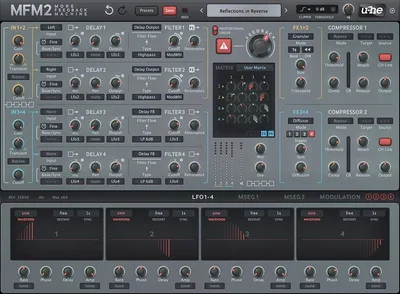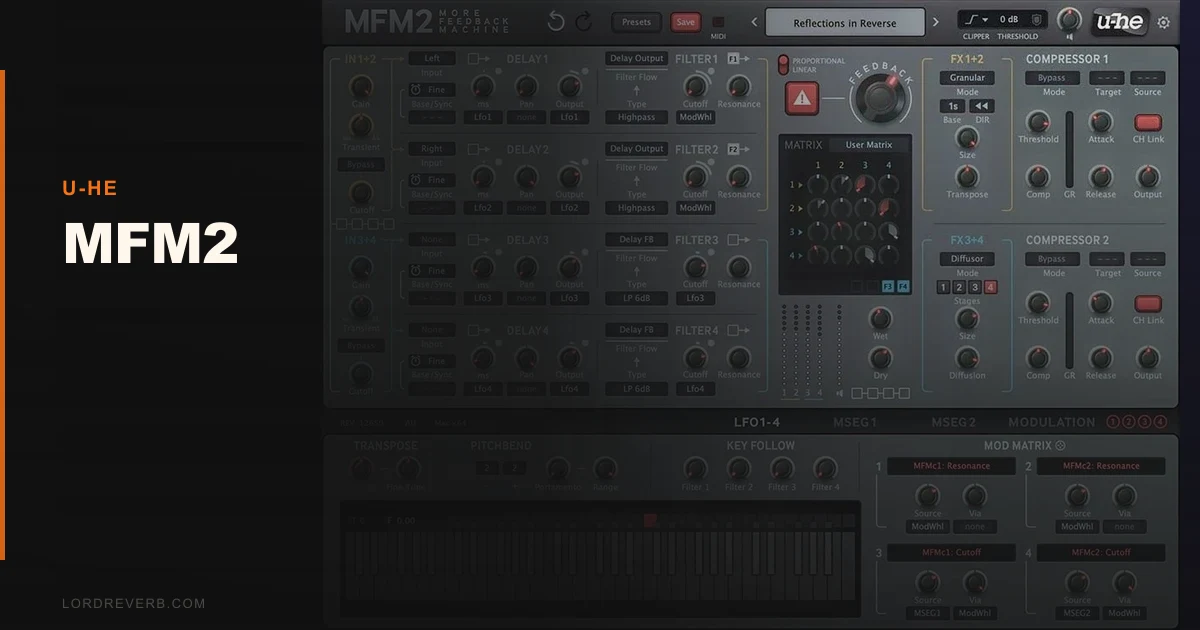
MFM2 is the best delay plugin for sound designers who want to build effects from scratch, and the wrong plugin for anyone who just wants a tape echo that sounds great on the first try.
u-he has been shipping MFM2 since 2003. That's longer than most producers have been producing. Version 2.5.1, released October 2024, brought a redesigned GUI, Apple Silicon support, VST3 and CLAP formats, and granular processing that pushes this further into experimental territory than any traditional delay plugin has a right to go.
But here's the honest read: MFM2 is a delay laboratory, not a delay pedal. It rewards the curious and punishes the impatient. If you love building effects from component parts, you'll love this plugin. If you want something that sounds great in 30 seconds, look elsewhere.
We spent three weeks with it across multiple sessions. Here's what we found.
What You're Actually Getting
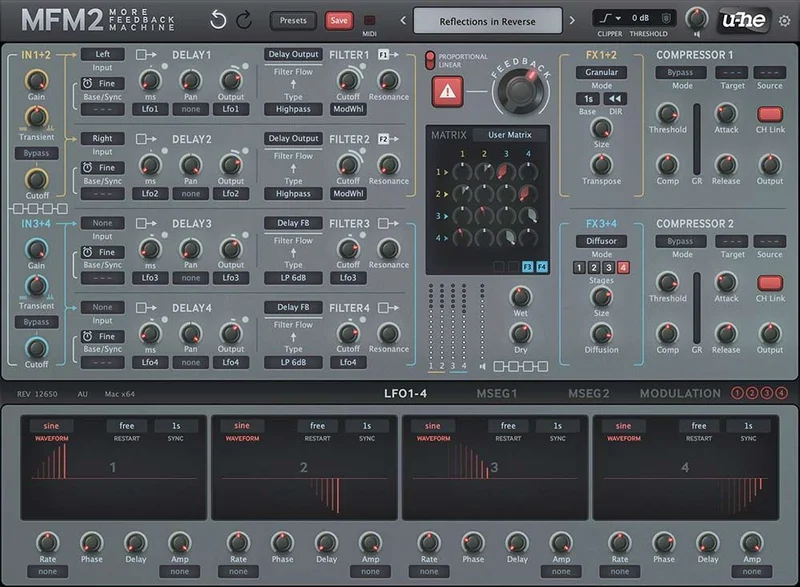
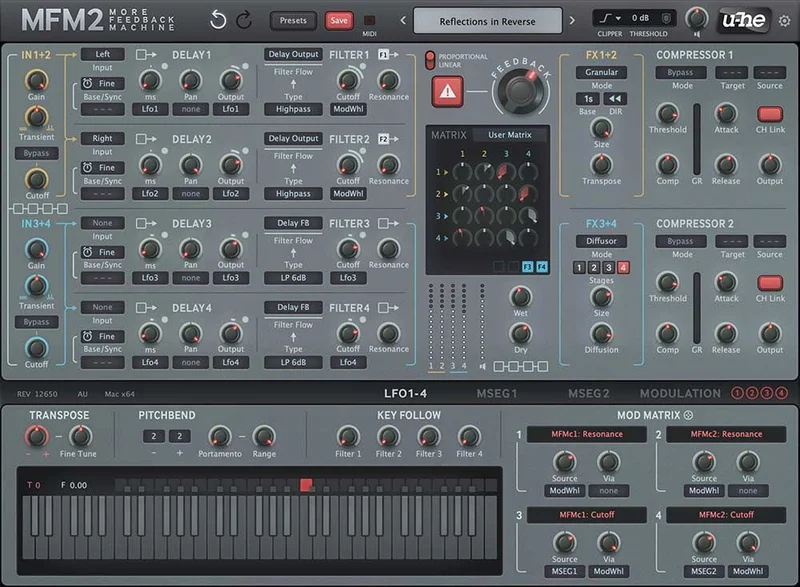
MFM2 gives you 4 independent delay lines. Each one runs its own multimode filter: two lowpass options, bandpass, two highpass options, bandreject, and allpass. Each delay line has its own modulation routing, its own gain stage, and can run in absolute time or tempo-sync mode.
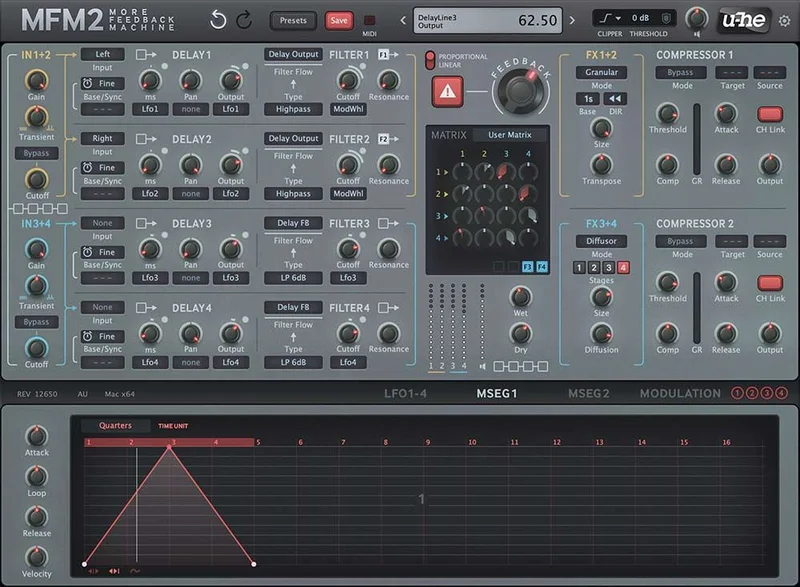
Minimum delay time is 1ms, with 1ms resolution in standard mode. Switch to keytracked mode and you get finer sub-millisecond movement. There are 4 syncable LFOs with 8 factory waveform shapes, plus user-definable curves you can draw yourself.
Version 2.5 added granular processing to the signal chain. You can now scatter delay repeats into grain clouds, which turns MFM2 from a modular delay into something closer to a hybrid delay-granular synthesizer. That's not marketing. We tested it. It works.
Formats covered: VST3, AU, AAX, and CLAP. Mac and Windows both fully supported. Native M1 and M2 performance is clean. No Rosetta required.
The Good
The filter-per-delay-line architecture is where MFM2 earns its price tag. We set up a session with a lead synth that was sitting too forward in a dense mix. We ran it into MFM2, put a bandpass filter on delay line one centered at 2.4kHz with a fairly tight Q, and a low-cut at 180Hz on delay line two. The repeats sat behind the dry signal instead of competing with it. That's the kind of control that takes multiple plugins to fake in a simpler delay.
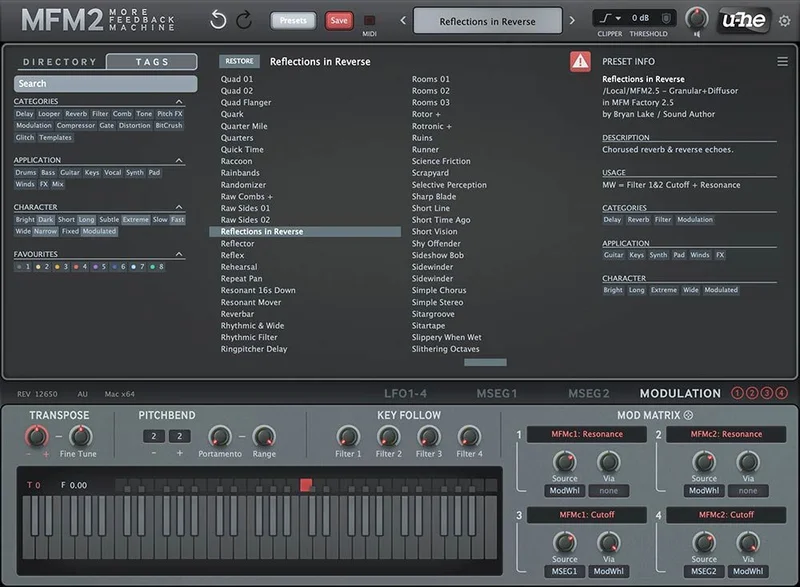
The LFO system is deep without being chaotic. Each LFO can target filter cutoff, delay time, or pan position. We assigned a slow sine at 0.12Hz to the delay time on line three and got a natural-sounding chorus-vibrato on the tail without touching a single dedicated chorus plugin.
The granular additions in v2.5 are brilliant for texture work. We froze a vocal delay tail into a grain cloud and layered it under the dry vocal at -18dB. The result sounded like a room that didn't exist. Satisfying in a way few delay plugins manage.
CPU load is reasonable. On our M2 test rig in Logic, a fully active MFM2 instance with all 4 delay lines, 4 LFOs, and granular processing running sat at roughly 3-4% CPU per instance. That's fine. Not lightweight, but nothing alarming.
The Not-So-Good
The learning curve is real and the plugin doesn't apologize for it. There are almost no guardrails. No tooltips explaining what happens if you push feedback past a certain threshold. No safety limiter on output gain. We accidentally self-oscillated a delay line at full volume in the first session. Annoying.
The GUI, even redesigned in v2.5, is dense. Every delay line has its own parameter cluster. The LFO routing matrix sits in a separate panel. Switching between views mid-session interrupts workflow in a way that more modern delay plugins have solved.
The preset bank is underwhelming for $99. Most presets function as starting points rather than finished sounds. That's fine philosophically, but it means you're doing heavy lifting from minute one. Producers who reach for presets to spark ideas will find this frustrating.
Documentation exists but it's technical rather than tutorial-focused. There's no beginner-friendly workflow guide shipped with the plugin. You're expected to already know what an allpass filter does in a delay context before you open MFM2.
Compared to the Alternatives
Soundtoys EchoBoy is the obvious comparison and they solve different problems. EchoBoy wins on character. Its tape and analog emulations sound warm in the measurable sense: harmonic saturation adds roughly 2nd and 3rd order content, and the wow/flutter simulation is the most convincing we've tested. If you want a 1176-preamp-era tape echo on a vocal in two minutes, EchoBoy wins. MFM2 doesn't compete there.
Native Instruments Replika XT is closer in concept: modular routing, multiple delay lines, experimental modes. But Replika XT is friendlier. The visual feedback is clearer and the preset bank is stronger for immediate use. We'd point beginners to Replika XT over MFM2 every time.
Where MFM2 genuinely leads: the combination of per-line filtering, LFO depth, and now granular processing in a single plugin. For building a custom multi-tap delay with individual frequency shaping on each tap, nothing at this price point matches it. Check our full breakdown of the best delay plugins available for the wider picture.
We also reviewed the Antelope Halo Delay recently. It's more musical out of the box. Less powerful under the hood.
Who Should Buy This
- ✅ Buy if you want to build custom delay-based effects that don't exist as pres
ets anywhere
- ✅ Buy if you work in sound design, film scoring, or experimental electronic music where weird textures are the goal
- ✅ Buy if you already own and love other u-he plugins and want your signal chain to stay consistent
- ❌ Skip if you're relatively new to delay processing and still learning how time and feedback interact
- ❌ Skip if you primarily need analog-flavored tape or BBD echo sounds. Other tools do that better
- ❌ Skip if you want a plugin that sounds great immediately without an investment of study time
Score Breakdown
| Category | Score | Notes |
|---|---|---|
| Sound Quality | 4.5/5 | Per-line filtering and granular mode produce sounds competitors can't match |
| Value for Money | 3.5/5 | $99 is fair for the depth, hard to justify for casual users |
| Ease of Use | 2.5/5 | Steep curve with minimal documentation support for newcomers |
| Features | 4.5/5 | Four filtered delay lines plus granular plus deep LFO routing is a strong spec sheet |
| CPU Efficiency | 4.0/5 | Reasonable load for the processing complexity; native ARM support helps |
| Overall | 4.2/5 | Exceptional for its target user; actively wrong for everyone else |
Alternatives to Consider
Soundtoys EchoBoy: The go-to for analog and tape character. If your sessions are rock, pop, or R&B and you want that warm repeat without engineering a signal path, EchoBoy belongs on your shortlist. Different tool for a different job. Check current pricing on the Soundtoys site.
Native Instruments Replika XT: Closer to MFM2 in ambition, more accessible in execution. Five delay modes, a built-in diffusion engine, and a preset library that actually delivers usable starting points. If MFM2 scares you, start here. Check current pricing on the NI site.
Valhalla Delay: it has twelve delay modes, and it's the friendliest deep delay plugin on the market. It doesn't have MFM2's per-line filtering but it covers tape, analog, diffusion, and shimmer in a UI that takes 20 minutes to learn. For most producers, this is the smarter buy.
We've also covered u-he's other experimental tools if you want to go deeper into their ecosystem. The CFA CableDance for u-he ACE review shows how u-he's modular philosophy extends across their entire range. Worth reading alongside this one.
And if you're building a full sound design rig around u-he tools, the CFA CableSphere for u-he ACE review is another relevant piece of that puzzle.
Final Word
MFM2 is 20 years old and it's still doing things that plugins released last year can't do. That's either a tribute to how far ahead of its time it was in 2003, or an indictment of how slowly the delay plugin market has moved. Probably both.
At $99, it's priced for what it does, not for who it's easy for. If you're a sound designer, a scoring composer, or an electronic producer who finds standard delay plugins boring, buy it. If you're any of those things but short on time, buy Valhalla Delay first and come back to MFM2 when you're ready to actually learn it.
If you're new to delay processing entirely: skip it. Not because it's bad. Because the day you open MFM2 expecting it to be EchoBoy is the day you leave a brutal review and never touch it again. It deserves better than that.
Frequently Asked Questions
Is MFM2 good for beginners?
No. MFM2 assumes you already understand delay fundamentals: feedback loops, filter types, modulation routing, and signal gain management. There are no guardrails and the documentation is technical rather than tutorial-based. We'd recommend Valhalla Delay or Native Instruments Replika XT for producers earlier in their journey. Come back to MFM2 once you know what an allpass filter actually does in a delay context.
What's new in MFM2 version 2.5?
Version 2.5, with the latest revision being 2.5.1 released October 2024, added a redesigned GUI, native Apple Silicon support (no Rosetta 2 required), VST3 and CLAP format compatibility, and granular processing integrated into the signal chain. The granular addition is the most significant sound-design expansion the plugin has seen in years. It lets you scatter delay repeats into grain clouds rather than outputting clean repeats.
How does MFM2 compare to Soundtoys EchoBoy?
They're not really competing for the same sessions. EchoBoy is built for character: tape emulation, analog warmth, and sounds that sit immediately in a mix. MFM2 is built for construction: you design the delay effect yourself from component parts. EchoBoy wins on speed and character. MFM2 wins on customisation and experimental range. Most working producers would benefit from having both, but if you can only choose one, the answer depends entirely on your genre and workflow.
Does MFM2 work on Apple Silicon Macs without Rosetta?
Yes, natively since version 2.5. We tested it on an M2 MacBook Pro running Logic Pro and saw no compatibility issues. CPU usage at 44.1kHz with all four delay lines active, four LFOs running, and granular processing engaged sat at roughly 3-4% per instance. That's clean performance for the processing involved. No Rosetta 2 translation layer is needed.