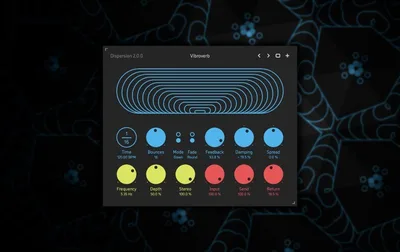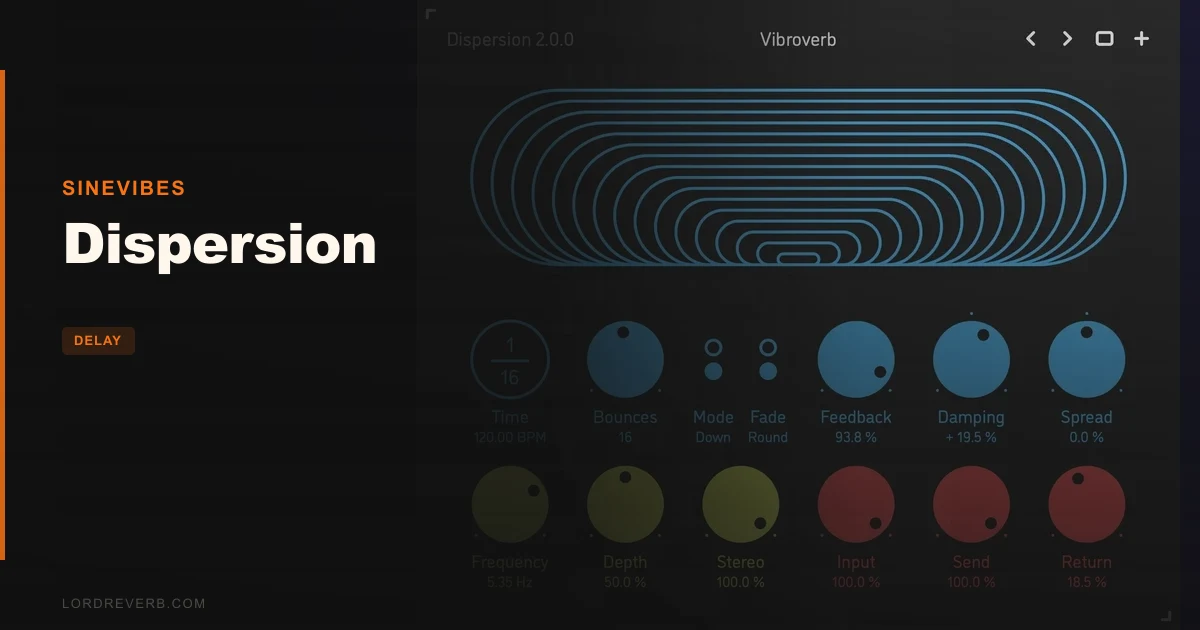
Dispersion’s big claim is that a bouncing ball delay can behave like a delay, a reverb, a chorus and a stereo widener all at once, and for the most part that claim holds up. At $29, it’s a clever, focused delay for producers who want repeats that speed up, scatter and pan across the stereo field. It’s wrong for anyone who wants a vintage tape emulation or a 32-bit install.
Let’s separate the marketing line from the reality.
Quick verdict
We rate it 4.3 out of 5. The core idea is strong, the interface is calm, and the sound reportedly ranges from classic bouncing echoes to grainy, blurry tails. At $29 it’s an easy recommendation if you want rhythmic delay with movement. The drawbacks are narrow: no AU on Windows, no 32-bit, no old operating systems. If your setup is current and 64-bit, buy it.
The Claim: One Plugin, Four Effects
Sinevibes describes Dispersion as a bouncing ball delay. It runs up to 32 sequential delay lines, and their spacing follows a bouncing ball pattern locked to your tempo.
The developer says a single round of bounces always sums to a precise tempo fraction. That’s the rhythmical hook. The repeats don’t wander off the grid.
The second claim is bigger. The developer says the plugin combines the characteristics of delay, reverb, chorus ensemble and stereo widening at the same time.
That’s a lot to promise from one effect. Bold. So let’s check what the feature set supports.
How Does the Bouncing Ball Time Spread Work?
Think of a ball dropped on a floor. Each bounce comes faster than the last. Dispersion applies that idea to delay times, so the repeats bunch up toward the end of each round.
The spacing isn’t linear. The developer says delay times are spread exponentially via a special formula developed at Sinevibes. You hear that as repeats that start as clear echoes and collapse into a rapid flutter.
Here’s the part that matters in a session. Because a full round sums to a tempo fraction, the whole burst resolves on the beat. Drop it on a vocal throw at the end of a phrase and the last bounce lands where your groove expects it.
Up to 32 delay lines
You get up to 32 sequential delay lines. Use a handful and you get the stereotypical bouncing ball delay. Push toward the full 32 and owners report blurry, granular decay tails and detailed ratcheting repetitions.
Few lines read as echoes. Many lines read as texture. That range is the whole point of the plugin.
Tempo sync
The time spread is tempo-synchronized. That keeps the effect locked to your session, which is exactly what you want when the delay is part of the rhythm rather than a wash behind it.
What About the Stereo Spread and Channel Setup?
This is where the “moving ball” idea becomes audible. Dispersion has an adjustable stereo pan spread for the bounces. The developer says it can gradually spread the pan of the bounces from left to right, so the imaginary ball travels through the stereo field.
Picture a lead synth stab on a sparse arrangement. Set a wide pan spread and each bounce lands further out than the last. The stab seems to skip across the room.
It handles mono to mono, mono to stereo, and stereo to stereo channel configurations. That flexibility matters more than it sounds. A mono source into a stereo output is where this plugin earns the widening claim.
Feedback, Damping and Modulation
The feedback section has two modes: gradual and stepped. Gradual feeds the repeats back smoothly. Stepped gives a more distinct, staircase character to how the repeats build.
There’s also an optional two-pole low-pass or high-pass feedback damping filter. A low-pass in the loop darkens every repeat, so the tail recedes behind the dry signal. A high-pass thins the repeats out so they stay out of the low end.
If your delay tail is fighting a bass line, engage the high-pass and let the repeats get lighter as they go. That’s a basic move. It works.
Delay time modulation
Delay time modulation is available with alternating-polarity routing and a variable stereo phase offset. In plain terms, neighbouring delay lines are modulated in opposite directions, and the left and right channels can be offset from each other.
That’s what pushes Dispersion toward chorus territory. Reviewers note it can produce stereo-widening choruses and grainy reverbs, alongside scattering reflections and shuffle delays.
Does it replace a dedicated chorus or reverb? We wouldn’t claim that. But as a texture tool it clearly leans that way.
What Holds Up
The rhythmic promise holds. A round of bounces that always sums to a tempo fraction is a smart constraint, and it’s why the effect feels musical rather than chaotic.
The versatility holds. Owners report stereotypical bouncing ball delays, blurry granular tails and detailed ratcheting repetitions from the same plugin. That’s three distinct sounds from one set of controls.
The workflow holds too. Lag filters are applied to all continuous parameters, so adjustments are smooth and click-free. Automate a knob mid-song and you won’t get zipper noise.
Owners also like the Send/Return configuration, which lets you automate the delayed signal without interrupting the echoes already in flight. That’s a thoughtful detail. It’s the kind of thing you only appreciate when a throw needs to ride the fader.
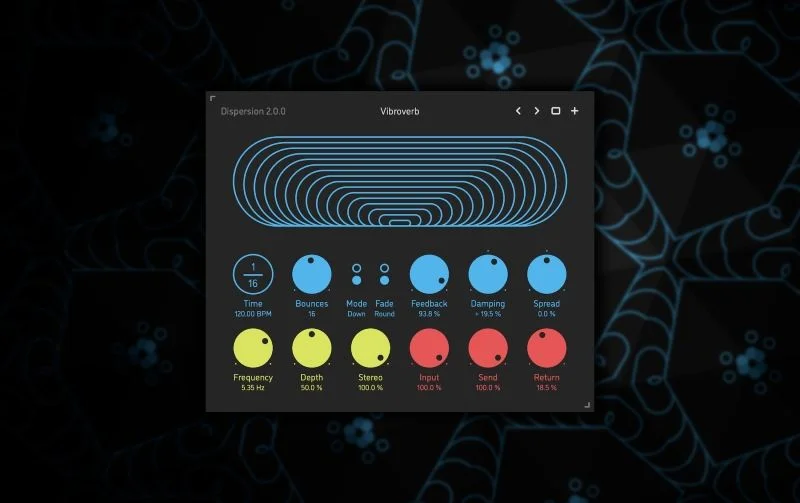
Reviewers describe it as clever, simple yet quite powerful, with a great interface, excellent sound and ease of use. We love that the design stays spartan. Colour-coded graphic elements make the signal flow readable at a glance.
What Doesn't
The “four effects in one” line is the part to treat with caution. It’s the developer’s framing, and the reviewer reports we have back the delay, chorus and widening side more than a true reverb. Think grainy, diffuse tails rather than a replacement for your main reverb.
Platform support is the other gap. The Mac version supports AU, AAX and VST3. The Windows version supports AAX and VST3 only. If you run a Windows host that wants something else, check your setup first.
It’s 64-bit only on both platforms. No 32-bit systems, full stop. macOS needs 10.9 or later, and Windows needs 8.1 or later. Windows support arrived only in recent versions, so older Windows releases are out.
These are small limits for most people. Annoying for a few.
Does the Interface Get Out of the Way?
Yes. Users report pleasure with the spartan, minimalist design, and we agree with the instinct. A delay with 32 lines could have been a cluttered mess. It isn’t.
All parameters share consistent naming, mapping, value and unit handling between the GUI and host control. When you automate a parameter from your DAW, what you see on the plugin matches what the host shows. That sounds boring until you’ve fought a plugin where it doesn’t.
The window scales up to 200%. On a high-resolution display or a laptop screen, that’s a real quality-of-life feature. Built-in preset management handles saving and recalling your settings.
What Changed in Version 2.0?
Version 2.0 brought an all-new DSP engine and an updated GUI. Reviewers call it a nice sonic and visual update.
Because we haven’t run a before-and-after on the engine ourselves, we won’t put numbers on the improvement. If you owned an earlier version, the upgrade path is worth checking with the developer. For new buyers, 2.0 is simply what you get.
Who It Suits
Dispersion suits producers who treat delay as a rhythmic instrument. If you build ratcheting hi-hat echoes, stuttering vocal throws or skipping synth lines, this is a natural fit.
It also suits sound designers. A grainy, blurry tail from 32 lines is a texture you can build a transition around.
Who should skip it? Anyone who wants a faithful analog tape or bucket-brigade emulation. This plugin isn’t chasing vintage warmth. Skip it too if you’re on a 32-bit system or an older OS.
Mixers who only need a simple slap or a straight quarter-note echo are overbuying. A stock delay does that job.
Is $29 Good Value?
For what’s here, yes. $29 buys a focused tool with a distinctive core idea and a clean interface, not a bloated suite.
The value case rests on how much you’ll use the bounce behaviour. If you reach for rhythmic, panning delays often, it pays for itself quickly. If you don’t, it’ll sit unused.
The Verdict
Buy it if you want bouncing, rhythmic, stereo-moving delay and you’re on a current 64-bit Mac or Windows system. The core idea is excellent and the execution matches it.
Treat the “reverb and chorus too” line as a bonus, not a replacement for dedicated tools. We rate it 4.3 out of 5 and happily recommend it at $29.
Specs & Technical Details
| Spec | Detail |
|---|---|
| Developer | Sinevibes |
| Price | $29 |
| Plugin Format | Mac: AU / AAX / VST3. Windows: AAX / VST3 |
| OS Support | macOS 10.9 or later (64-bit, Intel or M1 Apple). Windows 8.1 or later (64-bit, x86) |
| Activation | N/A |
| CPU Usage | N/A |
| Trial Available | N/A |
| Version Reviewed | 2.0 |
Score Breakdown
| Category | Score | Notes |
|---|---|---|
| Sound Quality | 4.5/5 | Owners report bouncing delays, granular tails and ratcheting repeats |
| Value for Money | 4.5/5 | Focused tool with a distinctive idea at $29 |
| Ease of Use | 4.5/5 | Spartan interface, consistent parameter mapping, 200% scaling |
| Features | 4.0/5 | 32 lines, pan spread, damping filter, modulation; reverb claim is softer |
| CPU Efficiency | N/A | No CPU figures to report, so not scored |
| Overall | 4.3/5 | A clever, focused rhythmic delay that earns a clear recommendation |
Buy or Skip?
Buy it. At $29, Dispersion gives you a rhythmic delay that spreads its bounces across the stereo field and a feedback section with real shaping power. It does one thing with unusual character.
It’s wrong for you if you need 32-bit support, an AU build on Windows, or a vintage-flavoured echo. For everyone else on a current system, it’s a delay that makes a dull loop skip across the room.
Frequently Asked Questions
Does Dispersion work on both Mac and Windows?
Yes. The Mac version needs macOS 10.9 or later and runs on Intel or M1 Apple processors. The Windows version needs Windows 8.1 or later on an x86 processor. Both are 64-bit only.
Which plugin formats does Dispersion support?
On Mac you get AU, AAX and VST3. On Windows you get AAX and VST3. There's no AU on Windows, so confirm your host accepts one of those formats before buying.
Can Dispersion replace my reverb or chorus?
Not fully. The developer says it blends delay, reverb, chorus and stereo widening, and reviewers report grainy reverbs and stereo-widening choruses from it. Treat those as textures you can build with the plugin rather than a swap for a dedicated reverb.