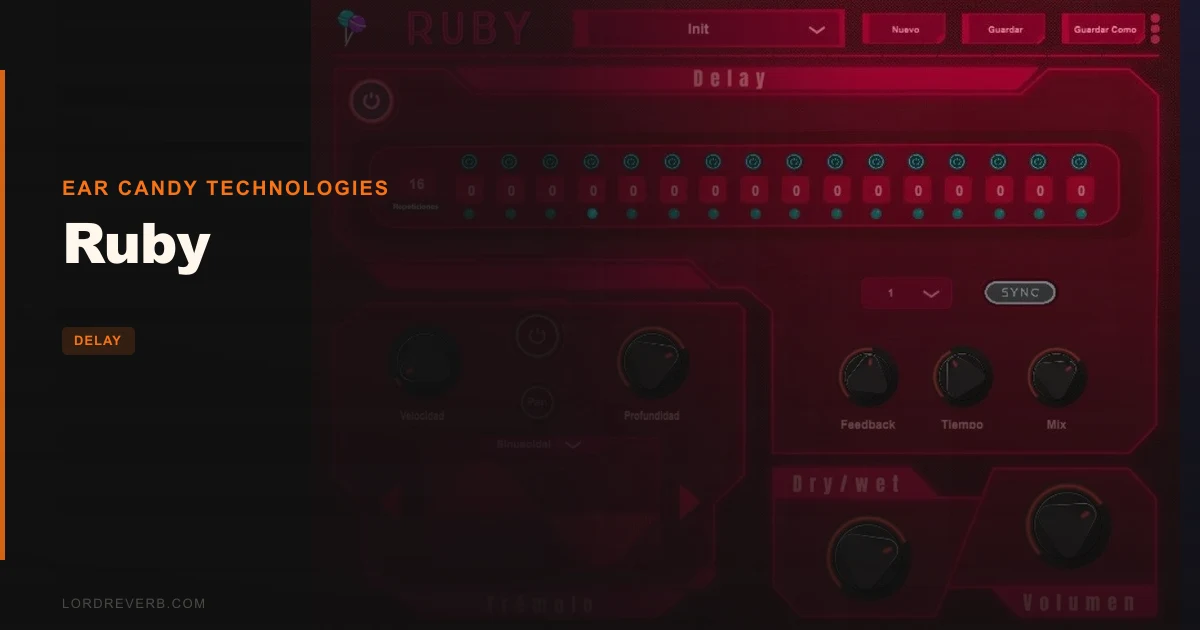
Ruby review: it’s a free delay from Ear Candy Technologies that does more than repeat your signal, and it’s worth the download if your delays have gone stale.
Here’s the frustration. You throw a stock delay on a vocal throw or a synth stab, set it to 1/8 dotted, and it sounds like every other session you’ve run this month. The repeats are copies of the dry signal. They never move. They never change pitch. They just fade.
You want the echoes to do something. Climb a fifth, drop an octave, wobble across the stereo field. Most free delays don’t offer that, and the ones that do bury it in menus.
Ruby goes after that gap. It’s a delay with a 16-repetition sequencer and a tremolo bolted on, aimed at producers who treat a delay as an instrument rather than a utility. And it’s, which changes the whole math on whether it’s worth trying.
The Problem This Solves
A plain delay is a polite effect. It repeats, it decays, it stays out of the way.
That’s fine until you need movement. Say you’ve got a sparse pluck line and you want the tail to arpeggiate itself without programming extra MIDI. Or you want a pad’s echoes to pulse in and out of the left and right channels. With a standard delay, you’re stacking plugins and automating three separate things.
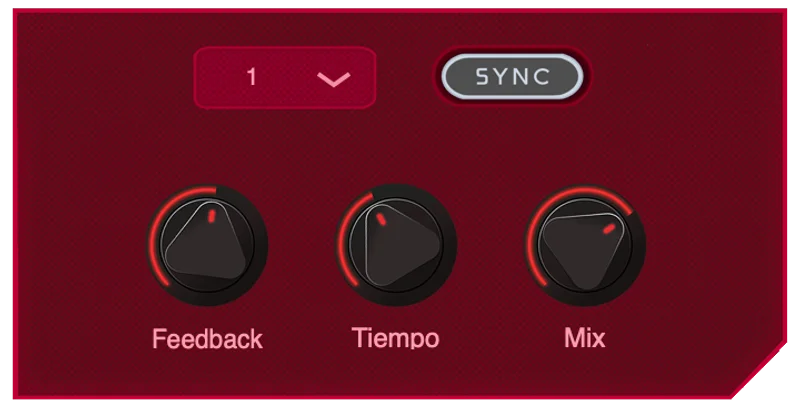
Ruby puts that behaviour in one window. You get a delay you can lock to your session BPM or set by hand, a sequencer governing 16 repetitions, and a tremolo that varies both amplitude and speed. That’s the gap it fills.
How It Performs
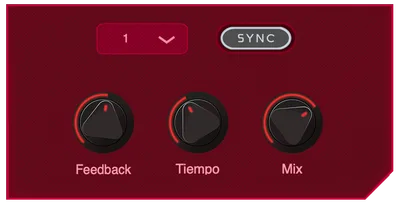
Start with the delay itself. Time can sync to your session BPM, or you can set it manually when you want off-grid, smeared repeats that don’t line up with the click.
The sequencer is the point. It controls 16 repetitions of the delay, and you can shift each repetition by semitones. Feed it a single sustained note and the echoes step through a melody you’ve drawn in.
Try it on a short plucked sound. Set a few repeats up a fifth, one down an octave, and the tail turns into a little phrase. That’s the party trick, and it’s a good one.
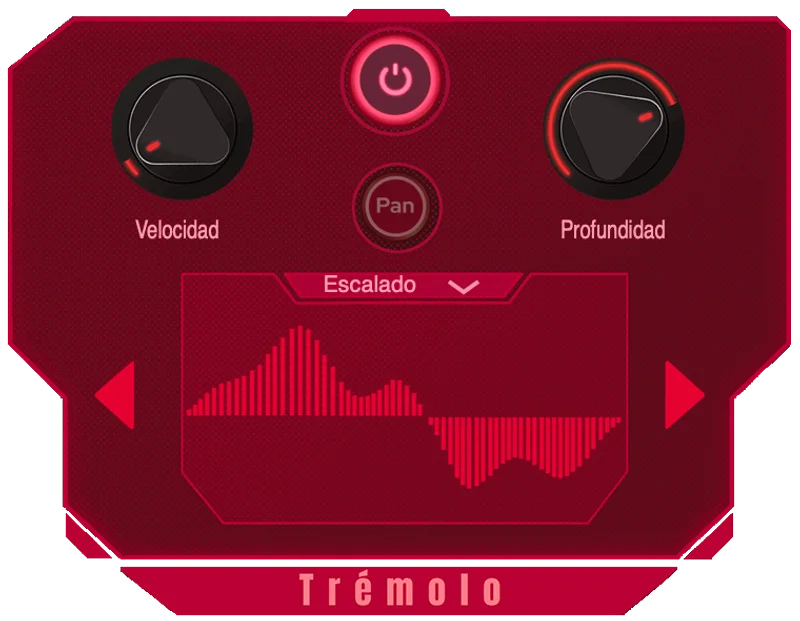
Then there’s the tremolo. It has an adjustable pan parameter, and you can change both its parameters and waveforms. It varies amplitude and speed together, and it ships with 6 waveforms from the Ear Candy Technologies team. Pan it hard and your repeats bounce side to side.
Our notes don’t give CPU figures, so check the load on your own machine. The stated minimum is a 2.5 GHz CPU, 4 GB RAM (8 GB recommended) and 30 MB of disk space. That’s modest.
Strengths and Weaknesses
The strength is range per dollar spent, which here is zero. Pitch-shifting individual echoes is clever, and it’s the feature that separates Ruby from the basic freebies. The developer pitches it as feature-rich and unconventional, and says it encourages creativity more than many free delay alternatives. That claim is theirs, and the feature list at least backs the direction.
The tremolo’s waveform choice is a nice touch. Swapping shapes changes the pulse from a smooth sway to something choppier.
Now the gripes. The sequencer is fixed at 16 repetitions. You can’t shorten it to 8 for a tighter pattern or stretch it to 32 for a long, evolving tail. If your idea needs a different step count, you’re out of luck.
It’s also 64-bit only. If you’re running an older 32-bit host, Ruby won’t load. And the 4 GB RAM and 2.5 GHz CPU floor rules out some very old machines.

Value for the Price
It costs nothing, so the question isn’t “is it worth the money.” It’s “is it worth the install and the learning curve.”
Yes. A free delay with per-repeat pitch control and a pannable tremolo is a straightforward trade. You risk 30 MB of disk space and an afternoon.
Where paying for something else makes sense: if you need a delay that’s invisible and reliable on every bus, a utility-style tool does that job better. Ruby isn’t trying to be invisible. It’s trying to be interesting.
Free and strange beats paid and boring for sound design. For mix glue on a lead vocal, it’s not the first thing we’d reach for.
Who Should (and Shouldn't) Buy This
✅ Buy if you want echoes that change pitch, so a single note throws out a little melody.
✅ Buy if you work in synth-heavy or experimental styles where movement in the tail matters.
✅ Buy if you’re on Mac (AU, VST3, VST, AAX) or Windows (VST3, VST, AAX) and want a free creative delay in your rack.
❌ Skip if you run a 32-bit host. It won’t load.
❌ Skip if you need a flexible step count. Sixteen repetitions is all you get.
❌ Skip if you just want a clean, simple slapback and nothing else. A basic delay is less to fiddle with.
Specs & Technical Details
| Spec | Detail |
|---|---|
| Developer | Ear Candy Technologies |
| Price | |
| Plugin Format | Mac: AU, VST3, VST, AAX. Windows: VST3, VST, AAX |
| OS Support | macOS 10.10 or later (Intel and M1 Apple Silicon), Windows 7 or later. 64-bit only |
| Activation | N/A |
| CPU Usage | N/A (minimum 2.5 GHz CPU, 4 GB RAM, 8 GB recommended) |
| Trial Available | N/A |
| Version Reviewed | N/A |
Score Breakdown
| Category | Score | Notes |
|---|---|---|
| Sound Quality | N/A | Not scored here. Judge the repeats and tremolo by ear on your own material |
| Value for Money | 5.0/5 | Free, with features most free delays skip |
| Ease of Use | 3.5/5 | More controls than a basic delay, so expect a short learning curve |
| Features | 4.0/5 | Pitch sequencer, tremolo, 6 waveforms, BPM sync |
| CPU Efficiency | N/A | No load figures available, so test it in your own project |
| Overall | 3.8/5 | A free, creative delay held back by its fixed 16-step sequencer |
Download Ruby if your delays have gone flat. It costs, so the only thing you’re spending is time.
We’d skip it if you need a flexible step count or you’re stuck on a 32-bit host. For everyone else chasing echoes that actually move, it’s a free way to find out how much you’ve been missing.
Related reviews: Precision Time Align
Frequently Asked Questions
Is Ruby really free?
Yes. The seller page lists it as free. You still need a 64-bit system that meets the minimum specs: 4 GB RAM, a 2.5 GHz CPU and 30 MB of disk space.
What plugin formats does Ruby support?
On Mac it runs as AU, VST3, VST and AAX. On Windows it runs as VST3, VST and AAX. Mac support covers macOS 10.10 or later on Intel and M1 Apple Silicon, and Windows needs Windows 7 or later.
Can I change the number of repetitions in the sequencer?
No. The sequencer controls 16 repetitions and that number is fixed. You can shift each repetition by semitones, but you can't shorten or extend the step count.