We dropped a dry Rhodes chord into SpaceBlender at 11 PM on a Wednesday with a 28-second Time setting and Color pushed past noon. What came back wasn’t reverb in the usual sense. The chord dissolved into something tidal. It breathed. It shifted spectrum as the tail extended, going brighter then darker then into a kind of shimmer that no plate or hall preset has ever produced on our rig. We sat there for six minutes doing nothing except moving the Texture knob. That’s the review, honestly. But we’ll go deeper.
SpaceBlender is Soundtoys’ dual-engine spatial processor. It runs $99. It’s built for producers who want depth and movement without stacking a widener, a chorus, a phaser, and a delay on every track.
What SpaceBlender Actually Is (and What It Will Never Be)
SpaceBlender is not a conventional reverb. It doesn’t model a room, a hall, or a plate. The algorithm pulls from swarm synthesis: a technique borrowed from generative composition where many simple oscillating elements combine into complex, evolving behaviour. That’s why the tail doesn’t ring or go metallic at 30-second decay times. Each instance of the reverb cloud is slightly different, so they average into something organic rather than reinforcing into resonance.
It’s also not a mixing tool in the traditional sense. Don’t reach for it when you need a snare to sound like it was recorded in a specific room. Don’t put it on a drum bus. Don’t use it to add subtle air to a vocal. That’s not what it does. It creates atmosphere. It transforms sounds. That’s a narrow brief, but it fills that brief better than anything else we’ve tested at this price.
Living With SpaceBlender Day to Day
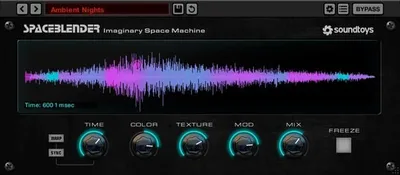
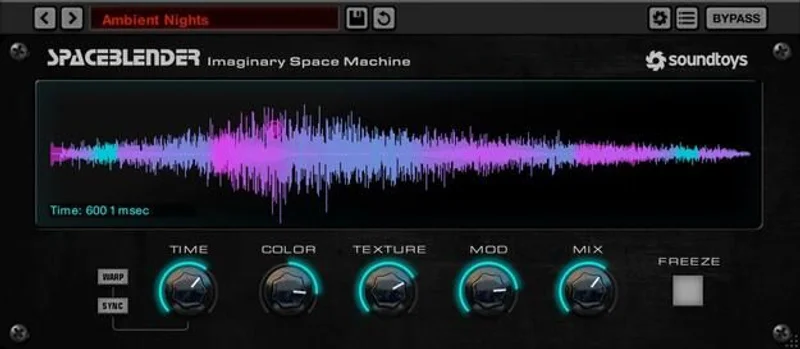
Setup took four minutes. iLok-linked authorization, no dongle required. The UI loads fast, sits cleanly in your DAW, and uses six primary controls: Time, Color, Texture, Mod, Freeze, and Mix. That’s it. No hidden menus. No deep dive into algorithm sub-pages.
Here’s the first quirk we noticed: there’s no pre-delay knob on the main interface. If you want separation between your dry signal and the reverb bloom, you’re handling that yourself upstream. Annoying for a $99 plugin, though you can work around it with a utility delay before the send.
CPU usage sits at medium. We tested on an M2 Mac with Logic Pro, running six instances simultaneously across a session. No spikes, no drop-outs. On Windows with an older i7 machine, four instances ran fine but a fifth started producing crackle at smaller buffer sizes. Know your system. One or two instances on a creative send? No problem at all.
The Freeze function deserves its own mention. Hit Freeze and SpaceBlender captures the current reverb state and holds it indefinitely, like a sustain pedal for the spatial cloud. We used it to build a drone bed under a sparse piano line. We froze a single vocal note and let it sit under two full minutes of a track. It held perfectly. That’s a love-it moment.
The Color knob is brilliant. It doesn’t just filter the tail. It reshapes the spectral evolution over time, letting the decay shift from warm to bright or vice versa as it extends. We ran a synth pad through it, pushed Color to 3 o’clock, and the tail moved from dense low-mid bloom into a high-frequency whisper over 18 seconds. No EQ automation. Just one knob.
The Trade-Offs You Should Understand Before Buying
The strengths are real. Non-metallic long tails, a Freeze that actually works as a creative instrument, and a Color control that replaces half an automation clip. Those aren’t small things.
But the lack of a visible pre-delay and wet-signal EQ on the plugin face is a legitimate gap. Competitors put those controls front and center. You will miss them.
The bigger trade-off is context. SpaceBlender is a specialist tool in a market where most producers want a generalist reverb. If you’re buying one reverb plugin for your whole workflow, this is the wrong one. You’d be miserable on drums, frustrated on guitars, and wondering why you spent $99.
If you’re buying this as a second or third reverb for creative sends and sound design, that frustration evaporates. It fills a gap that no standard algorithmic reverb fills.
There’s also the originality factor working slightly against it for certain genres. SpaceBlender has a sound. A distinctive one. Over-use it and your tracks start sounding like SpaceBlender tracks. Keep it strategic.
Against the Field: Where SpaceBlender Wins and Where It Doesn't
Valhalla Supermassive is free. It does long, lush reverb tails with a simpler interface and zero CPU overhead. For ambient washes and large spaces, Supermassive competes hard. SpaceBlender wins on spectral evolution and organic movement. Supermassive wins on value and CPU efficiency.
see our full breakdown of the best reverb plugins
Valhalla VintageVerb is better for mixing contexts where you need identifiable room characters. SpaceBlender isn’t trying to be VintageVerb. They don’t compete for the same slot in your chain.
Eventide Blackhole covers similar infinite-space territory. At $99 list, it’s comparable in price but heavier on CPU and more focused on the extreme end of the dial. SpaceBlender feels more musical across the full Time range, not just at maximum.
The Real Verdict
Buy it if you make ambient, electronic, cinematic, or experimental music and you’ve been stacking plugins to approximate this kind of spatial movement. SpaceBlender collapses that chain into one window and sounds better doing it.
Skip it if you need one reverb for everything. It will frustrate you on transient sources and practical room sounds. It’s also the wrong first purchase if you’re newer to mixing and still building fundamentals.
At $99, it’s not an impulse buy. But for the right workflow, it’s the most interesting reverb Soundtoys has shipped.
Score Breakdown
| Category | Score | Notes |
|---|---|---|
| Sound Quality | 4.5/5 | Organic tails that stay clean at extreme decay times; no metallic ringing |
| Value for Money | 4.0/5 | Strong at $99 for specialists; harder to justify for general mixing use |
| Ease of Use | 4.0/5 | Six controls, clean layout; missing pre-delay on the face costs a point |
| Features | 4.0/5 | Color and Freeze are genuinely clever; no wet EQ is a real gap |
| CPU Efficiency | 3.5/5 | Medium load; manageable at 2-4 instances, watch it on older systems |
| Overall | 4.3/5 | Best spatial creative tool at this price for the right workflow |
Alternatives to Consider
Valhalla Supermassive (free) is the obvious first comparison. It handles massive ambient spaces with almost no CPU cost. It doesn't evolve the way SpaceBlender does, but for producers on a budget, it's the first stop. Valhalla Supermassive review
Eventide Blackhole sits in the same infinite-reverb territory and has a loyal following in cinematic work. It's heavier on CPU and pushes harder toward the extreme end. SpaceBlender feels more usable across the full time range. best reverb plugins for producers
Valhalla VintageVerb wins if you need practical room sounds for mixing. It models identifiable spaces. SpaceBlender doesn't. They should both live in your plugin folder, not compete for the same slot. Valhalla VintageVerb vs Supermassive
SpaceBlender at $99 makes the most sense once you already own a conventional algorithmic reverb and need something that does what that reverb cannot. That's the honest buying order.
We still have that Rhodes chord sitting in a session from the test session. We’ve listened back to the frozen SpaceBlender tail three times. It still sounds like nothing else in our plugin folder. That’s the rarest thing you can say.
Frequently Asked Questions
Is SpaceBlender good for mixing drums and vocals?
Not really. SpaceBlender is built for evolving, atmospheric spatial effects. It lacks the room-character precision you want on a snare or the subtle air control that works on a lead vocal. For drums and vocals, look at Valhalla VintageVerb or Lexicon-style algorithmic reverbs. SpaceBlender is a creative send tool, not a mixing workhorse.
What makes SpaceBlender different from other reverb plugins?
The algorithm is based on swarm synthesis, where many simple oscillating elements combine into complex, evolving behaviour. That means long decay times don't produce the metallic ringing you get from standard delay-network or convolution reverbs. The tail genuinely moves and shifts spectrum over time. No other plugin at $99 does this the same way.
Does SpaceBlender need an iLok dongle?
No physical dongle is required. It uses iLok licensing but activates to your machine or iLok account. Check Soundtoys' current activation options at checkout, as policies can update between versions.
How does SpaceBlender perform on older computers?
CPU usage is medium. On an Apple M2, six instances ran without issue. On an older Intel i7 at smaller buffer sizes, four instances were stable but a fifth caused crackle. If you're on an older machine, keep SpaceBlender on one or two dedicated creative sends rather than instantiating it across multiple tracks.