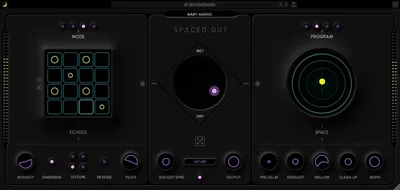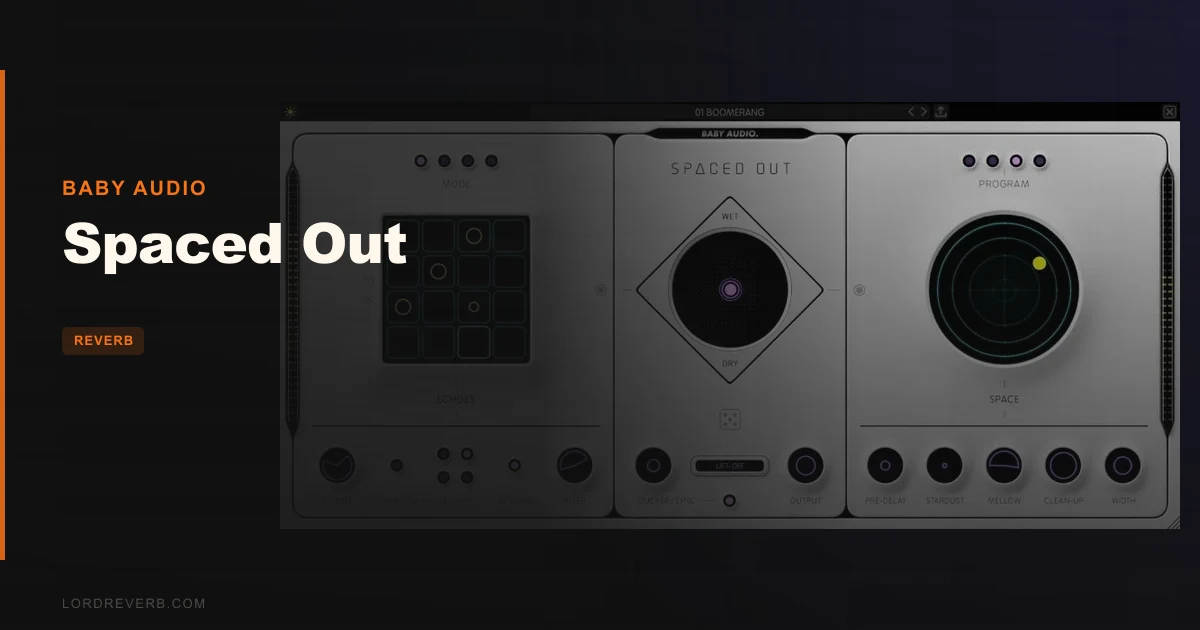
Baby Audio's Spaced Out is a legitimately great creative delay/reverb plugin, and on sale it is one of the most fun purchases you can make for a plugin in 2026.
We pulled it up on a late-night session with a guitar loop going nowhere. The track needed space. Not the polite, mix-friendly kind. Something that turned a two-bar phrase into a room you could walk around in. We loaded preset 47, hit the X/Y joystick toward the top-left, and the loop became three loops, phasing in and out of each other behind a shimmer tail that was absolutely the opposite of subtle. We kept it. That's the review in one paragraph, really. But let's go deeper, because Spaced Out has real trade-offs you need to know about before you buy.
This plugin is built for producers who want creative textures without reading a manual. Ambient makers, bedroom pop kids, lo-fi beatmakers, indie engineers. If that's you, keep reading.
What It Is (and What It's Not)
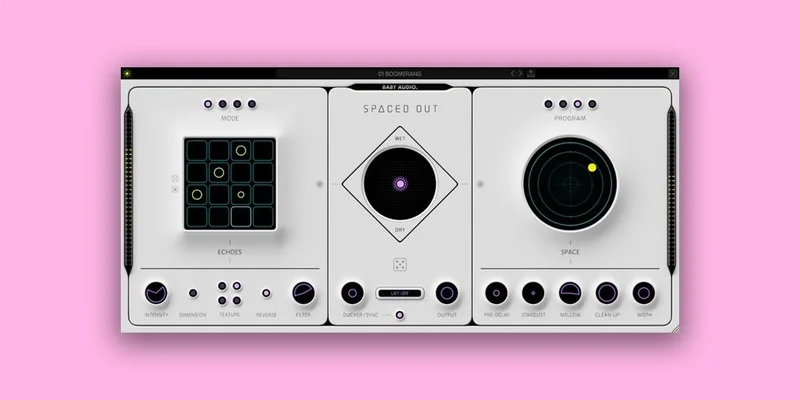
Spaced Out is a combined delay and reverb plugin built around a 16-step delay sequencer and four reverb models, all controlled from a single window. The layout is clean: delay generator on the left, reverb generator on the right, and a central X/Y joystick controller that crossfades and morphs between both sides simultaneously.
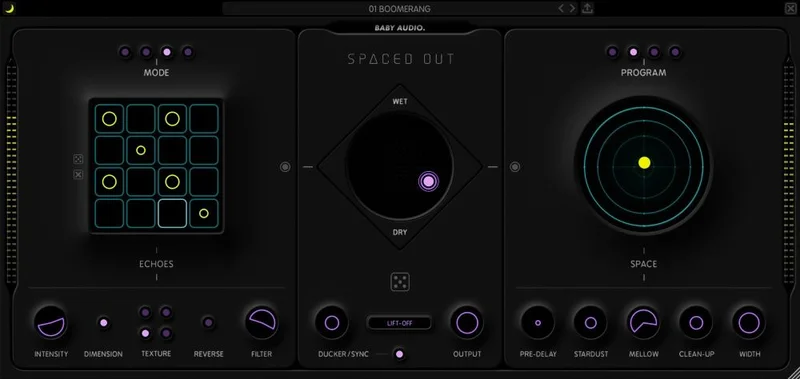
The four reverb characters, Lush, Trippy, Alien, and Cosmic, each carry a matched modulation processor. That gives you 50+ combined effects inside one plugin. The step sequencer supports 1/16th, 1/32nd, dotted 1/16th, and triplet step lengths. It won Future Music and Computer Music's Plugin of the Year awards. We'd agree it earns those.
What it's not: a surgical reverb. There's no mid/side mode. No true stereo decoupling. No impulse response loader. If you're mixing a large orchestral session and need precise early reflection control, this isn't the tool. Don't buy it for that.
Living With It
Setup is almost insultingly easy. It authorises online in under two minutes. The interface loads fast, and the light/dark mode toggle is a small thing that we genuinely appreciate for long sessions.
We ran it across five different session types over three weeks: a lo-fi hip-hop beat, a post-rock guitar bus, a vocal in an indie pop track, a synth pad in an ambient piece, and a snare in a modern R&B session.
The synth pad session was the most satisfying. We fed a plain sine-wave pad into Spaced Out, dialled up the Cosmic reverb model, set the modulation to about 60%, and nudged the joystick. The pad grew. It breathed. It became something we hadn't planned.
The snare was the most frustrating. We wanted Spaced Out's delay sequencer to add rhythmic interest behind the transient without washing the crack. We got there, but it took 20 minutes of preset-browsing and step-editing. For surgical snare work, we'd reach for something simpler next time.
One real quirk: the X/Y joystick is brilliant for creative exploration, but it's annoyingly hard to lock to a specific position. There's no "snap to grid" for the joystick. If you find a sweet spot you love, write down your X/Y coordinates, because nudging it on the next session is a memory game.
The 125 presets are genuinely useful. Not filler. We'd estimate 70 of them are session-ready starting points, which is a better hit rate than most plugins in this price range.
The Trade-Offs
The X/Y joystick is Spaced Out's biggest creative strength and its most practical weakness at the same time. It makes real-time morphing between delay textures and reverb spaces feel performable. But it's not automatable with the precision that a DAW-power-user wants. You can automate the X and Y axes, but modulating them smoothly in a complex arrangement takes effort you might not want to spend.
CPU is the other honest conversation. On a dense session with four or five instances of Spaced Out, we saw buffer spikes that single-effect reverb or delay plugins wouldn't cause at the same settings. It's not a plugin-killer, but it is real. On a loaded session, you'll want to bounce instances to audio before you're done tracking. That's just the honest reality of combining this many modulation layers in one plugin.
The flip side is that one instance of Spaced Out replaces what might otherwise be two or three separate plugins. A reverb, a delay, and a modulation effect. When you frame it that way, the CPU trade-off looks different.
Sound quality, though? Clean. The wet signal doesn't smear or confuse the dry source. The source stays clearly seated in the track even with aggressive settings. That's harder to pull off than it sounds.
Against the Field
Valhalla SuperMassive is free and brilliant for vast ambient spaces. But it has no sequencer, no joystick, and less modulation variety. Spaced Out wins for rhythmic, performable creativity. SuperMassive wins for massive, simple reverb tails at zero cost.
FabFilter Timeless 3 and Pro-R 2 together cover delay and reverb with more surgical precision and better automation curves. They cost considerably more as a pair. For professional post-production work, we'd pick the FabFilter combo. For creative sound design and songwriting, Spaced Out wins on speed and inspiration.
If you want something weirder and more experimental in the same price bracket, the Safari Audio Hippie Elephant pushes reverb textures into stranger territory. Spaced Out is more immediately musical, though. Hippie Elephant is for the producers who want to break something first.
For a straightforward spring reverb fix, the Rhino Reverb is a leaner, cheaper choice. Different job entirely.
The Real Verdict
We'd buy Spaced Out ourselves. We have. It lives on our creative FX bus and comes out whenever a track needs to feel like a place rather than a recording.
On sale, it is not a difficult call. At regular price, it still earns its place if rhythmic, modulated space effects are core to your sound.
Skip it if you're mixing primarily for picture, working in post-production, or need precise reverb control over early reflections and room modes. Skip it if you're already CPU-maxed and can't afford the overhead. For everyone else? Load a preset, grab the joystick, and try to have a bad time. You'll struggle.
Also worth a look for context: our reverb plugins guide covers the broader category if you're still deciding what type of reverb tool you actually need.
Score Breakdown
| Category | Score | Notes |
|---|---|---|
| Sound Quality | 4.5/5 | Source stays clearly seated even at aggressive wet settings |
| Value for Money | 4.5/5 | Replaces multiple plugins at a price that doesn't hurt |
| Ease of Use | 4.5/5 | 125 usable presets and a joystick that teaches itself |
| Features | 4.0/5 | 50+ combined effects, sequencer, four reverb models; no M/S or IR loading |
| CPU Efficiency | 3.5/5 | Noticeable overhead with multiple instances; bounce before mixing dense sessions |
| Overall | 4.2/5 | One of the most creative space plugins in its price bracket |
Alternatives to Consider
Valhalla SuperMassive (Free): Zero cost, vast reverb tails, no sequencer or joystick. Choose it for pure ambient size. Skip it if you want rhythmic delay structure in the same plugin.
Apogee Clearmountain's Spaces: More referential and mix-ready, built around real room captures. See our full Clearmountain's Spaces review for how it compares in professional mix contexts. It wins for realism and track glue. Spaced Out wins for creative exploration.
Soundtoys SpaceBlender: Another creative reverb that's worth checking. Our SpaceBlender review breaks down where it separates from Spaced Out in the signal chain. Broadly, SpaceBlender leans harder into convolution-meets-modulation territory.
If you want to understand how Spaced Out fits into a broader reverb workflow, read our five things every producer must know about reverb plugins first. It'll make the buying decision faster.
Spaced Out isn't trying to be your only reverb. It's trying to be the one you reach for when you want something to sound like a place you've never been. It does exactly that. Buy it.
Frequently Asked Questions
Is Spaced Out suitable for professional mixing, or is it mainly a creative/sound design tool?
Spaced Out works well on creative FX buses and individual instruments in produced music. It's not the right call for professional post-production, film mixing, or any context where you need precise early reflection control or mid/side processing. For those jobs, you'll want a dedicated reverb with an IR loader and full parameter control.
How heavy is the CPU usage on Spaced Out compared to other reverb plugins?
Heavier than most single-purpose reverb or delay plugins at equivalent settings. One instance is fine on most modern machines. Stack four or five on a dense session and you'll see buffer spikes. Our advice: use it freely during writing and sound design, then bounce instances to audio before your final mixing pass.
Can you automate the X/Y joystick in your DAW?
Yes. The X and Y axes are both automatable parameters in your DAW. Smooth, musically useful automation across the joystick does take some time to dial in properly, and there's no snap-to-grid for the joystick position. It's workable, but it rewards producers who plan their automation before the final mix.
What's the difference between the four reverb models: Lush, Trippy, Alien, and Cosmic?
Lush sits closest to a conventional dense reverb, warm and wide without extreme colouration. Trippy introduces pitch-modulation and flutter into the tail, which works brilliantly on pads and guitars. Alien pushes further into metallic, unpredictable decay textures. Cosmic is the most spacious and diffuse of the four, built for ambient and cinematic work where you want the reverb to feel like a horizon rather than a room.