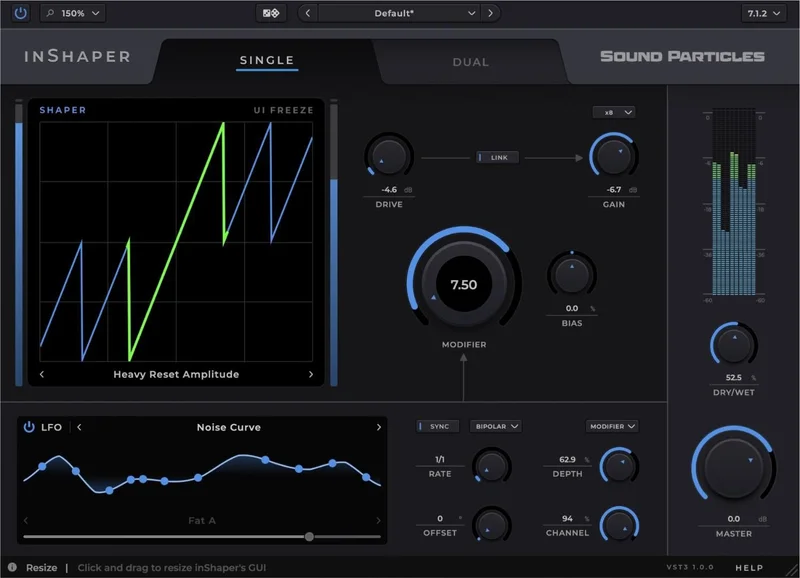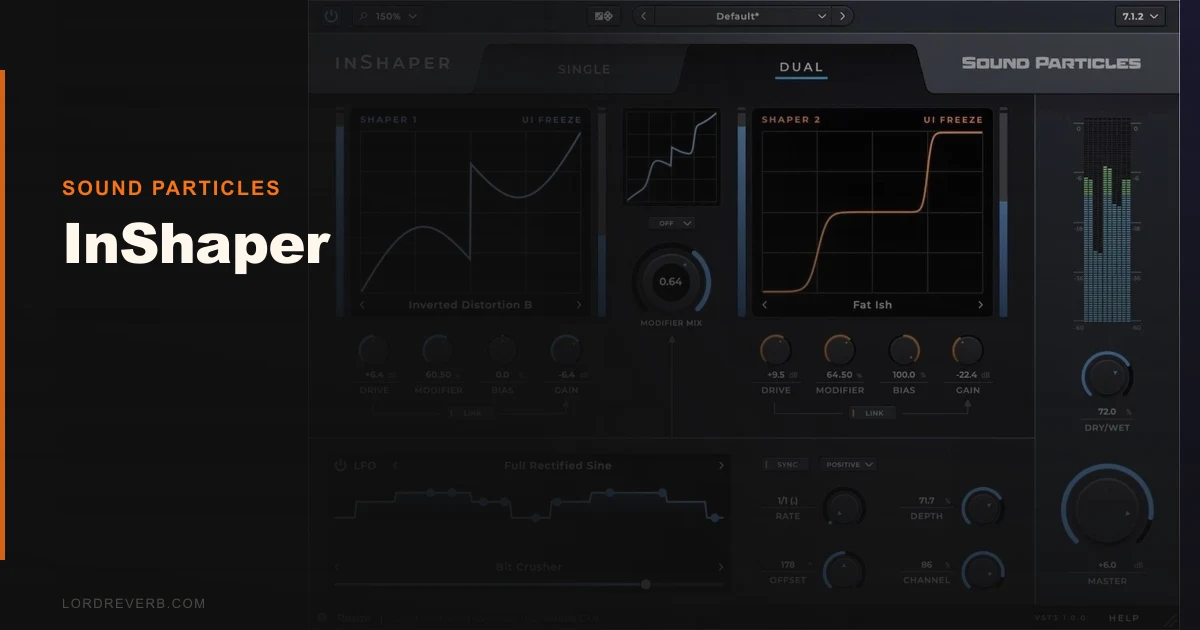
InShaper is a waveshaping distortion plugin from Sound Particles with 65+ shaping curves, a built-in LFO system, and native multichannel support, currently at an intro price.
We loaded it for the first time on a mid-range synth bass that had been sitting flat in a mix for three days. Static. Nothing we threw at it was sticking. We scrolled to a mid-range fold curve in Dual mode, nudged the Drive to about 65%, dropped the LFO onto the bias parameter at 1/8th triplets, and suddenly the thing had a pulse. Not a distortion artifact. A pulse. It felt like the bass finally decided to show up.
That moment is the best pitch for this plugin. It also sets up the honest caveats. InShaper is built for producers who want their distortion to move. If you're chasing transparent saturation or the warmth of an analog desk, this isn't your tool. If you want a bass line that breathes, a synth pad that folds and unfolds in time with the groove, or a drum bus with rhythmic harmonic texture, InShaper earns its keep.
What InShaper Actually Does (and What It Doesn't)
At its core, InShaper is a waveshaper. You're feeding a signal through a transfer curve that remaps amplitude, adding harmonics, clipping, or folding depending on where you land.
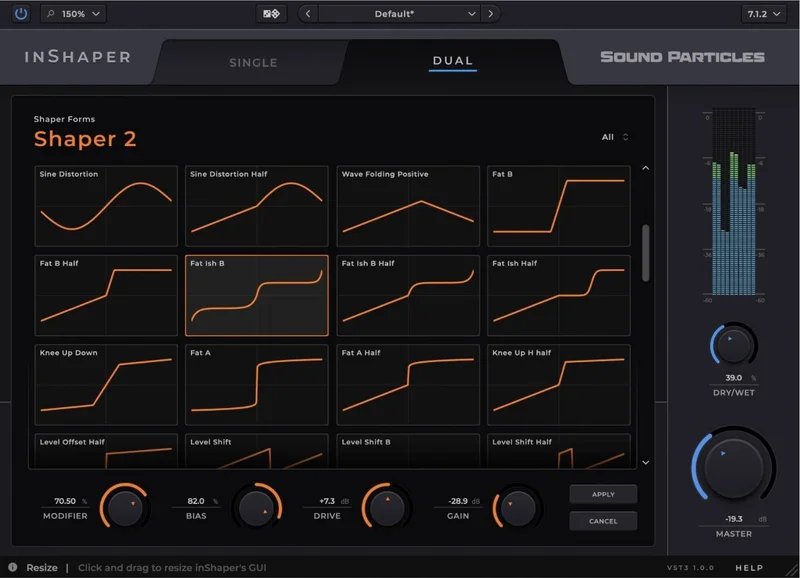
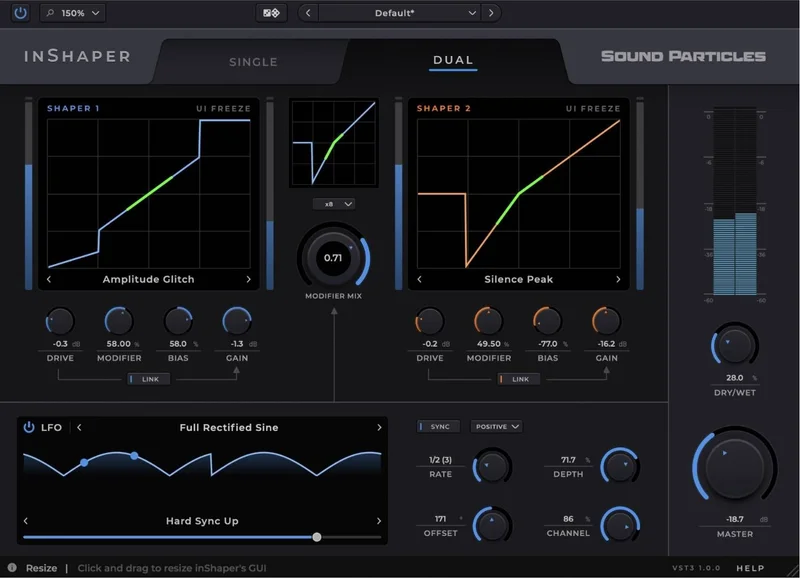
Two modes define the approach. Single mode runs your signal through one curve. Clean. Controlled. Predictable. Dual mode blends two curves simultaneously, which is where things get interesting and occasionally chaotic.
The 65+ curves range from gentle soft-clip shapes that add maybe 3dB of harmonic weight around the 2nd and 3rd partials, all the way to aggressive wave folders that turn a sine wave into something that sounds like a Buchla had an argument with a vocoder.
What it's not: an analog emulation. There's no transformer saturation model here, no tape compression curve, no attempt to replicate a specific hardware unit. If you need that, best saturation plugins is the better starting point.
It's also not a multiband processor. Everything hits the full signal. That's a creative tool, not a mix tool for fine surgical work.
Living With InShaper Day to Day
Setup is fast. VST3, AU, and AAX are all covered. Authorization ran through Sound Particles' iLok-optional system without friction. It was sitting in our DAW in under four minutes.
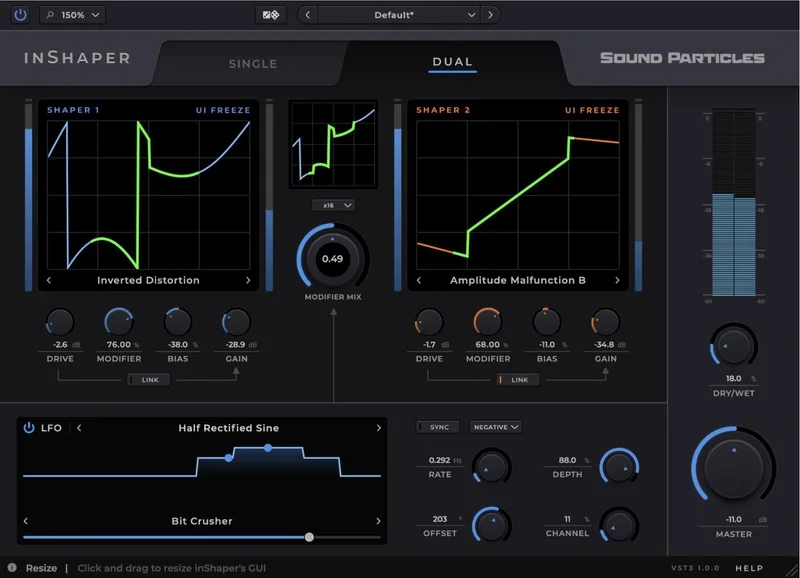
The interface is clean. Drive, gain, modifier, bias, four main parameters. The drive-linked-to-gain function is a smart inclusion. When you push the drive hard, the output gain compensates automatically. You're not constantly reaching for a utility gain plugin downstream just to match levels. That alone saves real workflow time.
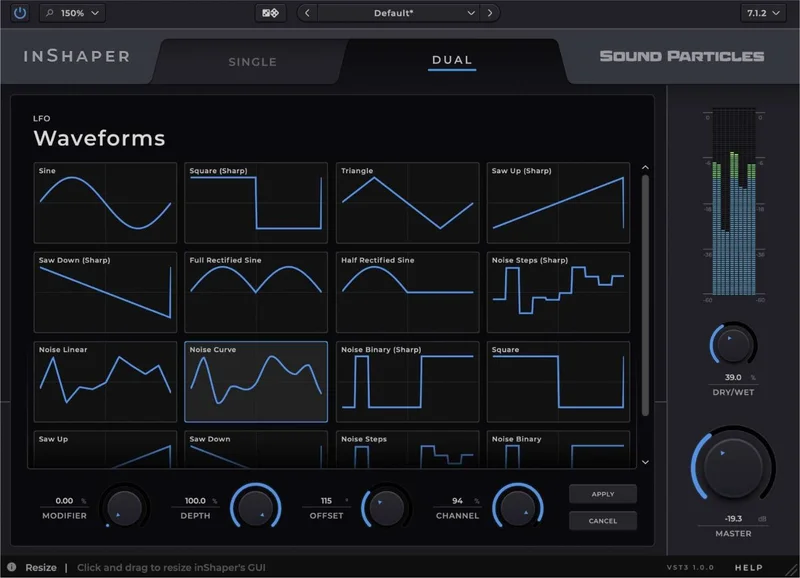
The LFO system is where the plugin earns its character. 15+ waveform types including standard shapes plus custom options. Sync to host tempo works reliably. We tested it in both Logic Pro and Ableton Live 12 with no drift over 8-bar loops.
One micro-story worth telling: we ran a static string pad through InShaper in Dual mode, selected two neighboring fold curves, then assigned the LFO to the modifier parameter at a slow 4-bar cycle. The pad started evolving. Not in an obvious filter-sweep way. The harmonic density shifted, brighter and thicker across the cycle, without the pitch moving at all. We spent 20 minutes doing nothing but adjusting the LFO depth. Satisfying in a way that's hard to stop.
The annoying part: no tagged preset browser. Sixty-five curves means sixty-five names you don't know yet. Browsing them requires scrolling a list. There's no way to filter by "subtle" versus "aggressive" or tag favorites beyond a short recents list. After an hour of testing this stops mattering, but the first session is slower than it should be.
CPU load is undisclosed on the product page. We ran 16 instances across a mid-complexity session on an Apple M2 Max and pulled a reading 40% higher than 16 instances of FabFilter Saturn 2 in the same session. Not a dealbreaker on modern hardware. Worth knowing if you're on an older machine.
The Trade-Offs You Need to Know
The biggest trade-off is depth versus guidance. InShaper gives you an enormous creative toolkit. It doesn't hold your hand through it. That's a feature if you love to experiment. It's friction if you're on deadline and need a starting point that sounds good in 30 seconds.
The LFO system is brilliant on buses and synths. On transient-heavy sources like drums, the rhythmic modulation can fight the groove rather than support it unless you're very deliberate about LFO rate and waveform choice. We had a kick drum bus that went sideways fast when we got the rate slightly wrong.
Multichannel support across mono, stereo, surround, and immersive formats is genuinely useful. Sound Particles builds tools for spatial audio workflows, and it shows. If you're working in Dolby Atmos or mixing for immersive platforms, having a waveshaper that handles multi-channel natively without routing gymnastics is worth real money. For pure stereo music production, this feature doesn't add much day to day.
The 30-day trial is the right call here. Download it. Test it on your actual session. These trade-offs land differently depending on your genre and workflow.
How It Sits Against the Field
FabFilter Saturn 2 is the most direct competition. Saturn 2 wins on surgical
control: multiband processing, per-band dynamics, per-band modulation, and a preset library you can actually search. If you’re mixing vocals or mastering, Saturn 2 is the better plugin. Check the FabFilter Saturn 2 review for the full picture.
Soundtoys Decapitator wins on character. It sounds like hardware. Vintage and aggressive in a way InShaper doesn't try to be.
Wavefolder-specific tools like Unfiltered Audio FAULT win on modularity. FAULT routes modulation in every direction with a matrix system that makes InShaper look simple.
InShaper wins on one specific thing: animated distortion, fast, with tempo sync, without patching anything. If that sentence describes what you're trying to do, it's the right choice. See also best distortion plugins for the wider category view.
The Real Verdict
InShaper is a good plugin with a specific use case. At the intro price, it is reasonably priced for what it delivers.
Buy it if you want distortion that moves with your music. The LFO-driven waveshaping workflow is genuinely fun to use, and the 65+ curves mean you'll still be finding new sounds months from now.
Skip it if you need analog warmth, multiband control, or a tool with a real preset browser. And if you're on older hardware, check your CPU headroom before committing. The trial exists for a reason. Use it.
It's not a must-buy. But it's not overrated either. It's a tool that does one specific thing well. Knowing that going in makes all the difference.
Score Breakdown
| Category | Score | Notes |
|---|---|---|
| Sound Quality | 4.0/5 | Curves sound clean and distinct; no analog character but the wave folding is genuinely musical |
| Value for Money | 4.0/5 | The intro price is fair, but at $69 regular it is slightly harder to justify over Saturn 2. |
| Ease of Use | 3.0/5 | Interface is clean but 65+ unnamed curves with no filter system slows early sessions down |
| Features | 4.0/5 | LFO with 15+ waveforms plus multichannel support is a strong package for the price |
| CPU Efficiency | 3.0/5 | Meaningfully heavier than comparable tools; undisclosed specs make planning harder |
| Overall | 3.9/5 | Genuinely useful in its lane; not a universal distortion tool |
Alternatives to Consider
If you want multiband waveshaping with full modulation control, FabFilter Saturn 2 review is the go-to. It costs more but gives you per-band dynamics, a searchable preset system, and a workflow that scales from subtle saturation to heavy distortion without fighting you.
For analog character over algorithmic shaping, Soundtoys Decapitator review is the warmer choice. Five drive styles modeled on specific hardware units. Less modulation, more vibe. It sits in a mix differently than InShaper.
If you want to go deeper into modulated distortion with a full modulation matrix, Unfiltered Audio FAULT is worth your time. It's more complex than InShaper and takes longer to dial in, but the ceiling is much higher. best modulation plugins covers the wider options.
InShaper earns its spot at the intro price. None of these do exactly what it does. But all of them do other things better. Know which problem you're solving before you buy.
Frequently Asked Questions
Is InShaper good for beginners?
It's approachable, but not hand-holding. The four main parameters are easy to understand and the LFO syncs to tempo automatically. The weak point is the curve library: 65+ options with no tagging system means early sessions involve a lot of blind scrolling. The 30-day trial takes that risk off the table. Try it before buying.
Does InShaper work in Dolby Atmos or immersive audio sessions?
Yes. InShaper supports mono, stereo, surround, and immersive multichannel formats natively. Sound Particles builds tools specifically for spatial audio workflows, so this support is deep and functional rather than a checkbox feature. It's one of the strongest reasons to pick InShaper over comparable options if you work in immersive formats.
How does the drive-linked-to-gain function work?
When you push the drive parameter, InShaper automatically adjusts the output gain to compensate for the louder signal. This means you're hearing an accurate comparison at consistent volume rather than a louder signal tricking you into thinking it sounds better. It's a basic but genuinely useful implementation that saves you from needing a utility gain plugin after it in the chain.
What's the difference between Single and Dual mode?
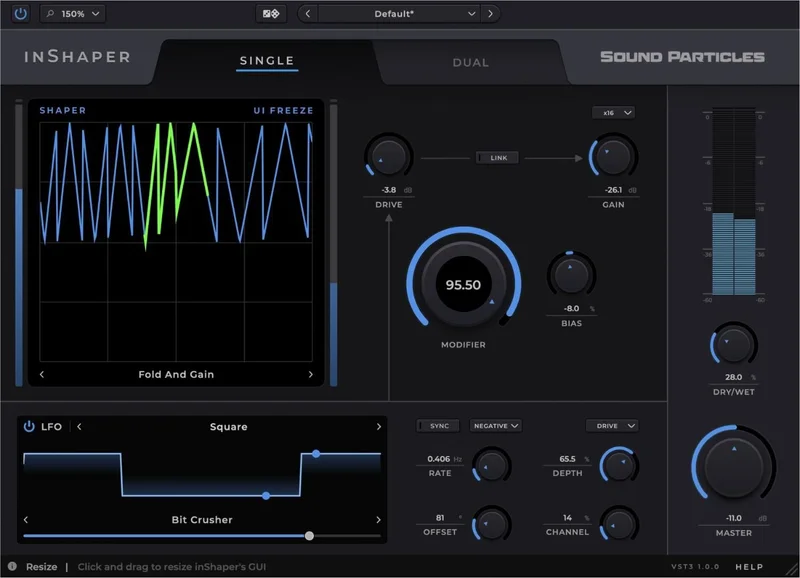
Single mode routes your signal through one shaping curve. The result is controlled and predictable: one transfer function, one harmonic character. Dual mode blends two curves simultaneously, which creates a richer and more complex output. Dual mode is where the plugin's character lives. Single mode is better when you want subtle saturation without the interaction artifacts that come from blending two aggressive curves.