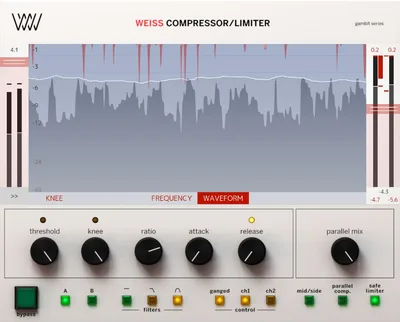
The Weiss Compressor/Limiter review starts with a warning: if you're working in FL Studio 20, the sidechain functionality is broken, and there's no workaround in the notes. That's a hard stop for a chunk of producers before we even talk about the sound. For everyone else, what you're looking at is a software port of the Weiss DS1-MK3, a hardware dynamics processor that mastering engineers have used on major releases for decades.
This one is genuinely split. The compression quality is as good as owners say it is. The interface will frustrate you. That's the whole review, more or less. Read on for where each side wins.
The Catch Up Front
Let's get the blockers out of the way first.
Sidechain doesn't work in FL Studio 20. That's not a workflow preference issue, it's a confirmed bug. If FL is your main DAW, skip this until Softube addresses it.
True-peak limiting is only available when you select the Type 2 limiter algorithm. If you want true-peak compliance for streaming delivery and you set up the wrong limiter type, you're not getting it. Owners call this out as a frustrating hidden limit, because nothing in the interface makes it obvious.
The interface itself is a real problem. Owners rate ease of use at 1 out of 5 for general engineers and newcomers. Hidden menus, slow handling, and a layout that hasn't kept pace with modern plugin design mean you'll need to read the manual before you get anywhere useful. For experienced mastering engineers, that rating climbs to 3 out of 5. It's manageable, but annoying.
You'll also need both a Softube account and an iLok account, plus internet access for license management. No offline activation.
What You Get If You Clear It
The core of the plugin is its algorithm, ported directly from the hardware Weiss DS1-MK3. You get the original DS-1 compressor/limiter behavior alongside two additional limiter types that weren't in the hardware unit.
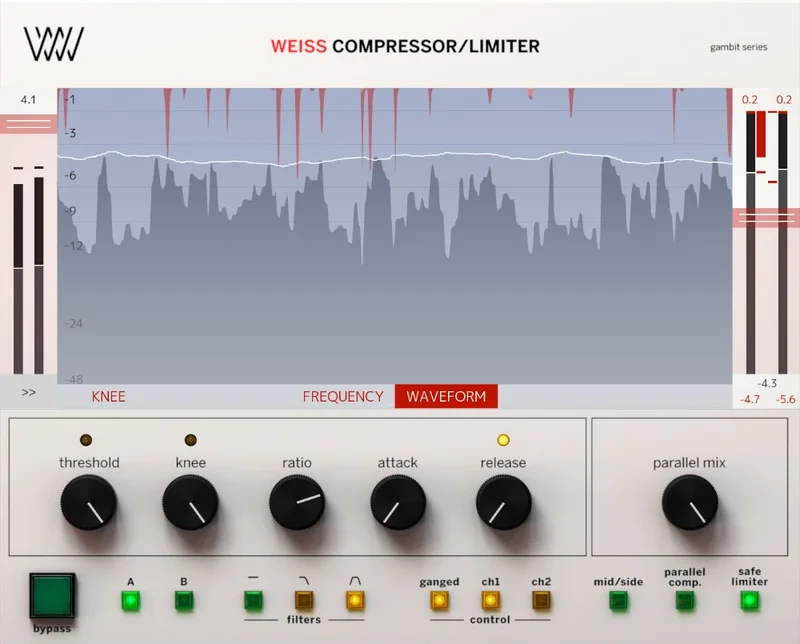
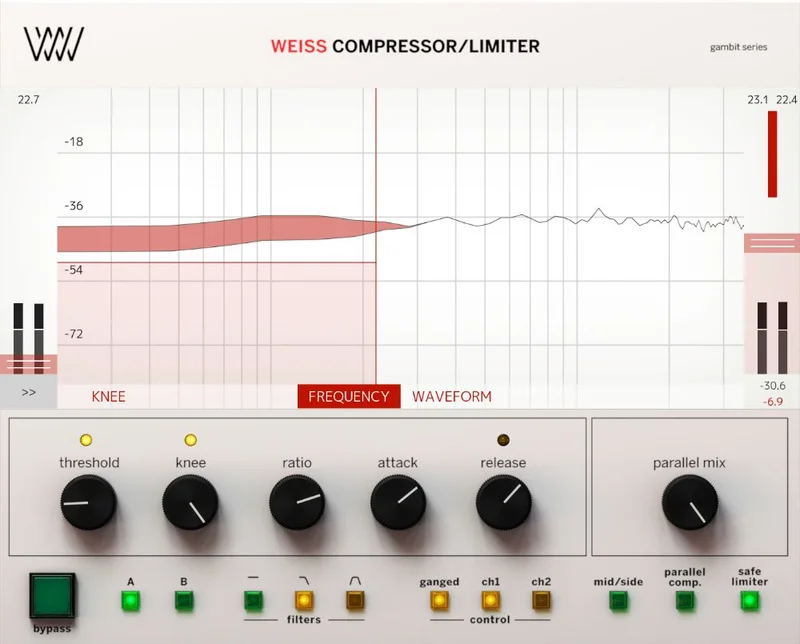
Controls cover attack time, release time, knee settings, ratio, and threshold. There's a low-pass filter and a band-pass filter for frequency-selective compression, which means you can set the detector to respond only to a specific frequency range. The band-pass filter allows you to compress only specific frequencies, like the lowest end, without splitting the full signal into bands, giving you multi-band-style control in a single-band compressor.
The three limiter types each behave differently. The original DS-1 type tightens bass. Type 2 adds punch to the mids and retains more low end, and it's the only one with true-peak limiting. Owners describe the differences as meaningful rather than cosmetic.
Visualisations show the precise effect on the signal in real time. You can run multiple instances in the same session. Mono and stereo operation is supported across sample rates from 44.1 kHz up to 192 kHz.
Where It Shines
The sound quality is where this plugin makes its case.
Put it on a stereo bus at the end of a mastering chain and push the threshold down a few dB. Owners describe it as the smoothest, most transparent compression they've heard in software. That claim lines up with what the DS1-MK3 hardware is known for: dynamics control that doesn't leave fingerprints on the signal.
The frequency-selective compression is a clever tool for mastering. Say your low end is pumping but you don't want to touch the mids. Set the band-pass filter to focus the detector on the sub frequencies and the compressor responds to bass movement without dragging the rest of the signal down with it. That kind of control is usually reserved for dedicated multi-band compressors.
The three limiter types give you real options at the ceiling. The original DS-1 type is the right choice when your low end is already tight and you want the limiter to stay out of the way. Type 2 is the one to reach for when you need a little more presence in the mids at high levels and you need true-peak compliance for streaming. That's a useful distinction at the mastering stage.
Support for 44.1, 48, 88.2, 96, 176.4, and 192 kHz makes it usable across any session format a mastering engineer is likely to encounter.
Against the Field
TDR Kotelnikov comes up most often in comparison. It's free, it's transparent, and it includes RMS average time control that the Weiss doesn't have as a named parameter. For producers who want similar quality at a different price point, Kotelnikov is the honest alternative to check first.
FabFilter Pro-C is the other name that appears in shootouts, compared on loudness and transparency. Pro-C has a far more modern interface and a shorter learning curve. If the Weiss interface sounds like a nightmare based on everything above, Pro-C is probably the smarter call for most mastering workflows.
Sonnox mastering compressors get mentioned as an alternative in the same tier. IK Multimedia's mastering tools appear in shootout comparisons.
The honest answer is that the Weiss wins on pure compression character and hardware pedigree. It loses on usability and value-for-money against free and mid-price alternatives that cover a lot of the same ground.
Who Should Buy This
- ✅ Buy if you're a mastering engineer who values transparent, surgical compression and has the patience to learn an unconventional interface.
- ✅ Buy if you need true-peak compliant limiting for streaming delivery and want the character of the DS1-MK3 hardware in your ITB chain.
- ✅ Buy if you're already in the Weiss DS1-MK3 plugin ecosystem alongside the Deess and MM-1 Mastering Maximizer.
- ❌ Skip if FL Studio 20 is your primary DAW. Sidechain is broken and there's no fix in sight.
- ❌ Skip if you're a mixing engineer rather than a mastering engineer. The plugin's design is built around mastering workflows and owners rate general usability close to the floor.
- ❌ Skip if you're new to dynamics processing. A 1/5 ease-of-use rating from owners is not an exaggeration.
Specs & Technical Details
| Developer | Softube |
| Price | $299 |
| Plugin Format | VST / VST3 / AU / AAX |
| OS Support | macOS Big Sur 11, Monterey 12, Ventura 13 / Windows 10/11 64-bit |
| Activation | Softube account + iLok account, internet required |
| CPU Usage | Medium (accumulates with many instances) |
| Trial Available | N/A |
| Version Reviewed | N/A |
Score Breakdown
| Category | Score | Notes |
|---|---|---|
| Sound Quality | 4.5/5 | Owners call it the most transparent software compression they've used; hardware pedigree is real |
| Value for Money | 3.0/5 | Strong free and mid-price alternatives cover similar ground; the premium is for the DS1-MK3 character specifically |
| Ease of Use | 2.0/5 | Owners rate it 1/5 for general engineers; hidden menus and confusing release settings are a genuine problem |
| Features | 4.0/5 | Three limiter types, frequency-selective compression filters, and 192 kHz support cover serious mastering needs |
| CPU Efficiency | 3.5/5 | Reasonable on single tracks; adds up fast across many instances in large sessions |
| Overall | 3.5/5 | Brilliant sound held back by a frustrating interface and some hard limits on compatibility |
Alternatives to Consider
TDR Kotelnikov is the first place to look if price is a concern. Owners and shootout comparisons put it in the same conversation for transparency. It includes RMS average time control and behaves differently enough from the Weiss to make the comparison meaningful rather than obvious.
FabFilter Pro-C is the smarter choice if you want transparency and loudness control with a modern, navigable interface. If the Weiss interface sounds like it would cost you more in time than it saves in quality, Pro-C is worth a long look.
Sonnox mastering compressors sit in a similar tier and come up as alternatives in the same category. Worth checking if you want a different character at the ceiling of a mastering chain.
The Weiss Compressor/Limiter is the right call for one specific type of person: a mastering engineer who cares deeply about compression character, has the experience to navigate a difficult interface, and isn't working in FL Studio. For that person, the sound quality and the DS1-MK3 lineage are worth it. For a mixing engineer, a beginner, or anyone who needs sidechain in FL, this is the wrong tool. The sound is brilliant. The experience of using it is not. Know which matters more to you before you buy.
Frequently Asked Questions
Does the Weiss Compressor/Limiter work in FL Studio?
Owners report that sidechain functionality does not work in FL Studio 20. The plugin may load and process audio, but sidechain compression is broken in that DAW. If sidechain is part of your workflow in FL Studio, this plugin isn't a safe purchase right now.
What's the difference between the three limiter types in the Weiss Compressor/Limiter?
The original DS-1 limiter type tightens bass response, which works well when your low end is already controlled and you want transparent limiting at the ceiling. Type 2 retains more low end and adds punch to the mids, and it's the only type that supports true-peak limiting for streaming compliance. A third algorithm adds further flexibility. Owners describe these differences as meaningfully distinct rather than subtle variations of the same character.
Is the Weiss Compressor/Limiter suitable for mixing, or is it mainly a mastering tool?
It can run on individual tracks in a mix and supports multiple instances in a session. But its design, its interface complexity, and its feature set are built around mastering workflows. Owners and the developer frame it that way consistently. If you're looking for a general-purpose mix compressor, the steep learning curve and price point work against it compared to alternatives built for that job.