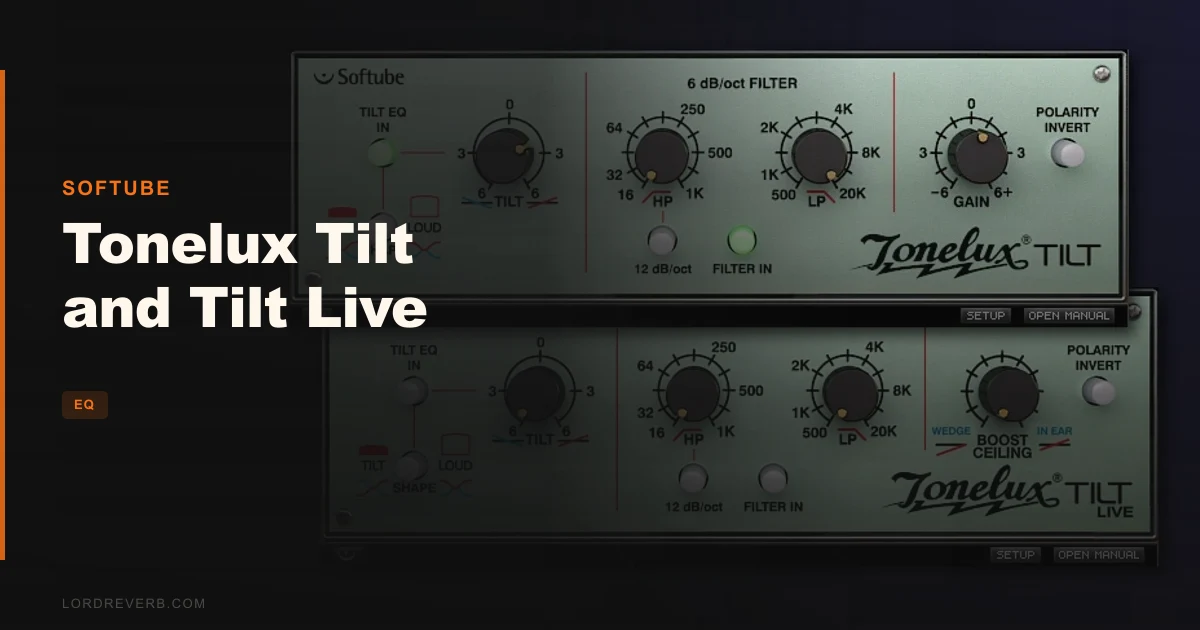
The Tonelux Tilt and Tilt Live is a single-knob EQ plugin that tilts the entire frequency spectrum brighter or darker in one move, making it one of the fastest tonal shaping tools in any mix session. At $59, it's built for engineers who trust their ears over their eyes and want tonal decisions made fast.
You're forty minutes into a session. The guitars are fighting the vocals, the drum bus sounds like a cardboard box, and you've already spent too long on the snare. You don't need another parametric EQ with seventeen bands and a spectrum analyzer. You need a knob you can grab and turn until the track sits right.
That's the exact moment the Tilt was designed for. One knob. Turn clockwise and the top end opens up, the low end recedes. Turn counterclockwise and the track gets fatter, darker, slower. It's a broad shelving tilt centered around a fixed pivot point, and when it works, it's almost annoying how fast it is.
This review covers who should buy it at $59 and who should keep scrolling.
What's In The Box
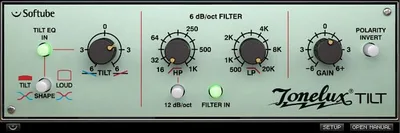
The plugin ships with a single tilt control, sweepable high and low pass filters switchable between -6dB and -12dB per octave, a polarity reversal switch, and a gain knob. There's also a Loud switch that lets you push the effect harder or keep it subtle.
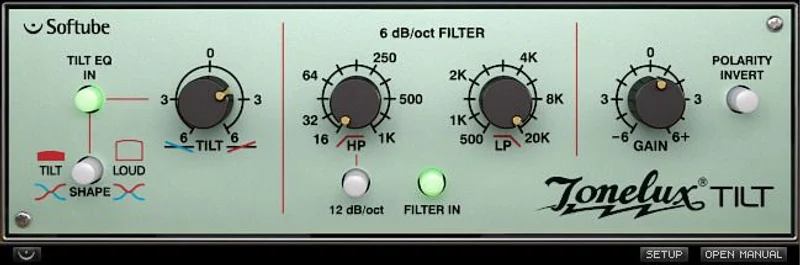
The transformer modeling is based on the hardware found in the Tonelux MP1a mic preamp. It's not a clean digital tilt. There's saturation baked into the low end behavior.
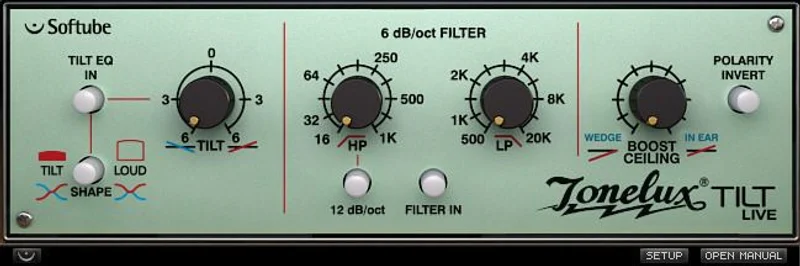
Tilt Live is a separate version with additional features requested by live sound engineers. It's compatible with Digidesign VENUE systems.
Format support covers AU, VST, VST3, and AAX. It runs on macOS Big Sur through Ventura and Windows 10 and 11, both 64-bit. Apple Silicon gets native support. You'll need a Softube account and an iLok account to activate.
Where It Fits In Your Workflow
Drop it on a single channel when the track is too bright or too woolly and you can't face opening a full EQ. That's the sweet spot.
You can also use it on a bus. If your drum room mics sound a bit thin, a small clockwise nudge brings weight back without touching individual tracks. If a synth pad is eating the mix's upper midrange, counterclockwise kills the problem before it starts.
Live engineers will find the Tilt Live version useful for addressing ear fatigue during long sets. When a whole mix starts to feel sharp after two hours, pulling the tilt slightly darker across the main bus is a faster fix than chasing individual channels.
One thing to know before you commit: the plugin pops loudly when inserted during playback. Stop the transport before loading it. That's not optional advice. Owners describe the pop as enormous. Factor that into any live rig or live-in-the-box workflow. It's frustrating, and Softube hasn't addressed it.
For high-pass and low-pass work, the built-in filters handle basic cleanup. But if you need a steep high-pass for heavy low-end management work, you may still want a dedicated tool alongside it.
What It's Genuinely Good At
The tilt curve itself is the star. It's broad and smooth, and the way it attenuates one end while lifting the other keeps the overall loudness perception remarkably stable. Tracks stay in the mix even when you've pushed the knob a fair distance from center.
The transformer modeling is clever. Owners describe the low-mid saturation as making bass synths feel more analog. It compresses transients slightly, which has a practical use: owners report that harsh snare hits get tamed without losing punch. That's not nothing.
CPU usage is essentially irrelevant here. Reports from M2 Mac Studio show 0.8%. Run twenty instances on your session. You won't notice it.
For the working mixer who needs a fast "warmer or brighter" decision, this is genuinely satisfying to use. One parameter, one result. If you love analog-modeled EQ behavior, the transformer character adds something a clean digital shelf doesn't.
The Rough Edges
The loudness pop on insert is the biggest practical problem. It's not a minor click. Owners describe it as enormous. In a live sound context, that's potentially damaging. In a studio context, it's just annoying. Either way, it should have been fixed by now.
The knob centering is a real workflow irritant. Getting back to zero takes extra adjustment. When your whole approach is "one knob, fast decisions," a knob that doesn't reliably return to neutral undermines the concept.
And then there's the flexibility ceiling. The single tilt curve is brilliant for broad tonal shaping. But you can't scoop a midrange with it. You can't boost a narrow band. For anything beyond "this whole track needs to be brighter," you'll be reaching for something else anyway. That's fine if you know going in, but worth being honest about.
Some users also find the 3D interface effect impractical. Not a dealbreaker. Just unnecessary.
Who This Is Really For
- ✅ Buy if you work fast and want tonal decisions made fast
- ✅ Buy if you mix live sound and need a quick whole-mix tone adjustment during a set
- ✅ Buy if you love analog character on low-mids and want transformer saturation without a preamp plugin in the chain
- ❌ Skip if you need surgical EQ control or mid-band shaping as your primary tool
- ❌ Skip if you hot-swap plugins mid-playback in a live rig (the pop is a real hazard)
- ❌ Skip if you already own a capable tilt-style EQ with more parameter control
Specs & Technical Details
| Developer | Softube |
| Price | $59 |
| Plugin Format | VST / VST3 / AU / AAX |
| OS Support | macOS Big Sur 11, Monterey 12, Ventura 13 / Windows 10 & 11 (64-bit) |
| Activation | Softube account + iLok account (internet required) |
| CPU Usage | Light (0.8% on M2 Mac Studio) |
| Trial Available | N/A |
| Version Reviewed | N/A |
Score Breakdown
| Category | Score | Notes |
|---|---|---|
| Sound Quality | 4.5/5 | Transformer modeling adds real analog texture; tilt curve is smooth and natural |
| Value for Money | 4.0/5 | Single-purpose at $59 is fair but narrow; does one thing very well |
| Ease of Use | 4.0/5 | Knob centering issue and insert pop hurt an otherwise brilliantly simple design |
| Features | 3.5/5 | High/low pass filters add flexibility but the core feature set is deliberately minimal |
| CPU Efficiency | 5.0/5 | 0.8% on M2 Mac Studio; run as many instances as you want |
| Overall | 4.1/5 | A fast, analog-flavored tilt tool with one serious bug and a clear ceiling on flexibility |
Alternatives to Consider
Goodhertz Tiltshift gives you control over the tilt's frequency range, variable slope on the filters, and resonance adjustment. If the fixed pivot point of the Tonelux frustrates you, Tiltshift solves that. It's a more flexible take on the same concept.
PSP Tilt-Q is another option in the same territory and sits alongside the Tilt at a combined cost that reviewers describe as reasonable for the pair. Worth checking if you want a different voicing.
For a broader EQ plugin comparison that covers more than tilt-style tools, the BLEASS Motion EQ handles frequency movement in ways the Tonelux can't touch. Different use case, but worth knowing about.
And if what you're really after is a simple analog filter with minimal controls, the VEQ-HLF covers high and low pass territory with a different character altogether.
The Verdict on Tonelux Tilt and Tilt Live
At $59, this is a specialty tool that does its one job with genuine character. The tilt curve is smooth, the transformer modeling adds something real, and the CPU cost is basically zero. Experienced mix engineers who trust broad tonal moves will use it constantly.
But the insert pop is a legitimate problem that nobody should have to work around in a product at any price. And if you're hoping a single tilt curve will replace a proper EQ plugin, it won't. It's a complement, not a replacement.
Buy it if you want fast, analog-flavored tonal shaping that runs on nothing and sounds like something. Skip it if your workflow involves hot-swapping plugins during playback, or if you need to touch anything other than the broad frequency picture.
Frequently Asked Questions
What does the Tonelux Tilt plugin actually do?
It applies a tilt EQ across the full frequency spectrum. Turning the single knob clockwise attenuates the low end and lifts the high end. Turning it counterclockwise does the opposite, making the track darker and fatter. It also includes sweepable high and low pass filters and transformer saturation modeling based on the Tonelux MP1a preamp.
What is the difference between Tilt and Tilt Live?
Tilt Live is a version built specifically for live sound applications, including compatibility with Digidesign VENUE systems. It includes additional features requested by live engineers. Both versions share the core tilt design, but Tilt Live targets front-of-house and monitor mixing workflows.
Does Tonelux Tilt require iLok hardware?
You need both a Softube account and an iLok account to activate the plugin. Internet access is required for downloading the installer and managing your license. Check Softube's current licensing page to confirm whether a physical iLok dongle is required or whether a software license is sufficient.
Is Tonelux Tilt worth it if you already own a full parametric EQ?
It depends on how you work. The Tilt doesn't replace a multi-band EQ. It's a fast broad-stroke tool for tracks that just need to be brighter or darker overall. If you tend to reach for a parametric first, you'll likely find the Tilt useful as a first-pass filter before committing to surgical adjustments. If you rarely use broad shelves, you may not reach for it often.
What DAWs is Tonelux Tilt compatible with?
Softube has officially tested the plugin in Pro Tools, Logic Pro, Cubase, Ableton Live, Studio One, and Reaper. It supports AU, VST, VST3, and AAX formats. AAX requires Pro Tools 11.0.2 or higher. It runs natively on Apple Silicon and supports sample rates from 44.1 kHz up to 192 kHz.