Your loop sounds finished and lifeless at the same time, and you want it to sound like it was dragged off a worn cassette without hunting through five plugins to get there.
That's the itch Dirty Tape scratches, and for $59 it scratches it loudly. Dirty Tape comes down to this: it depends on whether you want obvious tape damage or tape polish.
If you make beats, lo-fi loops, or bass-heavy sketches, read on. If you want transparent glue on a mix bus, you're in the wrong shop.
The Problem This Solves: Clean Loops That Refuse to Sit
You program a drum loop. You layer a piano sample over it. Everything is in time, everything is in tune, and nothing sounds like it belongs to anything else.
That's the sterile-DAW problem. Perfectly gridded sources with no movement, no wobble, no dirt.
The usual fix is a chain: a saturator, a chorus for pitch drift, a filter for the top end, maybe a dropout effect from a lo-fi bundle. It works, but it eats time and screen space.
Dirty Tape's pitch is to collapse that chain into one window with two main knobs. The developer describes it as taking static, dull tracks and making them lively and colourful. That's marketing language, but the underlying idea is sound.
Whether it's the right collapse depends on how much you want to steer.
How It Performs: Loud, Obvious, and Not Subtle
This is not a polite plugin. Owners describe it as in-your-face, and a reviewer who found Softube Tape too subtle prefers Dirty Tape for that reason.
Softube Tape is the cleaner sibling, with more restrained saturation. Dirty Tape sits at the opposite end of the Softube catalogue.
Load it on a sample and the character announces itself immediately. The developer calls it capable of fiercely gritty distortion and saturation, and it can also add subtle texture and movement if you back the controls off.
Pushed, it's a decent comparison point for the aggressive character you'd expect from something like the UAD Studer A800.
The catch: it also pulls the top end down. Users report a significant treble reduction even at the lowest settings. If you want the dark, dusty sound, brilliant. If you wanted grit with the air left intact, that's annoying.
Dirt and Drive: The Two Knobs That Do Everything
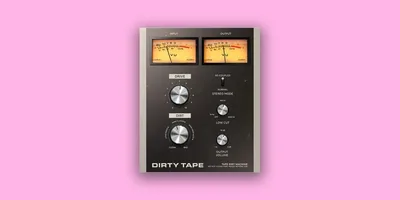
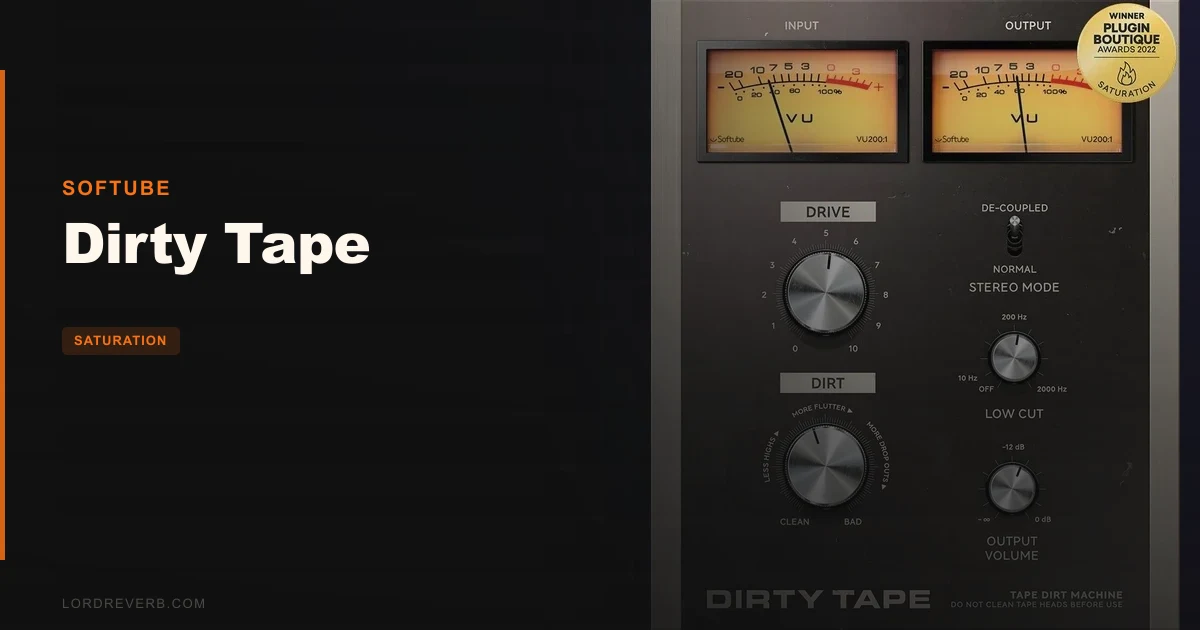
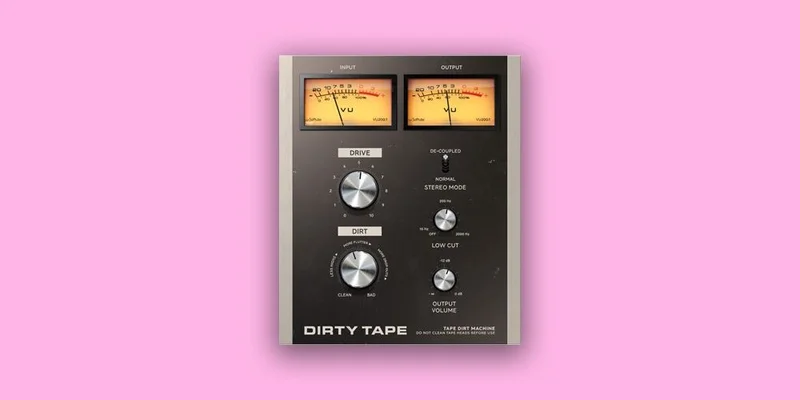
The core of the plugin is two controls, Dirt and Drive, modelled on the Dirt and Drive sections of Softube Tape Echoes. Two knobs regulate every effect it produces.
That is the whole selling point and the whole limitation.
Drive pushes the signal into saturation. Dirt brings in the degradation: the pitch modulation, flutter, dropouts, and the rest of the tape-damage behaviours.
Start both low on a drum loop and you get movement and a little crunch. Push them and the loop begins to wobble and break up like a tape that's been left on a dashboard.
For beat-making, that's a fast route to mood. You're not diving into menus, you're turning two knobs until it sounds right.
For anyone who likes to dial each artifact separately, it's the opposite of what you want.
The Effects Hiding Behind Dirt
The effect list is wider than two knobs suggests: pitch modulation, crosstalk, stereo imbalance, flutter, dropouts, and wow.
Wow is the slow pitch drift. Flutter is the faster waver. Dropouts are the momentary level losses that make a tape feel damaged.
Crosstalk and stereo imbalance are the stereo-side tape quirks. Put them together and you get that lopsided, slightly broken image that cassettes and worn reel machines produce.
The frustrating part is that you can't address them separately. A competitor like Sketch Cassette gives you multiple saturation algorithms and adjustable wow and flutter. Dirty Tape trades that control for speed.
The Age Knob That Barely Ages Anything
Owners report the Age knob produces minimal effect even at its maximum setting.
That's a weak spot. A control labelled Age implies a sweep from fresh tape to ruined tape, and if the far end of that sweep is mild, the label overpromises.
Run Dirt and Drive harder to compensate. It's a workaround, not a fix, and it's one of the clearer signs that this plugin is built for quick results rather than depth.
Stereo Mode: Normal or De-coupled Dual Mono
This is the feature owners get most excited about.
Stereo Mode offers Normal or De-coupled dual mono. In De-coupled, the left and right channels are processed independently, so the random modulation differs on each side.
Owners report a dramatic stereo field effect on bass tracks in De-coupled mode, and a KVR user praises its effectiveness on bass and stereo effects.
Picture a mono sub-heavy bass line that feels flat. Switch to De-coupled, push Dirt, and the image starts to swim left to right.
It's a clever trick. It's also unpredictable.
Because the decoupling produces artistic width effects you can't fully steer, it won't suit every mix. If your bass needs to stay anchored in the centre for a club system or a mono check, you'll want to leave this off.
Use it on a sample or a pad where width is welcome. Be careful on anything that carries the low end of a mix.
The Low Cut Filter: Useful, but Only Half the Story
A Low Cut Filter is built in to reduce low-end rumble and push the lo-fi feel further.
That's handy. Heavy saturation on low material can turn the bottom muddy, and a quick cut tidies it without opening an EQ.
Here's the problem: there's no high cut to match.
Airwindows IronOxide5 offers a more flexible adjustable low pass filter, and that comparison stings. Dirty Tape already darkens the top end whether you ask it to or not, and you get no control over how.
The result is a plugin with a lopsided filter section. You can shape the bottom and not the top.
If you want to restore some air, you'll need a separate EQ or exciter after it. Which undoes part of the all-in-one appeal.
Where It Works Best: Beats, Samples and Bass
The developer positions it for adding warm, low-fi vibes to samples, instruments, or beats, and for helping programmed drum and piano loops sit right in a mix.
That matches how owners use it.
On a sampled drum break, pushing Drive softens transients and builds grit, then adding Dirt introduces a little drift. The loop stops sounding pasted on and starts sounding like it came from a record.
On a piano loop, a small amount of wow does the heavy lifting; too much creates an unpleasant wobble, and the balance matters.
On bass, as covered, De-coupled mode is where it shines, as long as you can live with the width.
It's less convincing on a full mix bus or a vocal. MusicRadar notes the simplicity and lo-fi appeal but limited versatility for advanced users, and that fits.
CPU Usage and Compatibility
Users report significantly higher CPU usage than Softube Tape Echoes.
That matters if you stack instances. A beat with a dozen channels each carrying Dirty Tape will tax a modest machine faster than you'd expect from something this simple.
Freeze or bounce tracks once the sound is dialled in. It's the usual fix, but it's an annoying one for a plugin that looks lightweight.
On the system side, it runs on macOS Big Sur 11, Monterey 12, or Ventura 13, and Windows 10 (64-bit) or Windows 11. Mac support covers Intel Core i3/i5/i7 and Apple silicon M1 or newer. Windows needs a quad-core Intel Core i3/i5/i7 or AMD quad-core with SSE 4.2.
Formats are AU, VST, VST3 and AAX, with Pro Tools 11.0.2 or higher supported. It's officially tested in Pro Tools, Logic Pro, Cubase, Ableton Live, Studio One, and Reaper.
Sample rates run from 44.1 up to 192 kHz, mono and stereo.
Softube Account, iLok and the Install Chore
You'll need a Softube account and an iLok account, plus internet access to download installers and manage licences.
That's standard for the brand, and it's a chore if you wanted to grab a plugin and go. Budget a few minutes for setup before your first session.
Softube recommends the VST3 format for full feature support, including its Extended Features for added control and workflow touches. Use VST3 where your host allows it.
Strengths and Weaknesses, Side by Side
The good: it gets you to gritty, characterful tape sound in seconds. The two-knob design means no menu diving.
De-coupled stereo is a real party trick on bass. The effect list covers the main tape-damage behaviours in one place.
The Low Cut Filter tidies the bottom without a second plugin.
The bad: no high cut, and a darkened top end you can't fully fix. The Age knob does little at max.
CPU usage is heavier than the sibling plugin. A KVR user regrets the lack of a mix control for chorus effects. Blending dry signal back in is how most of us tame an aggressive effect.
The honest summary is that both lists are real and roughly the same length. The good side is about speed and character. The bad side is about control. Which side matters more is down to you.
Value for the Price: Is It Worth $59?
One user perceives the price as high given that free alternatives exist, and that's a fair read.
Airwindows IronOxide5 is free and gives you a more flexible low pass filter. Plenty of free saturators and lo-fi tools will get you part of the way.
What you pay $59 for is the specific combination: wow, flutter, dropouts and crosstalk, a De-coupled stereo mode, and the Softube workflow, in a single, simple window.
If that exact bundle is what you'd otherwise assemble from three free plugins, you're paying for convenience.
If you only want light saturation, the cheaper route is enough. If you want the obvious, characterful sound without the assembly, it's easier to justify.
We'd call it fair but not generous. Wait for a Softube sale if you can.
Who Should (and Shouldn't) Buy This
- ✅ Buy if you make lo-fi beats and want gritty tape movement from two knobs.
- ✅ Buy if you want dramatic stereo swim on bass or samples and can live with the unpredictability.
- ✅ Buy if you already like Softube's workflow and find Softube Tape too polite.
- ❌ Skip if you need a high cut, since the treble loss is baked in.
- ❌ Skip if you want subtle, transparent glue for a mix bus.
- ❌ Skip if you run big sessions on a modest CPU, or if free alternatives already cover your needs.
Specs & Technical Details
| Spec | Detail |
|---|---|
| Developer | Softube |
| Price | $59 |
| Plugin Format | VST / VST3 / AU / AAX |
| OS Support | Mac (Big Sur 11, Monterey 12, Ventura 13; Intel and Apple silicon) / Windows 10 (64-bit) and 11 |
| Activation | Softube account and iLok account, internet required for installers and licences |
| CPU Usage | Heavy compared to Softube Tape Echoes |
| Trial Available | N/A |
| Version Reviewed | N/A |
Score Breakdown
| Category | Score | Notes |
|---|---|---|
| Sound Quality | 3.5/5 | Obvious, gritty character, but a darkened top end you can't adjust |
| Value for Money | 3.0/5 | Convenient bundle, though free alternatives cover some of it |
| Ease of Use | 4.0/5 | Two main knobs get you there fast |
| Features | 3.5/5 | Wide effect list and De-coupled mode, but no high cut or mix control |
| CPU Efficiency | 2.5/5 | Noticeably heavier than Softube Tape Echoes |
| Overall | 3.4/5 | Fun, fast and fierce, held back by limited control and CPU cost |
Alternatives to Consider
Softube Tape
The cleaner sibling. Choose it if Dirty Tape's grit is too much and you want more subtle saturation on busier material.
Airwindows IronOxide5
A free option with a more flexible adjustable low pass filter. It answers the biggest complaint about Dirty Tape, the missing high cut.
Sketch Cassette
Gives you more control, with multiple saturation algorithms and adjustable wow and flutter. Pick it if you want to shape each artifact instead of turning one knob.
UAD Studer A800
Comparable if aggressive character is what you're after, though it's a different kind of plugin with a different workflow.
The Verdict: A Loud Plugin With a Narrow Lane
Dirty Tape is a fast route to obvious tape damage, and for $59 it earns its place on a beat-maker's shortlist if you want grit and movement without building a chain.
It's wrong for anyone who needs a high cut, a mix knob, or a light touch on a full mix. Those people will fight it, and free tools or Sketch Cassette will serve them better.
If your loops sound too clean and you want them dirty by lunchtime, buy it. If you want control, keep your money.
Related reviews: Stator
Frequently Asked Questions
Is Dirty Tape worth buying?
It depends on your goal. If you want fast, obvious lo-fi tape character on beats, samples and bass, it's a strong fit at $59. If you want subtle saturation or fine control, look elsewhere.
Does Dirty Tape have a high cut filter?
No. It has a Low Cut Filter only. Users also report significant treble reduction even at the lowest settings, so you can't restore the top end inside the plugin.
How heavy is Dirty Tape on CPU?
Users report significantly higher CPU usage than Softube Tape Echoes. If you stack many instances, freeze or bounce tracks once the sound is set.
What does De-coupled stereo mode do?
It processes left and right as independent dual mono, so the modulation differs on each side. Owners report a dramatic stereo field effect on bass, though the result is unpredictable and won't suit every mix.
Which DAWs and formats does it support?
It supports AU, VST, VST3 and AAX, and has been officially tested in Pro Tools, Logic Pro, Cubase, Ableton Live, Studio One and Reaper. Softube recommends VST3 for full feature support.
What do I need to install it?
You need a Softube account and an iLok account, plus internet access to download installers and manage licences. It runs on recent macOS and Windows 10 or 11 systems.